- 新建索引和字段
- 新增索引数据
- 增(指定id:插入了一条 ID 为 1 的数据)
POST test_index1/_doc/1
{
“type”: “人类1”,
“name”: “杨仁杰1.1”,
“country”: “中国1”,
“sex”: “男”,
“age”: 55,
“date”: “2020-04-07”
} - 增(不指定id,自动生成id)
POST test_index1/_doc
{
“type”: “人类-自动id2”,
“name”: “杨仁杰-自动id2”,
“country”: “中国”,
“sex”: “男”,
“age”: “26”,
“date”: “2020-04-07”
} - 删除记录(删除id为1的数据)
DELETE test_index1/_doc/1 - ">这里面的hits的total里的value就是查询出的数据总数
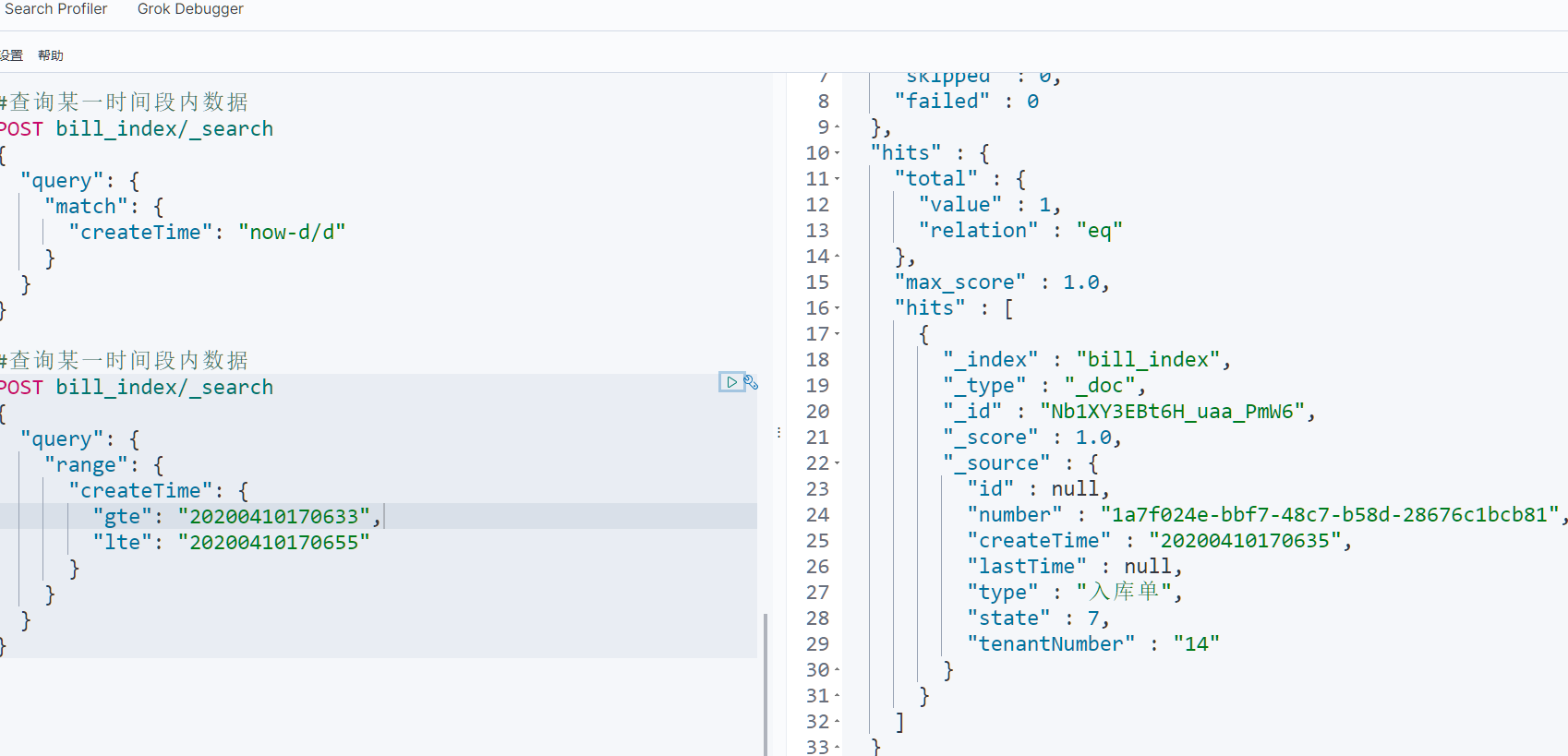
- 查询当前时间减去两天的数据
POST bill_index/_search
{
“query”: {
“match”: {
“createTime”: “now-2d/d”//这里/d表示向一天取整(/M向月取整)
}
}
} - 查询短语前缀必须为“出”这个字的数据,从第0条开始,每页10条,根据时间倒序排序
GET bill_index/_search
{
“from”: 0,
“size”: 10,
“query”: {
“bool”: {
“must”: [
{
“match_phrase_prefix”: {
“type”: “出”
}
}
]
}
}
, “sort”: [
{
“createTime”: {
“order”: “desc”
}
}
]
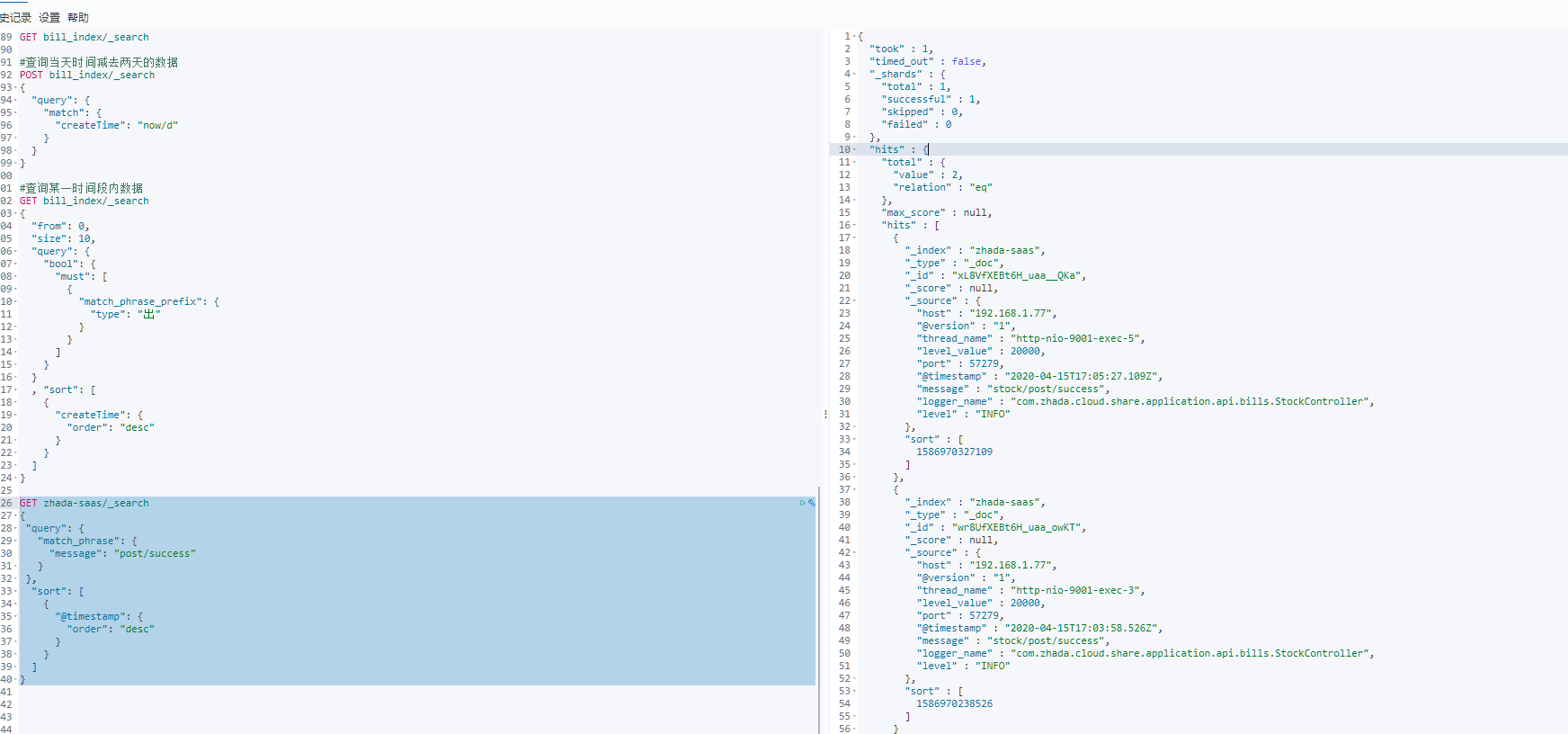
} - ">根据post/success这个短语进行查询
GET zhada-saas/_search
{
“query”: {
“match_phrase”: {
“message”: “post/success”
}
},
“sort”: [
{
“@timestamp”: {
“order”: “desc”
}
}
]
}
注:所有代码使用的时候把里面的注释干掉,不然裂中裂
新建索引和字段
PUT test_index1
{
“settings”: {
“number_of_shards”: 3,//数据分片数
“number_of_replicas”: 0//数据备份数
},
“mappings”: {
“properties”: {
“type”: {“type”: “keyword”},
“name”: {“type”: “text”},
“country”: {“type”: “keyword”},
“age”: {“type”: “integer”},
“sex”: {“type”: “text”},
“date”: {
“type”: “date”,
“format”: “yyyy-MM-dd HH:mm:ss || yyyy-MM-dd || epoch_millis”
}
}
}
}
新增索引数据
增(指定id:插入了一条 ID 为 1 的数据)
POST test_index1/_doc/1
{
“type”: “人类1”,
“name”: “杨仁杰1.1”,
“country”: “中国1”,
“sex”: “男”,
“age”: 55,
“date”: “2020-04-07”
}
增(不指定id,自动生成id)
POST test_index1/_doc
{
“type”: “人类-自动id2”,
“name”: “杨仁杰-自动id2”,
“country”: “中国”,
“sex”: “男”,
“age”: “26”,
“date”: “2020-04-07”
}
修改索引数据
修改 ID 为 1 的文档的 name 字段值为 修改,格式:{index}/_update/{id}
POST test_index1/_update/2/
{
“doc”: {
“name”: “修改”
}
}
删除索引数据
删除记录(删除id为1的数据)
DELETE test_index1/_doc/1
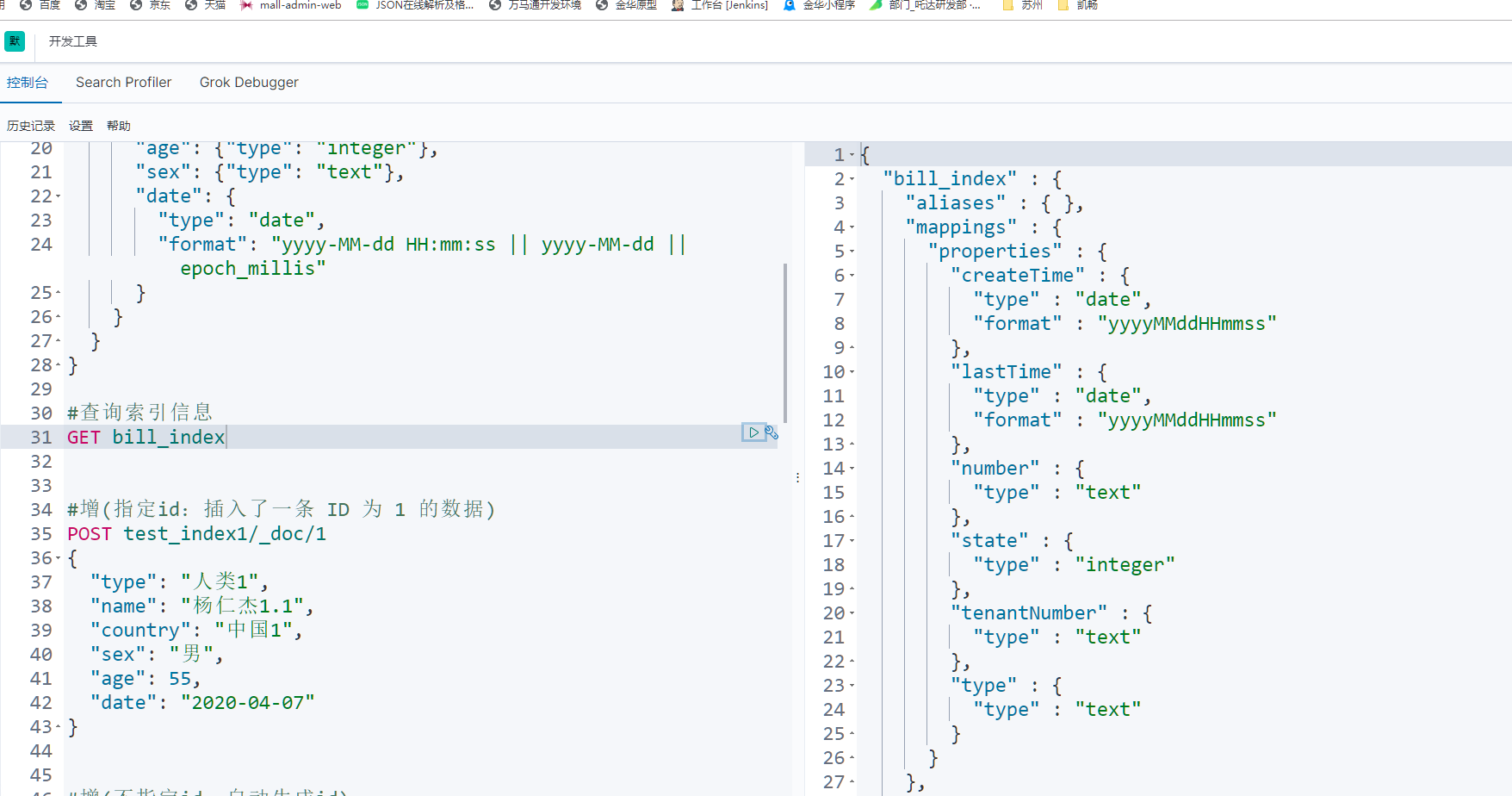
查询索引字段信息
查询索引内数据信息
GET bill_index/_search
包含查询索引数据(类似like)
GET /test_index1/_search
{
“query”: {
“match”: {//类似like(查询name字段中包含仁杰两个字的数据)
“name”: “仁杰”
}
}
}
GET /test_index1/_search
{
“query”: {
“multi_match”: {//批量包含查询(查询name字段和country字段中包含中国两个字的数据)
“query”: “中国”,
“fields”: [“name”,”country”]
}
}
}
关于时间范围内的查询
注意:在es中,时间字段不支持我们常用的yyyy-MM-dd HH:mm:ss进行比较(es会认为这是一个字符串),为了方便查询,这里我们均采用yyyyMMddHHmmss这个格式
**
#查询当天的数据
POST bill_index/_search
{
“query”: {
“match”: {
“createTime”: “now/d”//这里/d表示向一天取整(/M向月取整)
}
}
}
#查询某个时间字段在某个时间范围内的数据
POST bill_index/_search
{
“query”: {
“range”: {//范围,用作条件查询,相当于sql里面的where
“createTime”: {
“gte”: “20200410170633”,//大于等于
“lte”: “20200410170655”//小于等于
}
}
}
}
这里面的hits的total里的value就是查询出的数据总数
查询当前时间减去两天的数据
POST bill_index/_search
{
“query”: {
“match”: {
“createTime”: “now-2d/d”//这里/d表示向一天取整(/M向月取整)
}
}
}
关于bool布尔过滤器的查询及排序
它可以接受多个其他过滤器作为参数,并将这些过滤器结合成各式各样的布尔(逻辑)组合
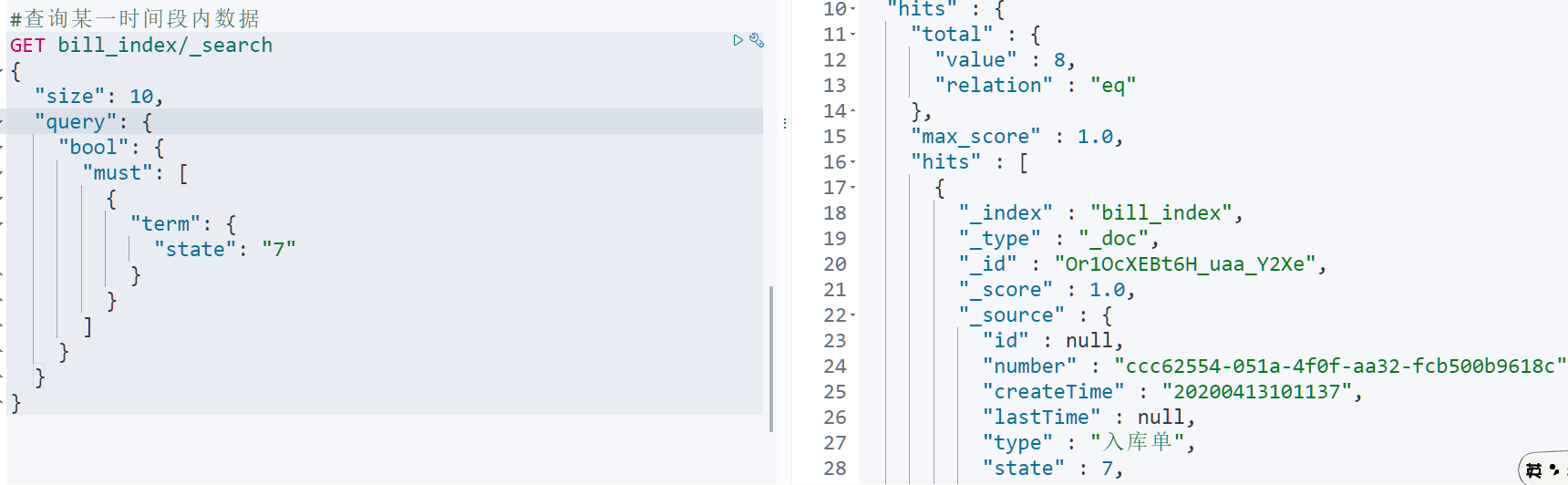
#查询状态这个字段必须为7的十条数据
GET bill_index/_search
{
“size”: 10,
“query”: {
“bool”: {
“must”: [
{
“term”: {//等于
“state”: “7”
}
}
]
}
}
}
must
所有的语句都 必须(must) 匹配,与 AND 等价。
must_not
所有的语句都 不能(must not) 匹配,与 NOT 等价。
should
至少有一个语句要匹配,与 OR 等价。
查询短语前缀必须为“出”这个字的数据,从第0条开始,每页10条,根据时间倒序排序
GET bill_index/_search
{
“from”: 0,
“size”: 10,
“query”: {
“bool”: {
“must”: [
{
“match_phrase_prefix”: {
“type”: “出”
}
}
]
}
}
, “sort”: [
{
“createTime”: {
“order”: “desc”
}
}
]
}

根据短语进行匹配查询
根据post/success这个短语进行查询
GET zhada-saas/_search
{
“query”: {
“match_phrase”: {
“message”: “post/success”
}
},
“sort”: [
{
“@timestamp”: {
“order”: “desc”
}
}
]
}

若有收获,就点个赞吧
0 人点赞


