Promise 是 ES6 引入的异步编程的新解决方案。语法上 Promise 是一个构造函数,通过它可以实例化一个promise对象,用来封装异步操作并可以获取其成功或失败的结果。
1) Promise 构造函数: Promise (excutor) {}
2) Promise.prototype.then 方法
3) Promise.prototype.catch 方法
基本使用
//实例化 Promise 对象const p = new Promise(function(resolve, reject){setTimeout(function(){//// let data = '数据库中的用户数据';// resolve// resolve(data);let err = '数据读取失败';reject(err);}, 1000);});//调用 promise 对象的 then 方法p.then(function(value){console.log(value);}, function(reason){console.error(reason);})
resolve返回成功的结果,reject返回是否的原因。
通过promise.then方法,可以获取到返回的resolve或者reject。
then接收两个函数作为参数,第一个函数的参数value是resolve返回的值,第二个函数参数reason是reject返回的结果
实例
nodejs读取文件
//1. 引入 fs 模块
const fs = require('fs');

//2. 调用方法读取文件
// fs.readFile('./resources/为学.md', (err, data)=>{
//     //如果失败, 则抛出错误
//     if(err) throw err;
//     //如果没有出错, 则输出内容
//     console.log(data.toString());
// });

//3. 使用 Promise 封装
const p = new Promise(function(resolve, reject){
    fs.readFile("./resources/为学.mda", (err, data)=>{
        //判断如果失败
        if(err) reject(err);
        //如果成功
        resolve(data);
    });
});

p.then(function(value){
    console.log(value.toString());
}, function(reason){
    console.log("读取失败!!");
});
封装ajax
 // 接口地址: https://api.apiopen.top/getJoke
        const p = new Promise((resolve, reject) => {
            //1. 创建对象
            const xhr = new XMLHttpRequest();

            //2. 初始化
            xhr.open("GET", "https://api.apiopen.top/getJ");

            //3. 发送
            xhr.send();

            //4. 绑定事件, 处理响应结果
            xhr.onreadystatechange = function () {
                //判断
                if (xhr.readyState === 4) {
                    //判断响应状态码 200-299
                    if (xhr.status >= 200 && xhr.status < 300) {
                        //表示成功
                        resolve(xhr.response);
                    } else {
                        //如果失败
                        reject(xhr.status);
                    }
                }
            }
        })

        //指定回调
        p.then(function(value){
            console.log(value);
        }, function(reason){
            console.error(reason);
        });
Promise.prototype.then
then方法返回一个promise对象,所以then方法可以写成链式调用
then().then().then()…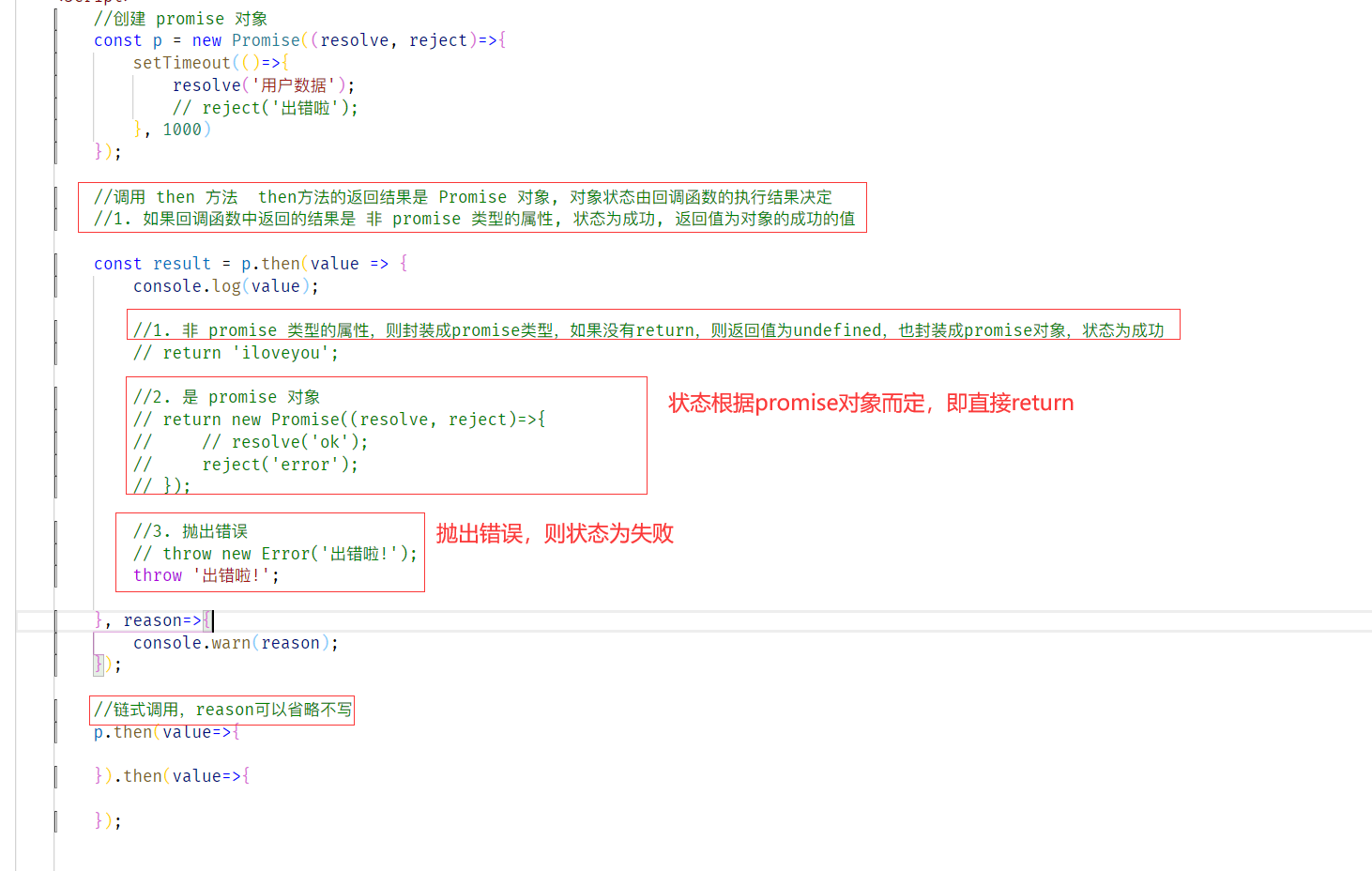
读取多个文件,避免回调地狱
//引入 fs 模块
const fs = require("fs");

// fs.readFile('./resources/为学.md', (err, data1)=>{
//     fs.readFile('./resources/插秧诗.md', (err, data2)=>{
//         fs.readFile('./resources/观书有感.md', (err, data3)=>{
//             let result = data1 + '\r\n' +data2  +'\r\n'+ data3;
//             console.log(result);
//         });
//     });
// });

//使用 promise 实现
const p = new Promise((resolve, reject) => {
    fs.readFile("./resources/为学.md", (err, data) => {
        resolve(data);
    });
});

p.then(value => {
    return new Promise((resolve, reject) => {
        fs.readFile("./resources/插秧诗.md", (err, data) => {
            resolve([value, data]);
        });
    });
}).then(value => {
    return new Promise((resolve, reject) => {
        fs.readFile("./resources/观书有感.md", (err, data) => {
            //压入
            value.push(data);
            resolve(value);
        });
    })
}).then(value => {
    console.log(value.join('\r\n'));
});
catch
用来获取promise失败的回调函数.
算是一个语法糖,then方法不指定第一个参数,就是catch方法
 const p = new Promise((resolve, reject)=>{
            setTimeout(()=>{
                //设置 p 对象的状态为失败, 并设置失败的值
                reject("出错啦!");
            }, 1000)
        });

        // p.then(function(value){}, function(reason){
        //     console.error(reason);
        // });

        p.catch(function(reason){
            console.warn(reason);
        });

若有收获,就点个赞吧
0 人点赞


