学习视频
https://www.bilibili.com/video/BV1yJ411374r?p=27
安装
下载 移动 WEB 多端脚手架 并安装依赖
git clone https://gitlab-dev.yzone01.com/frontend/taro-templatecd taro-templatenpm i
编译并预览
进入项目目录开始开发,可以选择小程序预览模式,或者 H5 预览模式,若使用微信小程序预览模式,则需要自行下载并打开微信开发者工具,选择预览项目根目录下 dist/weapp 目录,AppID使用测试号或者项目已经申请的AppID,如何申请参见第三方平台事务。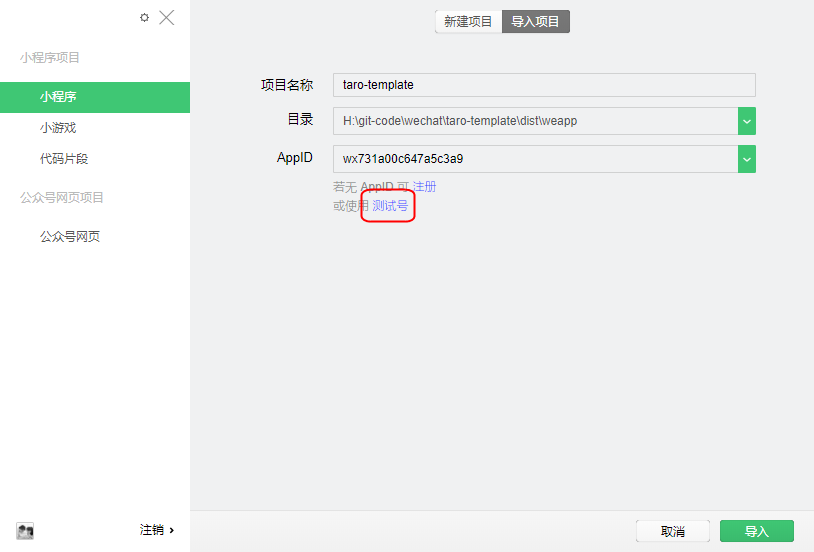
微信小程序编译预览模式
# npm script$ npm run dev:weapp
支付宝小程序编译预览模式
# npm script$ npm run dev:alipay
H5 编译预览模式
# npm script$ npm run dev:h5
项目打包
打包后的目录是dist/{环境},如:小程序打包的目录是: dist/weapp ,H5打包的目录是:dist/h5
打包小程序代码
# npm script$ npm run build:weapp
打包 H5 代码
移动 WEB 多端脚手架 已经集成sdp发布,可以直接到sdp上发布本项目
# npm script$ npm run build:h5
快速开发一个页面
移动 WEB 多端脚手架 已经提供首页(文章列表),文章发布,文章详情,个人四个示例页面,业务可以自身情况进行删减。
修改入口文件
项目入口app.tsx文件新增路由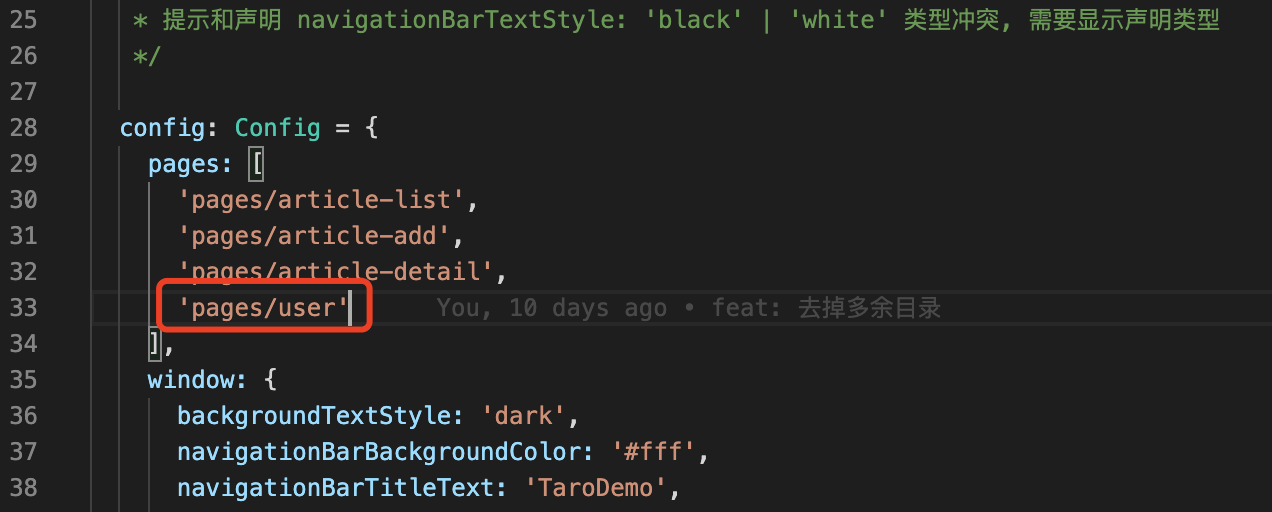
如果是要在tabBar上显示的菜单,则需要在pages同级的配置tabBar.list上新增一个节点

新增业务页面
pages目录下新增容器组件xx.tsx,用于发送请求获取后端数据和路由跳转
components-page目录下新增页面组件xx.tsx,用于存放业务页面UI
actions目录下新增xx.ts,用于存放后端api请求
asserts/css/components-page新增xx.scss,用于存放页面局部样式文件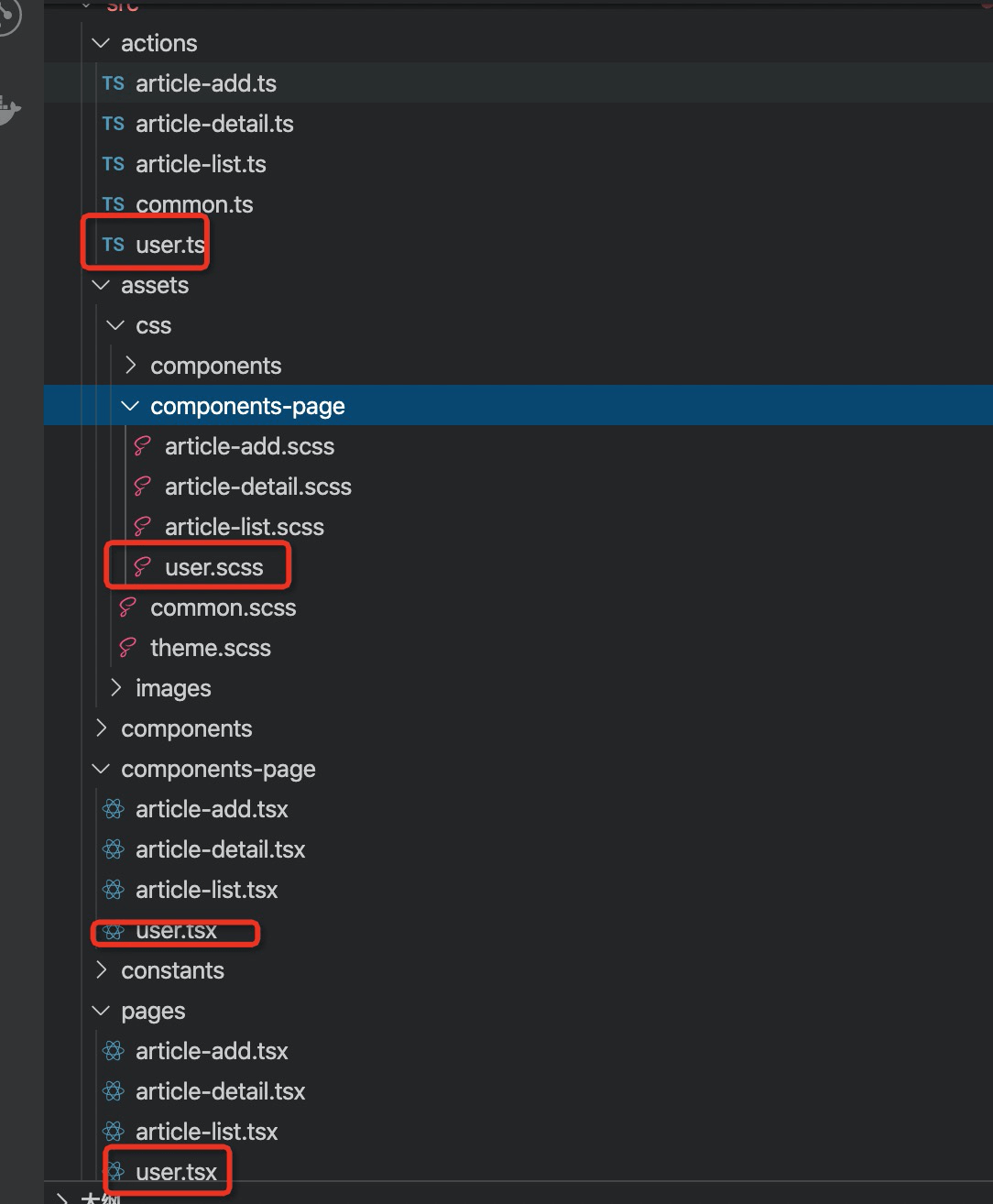
移动 WEB 多端脚手架的页面和React基本一样,不同的是引用的库来自Taro以及针对当前页面的配置(基于微信小程序的页面配置进行制定,所有平台进行统一),一个普通的页面文件示例如下:
import Taro, { Component } from '@rtarojstaro'import { View, Text } from '@rtarojs/components'import { AtButton } from 'rtaroui'import './index.scss'export default class Index extends Component {config = {navigationBarTitleText: '首页'}componentWillMount () { }componentDidMount () { }componentWillUnmount () { }componentDidShow () { }componentDidHide () { }render () {return (<View className='index'><Text>1</Text><AtButton className='button-login' type='secondary'>手机验证登陆</AtButton></View>)}}
其中

若有收获,就点个赞吧
0 人点赞


