MySQL Innodb架构图:https://www.processon.com/view/60e56d7ee401fd2ef67c6fba?fromnew=1
ReentrantLock 之 lock 加锁过程分析 :https://www.processon.com/view/5e29b0e8e4b04579e40c15a7?fromnew=1
AQS:https://www.processon.com/view/5fb6590f7d9c0857dda50442?fromnew=1
jdk 1.7 和 jdk1.8 对比 hashMap 、concurrenthashmap:https://www.processon.com/view/5ef85f5f5653bb2925ba2fa8?fromnew=1
docker run -p 3307:3306 --name mysql-slave \-v /app/mysql/log:/var/log/mysql \-v /app/mysql/data:/var/lib/mysql \-v /app/mysql/conf:/etc/mysql/conf.d \-e MYSQL_ROOT_PASSWORD=123456 \-d mysql:5.7.35


1、不挂载情况下测试
docker run -p 3308:3306 --name mysql-test \
-e MYSQL_ROOT_PASSWORD=123456 \
-id mysql:5.7.35
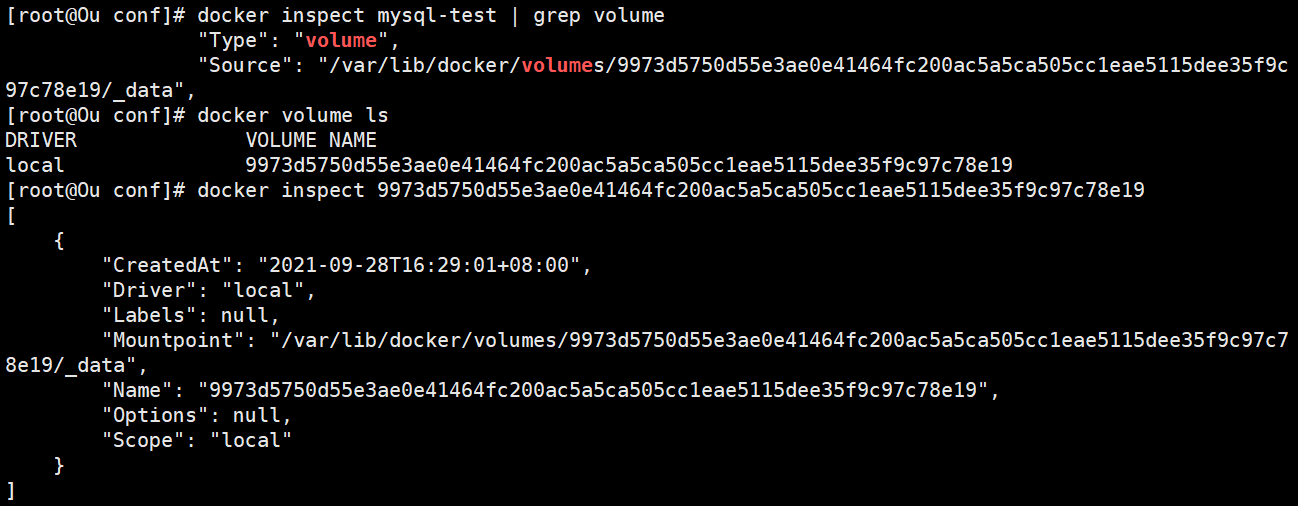
/var/log/mysql
/var/lib/
/var/lib/mysql
宿主机
cp auto.cnf auto.cnf.bak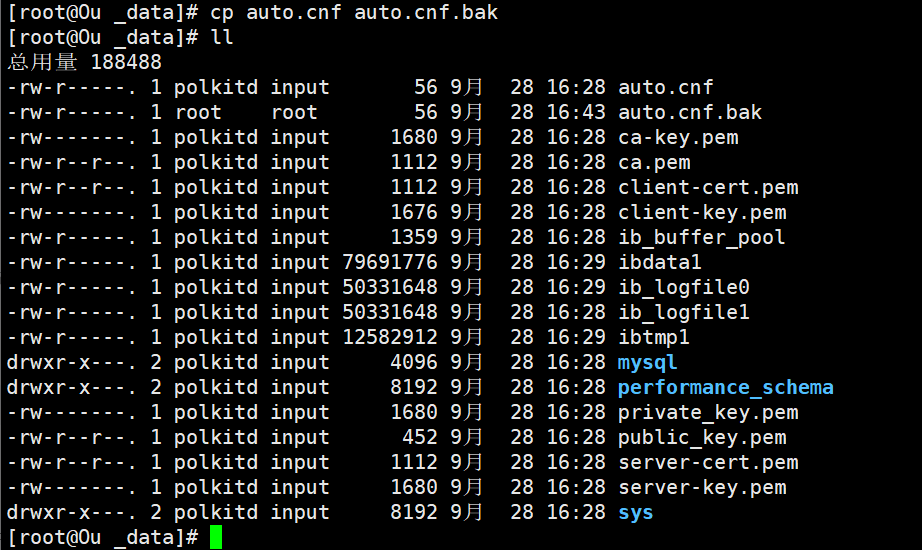
Docker内:同时变化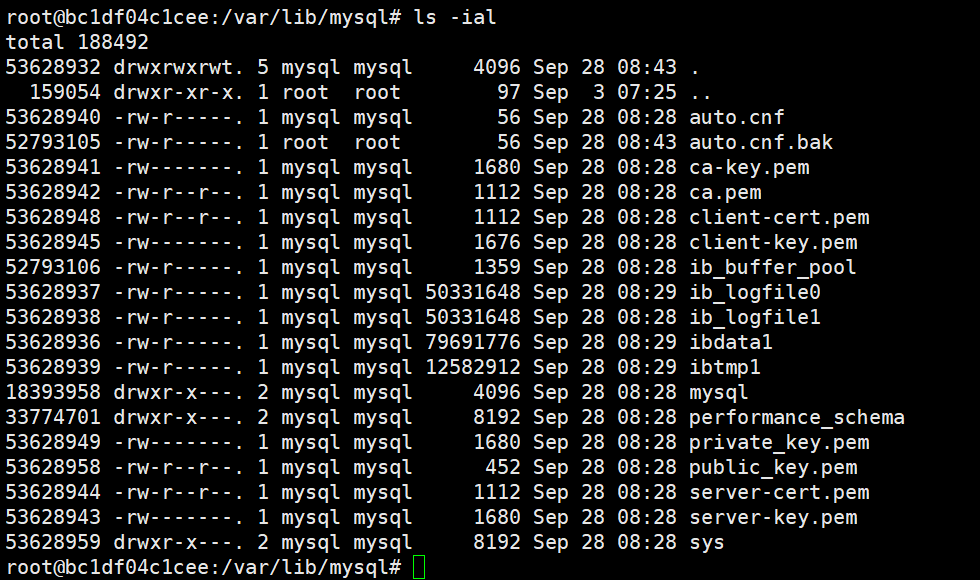
/etc/mysql/
/etc/mysql/conf.d
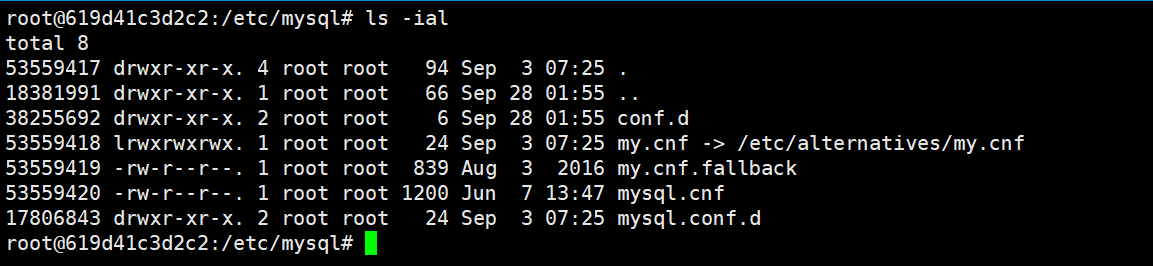
删了容器,重新运行,卷多了一个
docker.cnf
[mysqld]
skip-host-cache
skip-name-resolve
mysql.cnf
[mysql]
mysqldump.cnf
[mysqldump]
quick
quote-names
max_allowed_packet      = 16M

my.cnf.fallback
#
# The MySQL database server configuration file.
#
# You can copy this to one of:
# - "/etc/mysql/my.cnf" to set global options,
# - "~/.my.cnf" to set user-specific options.
#
# One can use all long options that the program supports.
# Run program with --help to get a list of available options and with
# --print-defaults to see which it would actually understand and use.
#
# For explanations see
# http://dev.mysql.com/doc/mysql/en/server-system-variables.html

# This will be passed to all mysql clients
# It has been reported that passwords should be enclosed with ticks/quotes
# escpecially if they contain "#" chars...
# Remember to edit /etc/mysql/debian.cnf when changing the socket location.

# Here is entries for some specific programs
# The following values assume you have at least 32M ram

!includedir /etc/mysql/conf.d/
"my.cnf.fallback" 23L, 839C
docker cp 
docker cp mysql-test:/etc/mysql/conf.d/. /opt/mysql/conf


若有收获,就点个赞吧
0 人点赞


