1、项目中设置默认的访问页面:
在web.xml中添加配置信息设置默认访问的jsp页面,页面放在了web下的view目录中!
<?xml version="1.0" encoding="UTF-8"?><web-app xmlns="http://xmlns.jcp.org/xml/ns/javaee"version="4.0"><!--设置:项目开启默认的进入页面--><welcome-file-list><welcome-file>/view/login.jsp</welcome-file><welcome-file>/view/index.jsp</welcome-file></welcome-file-list></web-app>
2、在登录页面添加背景图片的css样式写法如下:
#_body {
    background-image:url("<%=basePath%>assets/img/loginbg.jpg");
  background-size: cover;
}
3、jsp页面中base路径的写法:
<%@ page contentType="text/html;charset=UTF-8" language="java" isELIgnored="false" %>
<%
    String path = request.getContextPath();
    String basePath = request.getScheme() + "://" + request.getServerName() + ":" + request.getServerPort() + path + "/";
%>
<html>
<head>
    <base href="<%=basePath%>">
    <title>登录</title>
    <link rel="stylesheet" href="assets/plugins/fontawesome-free/css/all.min.css">
    <link rel="stylesheet" href="assets/plugins/icheck-bootstrap/icheck-bootstrap.min.css">
    <link rel="stylesheet" href="assets/dist/css/adminlte.min.css">
    <style>
        #_body {
            background-image:url("<%=basePath%>assets/img/loginbg.jpg");
            background-size: cover;
        }
    </style>
</head>
4、beans.xml中配置不扫描某些注解:
<beans xmlns="http://www.springframework.org/schema/beans"
       xmlns:xsi="http://www.w3.org/2001/XMLSchema-instance"
       xmlns:context="http://www.springframework.org/schema/context"
       xsi:schemaLocation="http://www.springframework.org/schema/beans http://www.springframework.org/schema/beans/spring-beans.xsd http://www.springframework.org/schema/context http://www.springframework.org/schema/context/spring-context.xsd">
    <!--声明,哪些组件需要生产,管理-->
    <context:component-scan base-package="com.tsu">
        <!--        带有Controller注解的不扫描-->
        <context:exclude-filter type="annotation" expression="org.springframework.stereotype.Controller"/>
    </context:component-scan>
</beans>
5、update resources and classes选项没有:
解决方案:重新部署项目,就会出现!
6、在controller层进行转发操作时候,出现报错!
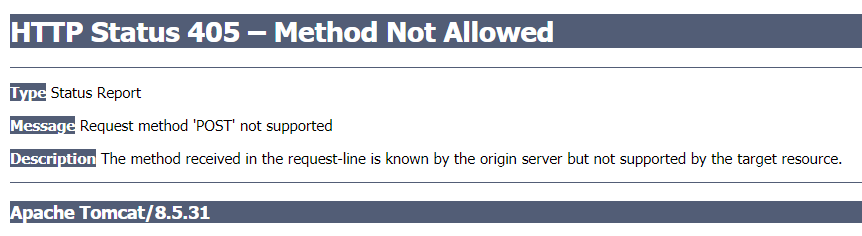
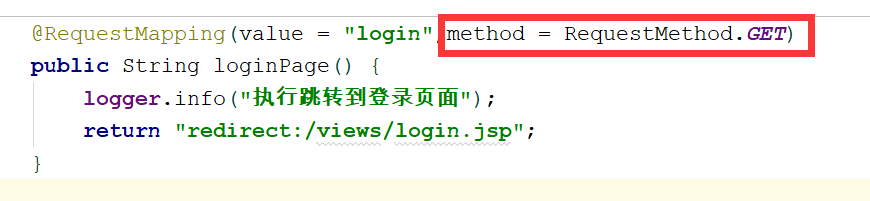
原因和解决:
去掉 method = RequestMethod.GET ,不然的话如果是post请求中转发到这里,就会爆出上面的错误!
7、重定向的数据携带:使用RedirectAttribute对象,是SpringMvc框架中提供的存储seesion数据的类,只一次存储,传递完成即可释放!

8、实现返回上一级页面:onclick=”history.go(-1)”
<button type="button" onclick="history.go(-1)">返回</button>
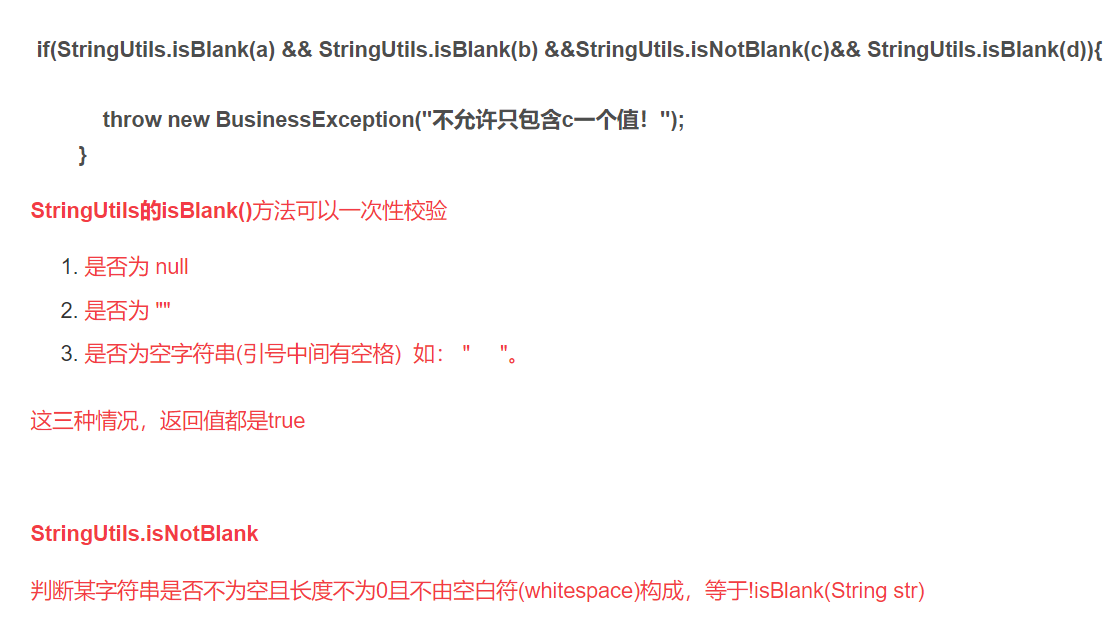
9、判断输入不能为空的实现:
10、热部署:

若有收获,就点个赞吧
0 人点赞


