代码压缩包
一、第一种方法
1.实现步骤
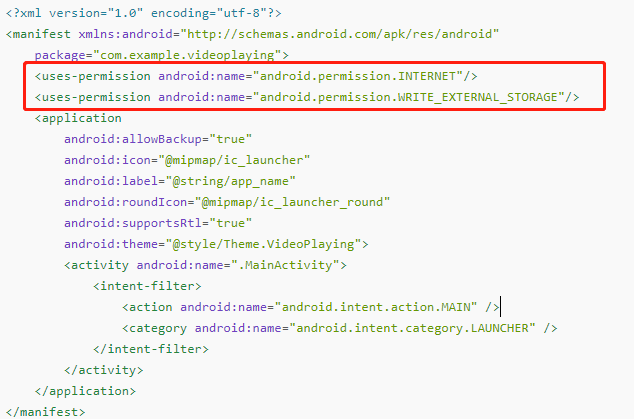
(1).在清单文件中添加权限
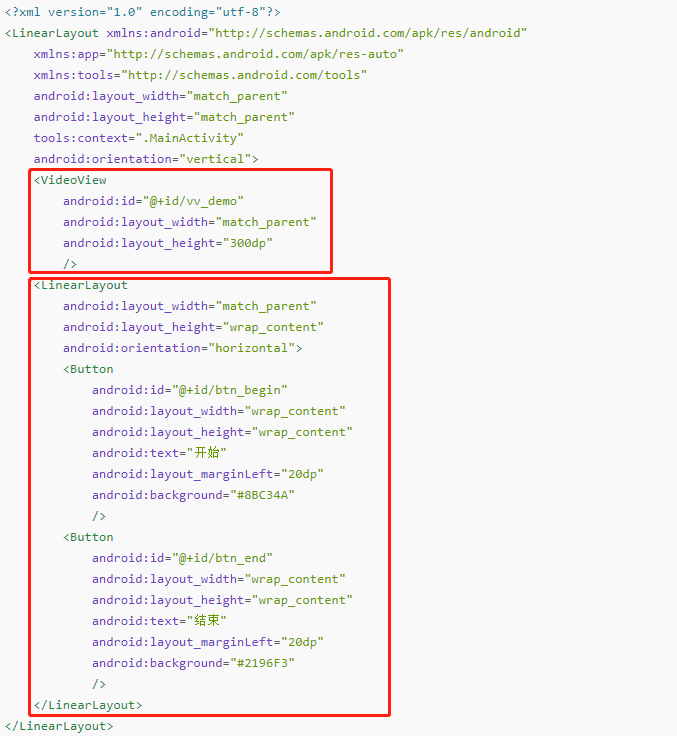
(2).在布局文件中写出样式
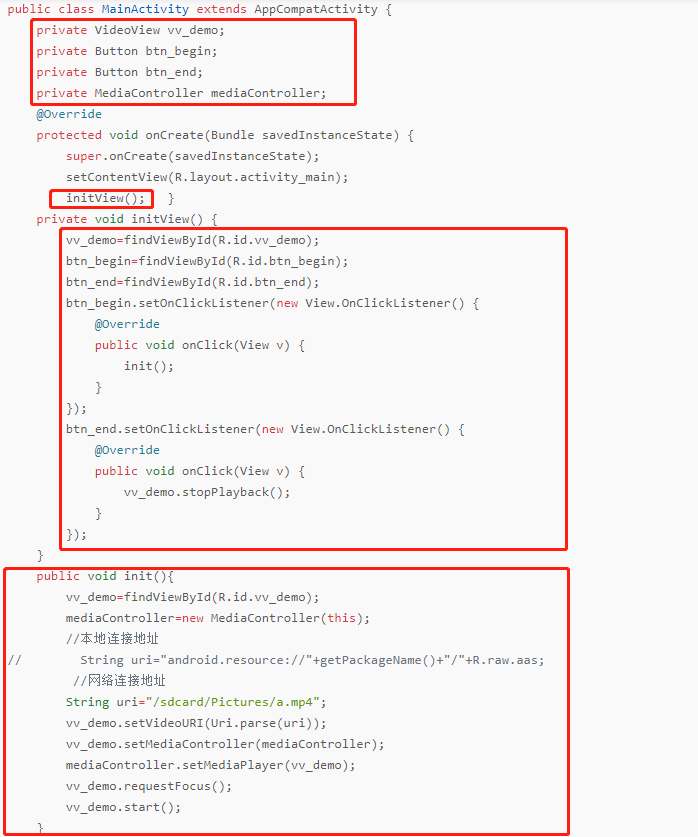
(3).在java文件中添加地址,实现视频播放
2.整体代码
(1).AndroidManifest.xml清单文件
<?xml version="1.0" encoding="utf-8"?><manifest xmlns:android="http://schemas.android.com/apk/res/android"package="com.example.videoplaying"><uses-permission android:name="android.permission.INTERNET"/><uses-permission android:name="android.permission.WRITE_EXTERNAL_STORAGE"/><applicationandroid:allowBackup="true"android:icon="@mipmap/ic_launcher"android:label="@string/app_name"android:roundIcon="@mipmap/ic_launcher_round"android:supportsRtl="true"android:theme="@style/Theme.VideoPlaying"><activity android:name=".MainActivity"><intent-filter><action android:name="android.intent.action.MAIN" /><category android:name="android.intent.category.LAUNCHER" /></intent-filter></activity></application></manifest>
(2).activity_main.xml布局文件
<?xml version="1.0" encoding="utf-8"?><LinearLayout xmlns:android="http://schemas.android.com/apk/res/android"xmlns:app="http://schemas.android.com/apk/res-auto"xmlns:tools="http://schemas.android.com/tools"android:layout_width="match_parent"android:layout_height="match_parent"tools:context=".MainActivity"android:orientation="vertical"><VideoViewandroid:id="@+id/vv_demo"android:layout_width="match_parent"android:layout_height="300dp"/><LinearLayoutandroid:layout_width="match_parent"android:layout_height="wrap_content"android:orientation="horizontal"><Buttonandroid:id="@+id/btn_begin"android:layout_width="wrap_content"android:layout_height="wrap_content"android:text="开始"android:layout_marginLeft="20dp"android:background="#8BC34A"/><Buttonandroid:id="@+id/btn_end"android:layout_width="wrap_content"android:layout_height="wrap_content"android:text="结束"android:layout_marginLeft="20dp"android:background="#2196F3"/></LinearLayout></LinearLayout>
(3).MainActivity文件代码
package com.example.videoplaying;import androidx.appcompat.app.AppCompatActivity;import androidx.core.app.ActivityCompat;import android.Manifest;import android.app.Activity;import android.content.pm.PackageManager;import android.net.Uri;import android.os.Bundle;import android.view.View;import android.widget.Button;import android.widget.MediaController;import android.widget.VideoView;public class MainActivity extends AppCompatActivity {private VideoView vv_demo;private Button btn_begin;private Button btn_end;private MediaController mediaController;@Overrideprotected void onCreate(Bundle savedInstanceState) {super.onCreate(savedInstanceState);setContentView(R.layout.activity_main);initView(); }private void initView() {vv_demo=findViewById(R.id.vv_demo);btn_begin=findViewById(R.id.btn_begin);btn_end=findViewById(R.id.btn_end);btn_begin.setOnClickListener(new View.OnClickListener() {@Overridepublic void onClick(View v) {init();}});btn_end.setOnClickListener(new View.OnClickListener() {@Overridepublic void onClick(View v) {vv_demo.stopPlayback();}});}public void init(){vv_demo=findViewById(R.id.vv_demo);mediaController=new MediaController(this);//本地连接地址// String uri="android.resource://"+getPackageName()+"/"+R.raw.aas;//网络连接地址String uri="/sdcard/Pictures/a.mp4";vv_demo.setVideoURI(Uri.parse(uri));vv_demo.setMediaController(mediaController);mediaController.setMediaPlayer(vv_demo);vv_demo.requestFocus();vv_demo.start();}}
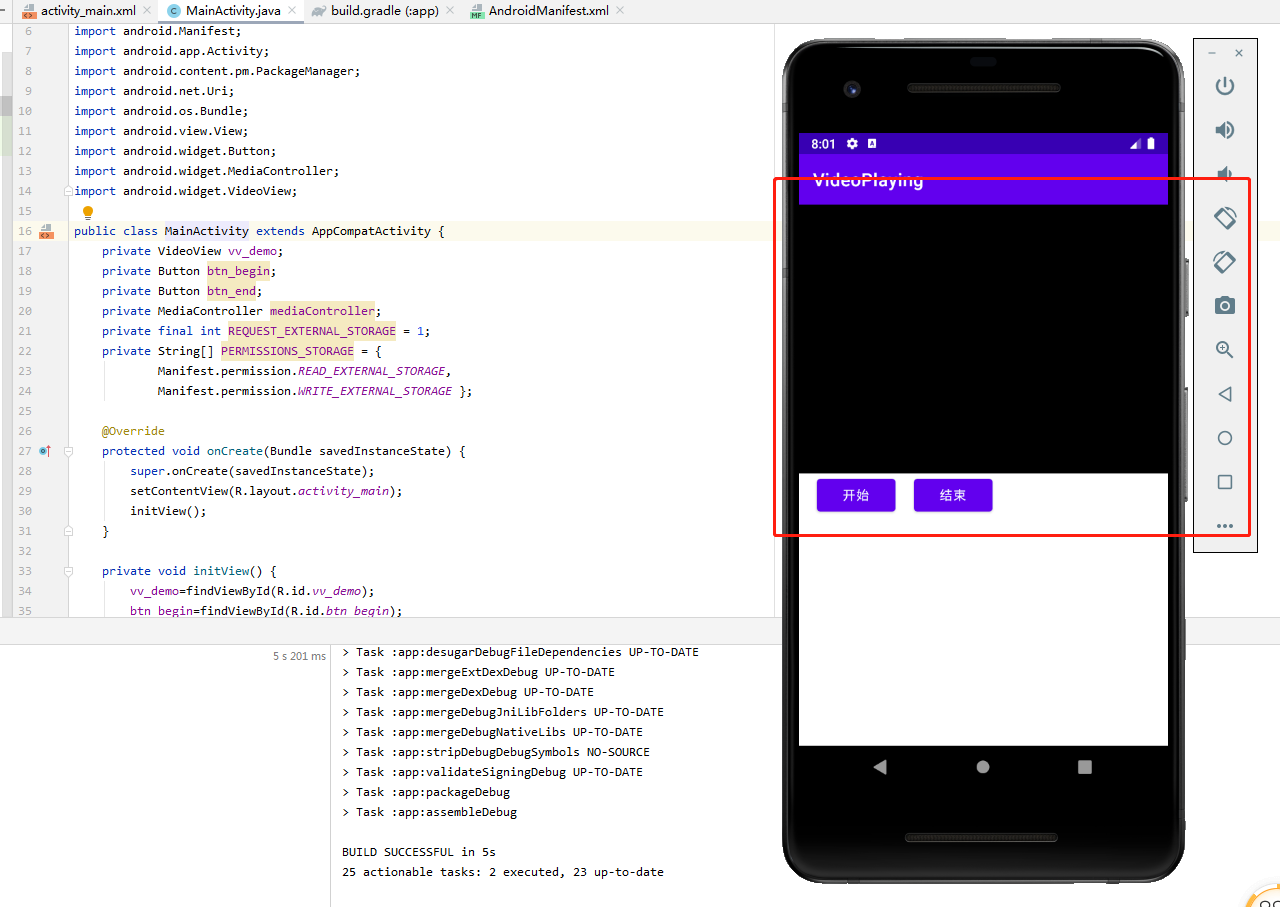
3.结果图
代码压缩包:
二、第二种方法
1.实现步骤
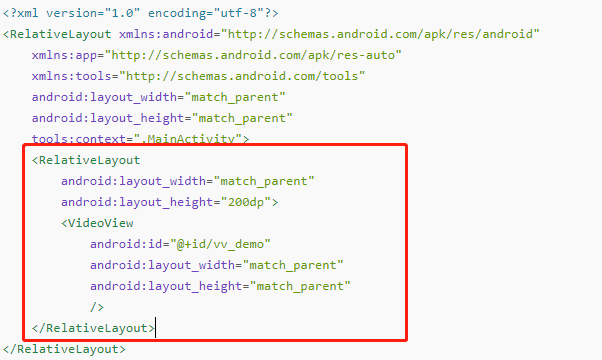
(1).在布局文件中添加布局页面
(2).创建Utils文件,在文件中放入视频播放的地址

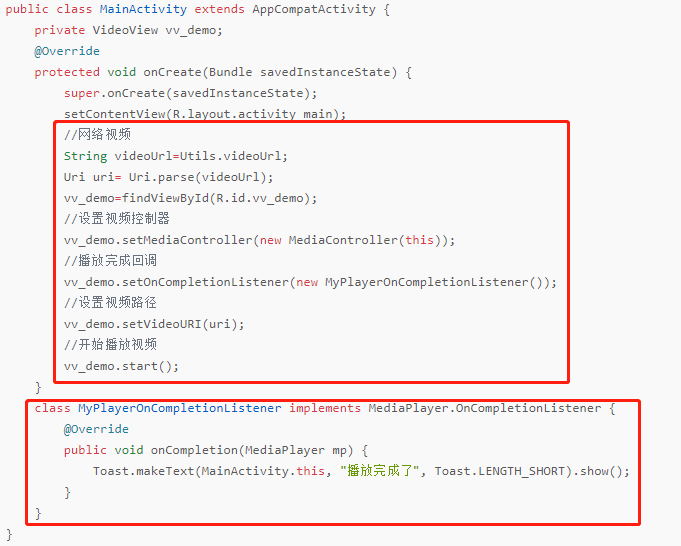
(3).在java文件中,实现视频播放
2.整体代码
(1).activity_main.xml布局文件
<?xml version="1.0" encoding="utf-8"?><RelativeLayout xmlns:android="http://schemas.android.com/apk/res/android"xmlns:app="http://schemas.android.com/apk/res-auto"xmlns:tools="http://schemas.android.com/tools"android:layout_width="match_parent"android:layout_height="match_parent"tools:context=".MainActivity"><RelativeLayoutandroid:layout_width="match_parent"android:layout_height="200dp"><VideoViewandroid:id="@+id/vv_demo"android:layout_width="match_parent"android:layout_height="match_parent"/></RelativeLayout></RelativeLayout>
(2).Utils文件代码
package com.example.videoplay;public class Utils {public static final String videoUrl="http://clips.vorwaerts-gmbh.de/big_buck_bunny.mp4";}
(3).MainActivity文件代码
package com.example.videoplay;import androidx.appcompat.app.AppCompatActivity;import android.media.MediaPlayer;import android.net.Uri;import android.os.Bundle;import android.widget.MediaController;import android.widget.Toast;import android.widget.VideoView;public class MainActivity extends AppCompatActivity {private VideoView vv_demo;@Overrideprotected void onCreate(Bundle savedInstanceState) {super.onCreate(savedInstanceState);setContentView(R.layout.activity_main);//网络视频String videoUrl=Utils.videoUrl;Uri uri= Uri.parse(videoUrl);vv_demo=findViewById(R.id.vv_demo);//设置视频控制器vv_demo.setMediaController(new MediaController(this));//播放完成回调vv_demo.setOnCompletionListener(new MyPlayerOnCompletionListener());//设置视频路径vv_demo.setVideoURI(uri);//开始播放视频vv_demo.start();}class MyPlayerOnCompletionListener implements MediaPlayer.OnCompletionListener {@Overridepublic void onCompletion(MediaPlayer mp) {Toast.makeText(MainActivity.this, "播放完成了", Toast.LENGTH_SHORT).show();}}}
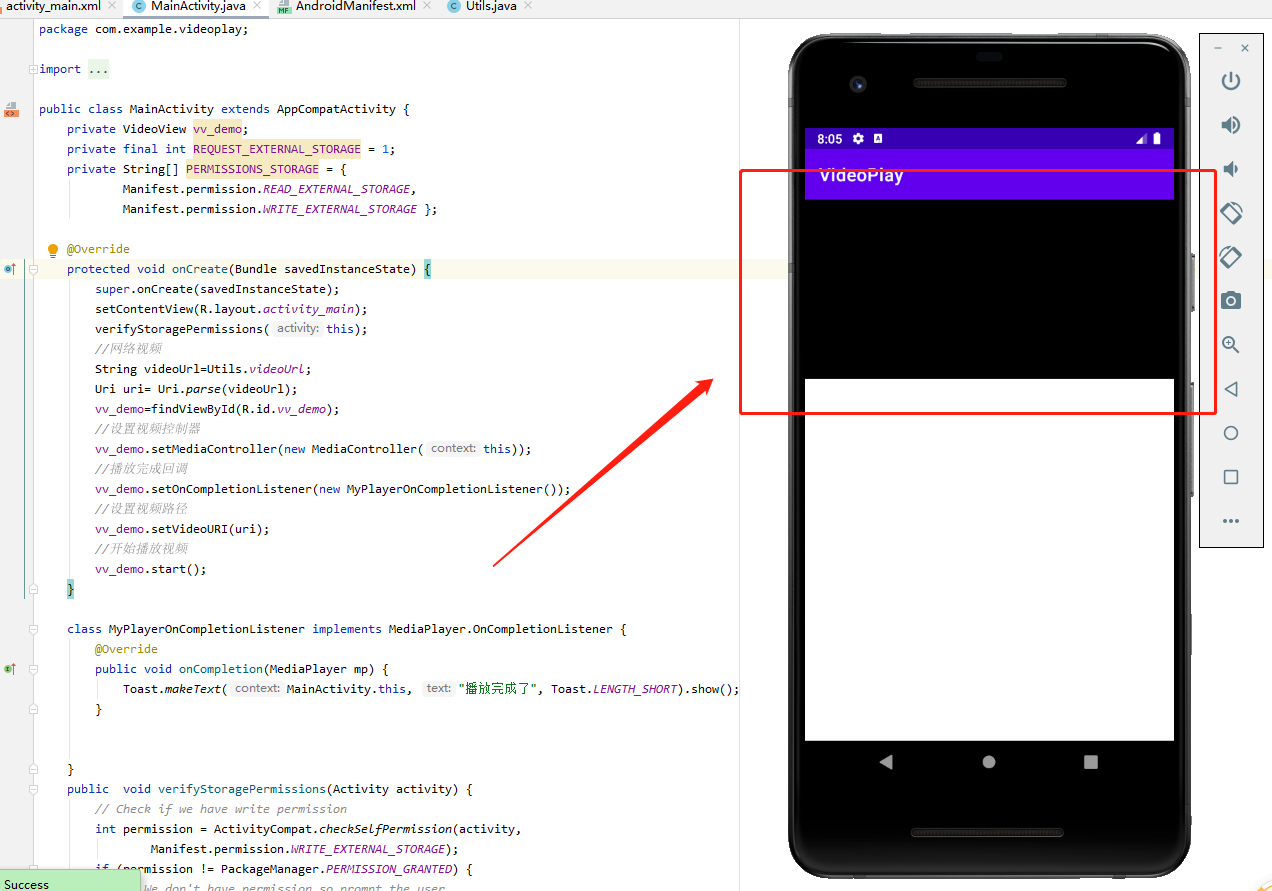
3.结果图

若有收获,就点个赞吧
0 人点赞


