-a:逻辑与
-o:逻辑或
赋值=两边无空格,其他的 = 有空格
-eq:等于
-ne:不等于
-gt:大于
-ge:大于或等于
-lt:小于
-le:小于或等于
if语句
#!/bin/bashread -p "enter the number:" numif [ $num -ge 50 ] 两种写法 #if test $num -ge 50thenecho "the number >= 50"elseecho "the number <= 50"fi
串测试
test命令也可用于字符串。◆下表是用于串测试的运算符О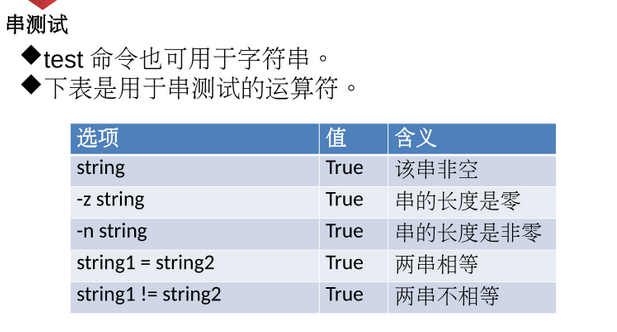
#!/bin/bashread -p "Do you want to continue (y/n):" choiceif [ $choice = "y" -o $choice = "Y" -o $choice = "yes" ]then echo "you want to continue."elif [ $choice = "n" -o $choice = "N" -o $choice = "no" ]then echo "you want to stop."else echo "incorrect choice."fi
文件测试
test命令也可用于检查文件的状态·先是文件测试运算符: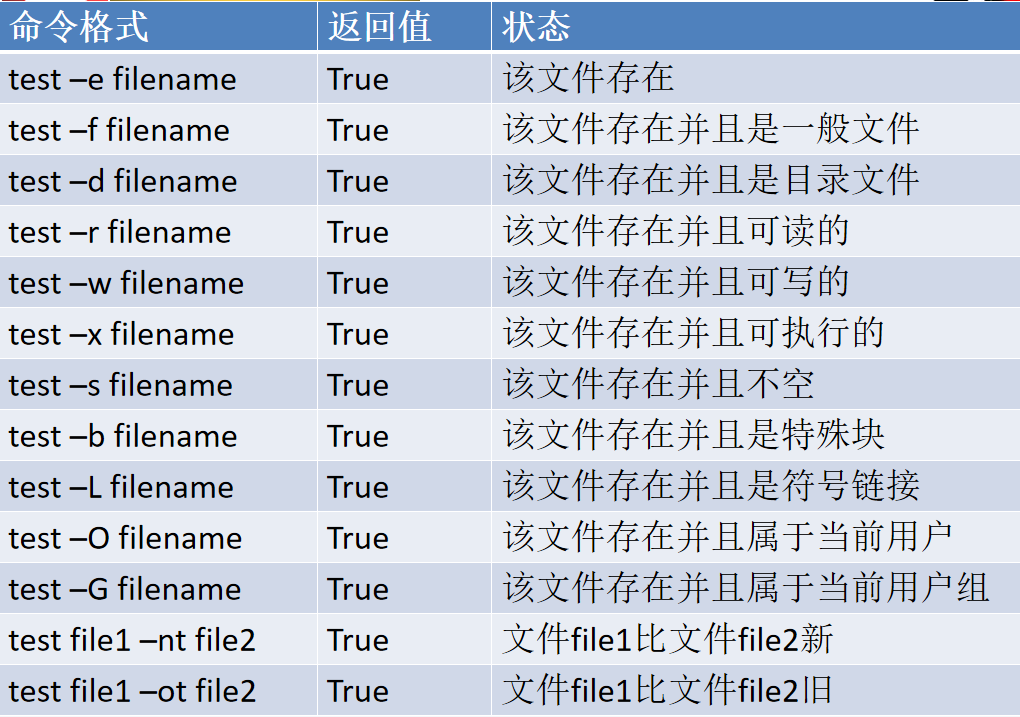
#!/bin/bashread -p "enter a filename:" filenameif test -e ~/$filenamethen echo "exist."else echo "not exist."fi
#!/bin/bashread -p "enter a filename:" filename#if test -e ~/$filename#then echo "exist."#else echo "not exist."#fi[ -e ~/$filename ]$$echo "exist."||echo "not exist."
文件测试
嵌套if
if[-e ]存在
then 1、判断文件是目录
2、elif 是一般文件
3、列出文件详细信息
fi
else 任务1:创建文件
2:列出文件的详细信息
fi
#!/bin/bashread -p "enter a filename:" nameif [ -e ~/$name ]thenif [ -d $name ]then "echo $name is a dir."elif [ -f $name ]then echo "$name is a ordinary file."ls -al ~/$namefielsetouch ~/$nameecho "$name is created."ls -al ~/$namefi
**
case分支语句 实例
#!/bin/bashecho "----------------------操作菜单-----------------"echo "|---1:在/home下创建cloud目录-----------------|"echo "|---2:在/home/cloud目录下创建test文件--------|"echo "|---3:删除cloud目录--------------------------|"echo "|---按其他键:重新执行此脚本文件--------------|"echo "-----------------------------------------------"read -p "Please enter anumber(1-3):" numcase $num in"1")mkdir /home/cloud;;"2")touch /home/cloud/test;;"3")rm -rf /home/cloud;;*)sh menu.sh;;esac
#!/bin/bashread -p "press akey, then press return:" keycase $key in[a-zA-Z])echo "It's a letter."echo "$key";;[0-9])echo "It's a digt.";;*)echo "It's function key, Spacebar or other keys."esac
循环
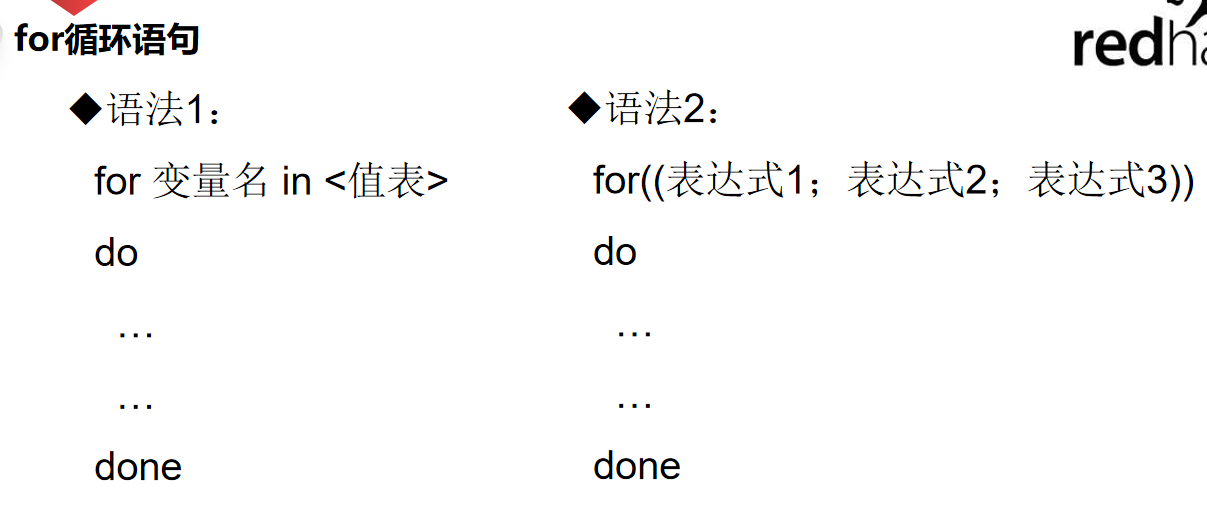


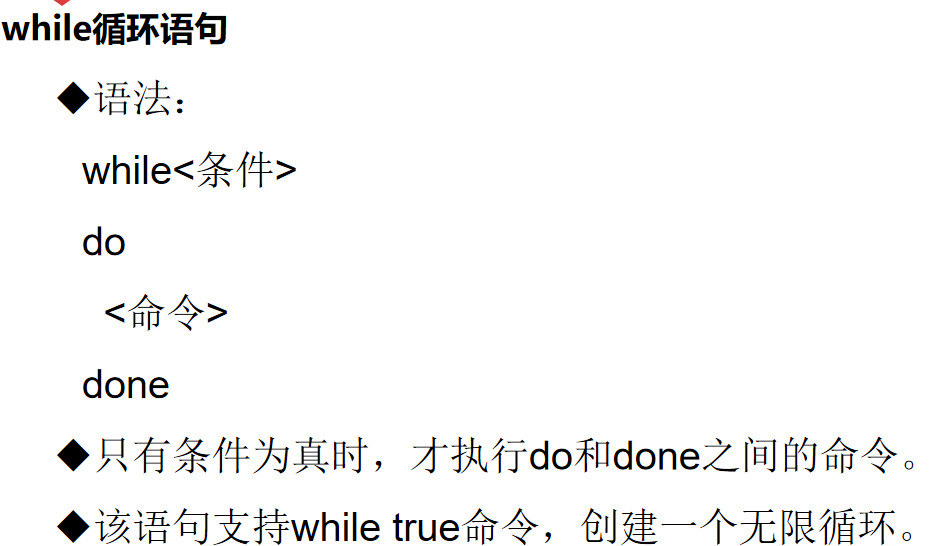
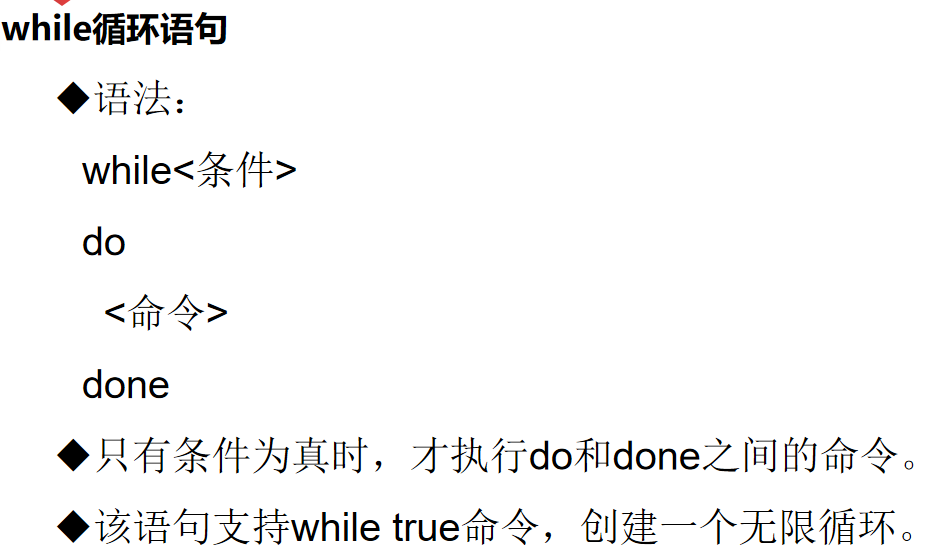
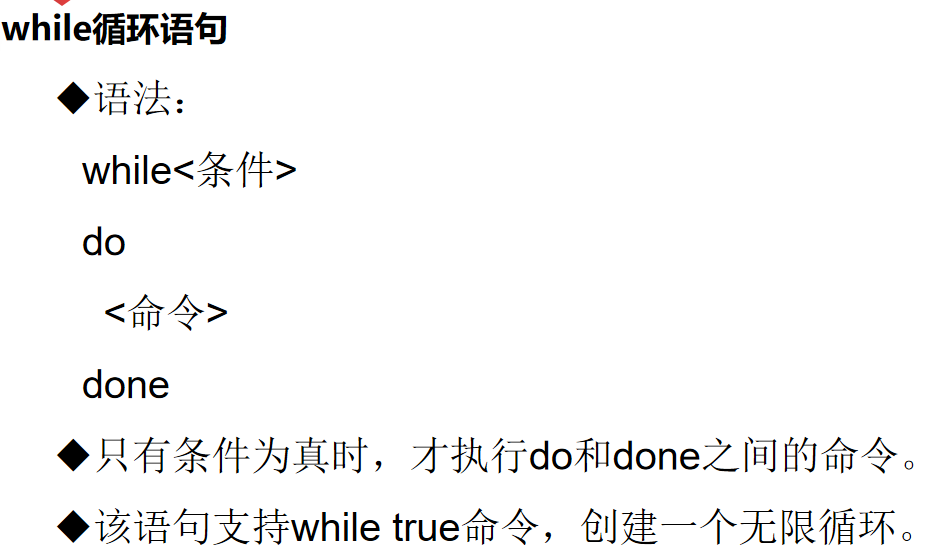

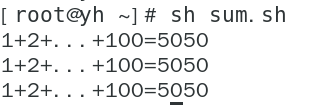
#!/bin/bashn=1sum=0while [ $n -le 100 ]dosum=$((sum+n))n=$((n+1))doneecho "1+2+...+100=$sum"n=1sum=0for n in $(seq 1 100)dosum=$((sum+n))n=$((n++))doneecho "1+2+...+100=$sum"n=1sum=0for((n=1;n<=100;n++))do
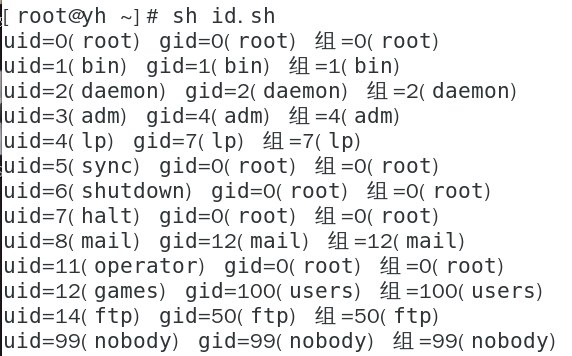
#!/bin/bash
usernames=$(cut -d ":" -f 1 /etc/passwd)
for user in $usernames
do
  id $user
done
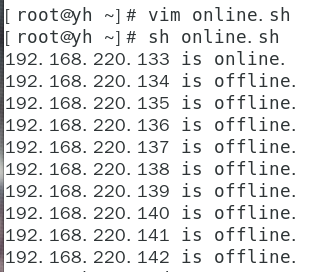
#!/bin/bash
network="192.168.220"
for host in $(seq 133 142)
do
  ping -c 1 ${network}.${host} &> /dev/null && result=0 ||result=1
 # ping -c 1 ${network}.${host} &> /dev/null && echo "online" ||echo "offline"
#result=1
  if [ $result = "0" ]
  then echo "${network}.${host} is online."
  else echo "${network}.${host} is offline."
  fi
done

若有收获,就点个赞吧
0 人点赞


