安装Yum Repository
[root@localhost ~]# wget https://repo.mysql.com//mysql80-community-release-el8-1.noarch.rpm
使用rpm来安装MySQL
[root@localhost ~]# rpm -ivh mysql80-community-release-el8-1.noarch.rpm
使用yum安装mysql服务
[root@localhost ~]# yum install mysql-server
检查是否已经设置为开机启动MySQL服务
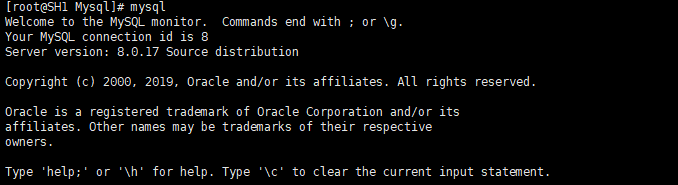
[root@localhost ~]# systemctl list-unit-files|grep mysqldmysqld.service disabledmysqld@.service disabled[root@localhost ~]# systemctl enable mysqld.service #设置开机启动Created symlink /etc/systemd/system/multi-user.target.wants/mysqld.service → /usr/lib/systemd/system/mysqld.service.[root@localhost ~]# systemctl list-unit-files|grep mysqldmysqld.service enabledmysqld@.service disabled[root@localhost ~]# ps -ef|grep mysql # 查看是否启动MySQL服务root 4311 32702 0 21:07 pts/4 00:00:00 grep --color=auto mysql[root@localhost ~]# systemctl start mysqld.service #启动服务
修改添加密码
在MySQL 8.04前,执行:SET PASSWORD=PASSWORD(‘[新密码]’);但是MySQL8.0.4开始,这样默认是不行的。因为之前,MySQL的密码认证插件是“mysql_native_password”,而现在使用的是“caching_sha2_password”。
[root@SH1 /]# mysqlWelcome to the MySQL monitor. Commands end with ; or \g.Your MySQL connection id is 10Server version: 8.0.17 Source distributionCopyright (c) 2000, 2019, Oracle and/or its affiliates. All rights reserved.Oracle is a registered trademark of Oracle Corporation and/or itsaffiliates. Other names may be trademarks of their respectiveowners.Type 'help;' or '\h' for help. Type '\c' to clear the current input statement.mysql> ALTER USER 'root'@'localhost' IDENTIFIED WITH mysql_native_password BY '***passwd***'; #添加账号密码Query OK, 0 rows affected (0.01 sec)mysql>mysql> FLUSH PRIVILEGES; #刷新系统权限表Query OK, 0 rows affected (0.01 sec)mysql> exit;Bye[root@SH1 /]# mysql -uroot -p 验证密码生效Enter password:Welcome to the MySQL monitor. Commands end with ; or \g.Your MySQL connection id is 13Server version: 8.0.17 Source distributionCopyright (c) 2000, 2019, Oracle and/or its affiliates. All rights reserved.Oracle is a registered trademark of Oracle Corporation and/or itsaffiliates. Other names may be trademarks of their respectiveowners.Type 'help;' or '\h' for help. Type '\c' to clear the current input statement.mysql>

若有收获,就点个赞吧
0 人点赞


