目标
用html-webpack-plugin来生成静态的页面,但是想知道每个静态页面有那些css和js文件,生成一个静态的配置文件。先把底下的文章都浏览了一遍。html-webpack-plugin本身也提供与webpack一致的插件钩子,所以这个插件把html-webpack-plugin就包含进来了。
代码
const HtmlWebpackPlugin = require('html-webpack-plugin');class WebpackAssetsList {assets = {};filename = 'config.json';constructor (filename) {if (filename) {this.filename = filename;}}apply (compiler) {compiler.hooks.compilation.tap('WebpackAssetsList', (compilation) => {HtmlWebpackPlugin.getHooks(compilation).alterAssetTags.tapAsync('WebpackAssetsList',(data, cb) => {const outputName = data.outputName;const assetTags = data.assetTags;const item = {scripts: [],styles: []}assetTags.scripts.forEach(sub => {item.scripts.push(sub.attributes.src);})assetTags.styles.forEach(sub => {item.styles.push(sub.attributes.href);})this.assets[outputName] = item;// 往 compilation.assets 中添加清单文件const content = JSON.stringify(this.assets, null, 4);compilation.assets[this.filename] = {// 写入新文件的内容source: function () {return content;},// 新文件大小(给 webapck 输出展示用)size: function() {return content.length;}}cb(null, data);})})}}module.exports = WebpackAssetsList
总结
网上找的图片,直观的理解一下: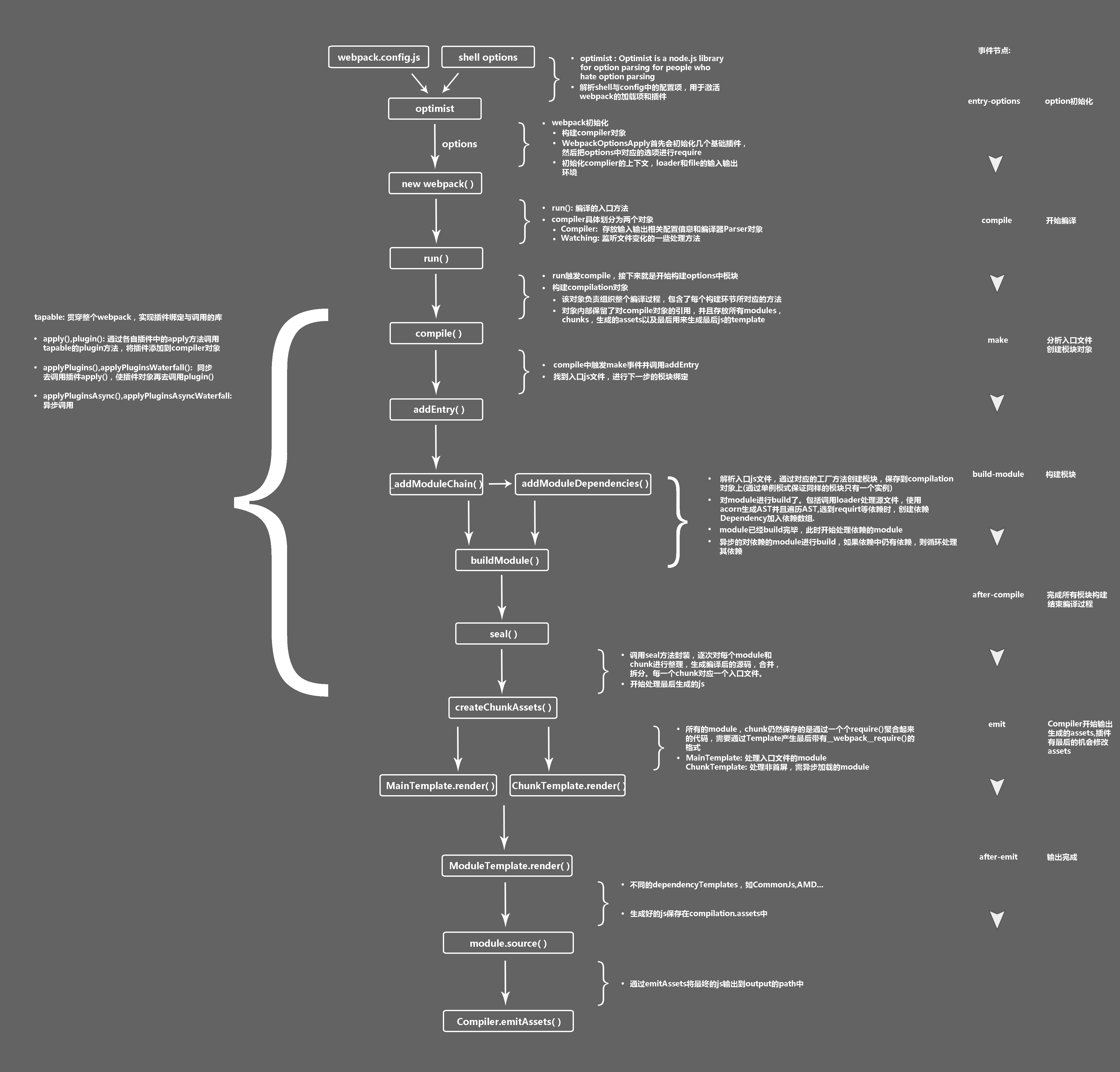
看起来插件也是一个方法,只是固定提供一个 apply 方法,通过wepack提供的生命周期的钩子函数来处理对应的内容。
参考文档:

若有收获,就点个赞吧
0 人点赞


