- Android
- SDK of the corresponding version to the local;">1. Download the SDK of the corresponding version to the local;
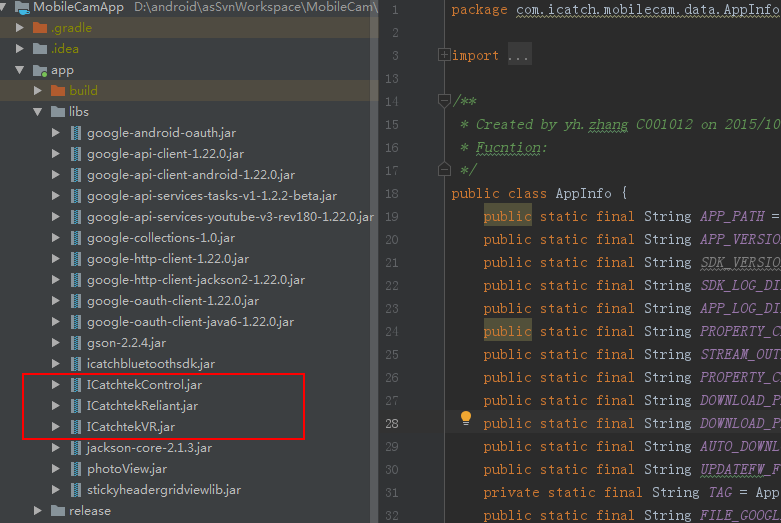
- 2.Add or replace the .jar file, the file directory: app\libs
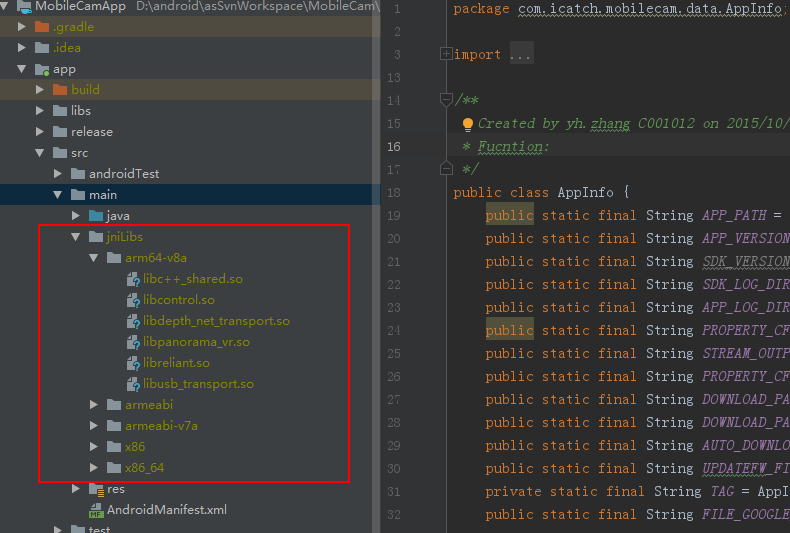
- 3.Add or replace the .so file, the file directory: app\src\main\jniLibs
- iOS
- SDK of the corresponding version to the local;">1. Download the SDK of the corresponding version to the local;
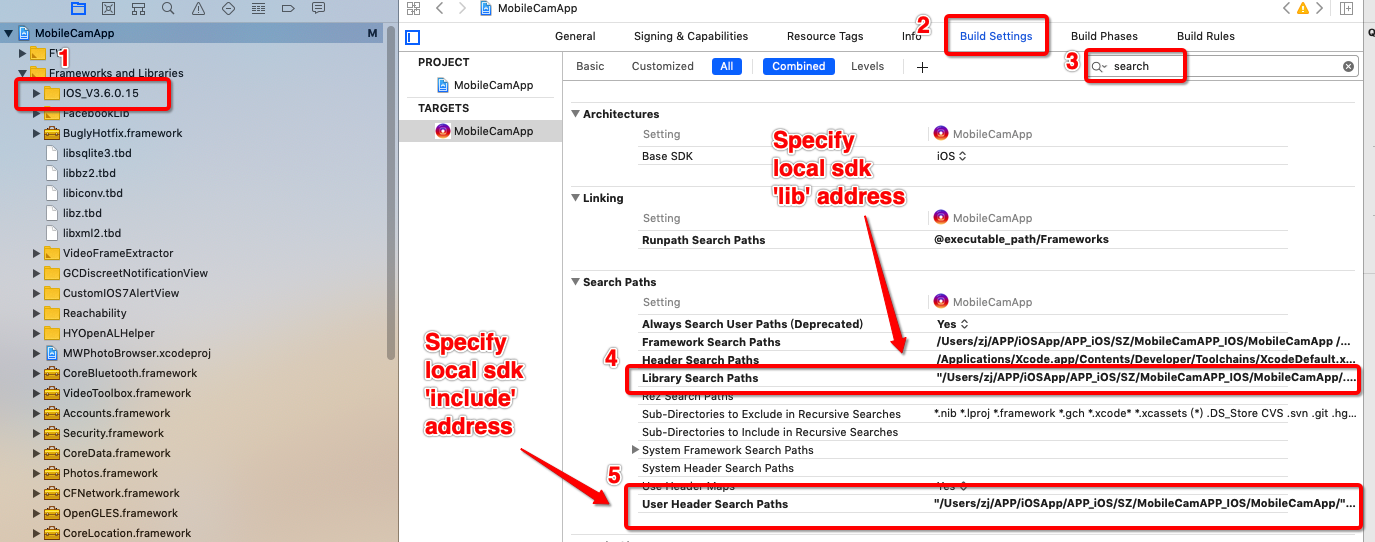
- 2. As shown below, add the downloaded SDK to the app:
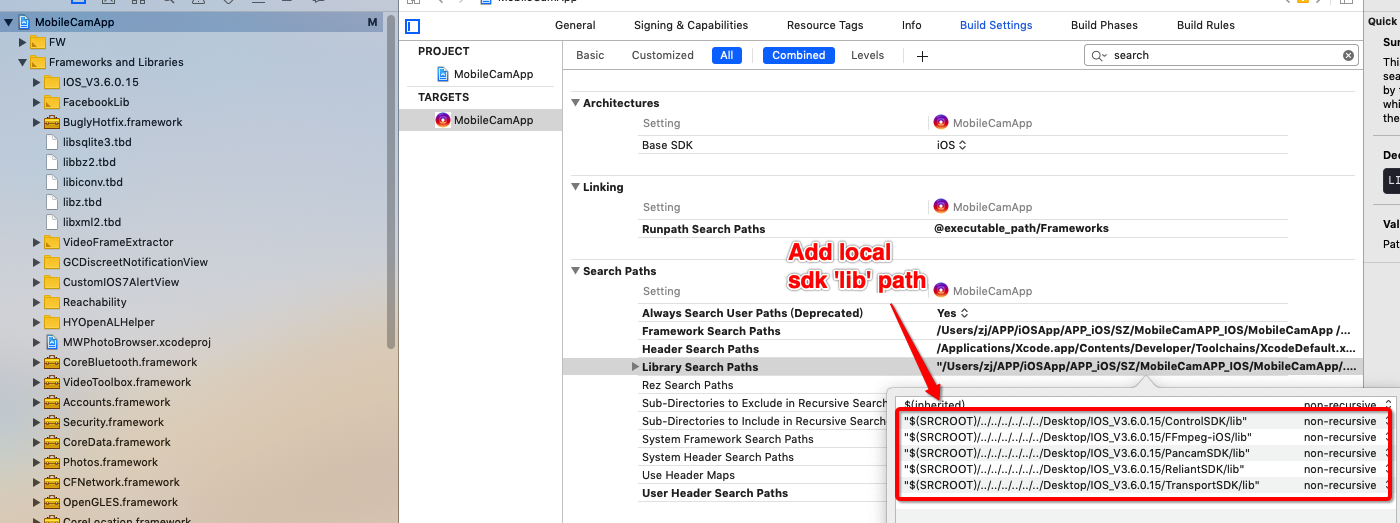
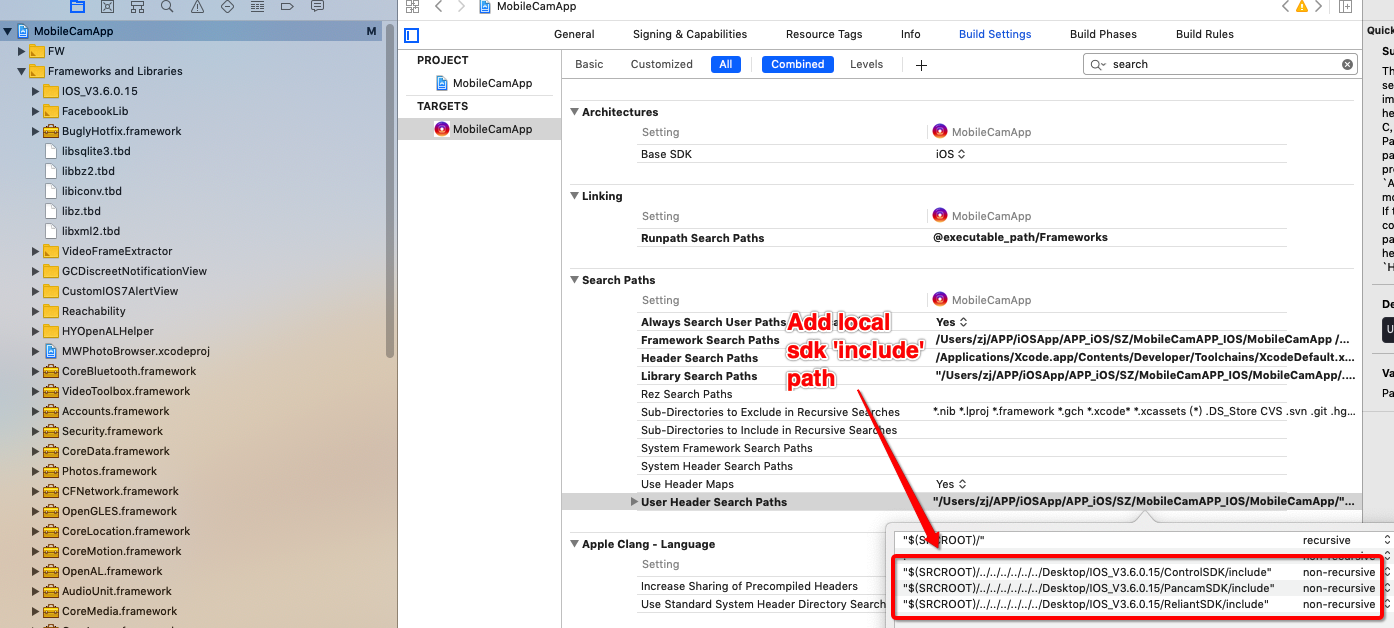
- 3. The sdk path is added as follows:
- 4. Additional tips
Android
1. Download the SDK of the corresponding version to the local;
2.Add or replace the .jar file, the file directory: app\libs
3.Add or replace the .so file, the file directory: app\src\main\jniLibs
iOS
1. Download the SDK of the corresponding version to the local;
2. As shown below, add the downloaded SDK to the app:
3. The sdk path is added as follows:
4. Additional tips
If you use the latest version of Xcode, you may encounter an error as below possibly:
In file included from /Applications/Xcode.app/Contents/Developer/Platforms/iPhoneOS.platform/Developer/SDKs/iPhoneOS15.0.sdk/usr/include/c++/v1/memory:687:In file included from /Applications/Xcode.app/Contents/Developer/Platforms/iPhoneOS.platform/Developer/SDKs/iPhoneOS15.0.sdk/usr/include/c++/v1/atomic:579:/Applications/Xcode.app/Contents/Developer/Platforms/iPhoneOS.platform/Developer/SDKs/iPhoneOS15.0.sdk/usr/include/c++/v1/__threading_support:546:11: error: use of undeclared identifier 'nanosleep'while (nanosleep(&__ts, &__ts) == -1 && errno == EINTR);^
Try this to solve your problem: :::warning Change “Always Search User Paths” to “No” :::

若有收获,就点个赞吧
0 人点赞


