存储过程 和存储函数
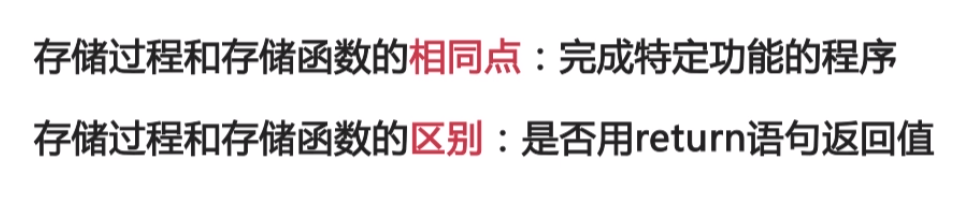
建存储过程

create or replace procedure sayhellowordas--说明部分begindbms_out_put_line("Hello world");end;/
调用存储过程
- exec sayhelloword();
- begin sayhelloword(); sayhelloword(); end;

创建存储函数

create or replace function queryempincome(eno in number)return numberas--定义变量保存员工的薪水和奖金psal emp.sal%type;pcome emp.comm%type;begin--得到该员工的月薪和奖金select sal,comm into psal,pcomm from emp where empno=eno;--直接返回年收入return psal*12 + nvl(pcomm,0);end;
java 中如何访问程序中的存储过程和存储函数
// 数据库连接(JDBC)package com.claa.javabasic.Connect;import java.sql.*;/*** @Author: claa* @Date: 2021/06/27 09:43* @Description: Oracle Jdbc 的连接*/public class JDBCUtilsO {private static String driver = "oracle.jdbc.OracleDriver";private static String url="jdbc:oracle:thin:@192.168.56.101:1521:orcl";private static String user ="scott";private static String password ="tiger";// 注册数据库的驱动static {try{Class.forName(driver);}catch (ClassNotFoundException e){throw new ExceptionInInitializerError(e);}}//获取数据库的驱动public static Connection getConnection(){try{return DriverManager.getConnection(url,user,password)}catch (SQLException e){e.printStackTrace();}return null;}// 释放数据库的资源public static void Release(Connection conn, Statement st, ResultSet rs) {try {if(rs!=null){rs.close();}} catch (SQLException e) {e.printStackTrace();}finally {drs = null;}try {if(st!=null){st.close();}} catch (SQLException e) {e.printStackTrace();}finally {st = null;}try {if(st!=null){st.close();}} catch (SQLException e) {e.printStackTrace();}finally {conn = null;}}}
// 调用存储过程和函数
 package com.claa.javabasic.Connect;

 import oracle.jdbc.OracleTypes;
 import org.junit.Test;

 import java.sql.CallableStatement;
 import java.sql.Connection;

 /**
  * @Author: claa
  * @Date: 2021/06/27 10:39
  * @Description:
  */
 public class TestProcedure {

     @Test
     public void testProcedure(){
         //存储过程
         String sql = "{call queryempincome(?,?,?,?)} ";

         // 存储函数
         //String sql = "{?=call queryempincome(?,?,?,?)} ";

         Connection conn = null;

         CallableStatement call = null;
         try{
             // 得到一个连接
             conn = JDBCUtilsO.getConnection();

             // 通过连接创建出Statement
             call = conn.prepareCall(sql);

             // 对于 in参数
             call.setInt(1,7839);

             // 对于Out 参数
             call.registerOutParameter(2, OracleTypes.VARCHAR);
             call.registerOutParameter(3,OracleTypes.NUMBER);
             call.registerOutParameter(4,OracleTypes.VARCHAR);

             //执行调用
             call.execute();

             //取出结果
             String name = call.getString(2);
             System.out.println(name);

         }catch(Exception e){
            e.printStackTrace();
         }finally {
             JDBCUtilsO.Release(conn,call,null);
         }
     }
 }

若有收获,就点个赞吧
0 人点赞


