安装iis时,勾选动态内容压缩
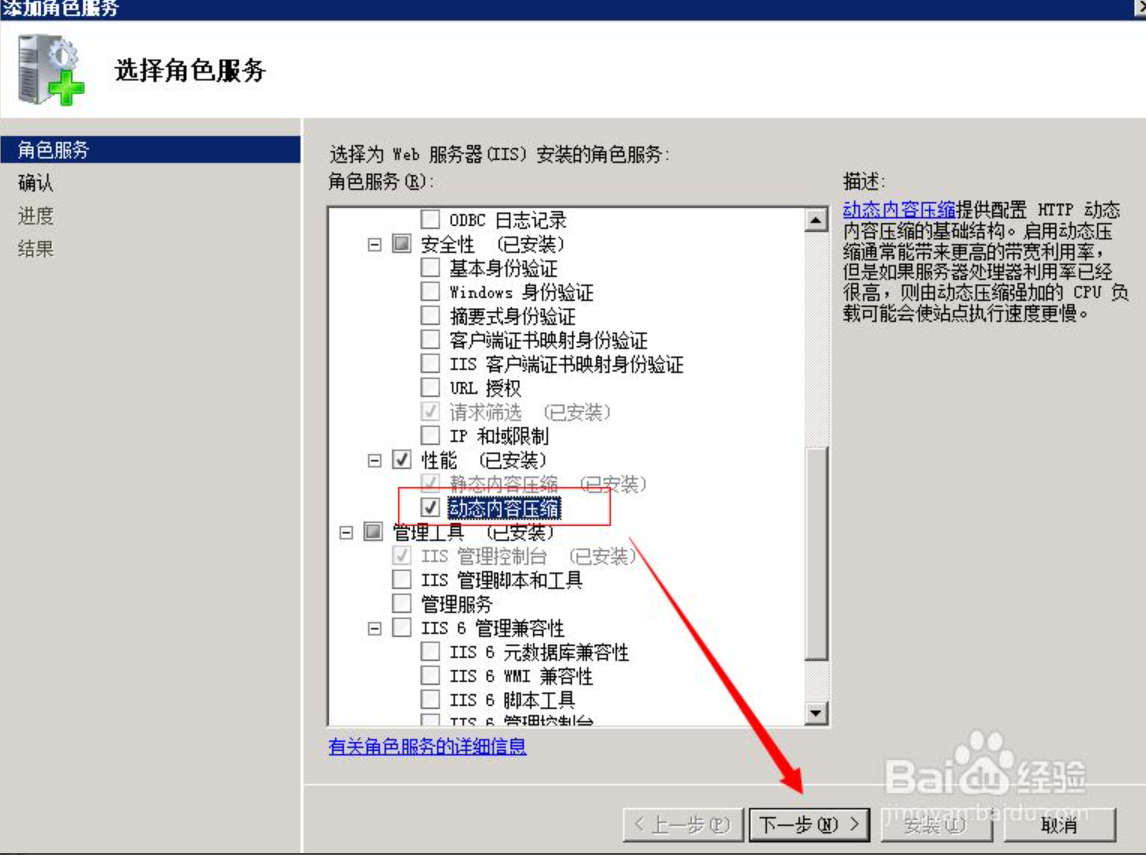
开启压缩


设置压缩类型
编辑C:\Windows\System32\inetsrv\config\applicationhost.config文件,增加如下内容
<httpCompression directory="%SystemDrive%\inetpub\temp\IIS Temporary Compressed Files"><scheme name="gzip" dll="%Windir%\system32\inetsrv\gzip.dll" /><dynamicTypes><add mimeType="application/json" enabled="true" /></dynamicTypes></httpCompression>
重启IIS服务

若有收获,就点个赞吧
0 人点赞


