类型注解(手动)
告诉typescript值得类型是什么
// 只能是number类型的值const score:number = 50;
let balls: string[] = ['basketball', 'football', 'volleyball'];
class Car {}let car: Car = new Car();
let person: {name: string;age: number;} = {name: "张三",age: 20}
// 参数、返回值const logNumber: (num: number) => void = (num: number) => {}
类型推断(自动)
当变量声明和变量初始化在同一行的时候,类型推断系统才会起作用。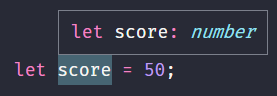
什么时候使用注解?
- 当一个函数返回
any类型但是我们想要一个具体的类型 - 当某一行声明变量声明后,在另一行进行初始化
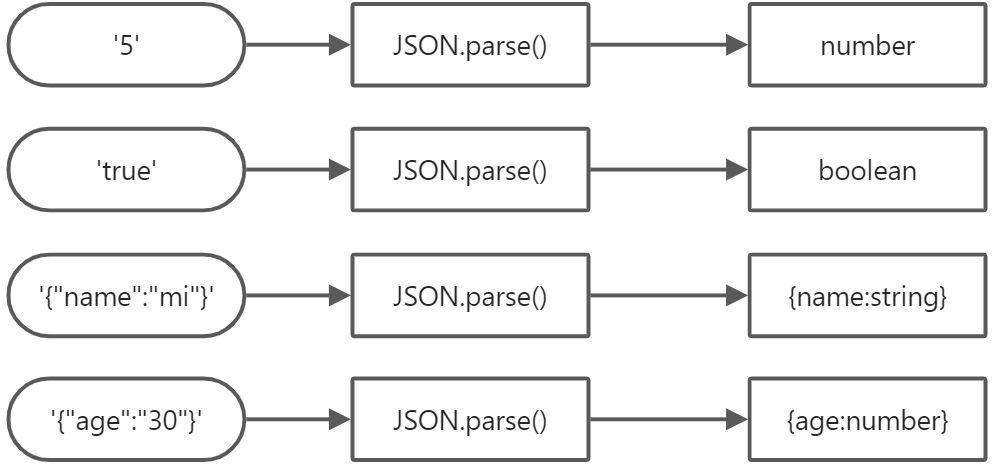
当我们想要一个变量拥有一个不能推断出来的类型
let num: boolean | number = false;
-
JSON.parse()
函数的类型注解
参数必须要加类型注解,返回值会根据参数进行推断 ```typescript const addNums = (a: number, b: number): number => { return a + b; }
function multiply(a: number, b: number): number { return a + b; } // 无返回值的类型注解 const logger = (mas: string): void { console.log(mas); }
2. 函数参数的类型注解```typescriptconst todayWeather = {date: new Date(),weather: '晴天'}const logWeather = (todayWeather: {date: Date,weather: string}): void => {console.log(todayWeather.date);console.log(todayWeather.weather);}logWeather(todayWeather);
const todayWeather = {date: new Date(),weather: '晴天'}const ES6 = ({date,weather}: {date: Date,weather: string}) => {console.log(date);console.log(weather);}ES6(todayWeather);
对象的类型注解
const profile = {nameL: "Mike",age: 20,coords: {lat: 30,lng: 50},setAge(age: number): void {this.age = age;}}const {age}: {age: number} = profile;const {coords: {lat,lng}}: {coords: {lat: number;lng: number}} = profile;

若有收获,就点个赞吧
0 人点赞


