1、创建两个类库:
(1)类库一里面存放服务接口
(2)类库二里面存放接口实现
类库一:需要引用using System.ServiceModel;从而能够打特性
[ServiceContract] [OperationContract]相当于对外暴露的契约
using System;using System.Collections.Generic;using System.Linq;using System.ServiceModel;using System.Text;using System.Threading.Tasks;namespace IBLL{[ServiceContract]public interface IUserInfoService{[OperationContract]public int Add();}}
类库二:实现类库一中的接口
using IBLL;using System;using System.Collections.Generic;using System.Linq;using System.Text;using System.Threading.Tasks;namespace BLL{public class UserInfoService : IUserInfoService{public int Add(){return 10;}}}
2、创建host控制台程序用来发布
using BLL;using System;using System.Collections.Generic;using System.Linq;using System.ServiceModel;using System.Text;using System.Threading.Tasks;namespace Host{internal class Program{static void Main(string[] args){using (ServiceHost host = new ServiceHost(typeof(UserInfoService))){host.Open();Console.ReadKey();}}}}
在app.config里面配置契约
配置控制台上的配置:services为节点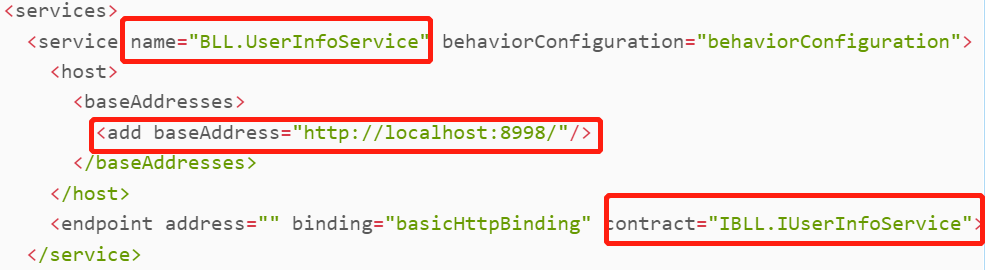
<?xml version="1.0" encoding="utf-8" ?><configuration><system.serviceModel><services><service name="BLL.UserInfoService" behaviorConfiguration="behaviorConfiguration"><host><baseAddresses><add baseAddress="http://localhost:8998/"/></baseAddresses></host><endpoint address="" binding="basicHttpBinding" contract="IBLL.IUserInfoService"></endpoint></service><!--<service name="BLL.UserInfoService" behaviorConfiguration="behaviorConfiguration"><host><baseAddresses><add baseAddress="http://localhost:8000/"/></baseAddresses></host><endpoint address="" binding="basicHttpBinding" contract="IBLL.IUserInfoService"></endpoint></service>--></services><behaviors><serviceBehaviors><behavior name="behaviorConfiguration"><serviceMetadata httpGetEnabled="true"/></behavior></serviceBehaviors></behaviors></system.serviceModel></configuration>
注意可能存在的问题:
1、运行host文件的时候可能无法添加url到站点
解决办法:
管理员运行cmd:
输入:netsh http add urlacl url=http://+:8998/ user=”\Everyone”

若有收获,就点个赞吧
0 人点赞


