问题一:
在通过官方的一系列流程安装完毕之后
react-native init FirstAppcd FirstApp
项目目录下只有以下两个文件: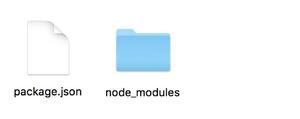
这个是什么原因呢?
因为近期rn更新,某些东西不适配,然后暂时能找到的方法就是指定较低版本的rn。
解决方案:
react-native init FirstApp --verbose --version 0.53.0
运行完之后的项目目录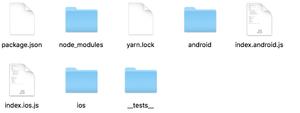
问题二:
在新建项目完毕之后:
运行:
react-native run-ios
出现:
查找资料后发现原来是升级后watchman不可用了,需要重装watchman。
解决方案:
brew link autoconf automakebrew install watchman
然后在运行:
react-native run-ios
成功: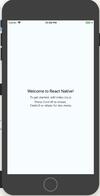
问题三:
运行:
react-native run-android
❌出现以下错误: Could not get BatchedBridge, make sure your bundle is packaged correctly
解决方案:执行以下命令
react-native bundle --platform android --dev false --entry-file index.android.js --bundle-output android/app/src/main/assets/index.android.bundle --assets-dest android/app/src/main/res/
如果报错在android/app/src/main/目录新建文件夹叫 assets ,在执行一遍上面的代码,
然后在启动 react-native run-android 就可以啦
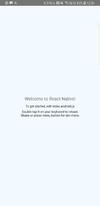
成功(真机测试):
问题四:
运行react-native run-android 出现 ❌Could not install the app on the device, read the error above for details. Make sure you have an Android emulator running or a device connected and have set up your Android development environment. Go to https://facebook.github.io/react-native/docs/getting-started.html and check the Android tab for setup instructions.
解决方案:
在android 文件夹下 build.gradle中
repositories {jcenter()}dependencies {classpath 'com.android.tools.build:gradle:1.2.3'//修改过后// NOTE: Do not place your application dependencies here; they belong// in the individual module build.gradle files}
在android/app 文件夹下 build.gradle中
compileSdkVersion 23buildToolsVersion "23.0.1"//修改过后
然后再运行就没有问题啦
简书地址: https://www.jianshu.com/p/3a09ad4e28f2
更新日期: 2018.09.06 15:25

若有收获,就点个赞吧
0 人点赞


