1. Value Proposition
Positioned to help key sellers get initial orders or boost GMV through AE new buyer channel with subsidy
2. Display
More exposure at search, homepage-more to love, new user floor, hottest product floor

3. Discount of Registration
Highlight: During the activity period, the registered products should offer over 30% extra off for new users, based on the daily discount.
EG. If a registered product original price is EUR 49.99. The seller will need to set 2 discount, all FINANCED by sellers.
1) Line1: Daily disount-59% off , this disount will be displayed to all non-new users with price EUR 20.5;
2) Line2: Discount for new user-89%(59% daily discount + 30% new user extra discount ), this disount will be displayed ONLY to new users 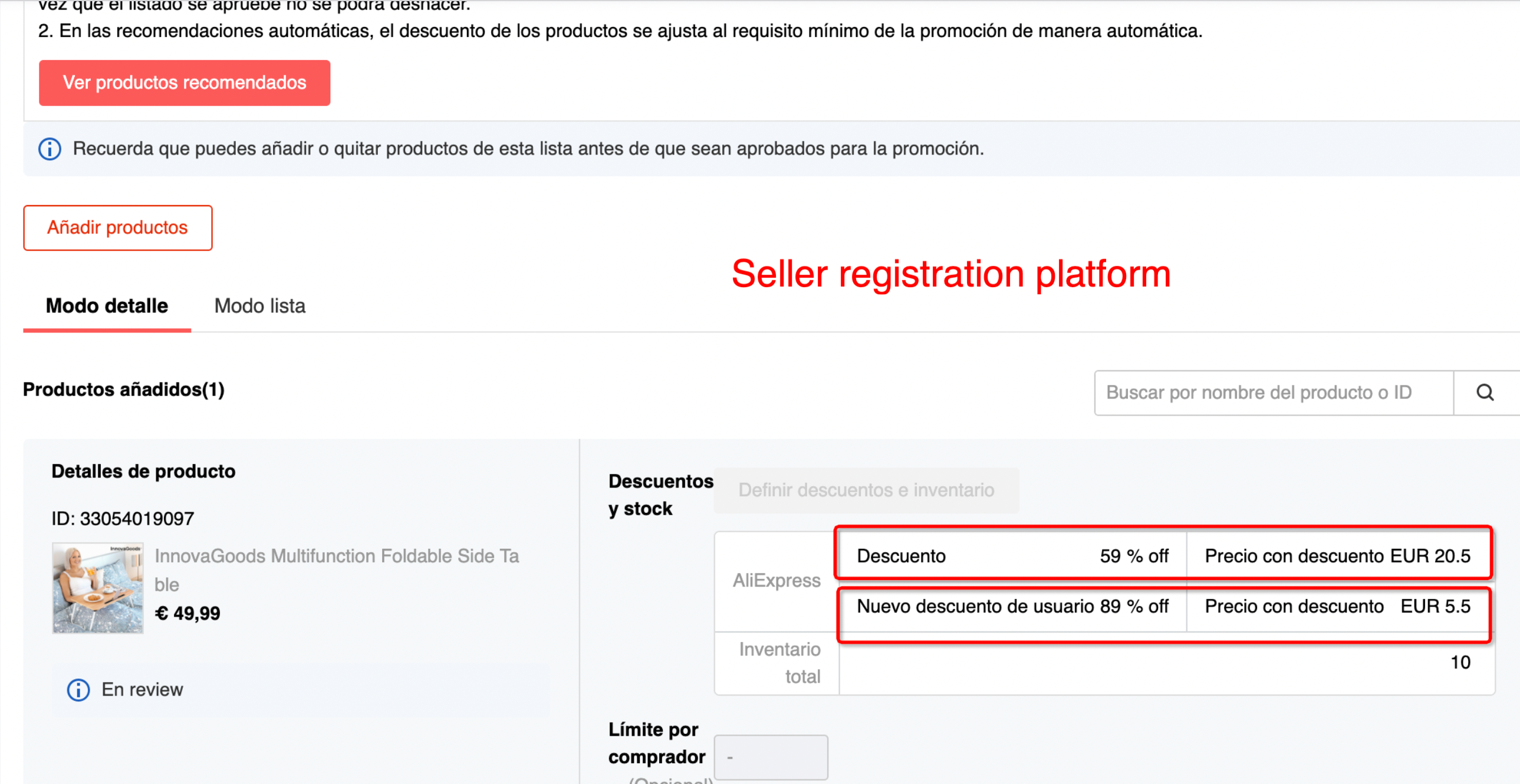
4. Product Criteria
| Purpose | Get initial 3 orders | Boost more orders |
|---|---|---|
| Product order | New Product posted in L90D & L30D ES order<3 | L30D ES Order≥3 |
| Registered Price | Price After New User Discount ≤20 Euros | |
| Discounts | Extra Over 30% off for New Users (Based on Daily Price) Provided By Sellers Example of Daily Price: 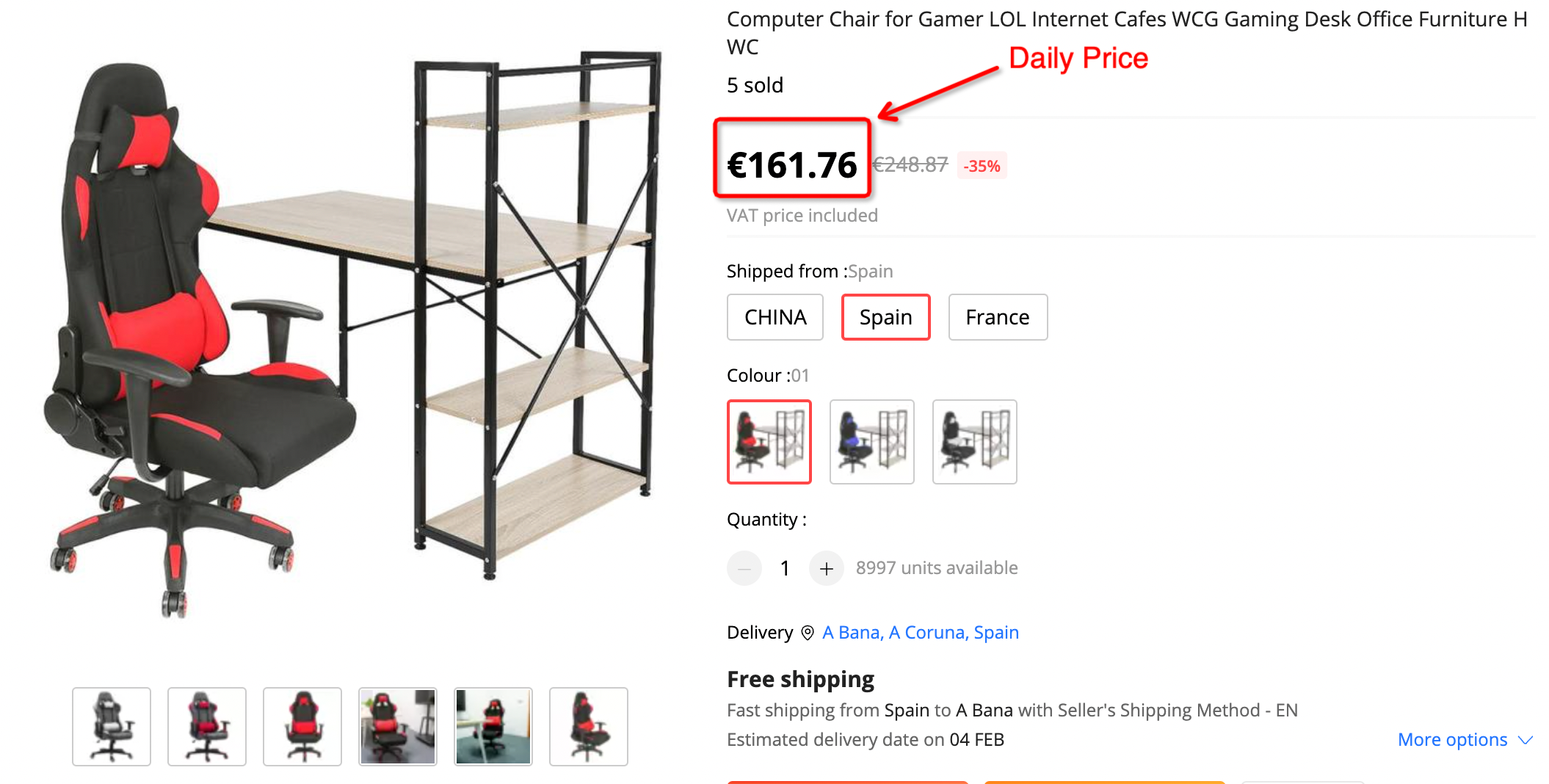 |
|
| Free shipping | Y | Y |
| Logistics | ≤7 Days Delivery | ≤7 Days Delivery |
| L180 Number of reviews | / | >0 |
| L30 SNAD | / | <4% |
| L30 NR | / | <3% |
| L90 Seller_DSR | / | ≥4.5 |
| L90 Item_DSR | / | ≥4.5 |
| L90 Logistic_DSR | / | ≥4.5 |
| Target Category | Food; Home Appliances; Computer & Office; Storage Device; Home & Garden; Sports & Entertainment; Office & School Supplies; Toys & Hobbies; Jewelry & Accessories; Lights & Lighting; Consumer Electronics; Beauty & Health; Shoes; Tools; Mother & Kids; Furniture; Watches; Luggage & Bags; Men’s Clothing;Women’s Clothing; Apparel Accessories; Sports Shoes; Clothing & Accessories |
5. Seller Registration Process @ Seller Center
Step 1:After entering the background, click [Marketing Activities]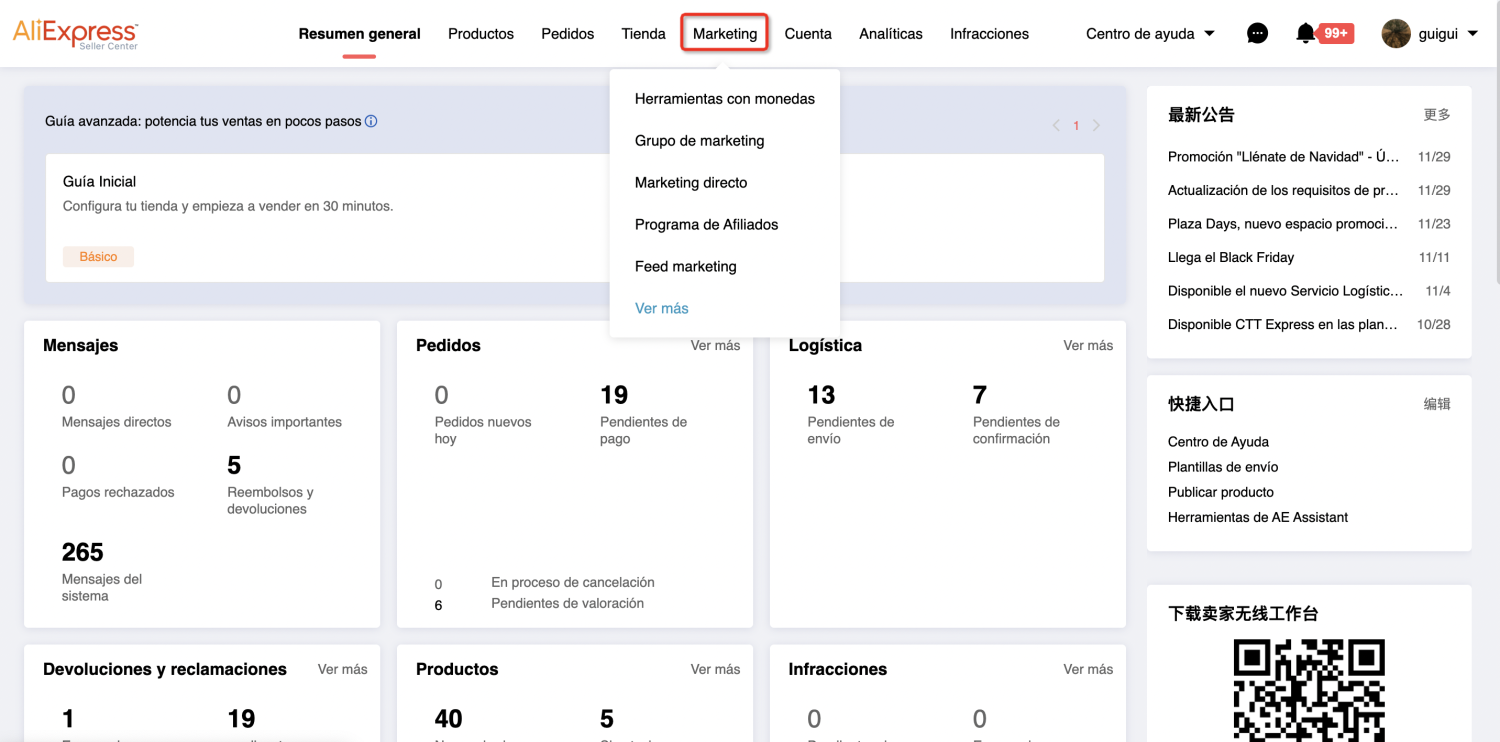
Step 2:Select the second tab in the left sidebar [Platform Marketing Activities List]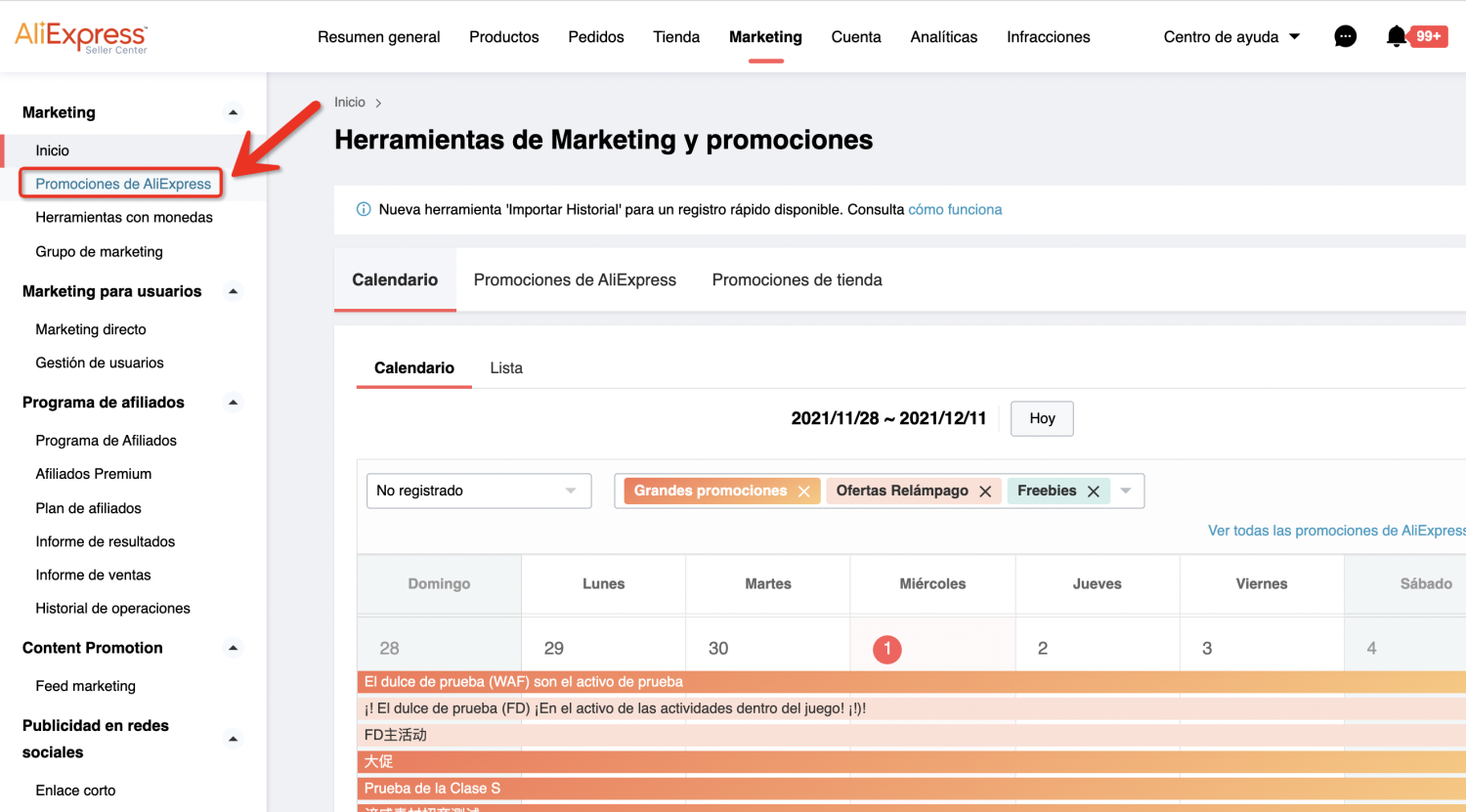
Step 3:Choose【Standard promotions】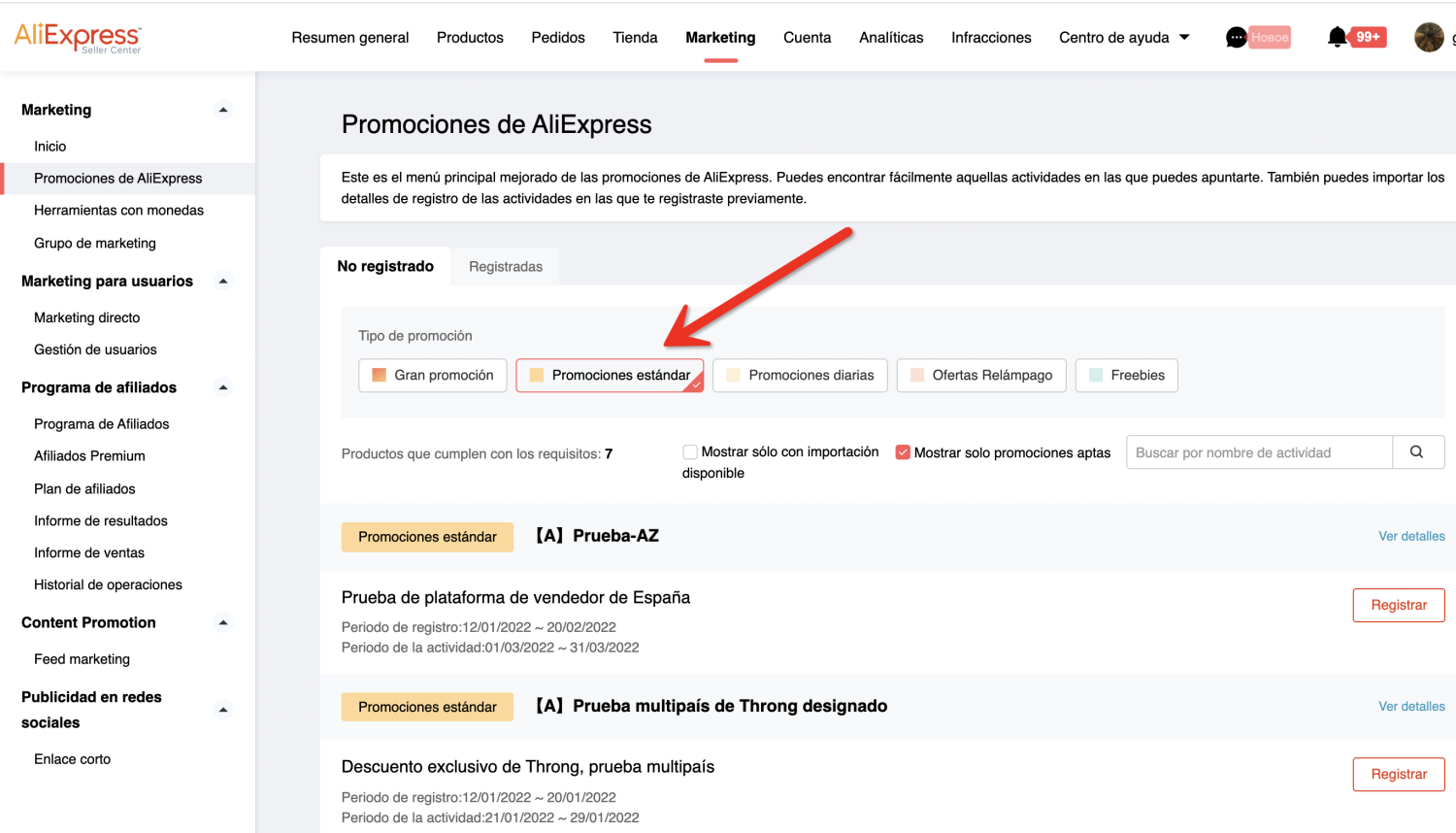
Step 4:Select the Platform limited/Time limited activity, and click [Register] to enter the activity details page to register.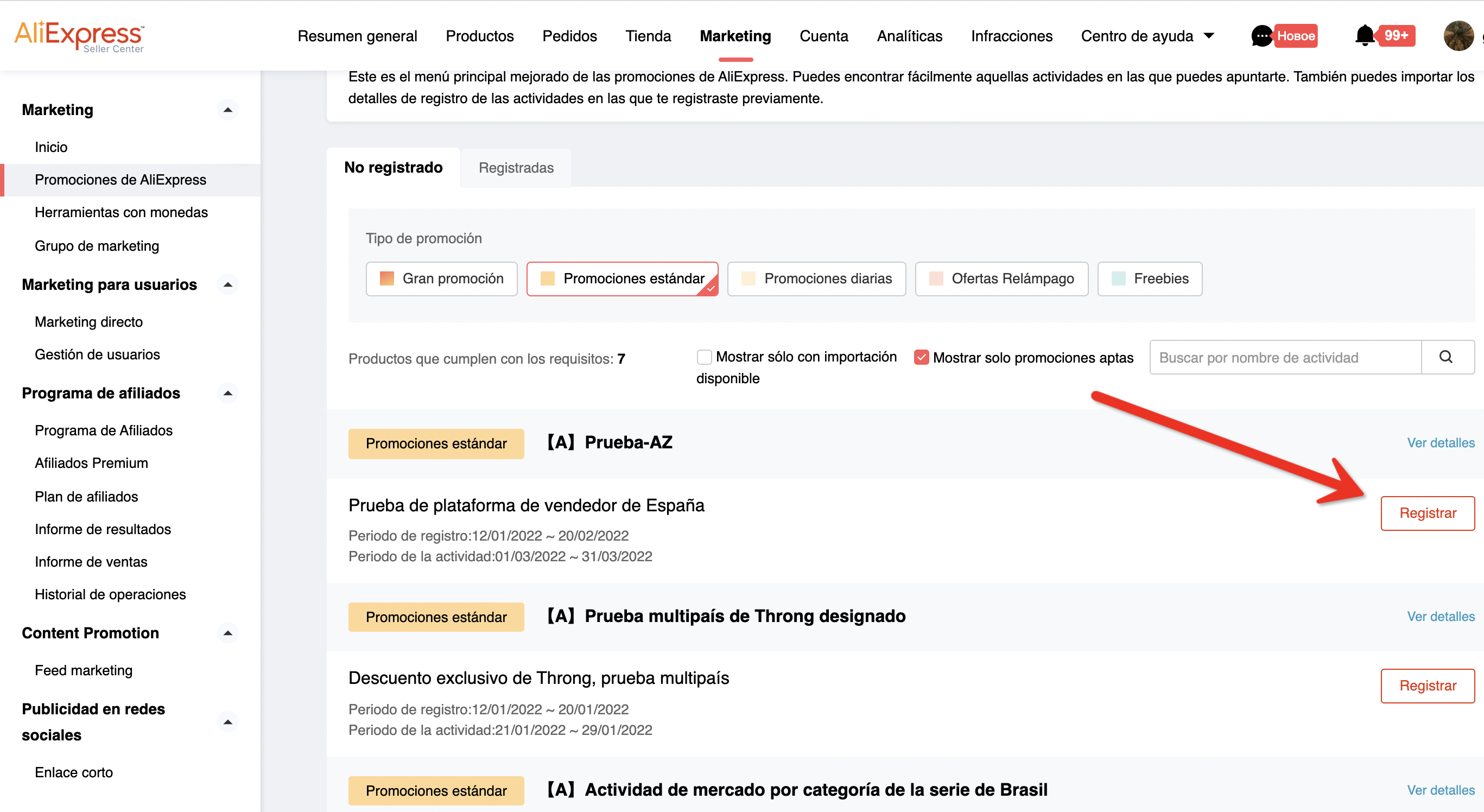
Step 5:Click [Register] to enter the activity agreement page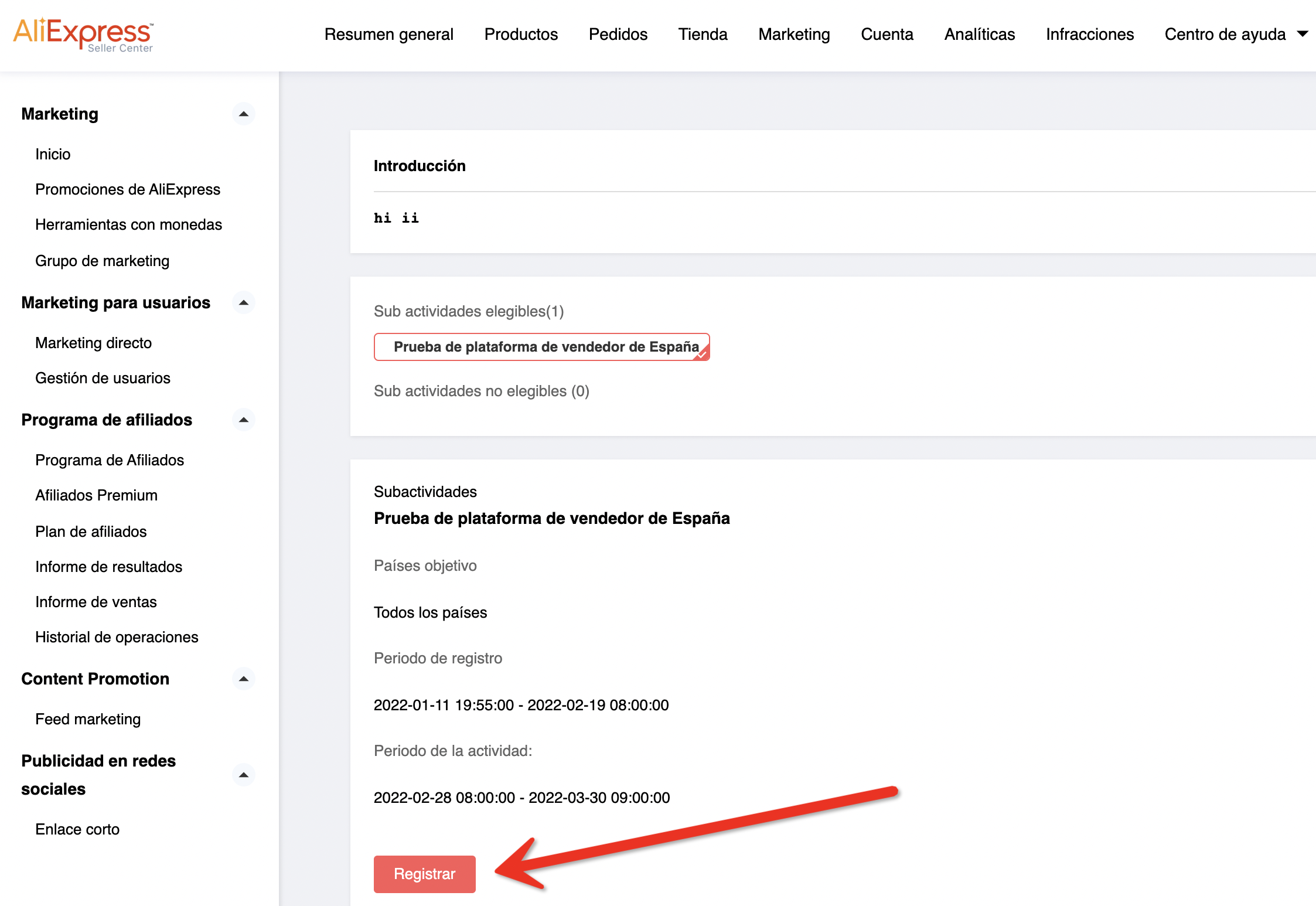
Step 6:After making sure the agreement is checked, click [Next]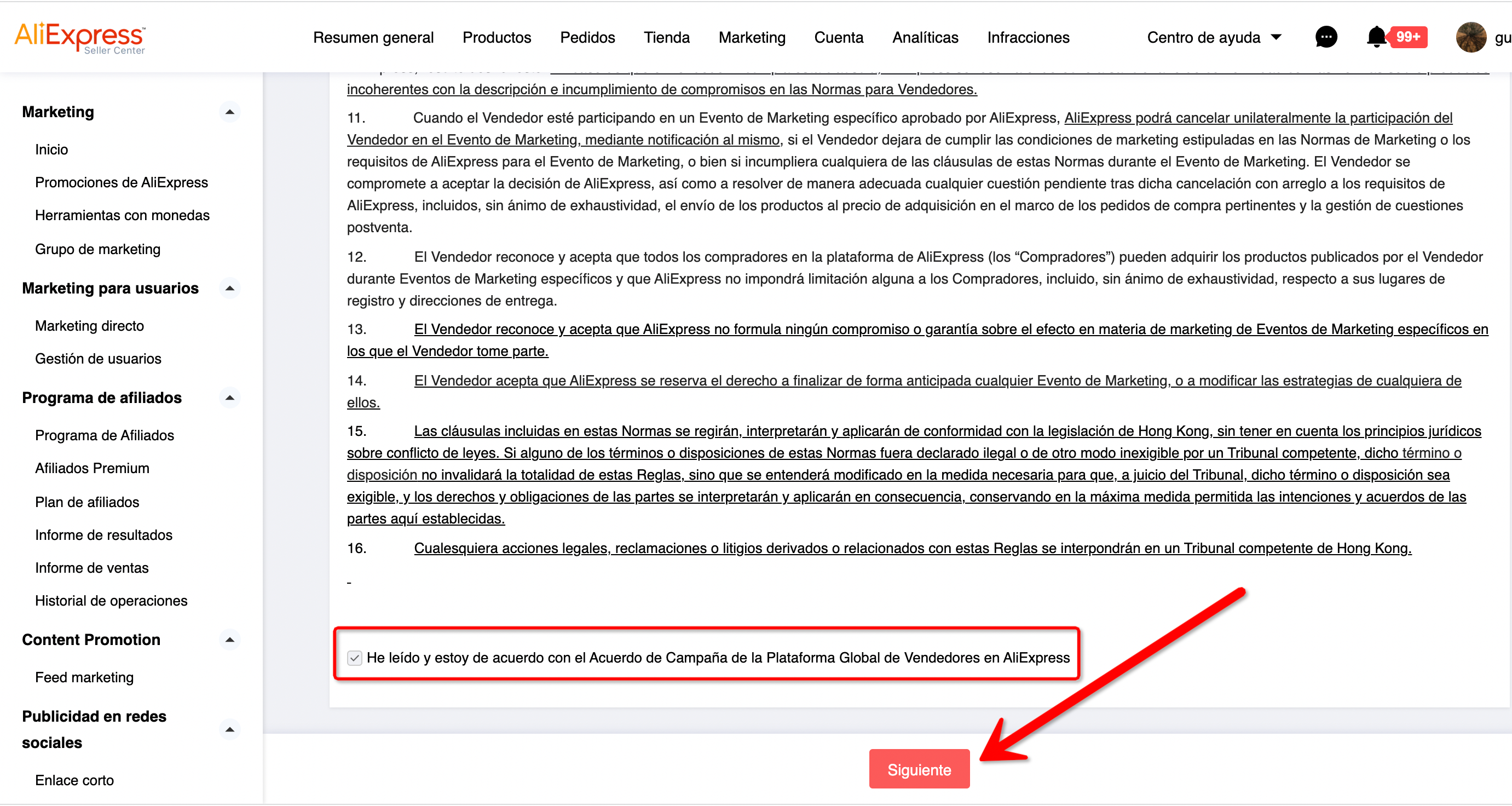
Step 7:After confirming the number of products that a single seller can register, click [Add Product] to register the product
Step 8:After selecting the products to be registered, click [Confirm]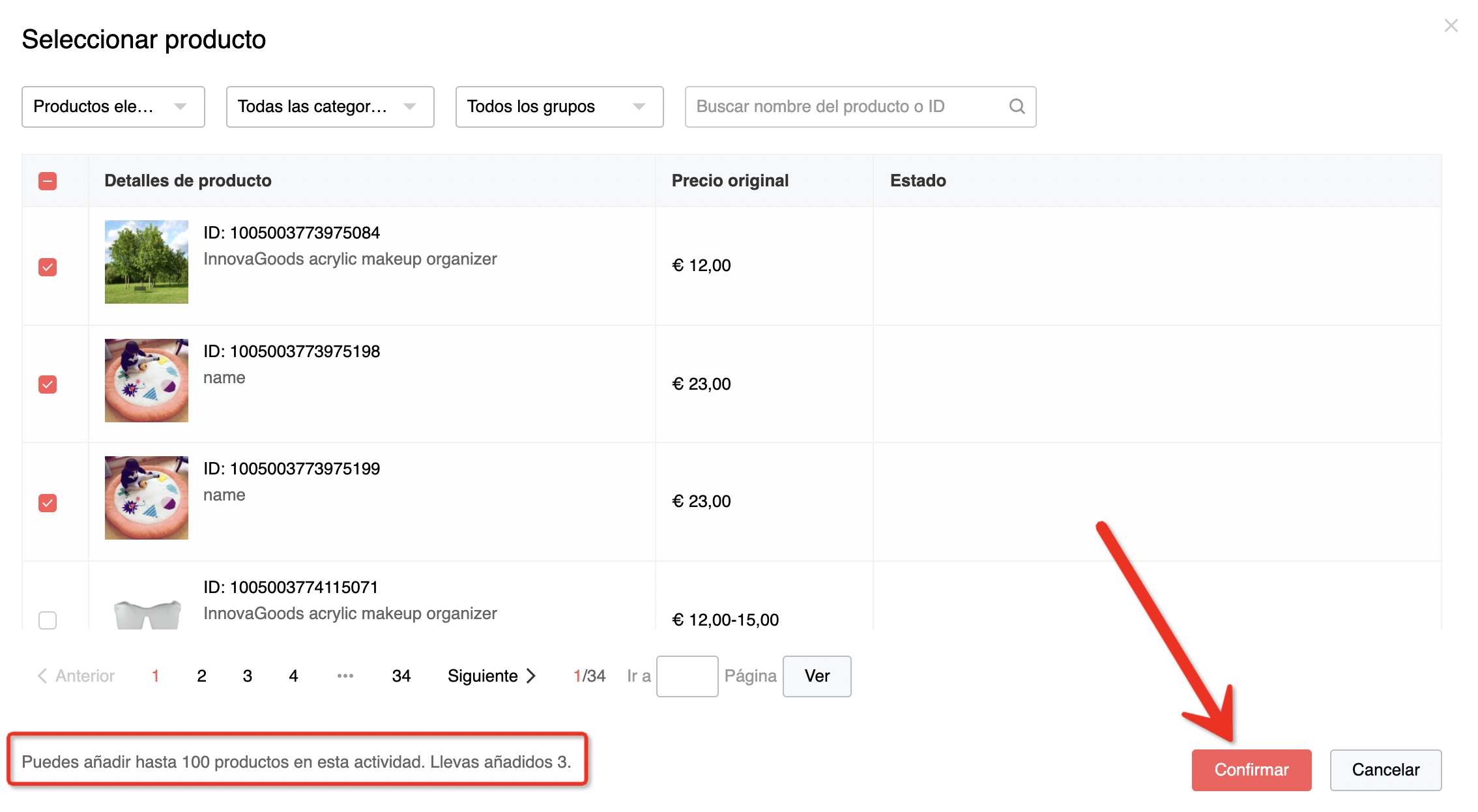
Step 9:If the activity image is required, the seller needs to upload the activity image for the product. Requirements for pictures are also shown here.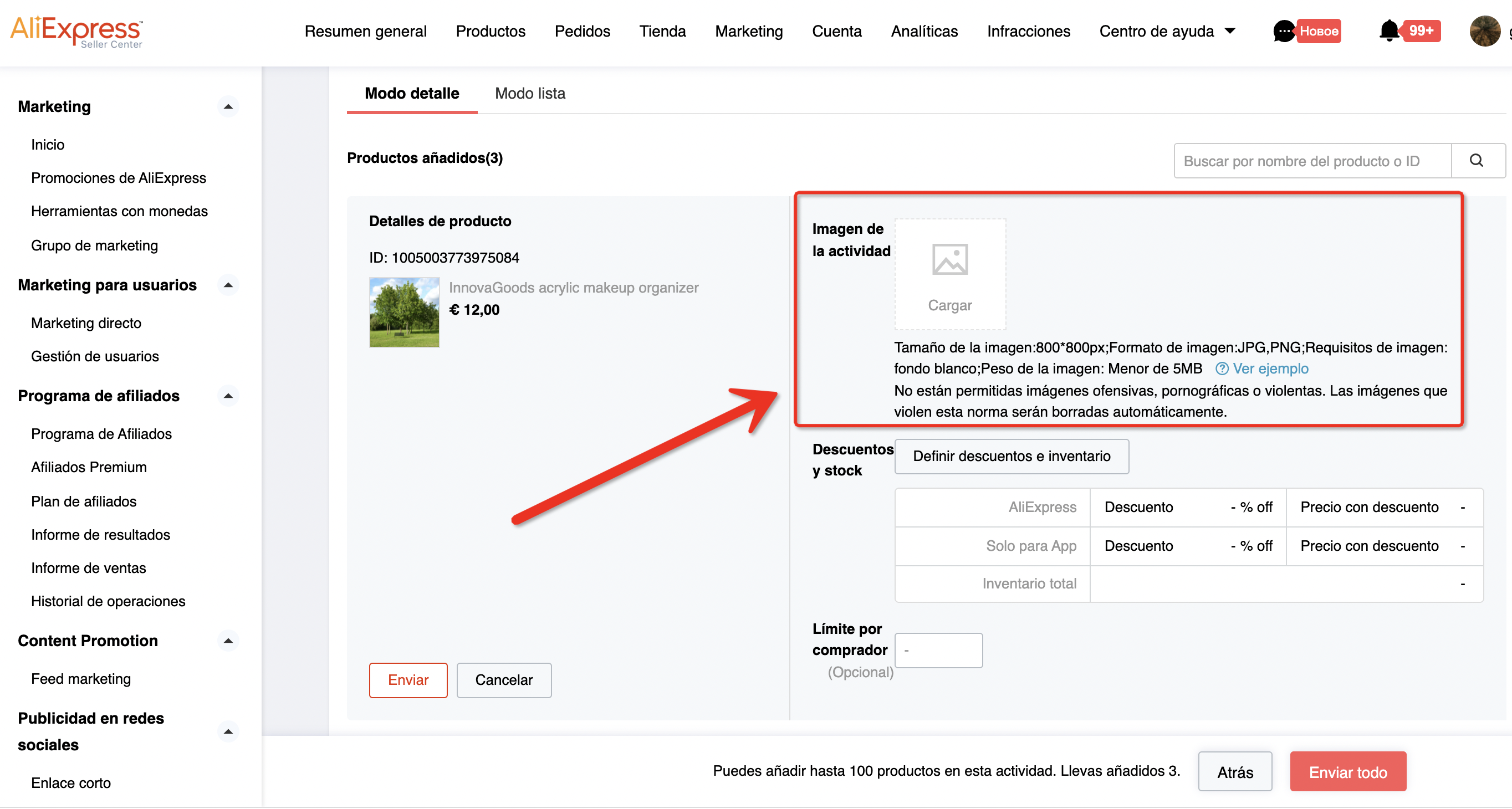
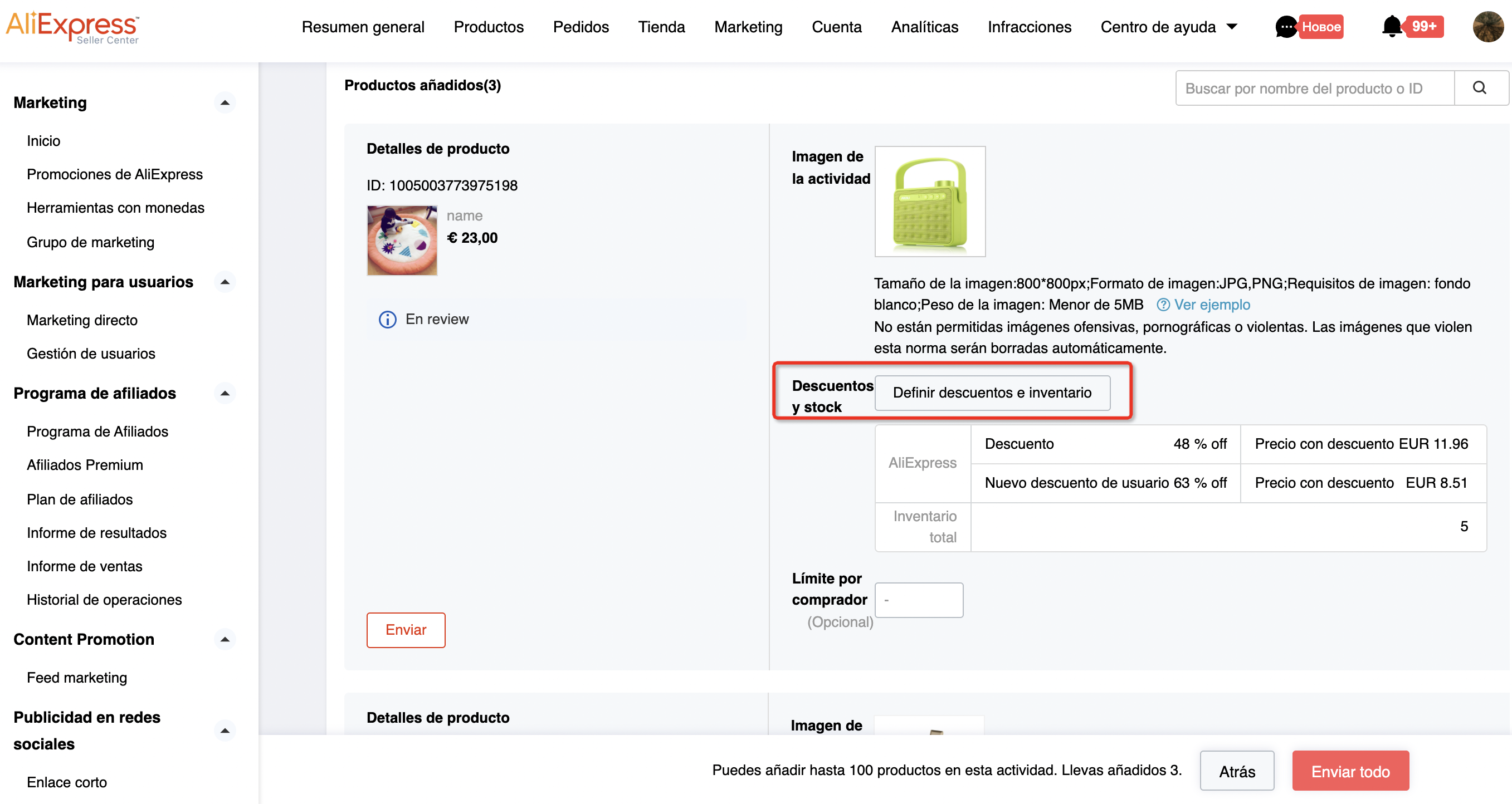
Step 10:Sellers need to set discount and inventory for each product.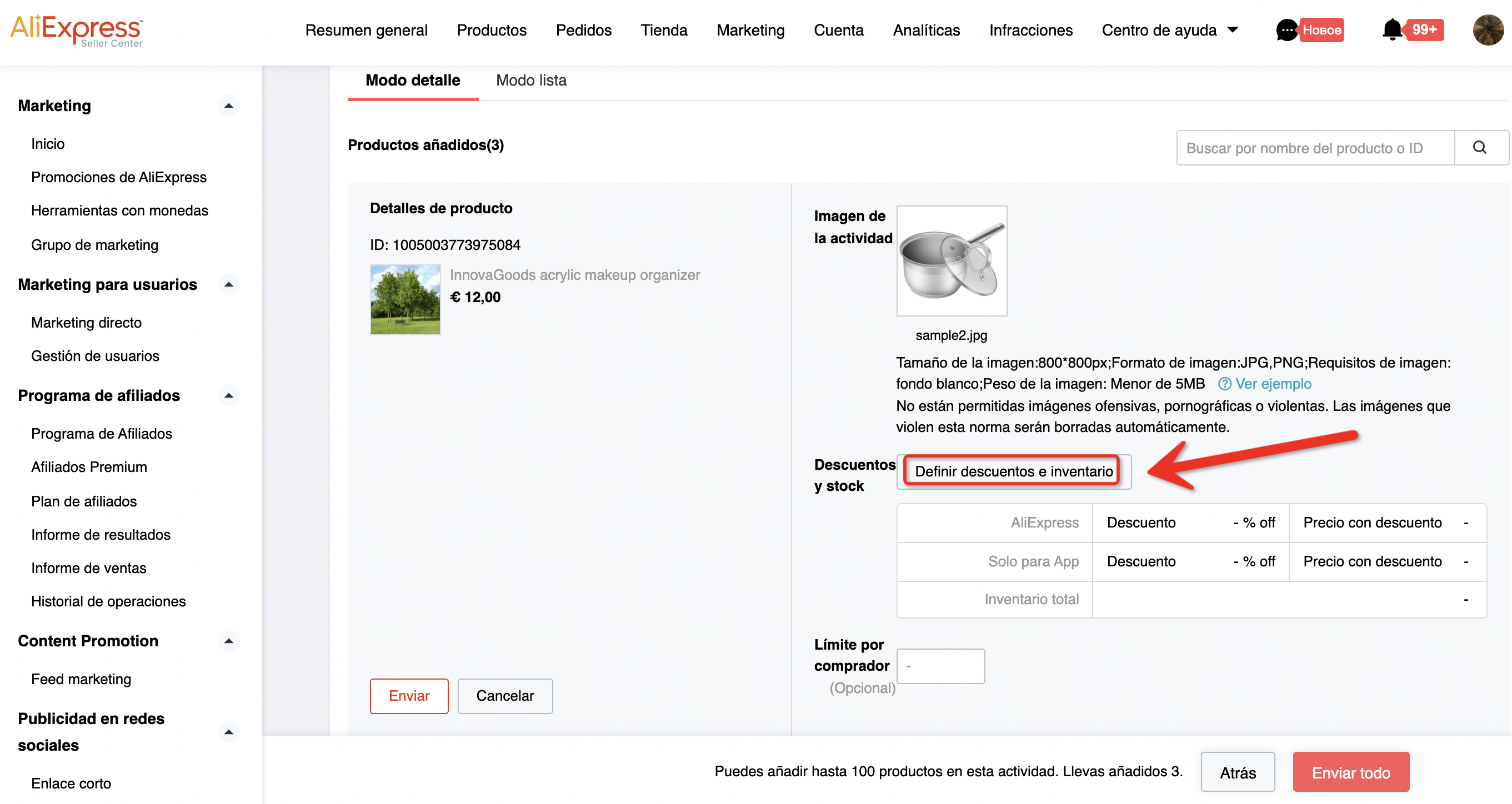
Step 11:Select the SKU that needs to be registered in a single product, and after checking the SKU, the seller can click [Discount Requirement Details] to view the source of the registration threshold discount. Sellers can manually fill in the inventory for each registered SKU, or set the inventory in batches.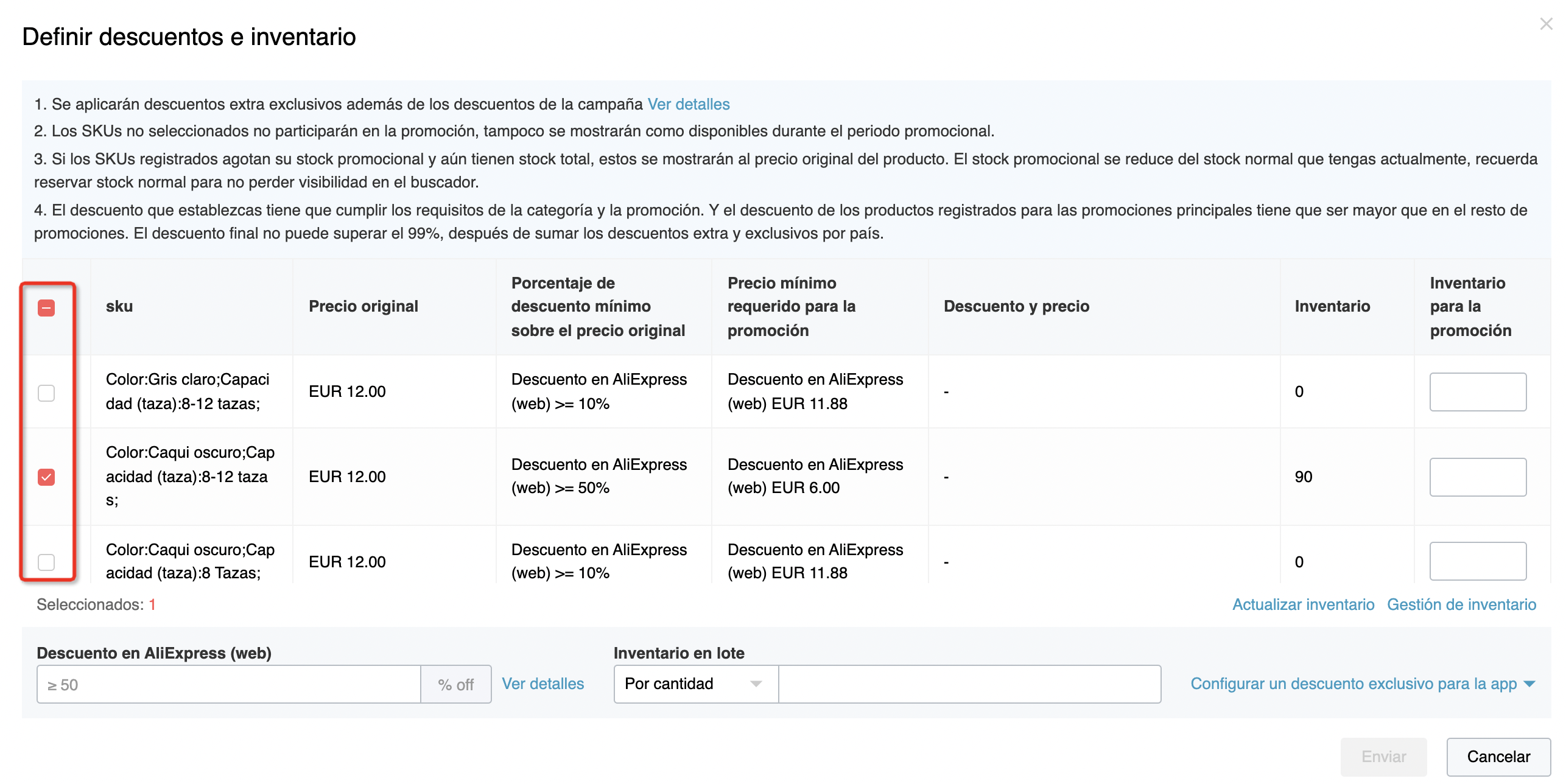
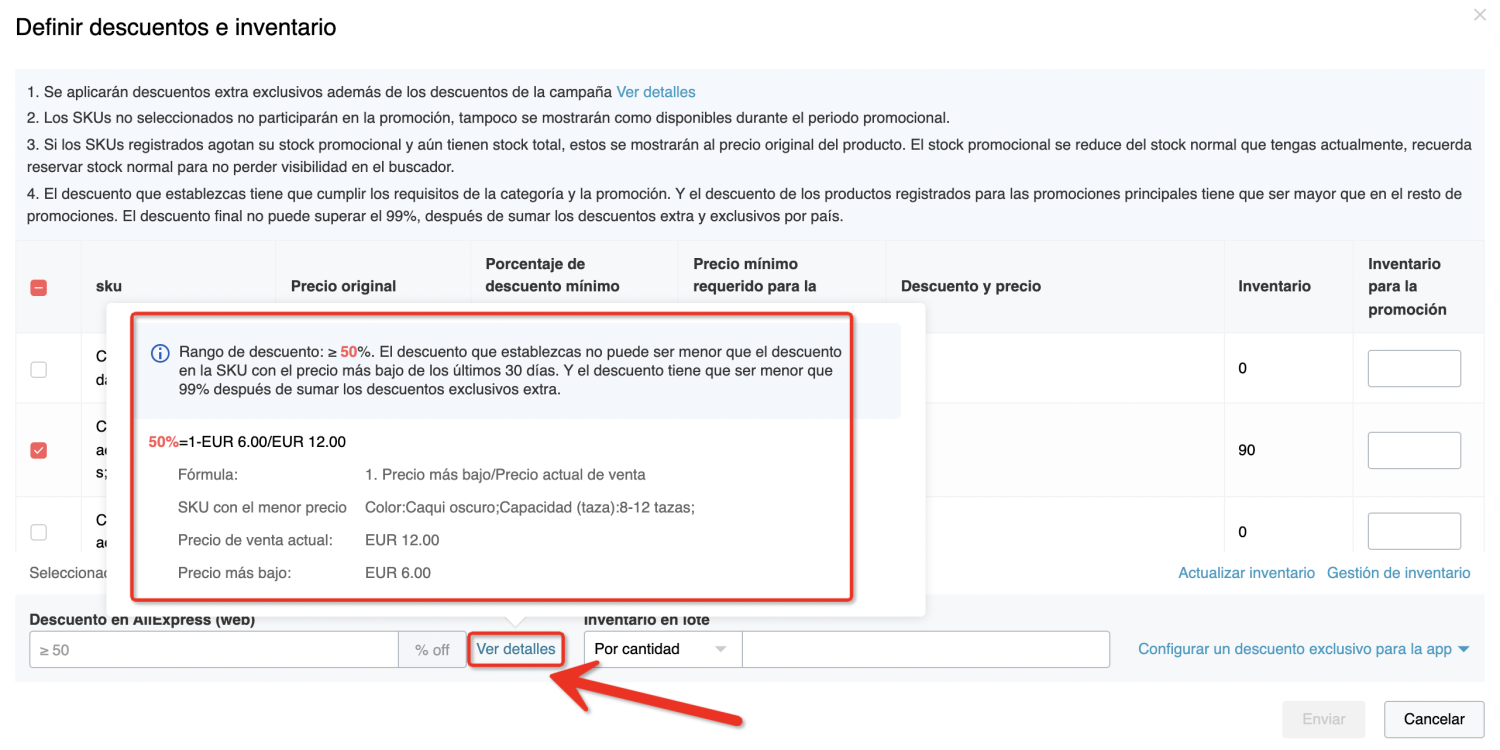
Step 12:After filling in the discount and inventory, click elsewhere on this settings page, and the [Submit] button will become clickable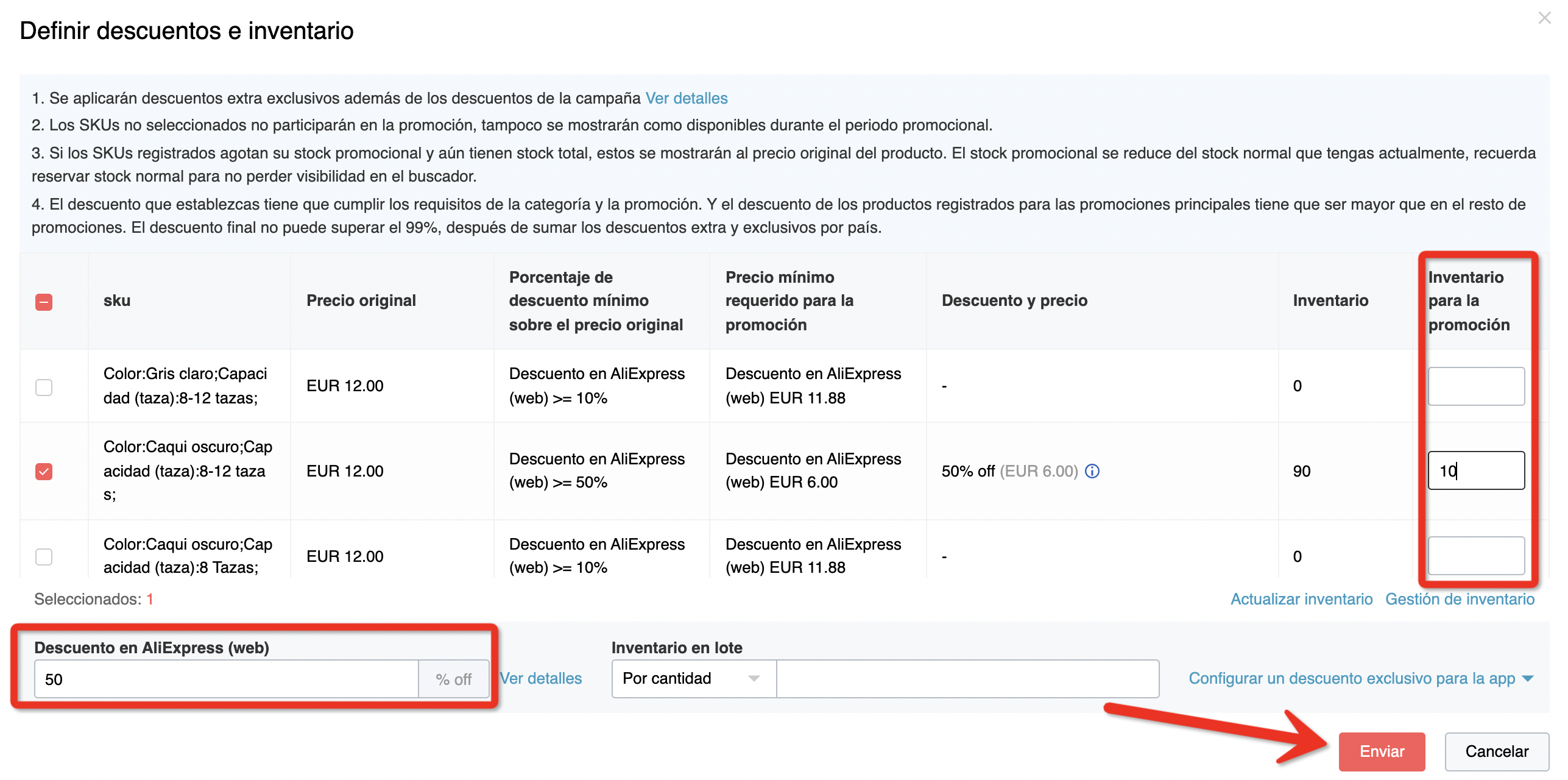
Step 13:If the purchase limit for a single consumer set in the activity is unlimited, it will be displayed as [optional] here. Sellers can freely set the consumer purchase limit here. If the seller does not need to set the purchase limit, it can be left blank.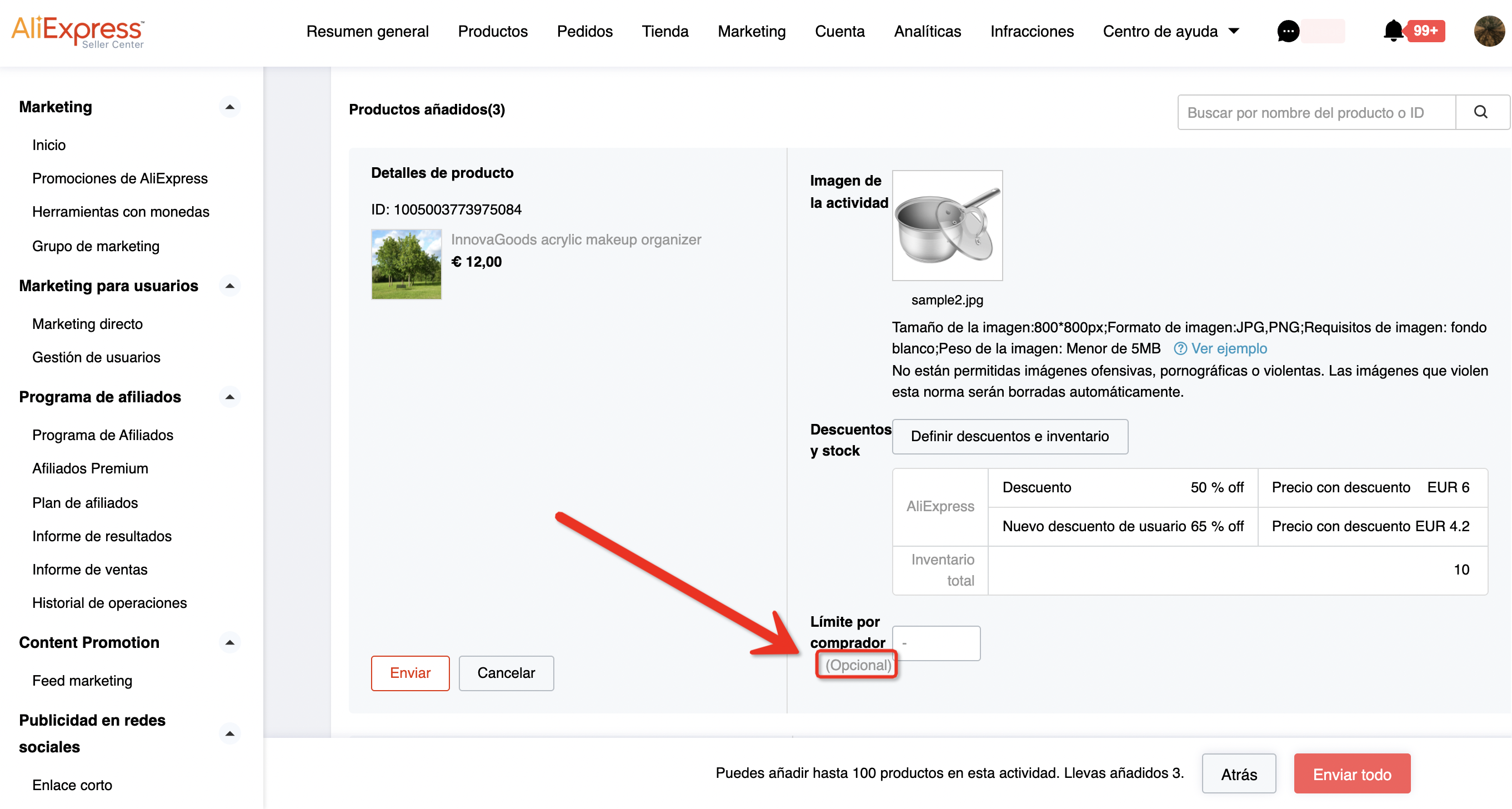
Step 14:If the purchase limit for a single consumer has been set for the activity, [Optional] will not be displayed here. If the purchase limit is 5, the seller can fill in any integer from 1 to 5 here. When the quantity is greater than 5, it will be automatically changed to 5 here.
Step 15:After the seller has filled in the discount and inventory for all products, click [Submit All]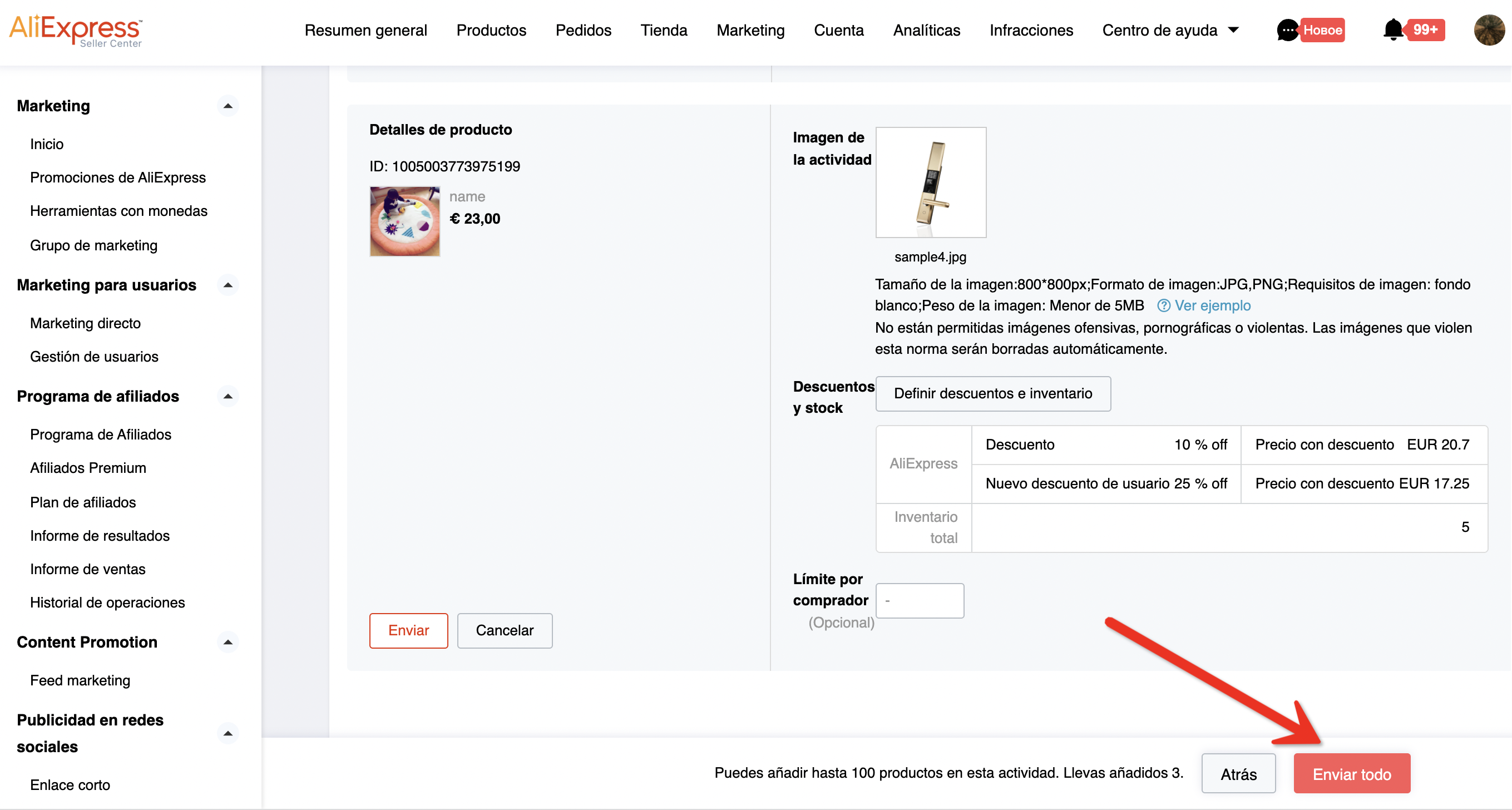
Step 16:Before the registration deadline, if the product has not been approved, the seller can click the [Modify] button to modify the registration discount and activity inventory.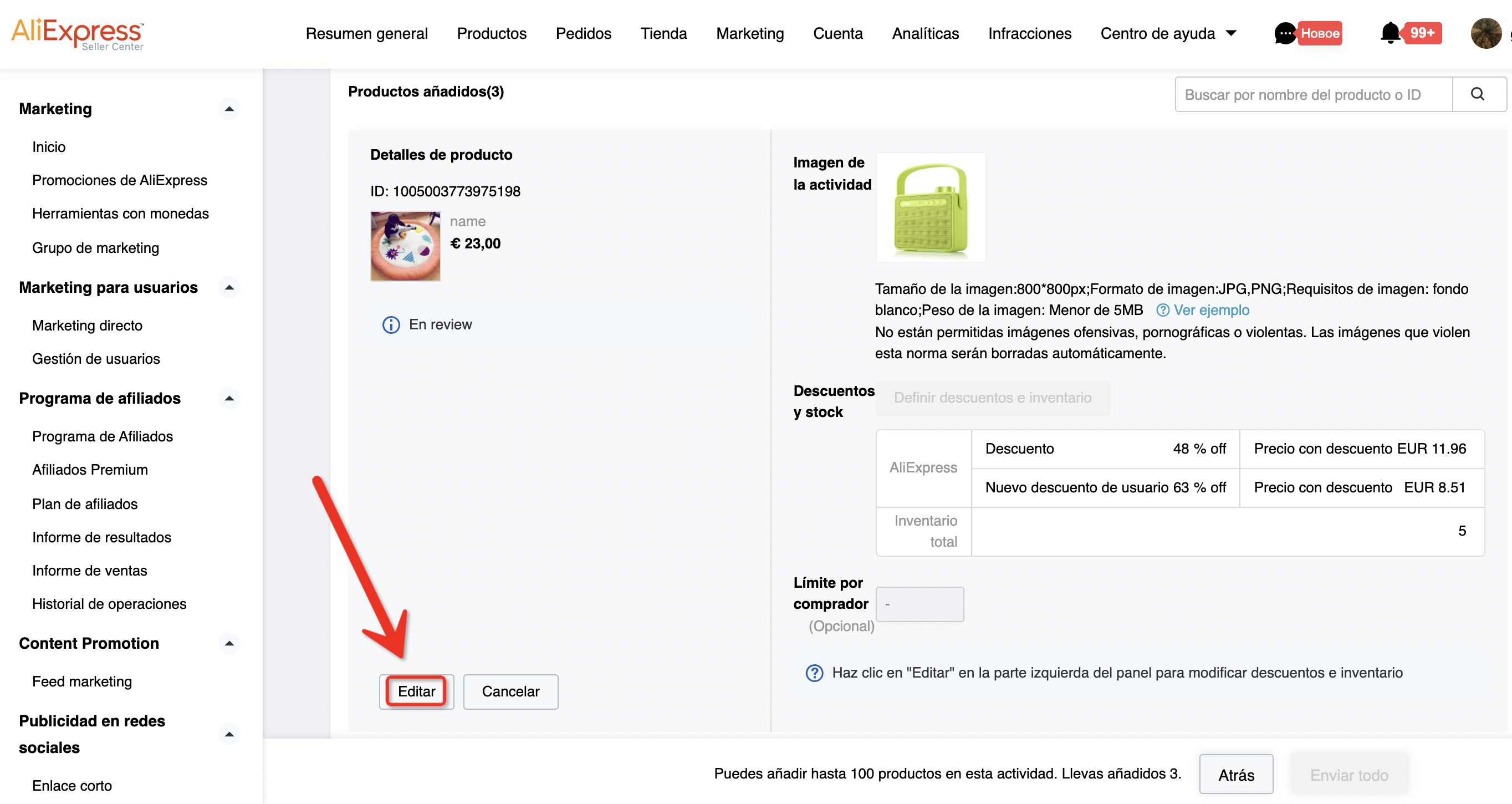
Step 17:If the product has not been approved, the seller can also click [Cancel Registration] to voluntarily cancel the registration of the product.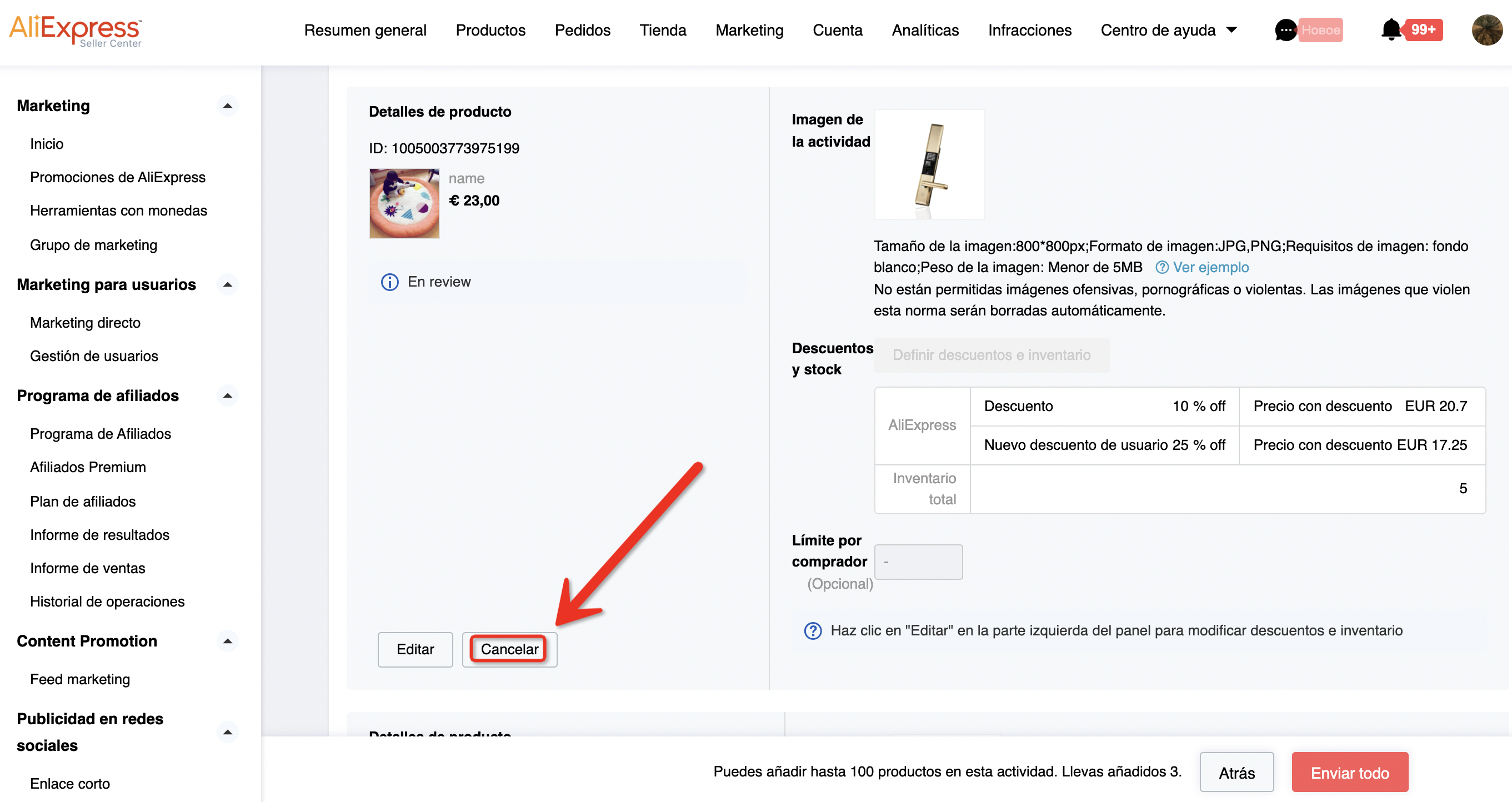
6. Q & A
A: Is there a maximum quantity required for product?
B: Minimum quantity shall above 10 with suggest stock level above 50
A: Whether the product can register other promotion activities at the same time?
B: For products which were registered other promotion activities can’t register new user channel; products registered new user channel CAN NOT register other promotion activities.
A: Can sex products be included?
B: Cannot be included.

若有收获,就点个赞吧
0 人点赞


