微软输入法卡顿
删除 C:\Users\用户名\AppData\Roaming\Microsoft\InputMethod\Chs 中 Chs
window cmd 修改默认字符集
1、win+r 打开运行窗口
2、输入regedit打开注册表编辑器
3、定位到HKEY_CURRENT_USER\Console\%SystemRoot%_system32_cmd.exe
4、修改其中Codepage选项,勾选十进制,windows默认是936
437(英语)
65001(utf-8)
936(GBK)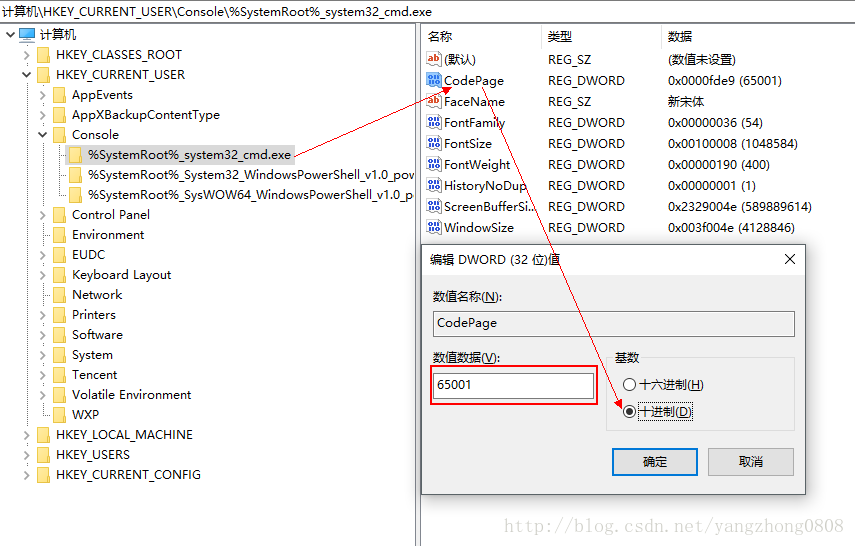
来源 : https://blog.csdn.net/yangzhong0808/article/details/79012628

若有收获,就点个赞吧
0 人点赞


