参考:https://www.runoob.com/docker/docker-tutorial.html
简介
Docker 是一个开源的应用容器引擎,基于 Go 语言 并遵从 Apache2.0 协议开源。
Docker 可以让开发者打包他们的应用以及依赖包到一个轻量级、可移植的容器中,然后发布到任何流行的 Linux 机器上,也可以实现虚拟化。
容器是完全使用沙箱机制,相互之间不会有任何接口(类似 iPhone 的 app),更重要的是容器性能开销极低。
mac 安装
直接用homebrew 安装即可:
brew install --cask --appdir=/Applications docker
但我这里发生了报错:
Error: Cask 'docker' is unavailable: No Cask with this name exists.
这里可以尝试更新一下brew:
brew update-reset && brew update
或者直接尝试使用本地安装下载:
wget https://download.docker.com/mac/edge/Docker.dmg
可能需要验证一会儿: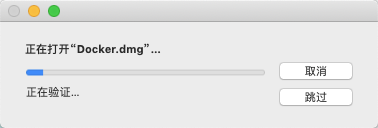
完毕后,将docker 拖动:
接着打开docker,需要输入用户密码。
第一次使用docker,可以在网站注册一下:https://hub.docker.com/?utm_source=docker4mac_3.0.0&utm_medium=account_create&utm_campaign=referral
第一次打开桌面端docker,还提供了教程:
我们还可以直接在终端中输入docker 命令:
$ docker

Usage:  docker [OPTIONS] COMMAND

A self-sufficient runtime for containers

Options:
      --config string      Location of client config files (default
                           "/Users/appe/.docker")
  -c, --context string     Name of the context to use to connect to the
                           daemon (overrides DOCKER_HOST env var and
                           default context set with "docker context use")
  -D, --debug              Enable debug mode
  -H, --host list          Daemon socket(s) to connect to
  -l, --log-level string   Set the logging level
                           ("debug"|"info"|"warn"|"error"|"fatal")
                           (default "info")
      --tls                Use TLS; implied by --tlsverify
      --tlscacert string   Trust certs signed only by this CA (default
                           "/Users/appe/.docker/ca.pem")
      --tlscert string     Path to TLS certificate file (default
                           "/Users/appe/.docker/cert.pem")
      --tlskey string      Path to TLS key file (default
                           "/Users/appe/.docker/key.pem")
      --tlsverify          Use TLS and verify the remote
  -v, --version            Print version information and quit

Management Commands:
  app*        Docker App (Docker Inc., v0.9.1-beta3)
  builder     Manage builds
  buildx*     Build with BuildKit (Docker Inc., v0.4.2-docker)
  config      Manage Docker configs
  container   Manage containers
  context     Manage contexts
  image       Manage images
  manifest    Manage Docker image manifests and manifest lists
  network     Manage networks
  node        Manage Swarm nodes
  plugin      Manage plugins
  scan*       Docker Scan (Docker Inc., v0.5.0)
  secret      Manage Docker secrets
  service     Manage services
  stack       Manage Docker stacks
  swarm       Manage Swarm
  system      Manage Docker
  trust       Manage trust on Docker images
  volume      Manage volumes

Commands:
  attach      Attach local standard input, output, and error streams to a running container
  build       Build an image from a Dockerfile
  commit      Create a new image from a container's changes
  cp          Copy files/folders between a container and the local filesystem
  create      Create a new container
  diff        Inspect changes to files or directories on a container's filesystem
  events      Get real time events from the server
  exec        Run a command in a running container
  export      Export a container's filesystem as a tar archive
  history     Show the history of an image
  images      List images
  import      Import the contents from a tarball to create a filesystem image
  info        Display system-wide information
  inspect     Return low-level information on Docker objects
  kill        Kill one or more running containers
  load        Load an image from a tar archive or STDIN
  login       Log in to a Docker registry
  logout      Log out from a Docker registry
  logs        Fetch the logs of a container
  pause       Pause all processes within one or more containers
  port        List port mappings or a specific mapping for the container
  ps          List containers
  pull        Pull an image or a repository from a registry
  push        Push an image or a repository to a registry
  rename      Rename a container
  restart     Restart one or more containers
  rm          Remove one or more containers
  rmi         Remove one or more images
  run         Run a command in a new container
  save        Save one or more images to a tar archive (streamed to STDOUT by default)
  search      Search the Docker Hub for images
  start       Start one or more stopped containers
  stats       Display a live stream of container(s) resource usage statistics
  stop        Stop one or more running containers
  tag         Create a tag TARGET_IMAGE that refers to SOURCE_IMAGE
  top         Display the running processes of a container
  unpause     Unpause all processes within one or more containers
  update      Update configuration of one or more containers
  version     Show the Docker version information
  wait        Block until one or more containers stop, then print their exit codes

Run 'docker COMMAND --help' for more information on a command.
命令也太多了吧。
看看我的docker 版本:
$ docker -v
Docker version 20.10.0, build 7287ab3

若有收获,就点个赞吧
0 人点赞


