数据库-01
Navicat 工具
- 连接—【Mysql】

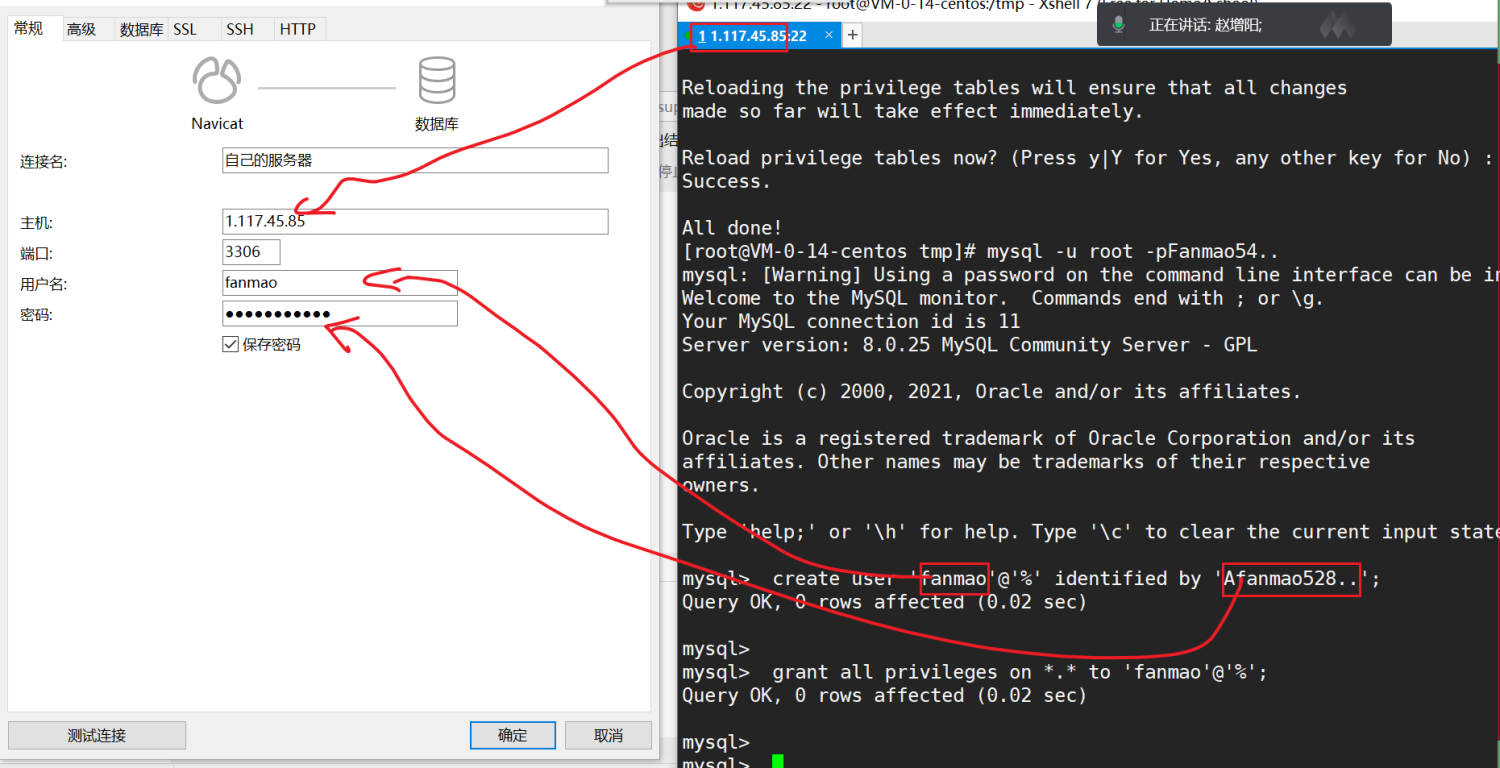
- 输入数据库的远程信息

用户名 fanmao
密码 Fanmao54
数据库的基本使用
show databases; use information_schema; show tables; select * from FILES;
select 查询

select * from taofei54; — 查询姓名 select name from taofei54; — 查询姓名与学号 select name,sex from taofei54; — 查询姓名,学号,性别,工作年限 select name,number,sex,workyear from taofei54;
where 条件查询
在查询之后添加 where 条件;
字段名
— 查询班级中所有的男生信息 select from taofei54 where sex=”男”; — 查询班级中工作经验 3年的学员信息; select from taofei54 where workyear=”3”; — 查询班级中学历为 大专的学员; select * from taofei54 where education=”大专”;
在where 子条件中
- = 表示相等
大于
- < 小于
= 大于等于
- <= 小于等于
- <> 不等于
— 查询班级中工作经验大于等于3年的学员信息; select * from taofei54 where workyear >= “3”;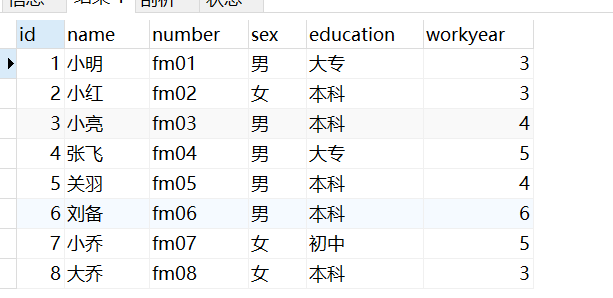
— 查询班级中学历不为大专的学员; select * from taofei54 where education <> “大专”;
where … and … 条件查询
and 并且 表示同时符合多个条件查询;
— 查询学生中学历不是本科,也不是专科的学员信息 select from taofei54 where education <> “本科” and education <> “大专”; — 查询学生中学历不是本科,也不是专科的男学员信息 select from taofei54 where education <> “本科” and education <> “大专” and sex = “男”; — 查询工作年限大于3年 同时学历为本科的男同学的所有信息 select * from taofei54 where workyear > “3” and education = “本科” and sex =”男” 
where … in …
where education in (“本科”,”专科”)
— 查询幼儿园,初中,大专毕业的同学 SELECT from taofei54 where education in (“幼儿园”,”初中”,”大专”)
— — 查询幼儿园,初中,大专毕业的男同学 select from taofei54 WHERE education in (“幼儿园”,”初中”,”大专”) and sex = “男”;
— 查询表中的名字,条件为 学历为大专,本科的 男同学 select name from taofei54 where education in (“大专”,”本科”) and sex =”男” — 查询 工作3年的所有同学的姓名,学历 select name,education,workyear from taofei54 where workyear = “3” 
where … or … 或者运算
or 或者运算 表示只要符合其中的一个条件即可。
— 查看工作2 年 或者 工作 6年的学员所有信息; select from taofei54 where workyear = “2” or workyear = “6”; 
也可以直接使用 in 的方式进行查询
select from taofei54 where workyear in (“2”,”6”)
— 1. 要求学历本科 没有工作年限要求 — 2. 大专学历,工作经验大于3年 — 请找出符合上述条件的同学 SELECT * from taofei54 WHERE education = “本科” OR education = “大专” and workyear > “3”
附加
安装视频
https://player.bilibili.com/player.html?bvid=BV1i54y1V7KC&p=3&page=3
CentOS7.9 搭建Mysql 数据库
下载 MySQL 安装包
https://dev.mysql.com/downloads/mysql/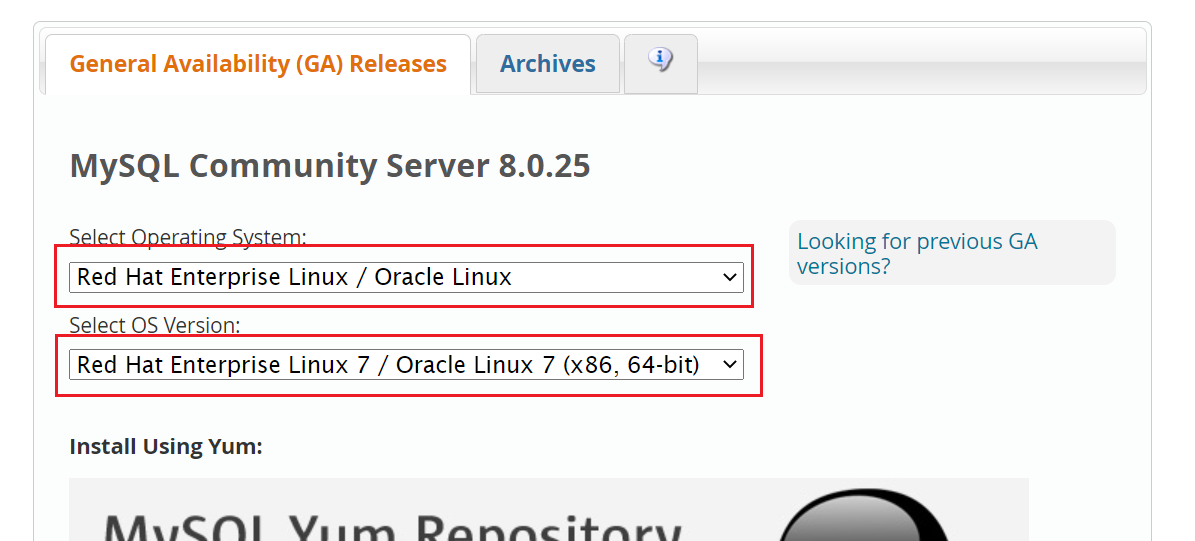
选择 对应的版本

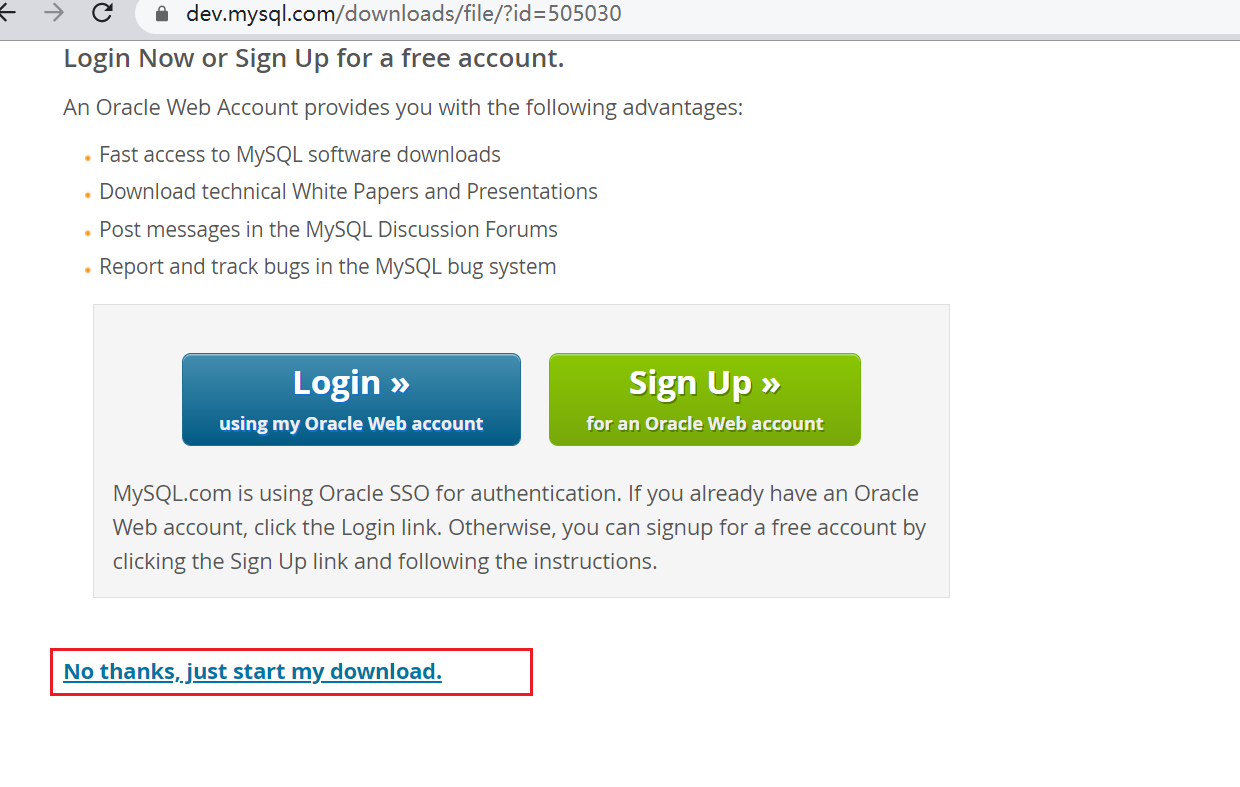
环境:Centos 7.9 64位系统
重新安装系统
1. 下载安装文件
cd /tmp wget https://cdn.mysql.com//Downloads/MySQL-8.0/mysql-8.0.25-1.el7.x86_64.rpm-bundle.tar
2. 解压文件
下载完成之后
tar -xf mysql-8.0.25-1.el7.x86_64.rpm-bundle.tar
解压完成之后 会有对应 rpm 文件
mysql-community-client-8.0.25-1.el7.x86_64.rpm mysql-community-client-plugins-8.0.25-1.el7.x86_64.rpm mysql-community-common-8.0.25-1.el7.x86_64.rpm mysql-community-devel-8.0.25-1.el7.x86_64.rpm mysql-community-embedded-compat-8.0.25-1.el7.x86_64.rpm mysql-community-libs-8.0.25-1.el7.x86_64.rpm mysql-community-libs-compat-8.0.25-1.el7.x86_64.rpm mysql-community-server-8.0.25-1.el7.x86_64.rpm mysql-community-test-8.0.25-1.el7.x86_64.rpm 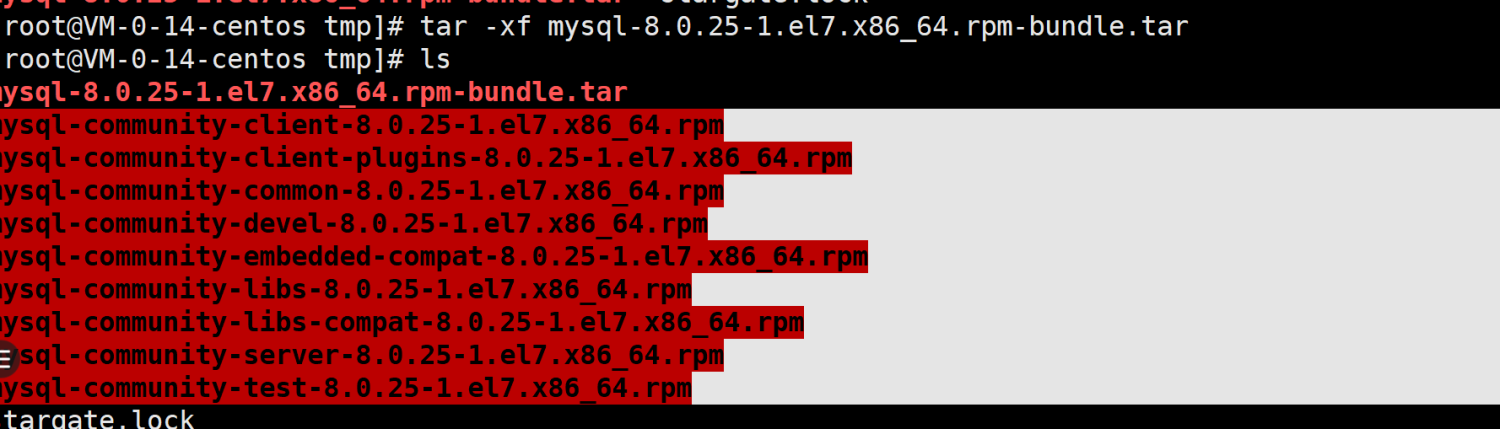
3. rpm 安装
卸载自带的老版本
yum remove -y mariadb-libs.x86_64 
安装依赖库
yum -y install make gcc-c++ cmake bison-devel ncurses-devel libaio libaio-devel numactl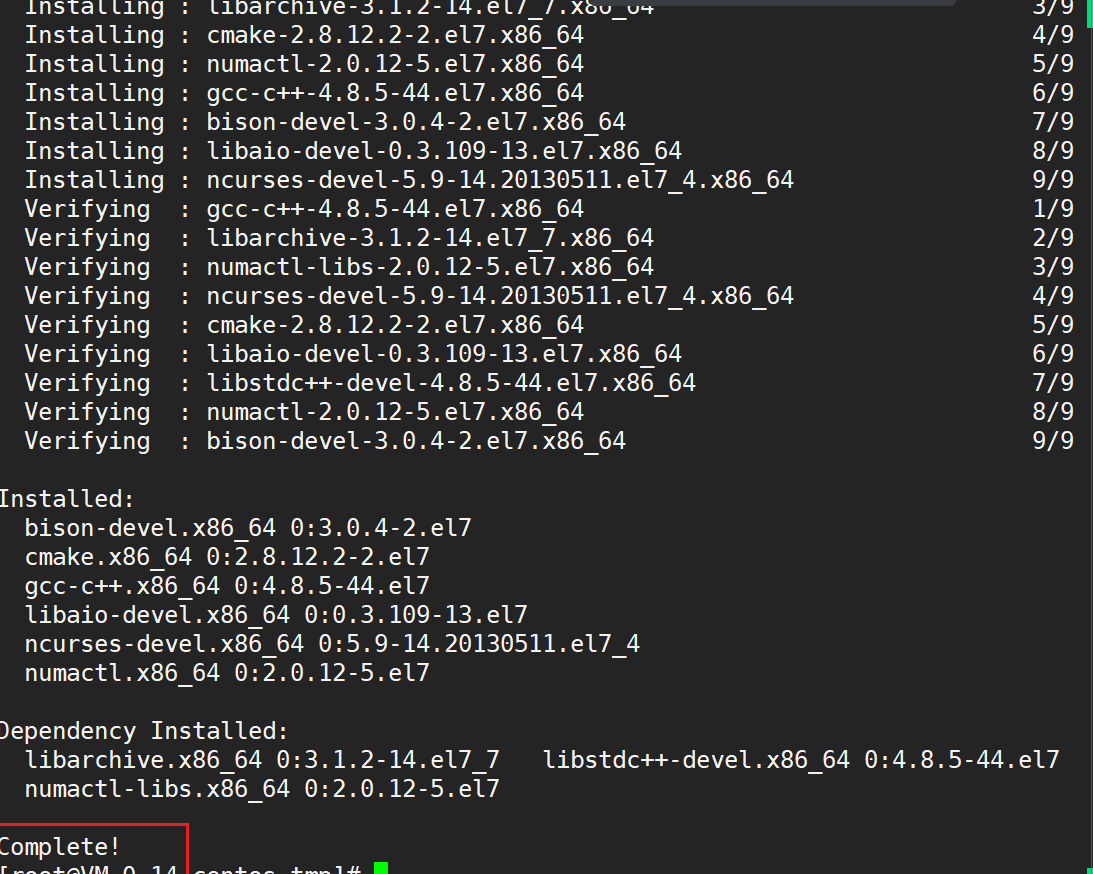
安装上面解压的文件
一次性复制下面所有命令 并执行
rpm -ivh mysql-community-common-8.0.25-1.el7.x86_64.rpm rpm -ivh mysql-community-client-plugins-8.0.25-1.el7.x86_64.rpm rpm -ivh mysql-community-libs-8.0.25-1.el7.x86_64.rpm rpm -ivh mysql-community-libs-compat-8.0.25-1.el7.x86_64.rpm rpm -ivh mysql-community-client-8.0.25-1.el7.x86_64.rpm rpm -ivh mysql-community-server-8.0.25-1.el7.x86_64.rpm 
配置数据库
启动数据库
systemctl start mysqld
检查mysql 进程
ps -aux | grep mysqld
查看数据库的默认密码
cat /var/log/mysqld.log | grep password

配置密码
执行命令
mysql_secure_installation 

根据提示输入新密码: 

再次输入密码
Estimated strength of the password: 100 Do you wish to continue with the password provided?(Press y|Y for Yes, any other key for No) : Y By default, a MySQL installation has an anonymous user, allowing anyone to log into MySQL without having to have a user account created for them. This is intended only for testing, and to make the installation go a bit smoother. You should remove them before moving into a production environment. Remove anonymous users? (Press y|Y for Yes, any other key for No) : Y Success. Normally, root should only be allowed to connect from ‘localhost’. This ensures that someone cannot guess at the root password from the network. Disallow root login remotely? (Press y|Y for Yes, any other key for No) : Y Success. By default, MySQL comes with a database named ‘test’ that anyone can access. This is also intended only for testing, and should be removed before moving into a production environment. Remove test database and access to it? (Press y|Y for Yes, any other key for No) : Y - Dropping test database… Success. - Removing privileges on test database… Success. Reloading the privilege tables will ensure that all changes made so far will take effect immediately. Reload privilege tables now? (Press y|Y for Yes, any other key for No) : Y Success. All done!
设置远程登录用户
登录mysql 数据库
mysql -u root -pFanmao54..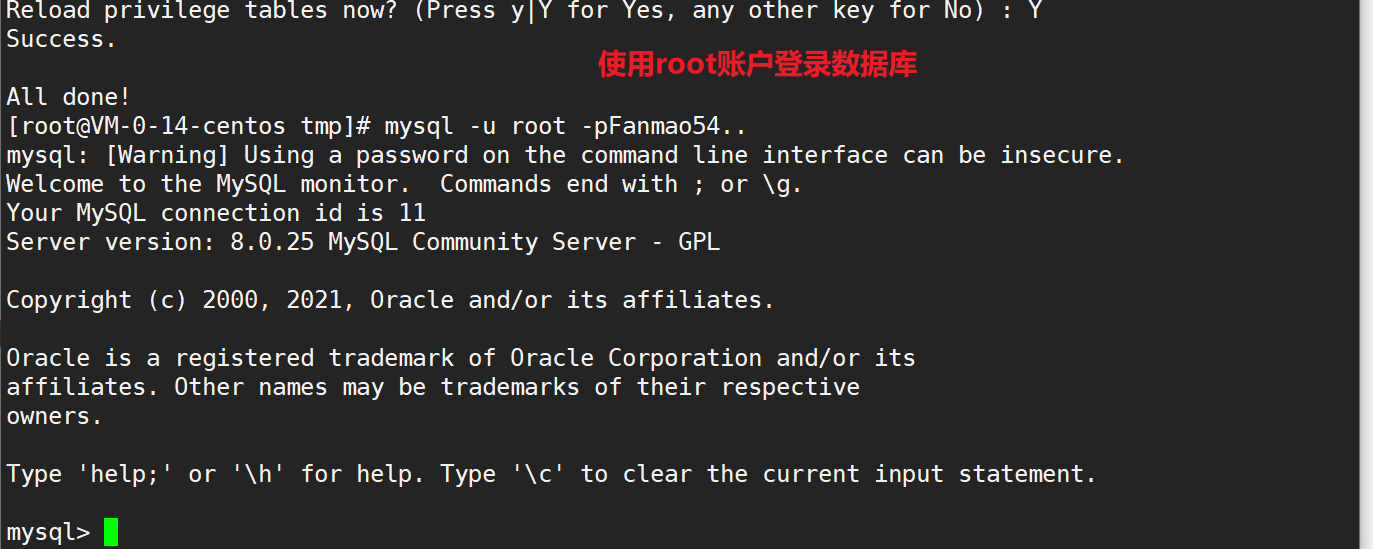
创建远程登录用户:
create user ‘fanmao’@’%’ identified by ‘Afanmao528..’; grant all privileges on . to ‘fanmao’@’%’; 
使用用户fanmao
密码 Afanmao528..
登录

下载: https://www.navicat.com.cn/download/navicat-premium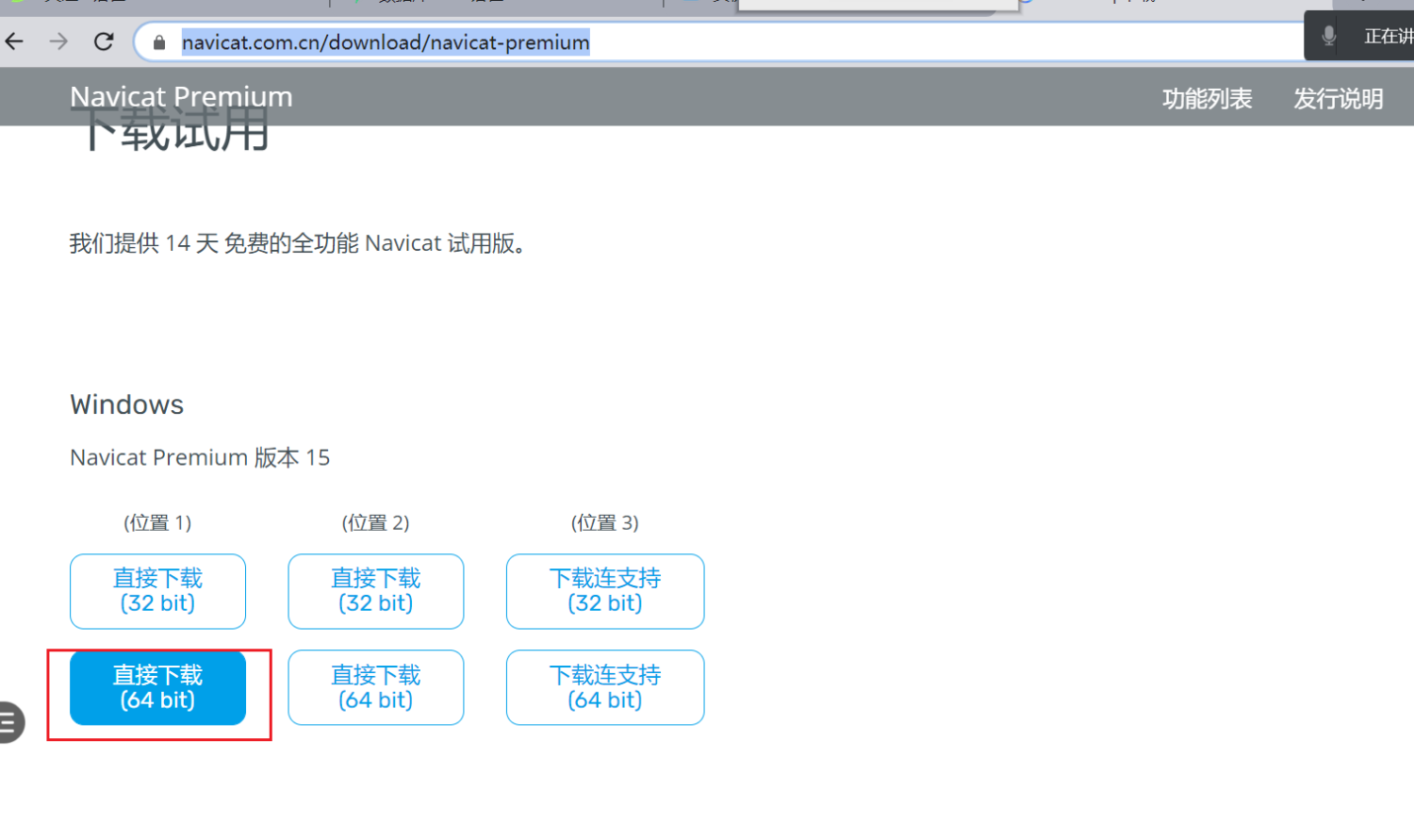
若有收获,就点个赞吧

若有收获,就点个赞吧
0 人点赞


