一、maven配置
1.1 settings.xml
配置阿里云的仓库,放到你的maven对应配置路径下。maven仓库地址:https://mvnrepository.com/
阿里云配置文档请参考:
https://developer.aliyun.com/mirror/maven
<?xml version="1.0" encoding="UTF-8"?><settings xmlns="http://maven.apache.org/SETTINGS/1.0.0"xmlns:xsi="http://www.w3.org/2001/XMLSchema-instance" xsi:schemaLocation="http://maven.apache.org/SETTINGS/1.0.0 http://maven.apache.org/xsd/settings-1.0.0.xsd"><!-- 本地仓库的位置 --><localRepository>${user.home}/.m2/repository</localRepository><!-- Apache Maven 配置 --><pluginGroups/><proxies/><!-- 私服发布的用户名密码 --><servers><server><id>releases</id><username>deployment</username><password>He2019</password></server><server><id>snapshots</id><username>deployment</username><password>He2019</password></server></servers><!-- 阿里云镜像 --><mirrors><mirror><id>alimaven public</id><name>aliyun maven public</name><url>https://maven.aliyun.com/repository/public/</url><mirrorOf>central</mirrorOf></mirror></mirrors><!-- 配置: java8, 先从阿里云下载, 没有再去私服下载 --><!-- 20190929 hepengju 测试结果: 影响下载顺序的是profiles标签的配置顺序(后面配置的ali仓库先下载), 而不是activeProfiles的顺序 --><profiles><!-- 全局JDK1.8配置 --><profile><id>jdk1.8</id><activation><activeByDefault>true</activeByDefault><jdk>1.8</jdk></activation><properties><project.build.sourceEncoding>UTF-8</project.build.sourceEncoding><maven.compiler.source>1.8</maven.compiler.source><maven.compiler.target>1.8</maven.compiler.target><maven.compiler.compilerVersion>1.8</maven.compiler.compilerVersion></properties></profile><!-- 阿里云配置: 提高国内的jar包下载速度 --><profile><id>ali</id><!--仓库镜像--><repositories><repository><id>public</id><url>http://maven.nuxeo.org/nexus/content/groups/public</url><releases><enabled>true</enabled></releases><snapshots><enabled>false</enabled></snapshots></repository><repository><id>public-snapshot</id><url>http://maven.nuxeo.org/nexus/content/groups/public-snapshot</url><releases><enabled>false</enabled></releases><snapshots><updatePolicy>always</updatePolicy><enabled>true</enabled></snapshots></repository><repository><id>public</id><name>aliyun nexus</name><url>http://maven.aliyun.com/nexus/content/groups/public/</url><releases><enabled>true</enabled></releases></repository></repositories><pluginRepositories><pluginRepository><id>public</id><url>http://maven.nuxeo.org/nexus/content/groups/public</url><name>Nuxeo virtual release repository</name><releases><enabled>true</enabled></releases><snapshots><enabled>false</enabled></snapshots></pluginRepository><pluginRepository><id>public-snapshot</id><url>http://maven.nuxeo.org/nexus/content/groups/public-snapshot</url><name>Nuxeo virtual snapshot repository</name><releases><enabled>false</enabled></releases><snapshots><updatePolicy>always</updatePolicy><enabled>true</enabled></snapshots></pluginRepository><pluginRepository><id>public</id><name>aliyun nexus</name><url>http://maven.aliyun.com/nexus/content/groups/public/</url><releases><enabled>true</enabled></releases><snapshots><enabled>false</enabled></snapshots></pluginRepository></pluginRepositories></profile></profiles><!-- 激活配置 --><activeProfiles><activeProfile>jdk1.8</activeProfile><activeProfile>dev</activeProfile><activeProfile>ali</activeProfile></activeProfiles></settings>
二、注释快捷
2.1 添加模板
打开preferences菜单(有些版本是settings),找到Live Templates设置,”2. Template Group…”创建组,如我这里创建了kang。”1 Live Temlate”创建组下面的模板,如我这里创建了a和c。
Abbreviation设置就是快捷键,如我这里设置a为快捷键。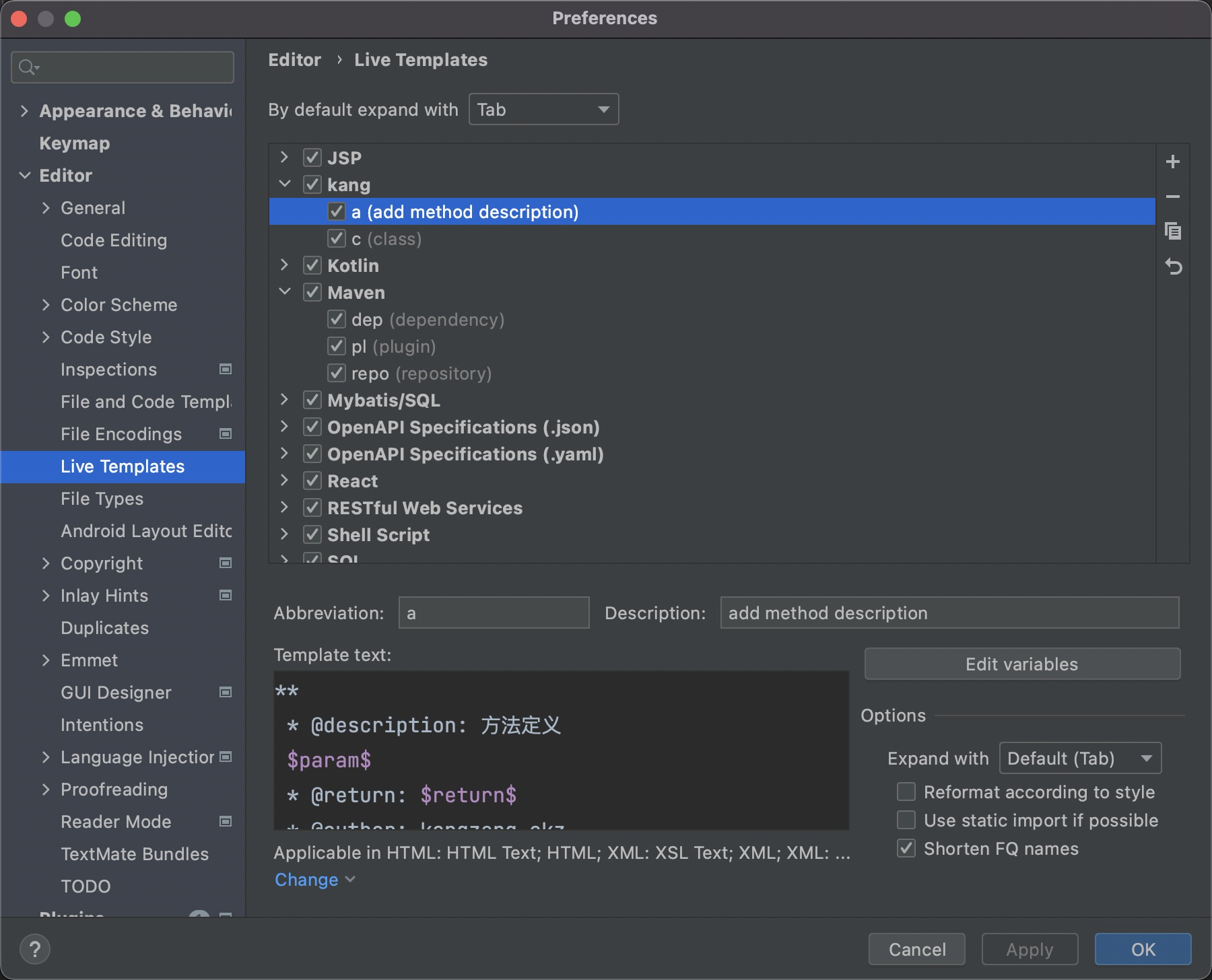
Temlate Text内容如下
a 方法注释模板:
**$param$* @description: 方法定义* @return: $return$* @author: kangzeng.ckz* @date: $date$*/
c 类注释模板:
*** @className: $NAME$* @description: $NAME$ 描述* @author: kangzeng.ckz* @date: $DATE$**/
点击”Edit Variables”按钮,打开上面设置的变量对应函数功能设置
变量和方法对应
- date → date()
- time → time()
- author → user()
- return → methodReturnType()
- params 的值(即 groovyScript 函数)
groovyScript("def result=''; def params=\"${_1}\".replaceAll('[\\\\[|\\\\]|\\\\s]', '').split(',').toList(); for(i = 0; i < params.size(); i++) {result+=' * @param ' + params[i] + ((i < params.size() - 1) ? '\\n' : '')}; return result", methodParameters())
2.2 生效范围
这里我们设置了java工程下生效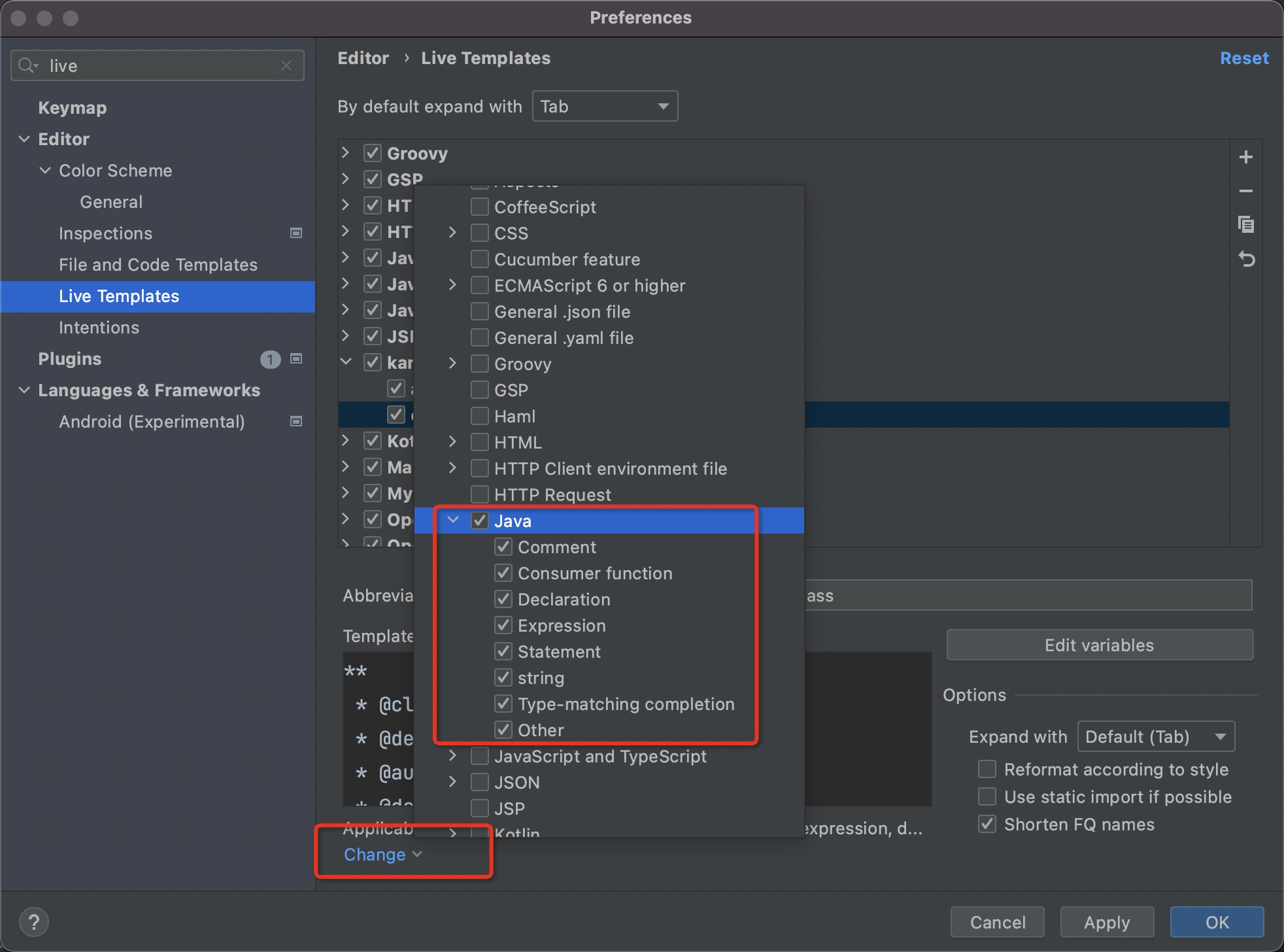
三、快捷键修改
参考
https://blog.csdn.net/xinghuo0007/article/details/78441574
四、常用插件
开发常用插件。
- free mybatis plugin
- lombok
- better-mybatis-generator
- alibaba java coding guidelines
- maven
4.1 better-mybatis-generator
这是mybatis的一个插件。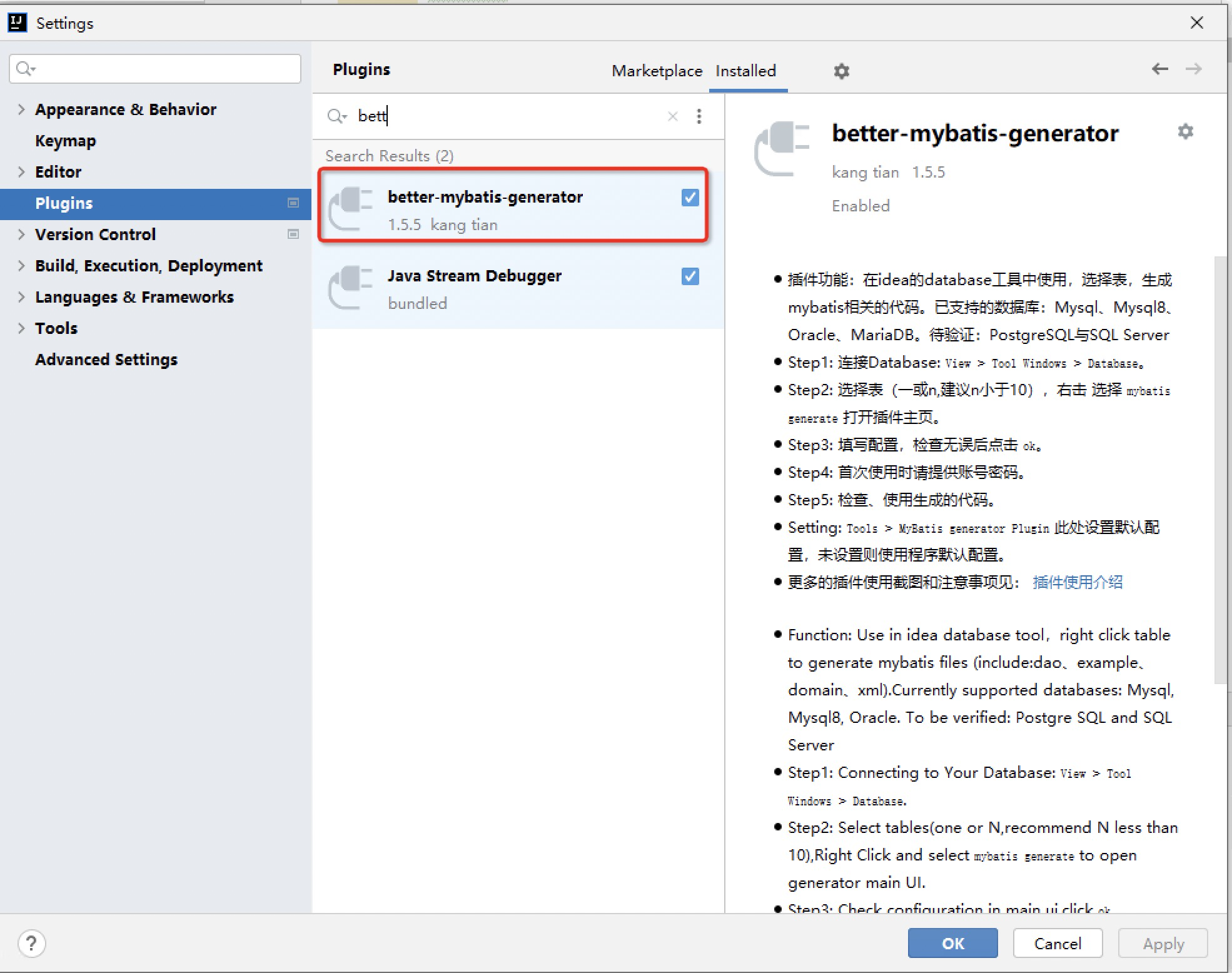
在idea工程的database设置数据库链接,阿里云的rds需要加上serverTimezone=GMT参数。
链接好数据库后,右键点击表,选择弹出的mybatis-generator生成文件。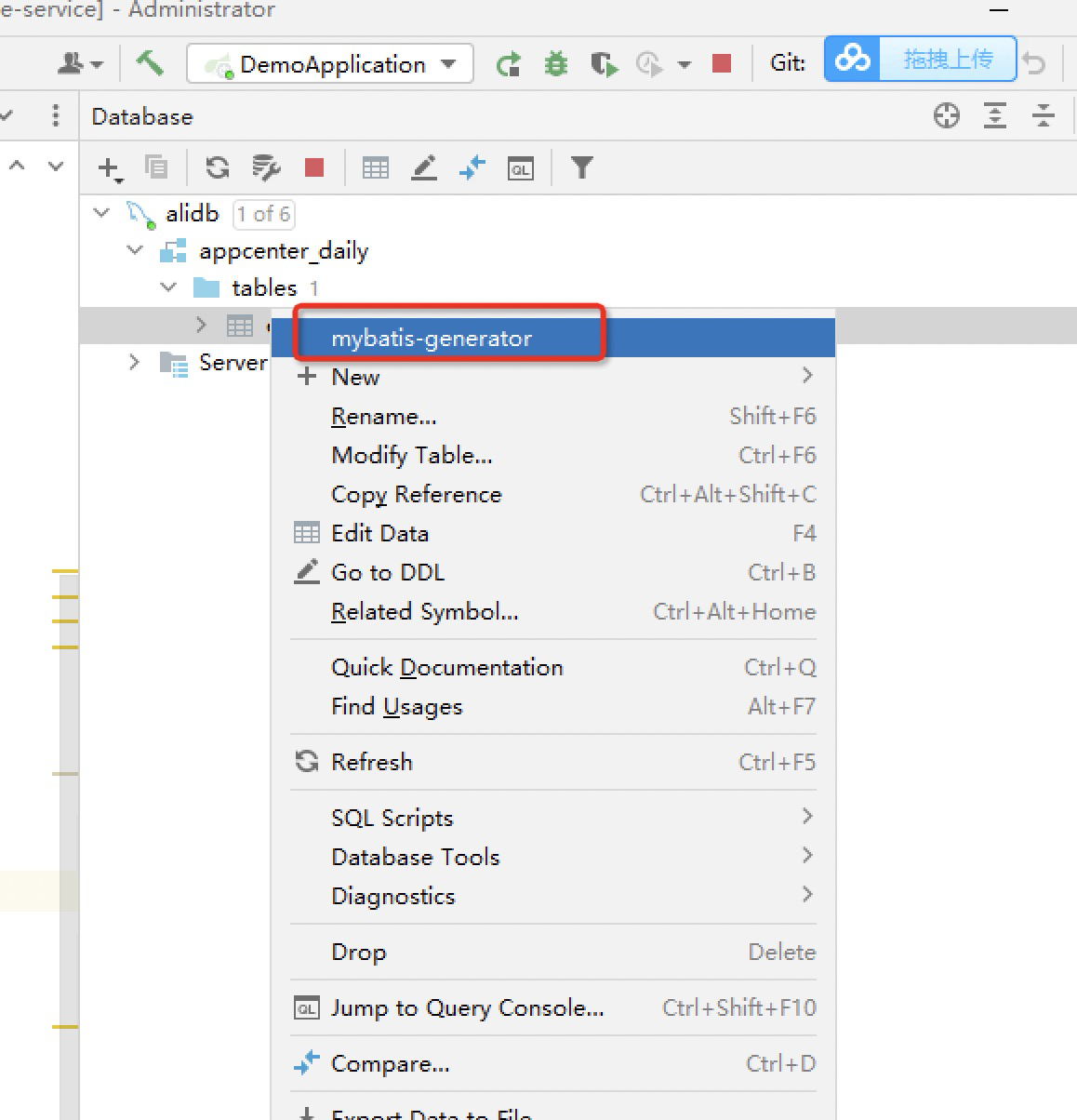
better-mybatis-generator设置参考
[
](https://blog.csdn.net/sowei2009/article/details/108687274)

若有收获,就点个赞吧
0 人点赞


