- 3.控制器使用
- 3.1.控制文件位置
- 3.2.控制文件命名
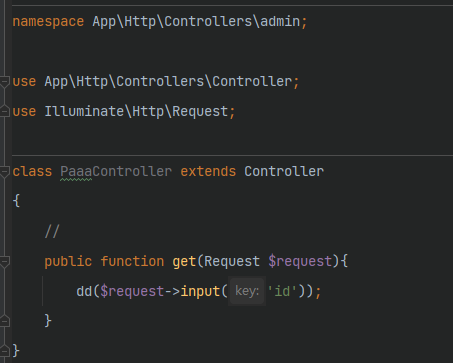
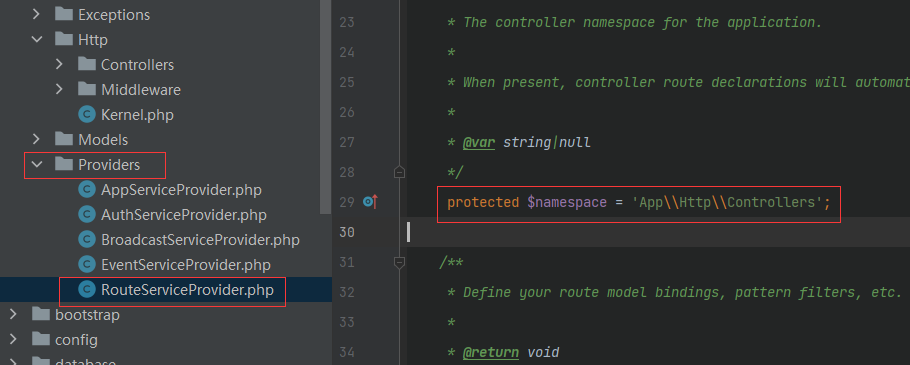
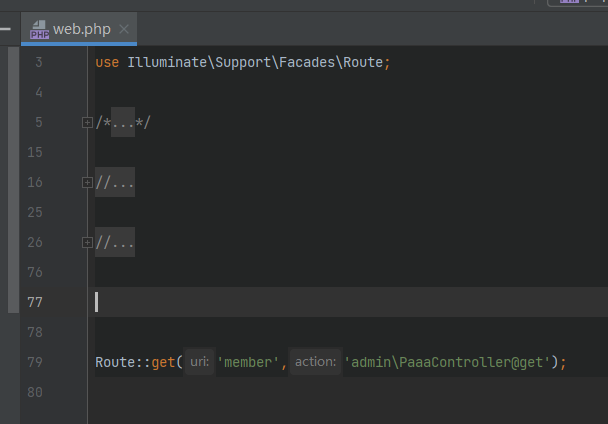
- 3.3.控制器路由(项目以该方式为主)
- 3.4.接收用户输入(request)
- 3.4.1.接收普通请求:
- 3.4.2.常见的操作
- 3.4.3.获取输入
- 1.获取全部输入 all( )
- 2.获取其中一个数据 input( )
- 判断数据是否传递 has( )">4.判断数据是否传递 has( )
- 闪存数据并跳转 withInput()">5.闪存数据并跳转 withInput()
3.控制器使用
主要用于负责接受用户输入请求,调度模型处理数据最后利用视图展示数据.
3.1.控制文件位置

3.2.控制文件命名
按照大驼峰+Controller.php创建
分目录管理:admin下面创建控制器
php artisan make:controller admin/PhotoController
3.3.控制器路由(项目以该方式为主)
3.4.接收用户输入(request)
官方文档:链接
3.4.1.接收普通请求:
3.4.2.常见的操作
- 获取请求路径 path( )
path 方法返回请求的路径信息。因此,
如果接收到的请求目标是 http://domain.com/foo/bar,则 path 方法会返回 foo/bar:
$request->path()
补充: is() 方法 验证请求的路径是否与给定的模式匹配。使用此方法时,可以将 * 字符作为通配符:
if ($request->is('admin/*')) {//}
获取请求的url地址 url( )
$request->url() //没有包含参数$request->fullUrl() //包含地址中携带的参数
获取请求方式 method( )
$request->method() //获取请求方式$request->isMethod('get') //判断请求是否为指定方式
3.4.3.获取输入
1.获取全部输入 all( )
$input = $request->all();
2.获取其中一个数据 input( )
```php $now = $request->input(‘id’); $now = $request->input(‘id’,’1’); //设定默认值为1
//处理表单数据 如:多选框数据 $name = $request->input(‘products.0.name’);
$names = $request->input(‘products.*.name’);
<a name="ePrh3"></a>
##### 3.获取部分数据 only()
```php
//只获取设定的字段数据
$input = $request->only(['username', 'password']);

$input = $request->only('username', 'password');
//获取除设定以外的数据

$input = $request->except(['credit_card']);

$input = $request->except('credit_card');
4.判断数据是否传递 has( )
$request->has('id'); //判断id是否存在 也可以是数组
5.闪存数据并跳转 withInput()
return redirect('form')->withInput();

return redirect('form')->withInput(
    $request->except('password')
);

若有收获,就点个赞吧
0 人点赞


