Hello,大家好,我是麦洛,今天带大家来了解一下SpringBoot如何继承Sentinel来实现接口流量控制
Sentinel控制台搭建
在我的上一篇文章阿里出品的Sentinel到底是个什么玩意?中,已经介绍过如何准备Sentinel控制台,大家可以直接参考;
Sentinel 客户端
项目搭建
首先我们来创建一个测试项目,这里初始化项目的url建议大家填写阿里云的地址,会有惊喜😅
http://start.aliyun.com
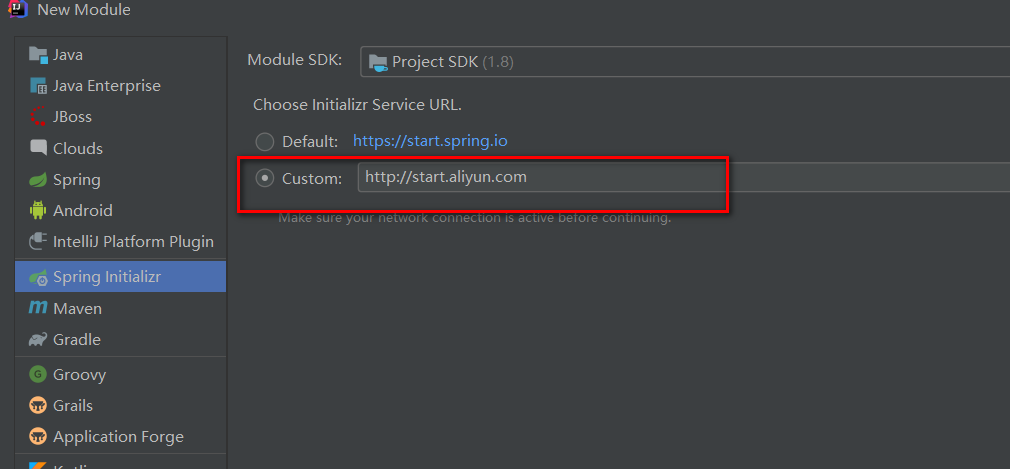
接下来就是常规操作,一路next,在下图的位置稍微注意一下
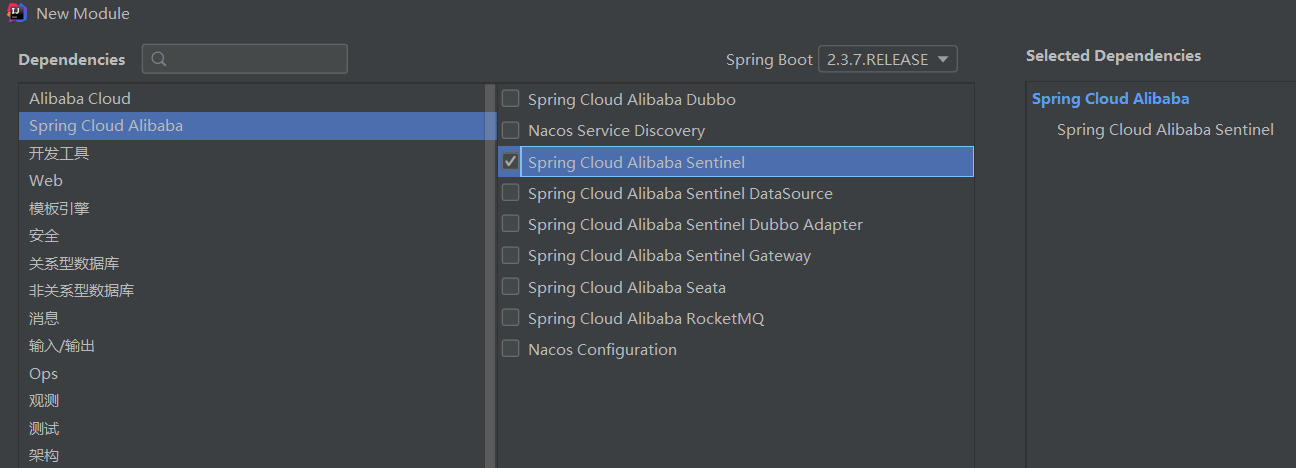
说明: 同大家以前创建项目一样,只需要在这里勾选Sentinel就可以啦🚀
项目创建好以后,我们发现pom文件中引入了下面的依赖
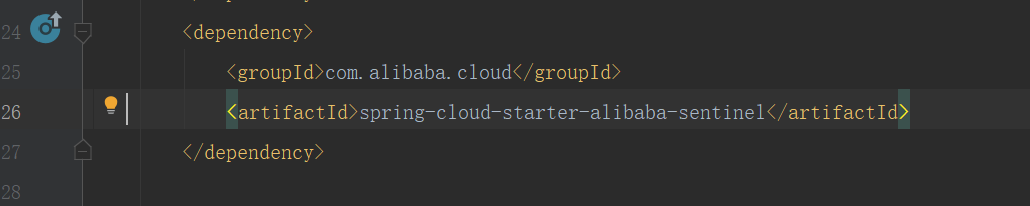
有的小伙伴看网上博客,也会有下面的方式,指定版本号
<!-- sentinel --><dependency><groupId>com.alibaba.cloud</groupId><artifactId>spring-cloud-starter-alibaba-sentinel</artifactId><version>2.1.0.RELEASE</version></dependency>
如果你使用我推荐的阿里云的Url,会发现Sentinel的版本号都定义父工程,Cloud的各个组件的兼容性就不要大家操心了
<dependencyManagement><dependencies><dependency><groupId>org.springframework.boot</groupId><artifactId>spring-boot-dependencies</artifactId><version>${spring-boot.version}</version><type>pom</type><scope>import</scope></dependency><dependency><groupId>com.alibaba.cloud</groupId><artifactId>spring-cloud-alibaba-dependencies</artifactId><version>${spring-cloud-alibaba.version}</version><type>pom</type><scope>import</scope></dependency></dependencies></dependencyManagement>
打开项目配置文件,会发现它已经为我们自动加好了配置,真的超级方便👏
server.port=8083# 应用名称spring.application.name=springcloud-sentinel# Sentinel 控制台地址spring.cloud.sentinel.transport.dashboard=localhost:8080# 取消Sentinel控制台懒加载# 默认情况下 Sentinel 会在客户端首次调用的时候进行初始化,开始向控制台发送心跳包# 配置 sentinel.eager=true 时,取消Sentinel控制台懒加载功能spring.cloud.sentinel.eager=true# 如果有多套网络,又无法正确获取本机IP,则需要使用下面的参数设置当前机器可被外部访问的IP地址,供admin控制台使用# spring.cloud.sentinel.transport.client-ip=# sentinel 配置spring.application.name=frmsspring.cloud.sentinel.transport.dashboard=localhost:8080spring.cloud.sentinel.transport.heartbeat-interval-ms=500
如何定义资源
编程式定义
官网提供的demo
package com.milo.sentinel;import com.alibaba.csp.sentinel.Entry;import com.alibaba.csp.sentinel.SphU;import com.alibaba.csp.sentinel.slots.block.BlockException;import com.alibaba.csp.sentinel.slots.block.RuleConstant;import com.alibaba.csp.sentinel.slots.block.flow.FlowRule;import com.alibaba.csp.sentinel.slots.block.flow.FlowRuleManager;import org.springframework.boot.SpringApplication;import org.springframework.boot.autoconfigure.SpringBootApplication;import java.util.ArrayList;import java.util.List;/*** 项目入口* @author Milo Lee* @date 2021-3-20 19:07**/@SpringBootApplicationpublic class SentinelApplication {public static void main(String[] args) {SpringApplication.run(SentinelApplication.class, args);// 配置规则.initFlowRules();while (true) {// 1.5.0 版本开始可以直接利用 try-with-resources 特性try (Entry entry = SphU.entry("HelloWorld")) {// 被保护的逻辑Thread.sleep(300);System.out.println("hello world");} catch (BlockException | InterruptedException ex) {// 处理被流控的逻辑System.out.println("blocked!");}}}private static void initFlowRules(){List<FlowRule> rules = new ArrayList<>();FlowRule rule = new FlowRule();rule.setResource("HelloWorld");rule.setGrade(RuleConstant.FLOW_GRADE_QPS);// Set limit QPS to 20.rule.setCount(20);rules.add(rule);FlowRuleManager.loadRules(rules);}}
注解式定义
@SpringBootApplicationpublic class Application {public static void main(String[] args) {SpringApplication.run(ServiceApplication.class, args);}}@Servicepublic class TestService {@SentinelResource(value = "sayHello")public String sayHello(String name) {return "Hello, " + name;}}@RestControllerpublic class TestController {@Autowiredprivate TestService service;@GetMapping(value = "/hello/{name}")public String apiHello(@PathVariable String name) {return service.sayHello(name);}}
@SentinelResource 注解用来标识资源是否被限流、降级。上述例子上该注解的属性 sayHello 表示资源名。
启动控制台
java -Dserver.port=8080 -Dcsp.sentinel.dashboard.server=localhost:8080 -Dproject.name=sentinel-dashboard -jar sentinel-dashboard-1.8.1.jar
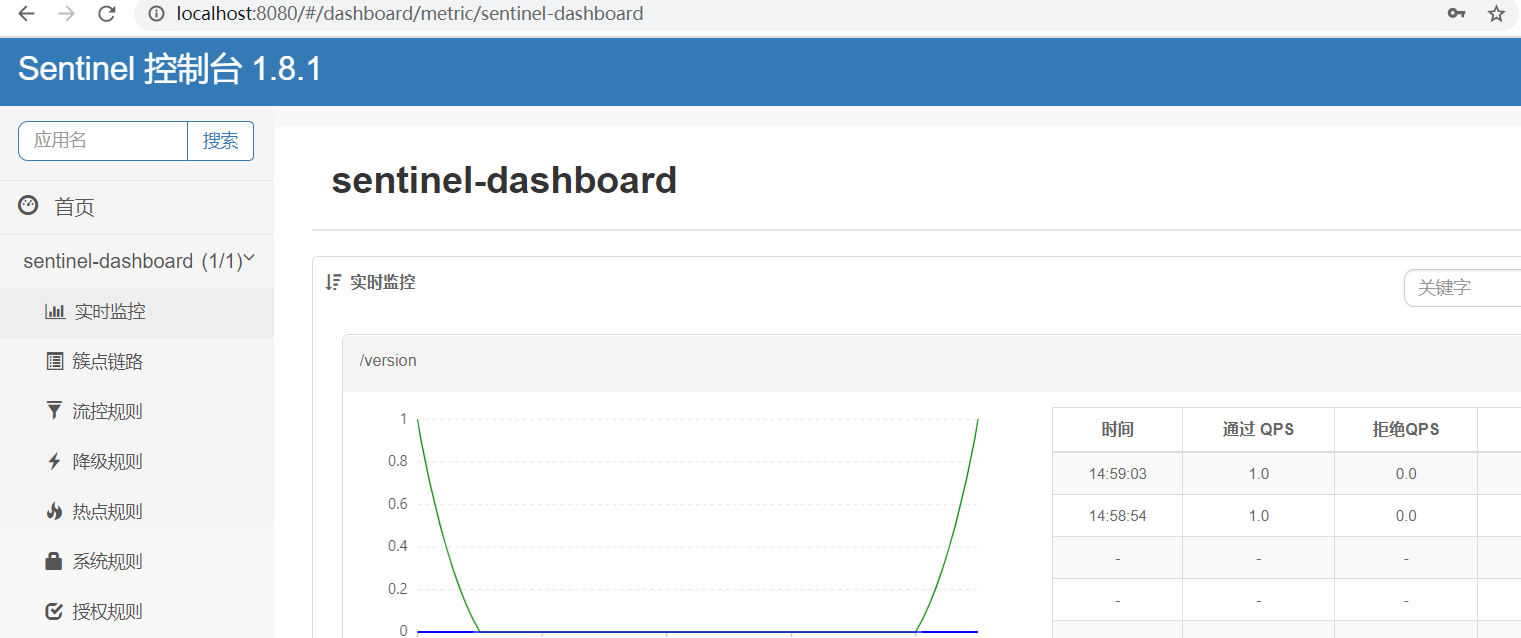
控制台操作介绍
控制台的操作我们用编程式定义的例子来演示,大家启动我们的服务
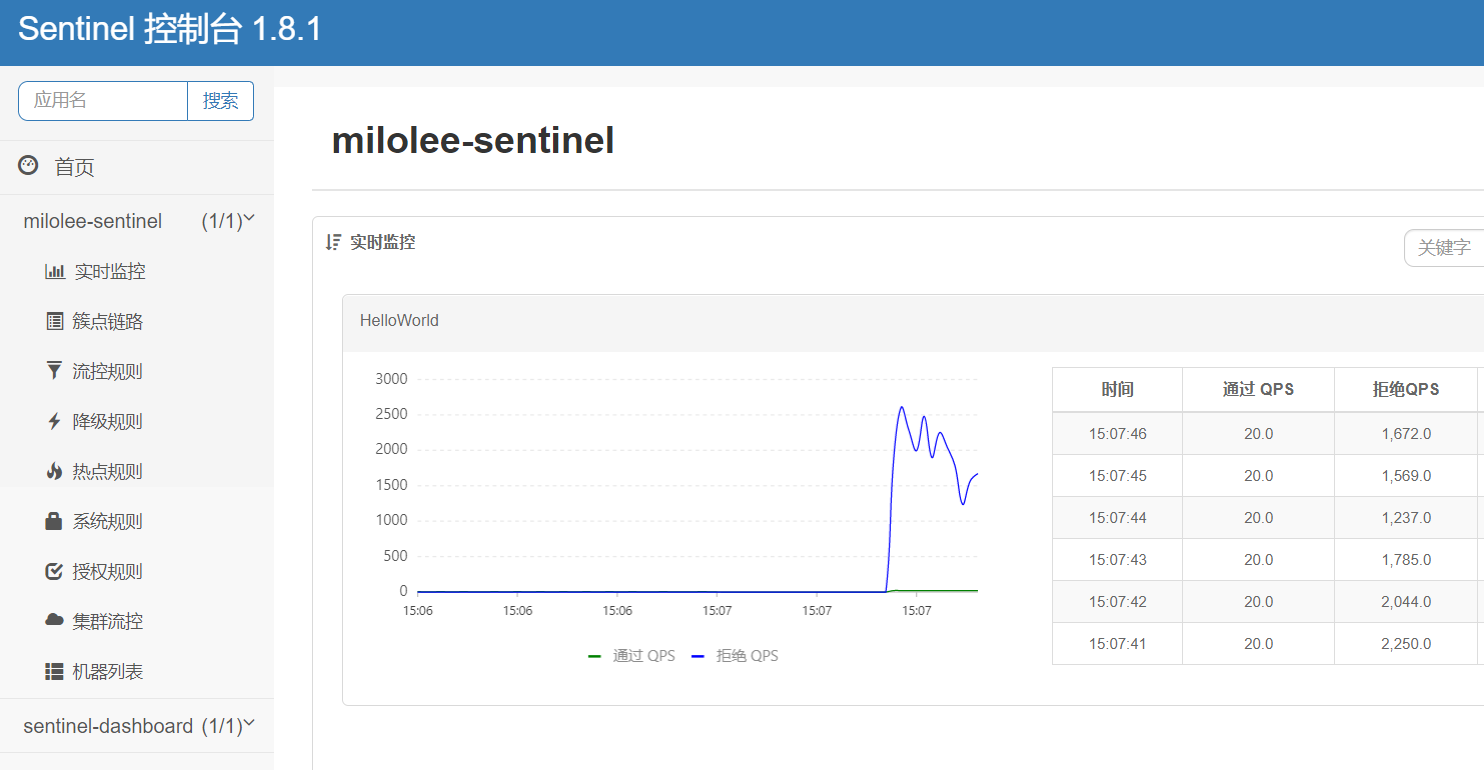
我们会发现除了sentinel-dashboard之外,多了一个milolee-sentinel,这个就是我们的服务,它的名称其实对应我们配置文件定义的应用名称:
# 应用名称spring.application.name=milolee-sentinel
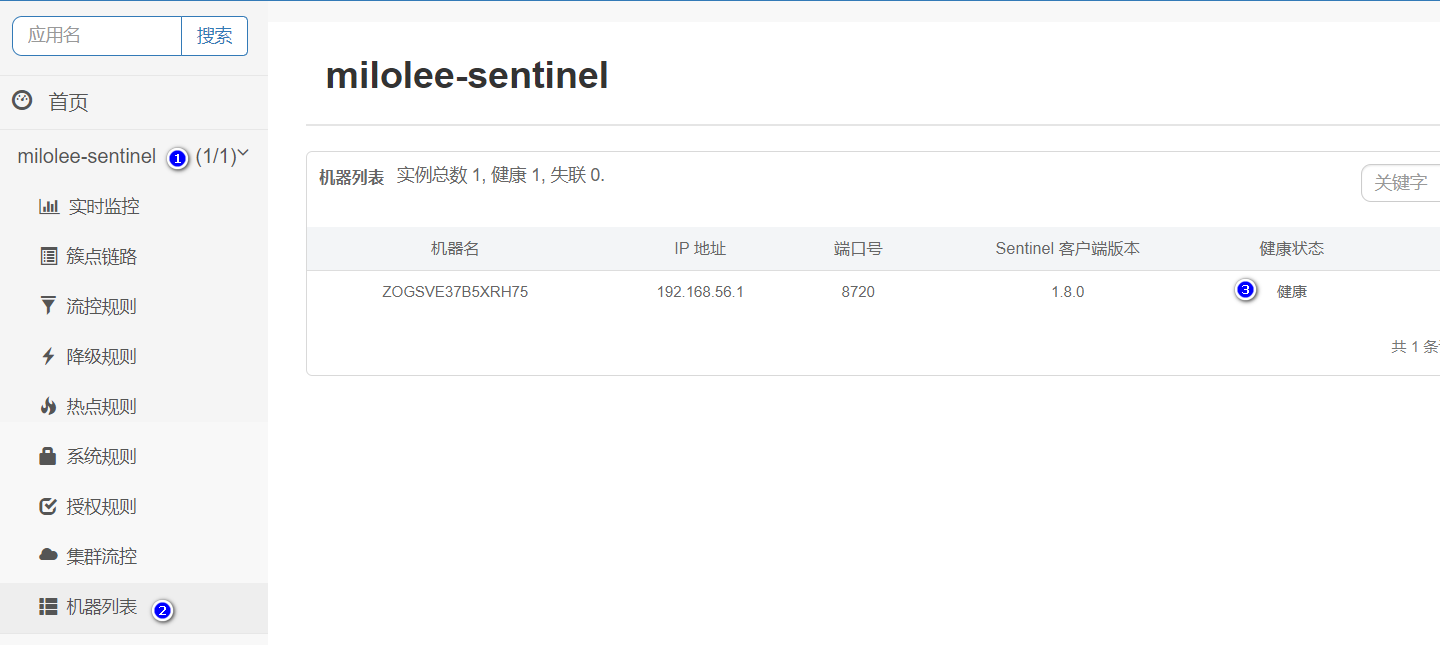
点击机器列表,这这里如果能发现你的机器,那就是成功上线了
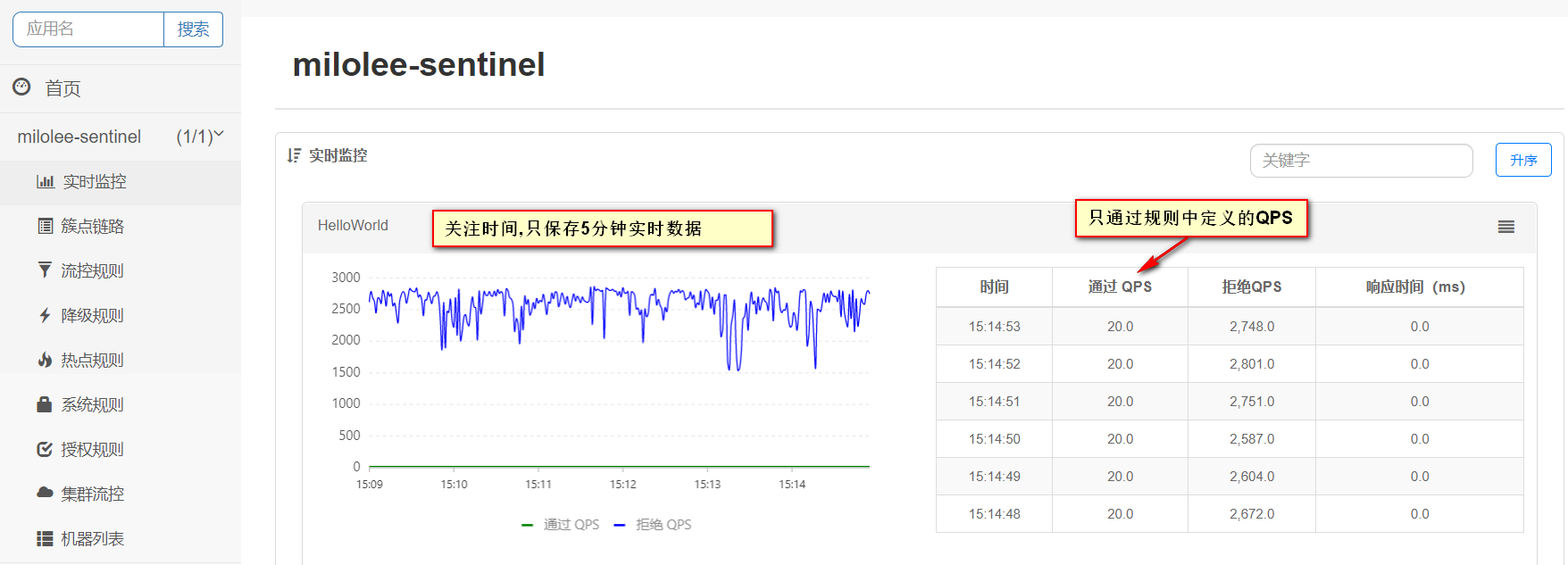
实时监控
簇点链路
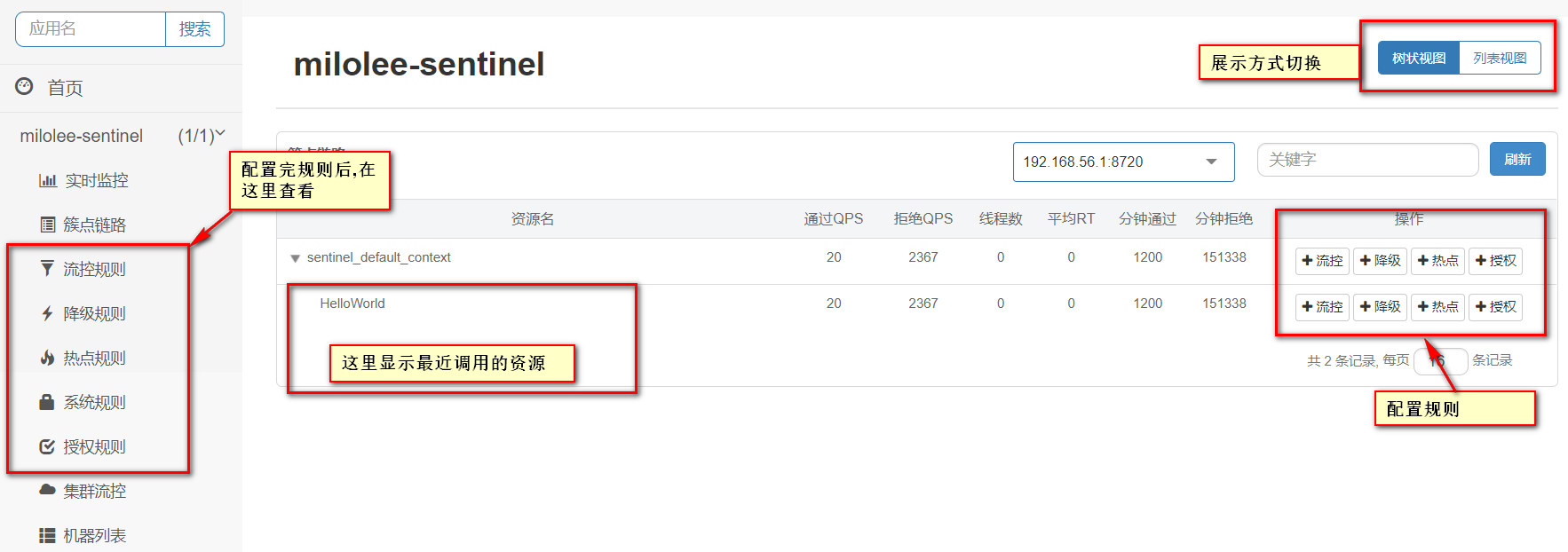
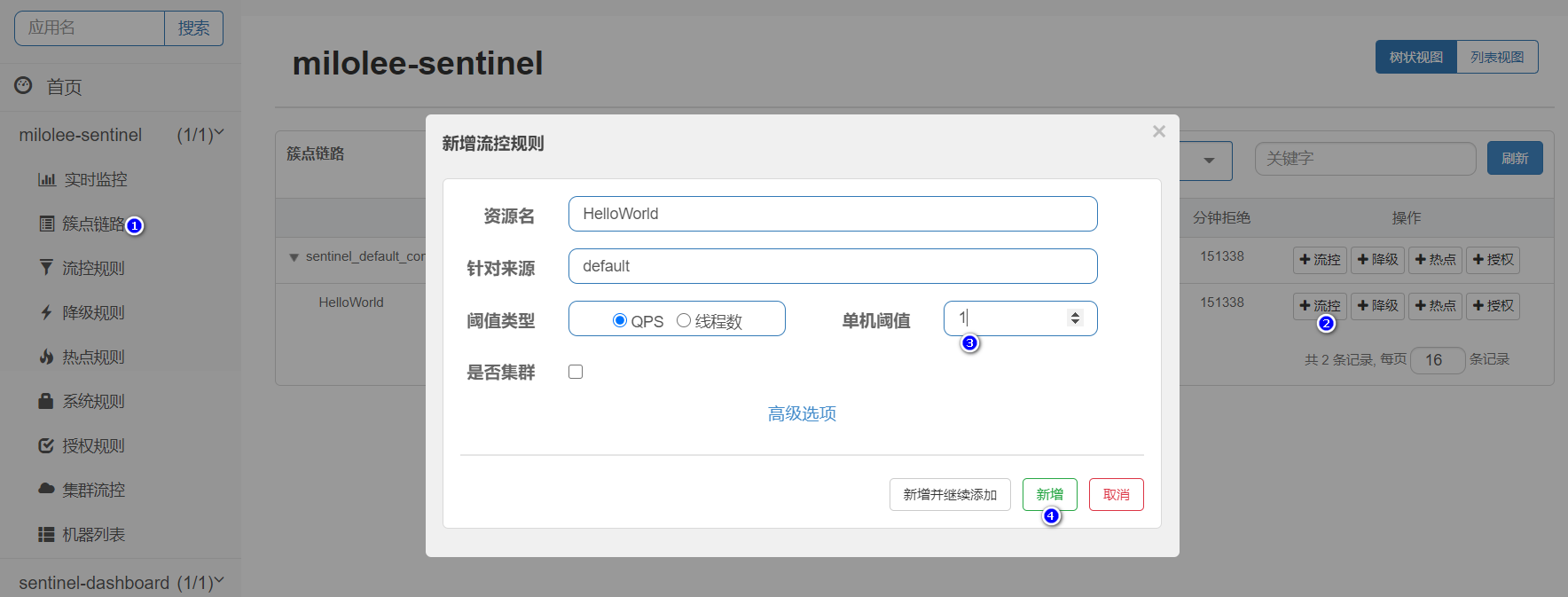
流控规则配置
给我们的资源HelloWorld配置流控规则,它的QPS(每秒请求数)为1,如图:
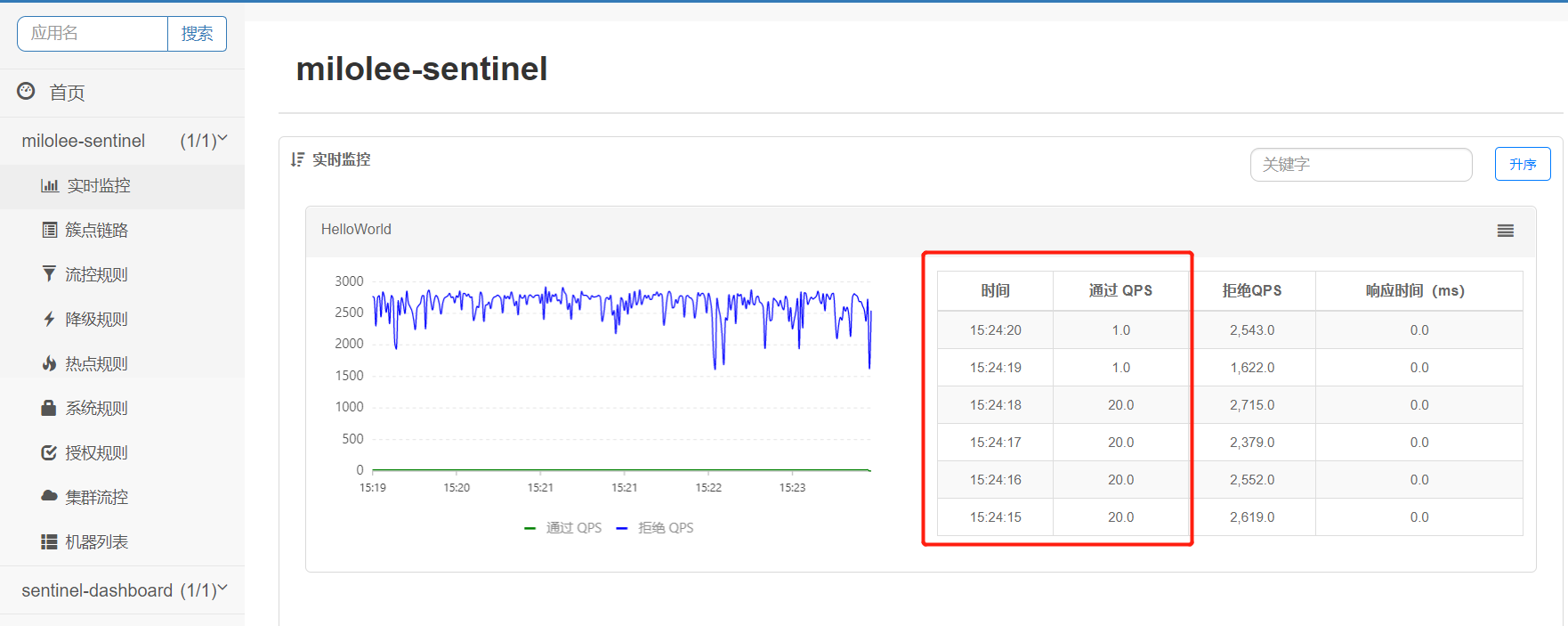
通过查看实时监控,我们发现已经生效
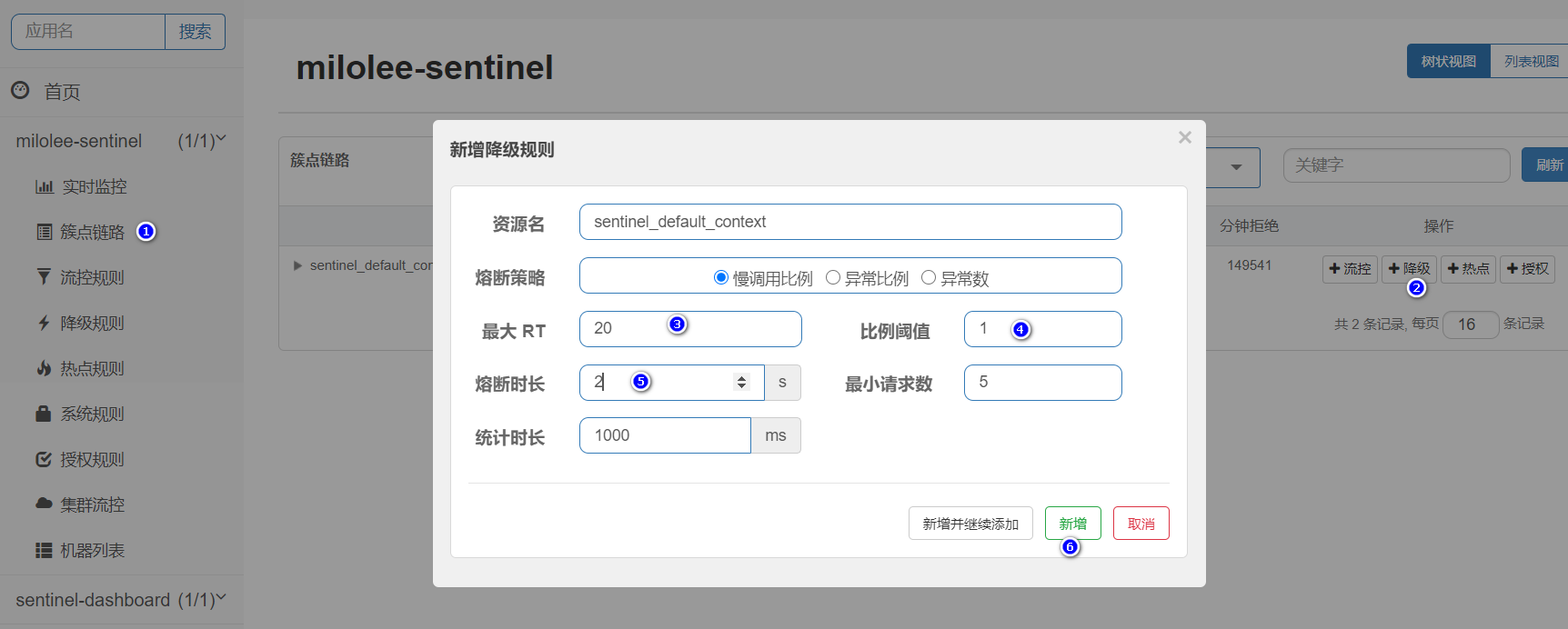
降级规则配置
给我们的资源HelloWorld添加一个降级规则配置,如果QPS大于1,且平均响应时间大于20ms,则接口下来接口在2秒钟无法访问,之后自动恢复。
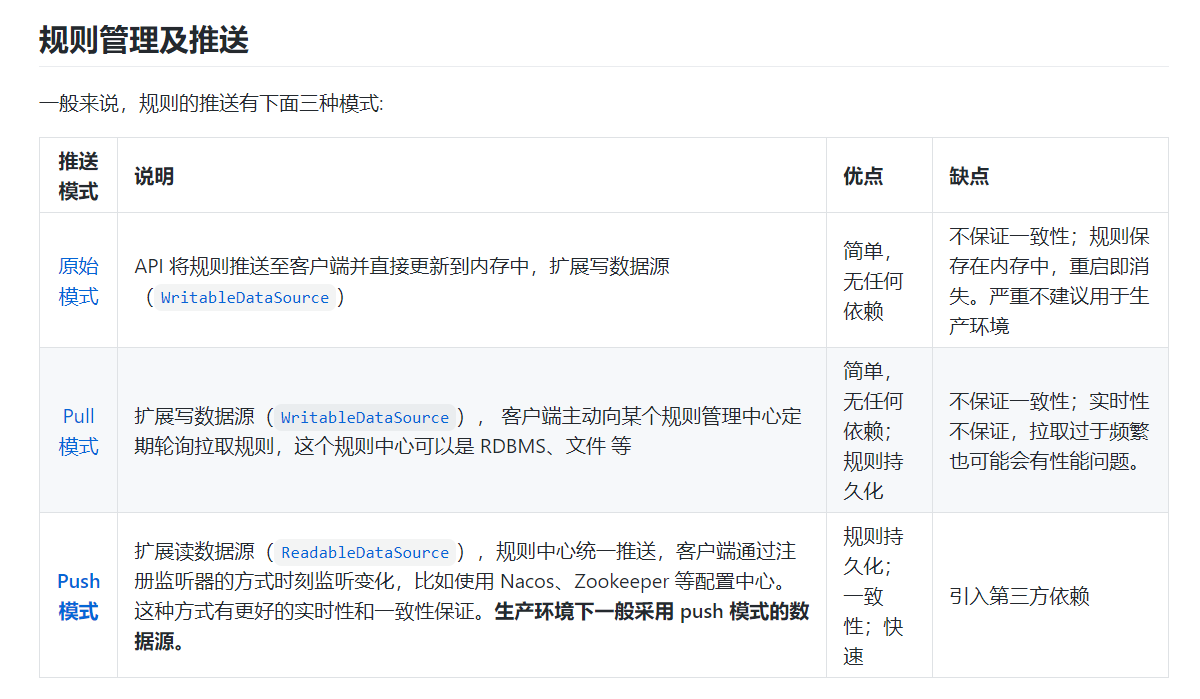
目前这些规则仅在内存态生效,应用重启之后,该规则会丢失。后续文章我们会继续学习动态规则
关于控制台的使用,大家可以参考官方文档,比较详细https://sentinelguard.io/zh-cn/docs/dashboard.html

若有收获,就点个赞吧
0 人点赞


