准备工作
- https://travis-ci.org/,用github注册,然后选择一个git项目
- 准备Github Personal Access Token。
- ruby for windows
- gem install travis
开始配置
- github生成私钥

- 加密上面的私钥到travis
项目根目录内打开命令,运行下面的命令
travis encrypt KEY=value //KEY 为自定义变量名,value为1步骤中的token的值
会输出下列信息
secure:一串很长的字符串...... //下面会用到
将生成的字符串复制,配置到travis-ci.org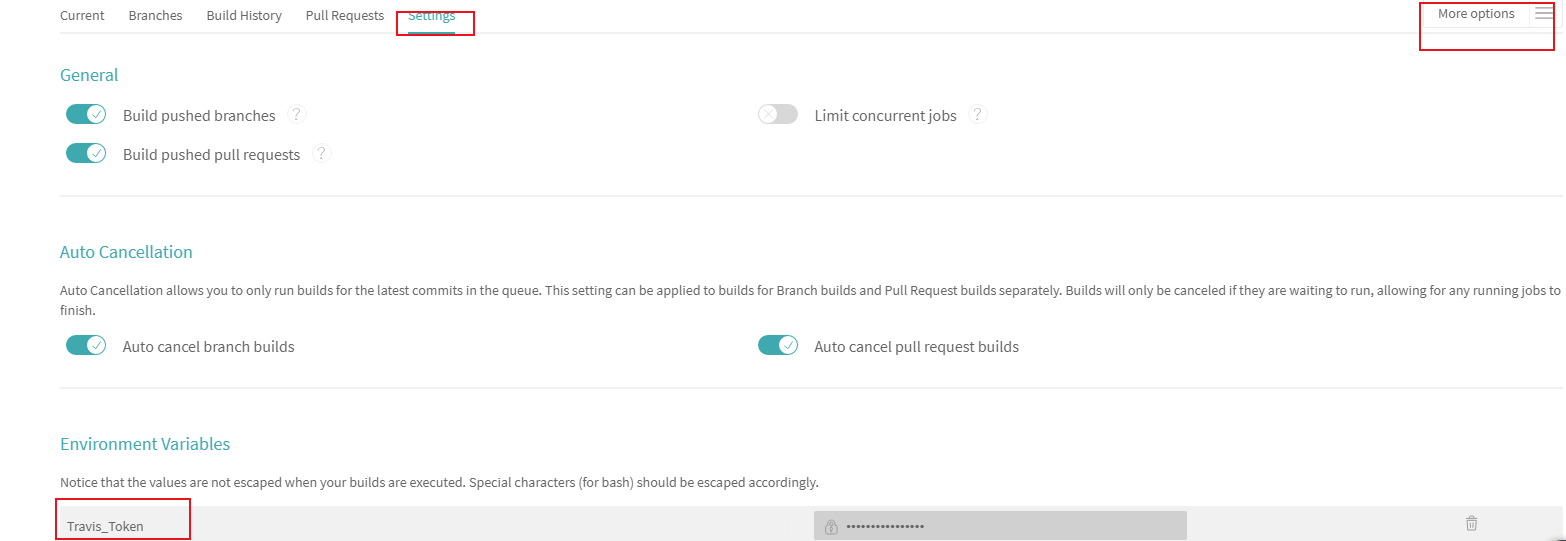
.travis.yml其他配置
下面是我的文件配置,直接拷贝修改即可
language: node_js #设置语言node_js: stable #设置相应的版本cache:apt: truedirectories:- node_modules # 缓存不经常更改的内容before_install:- export TZ='Asia/Shanghai' # 更改时区install:- npm install hexo #安装hexo及插件script:- hexo clean #清除- hexo g #生成after_script:- git clone https://${GH_REF} .deploy_git # GH_REF是最下面配置的仓库地址- cd .deploy_git- git checkout master- cd ../- mv .deploy_git/.git/ ./public/ # 这一步之前的操作是为了保留master分支的提交记录,不然每次git init的话只有1条commit- cd ./public- git config user.name "username" #修改name- git config user.email "username@gmail.com" #修改email- git add .- git commit -m "Travis CI Auto Builder at `date +"%Y-%m-%d %H:%M"`" # 提交记录包含时间 跟上面更改时区配合- git push --force --quiet "https://${Travis_Token}@${GH_REF}" master:master #Travis_Token是在Travis中配置环境变量的名称branches:only:- hexo_config #只监测hexo_config分支,按需配置 hexo_config是我hexo项目配置的分支,master是我静态博客输出的分支env:global:- GH_REF: github.com/username/username.github.io.git #设置GH_REF,设置你自己的就行# configure notifications (email, IRC, campfire etc)# please update this section to your needs!# https://docs.travis-ci.com/user/notifications/notifications:email:- username@gmail.comon_success: changeon_failure: always
更多配置介绍查看https://docs.travis-ci.com/
下一篇讲一下,next主题

若有收获,就点个赞吧
0 人点赞


