- 下载镜像 ```shell docker pull nginx
[root@lxt ~]# docker images REPOSITORY TAG IMAGE ID CREATED SIZE nginx latest d1a364dc548d 9 days ago 133MB hello-world latest d1165f221234 3 months ago 13.3kB centos latest 300e315adb2f 5 months ago 209MB
2. 关闭虚拟机的防火墙```shellsystemctl status firewalldsystemctl stop firewalld
- 创建并运行容器 ```shell docker run -d —name nginx01 -p 3344:80 nginx
容器外部的3344给容器内的80做一个映射,通过3344就能访问80的内容了
run命令可以直接帮你下载,少了docker pull xx 这一步
4. 访问页面```shell[root@lxt ~]# curl localhost:3344<!DOCTYPE html><html><head><title>Welcome to nginx!</title><style>body {width: 35em;margin: 0 auto;font-family: Tahoma, Verdana, Arial, sans-serif;}</style></head><body><h1>Welcome to nginx!</h1><p>If you see this page, the nginx web server is successfully installed andworking. Further configuration is required.</p><p>For online documentation and support please refer to<a href="http://nginx.org/">nginx.org</a>.<br/>Commercial support is available at<a href="http://nginx.com/">nginx.com</a>.</p><p><em>Thank you for using nginx.</em></p></body></html>
本机访问(不是虚拟机),要用虚拟机的地址192.168.198.128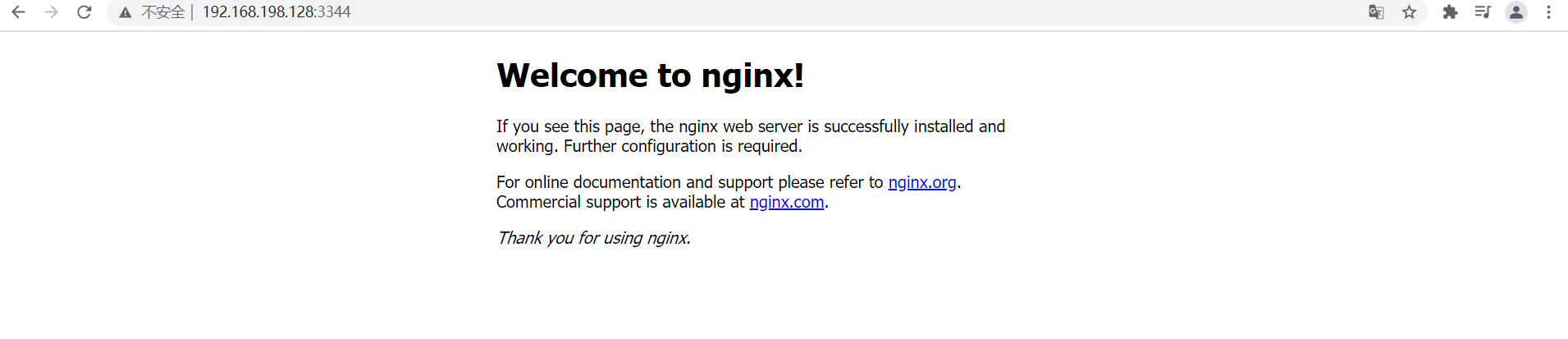

若有收获,就点个赞吧
0 人点赞


