Python编程 昨天
以下文章来源于数据分析1480 ,作者刘顺祥
来自公众号:数据分析1480
分享我认为比较常规的100个实用函数,这些函数大致可以分为六类,分别是统计汇总函数、数据清洗函数、数据筛选、绘图与元素级运算函数、时间序列函数和其他函数。
❆
统计汇总函数
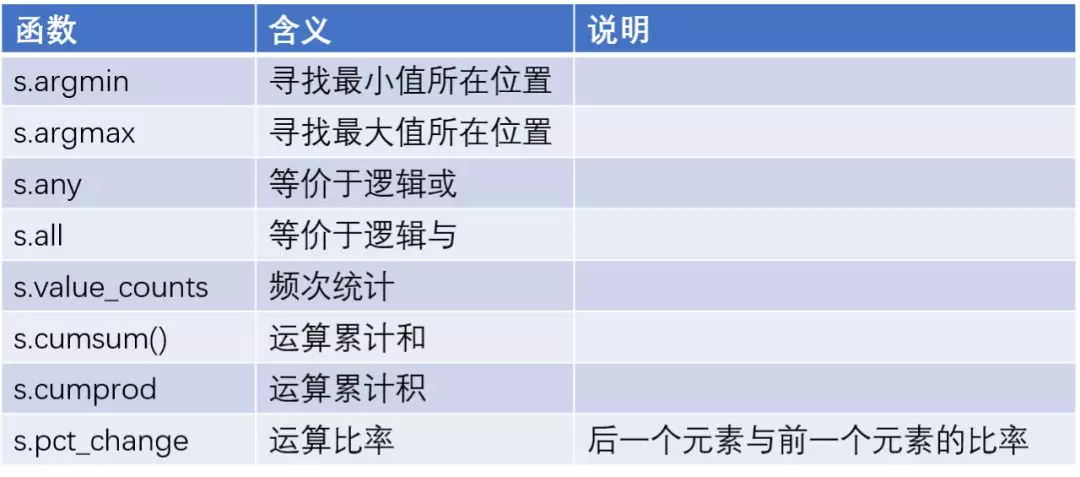
数据分析过程中,必然要做一些数据的统计汇总工作,那么对于这一块的数据运算有哪些可用的函数可以帮助到我们呢?具体看如下几张表。

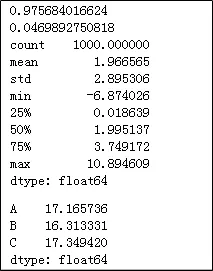
import pandas as pdimport numpy as npx = pd.Series(np.random.normal(2,3,1000))y = 3*x + 10 + pd.Series(np.random.normal(1,2,1000))# 计算x与y的相关系数print(x.corr(y))# 计算y的偏度print(y.skew())# 计算y的统计描述值print(x.describe())z = pd.Series(['A','B','C']).sample(n = 1000, replace = True)# 重新修改z的行索引z.index = range(1000)# 按照z分组,统计y的组内平均值y.groupby(by = z).aggregate(np.mean)
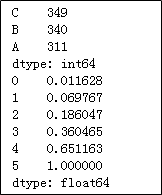
# 统计z中个元素的频次print(z.value_counts())a = pd.Series([1,5,10,15,25,30])# 计算a中各元素的累计百分比print(a.cumsum() / a.cumsum()[a.size - 1])
❆
数据清洗函数
同样,数据清洗工作也是必不可少的工作,在如下表格中罗列了常有的数据清洗的函数。
x = pd.Series([10,13,np.nan,17,28,19,33,np.nan,27])#检验序列中是否存在缺失值print(x.hasnans)# 将缺失值填充为平均值print(x.fillna(value = x.mean()))# 前向填充缺失值print(x.ffill())


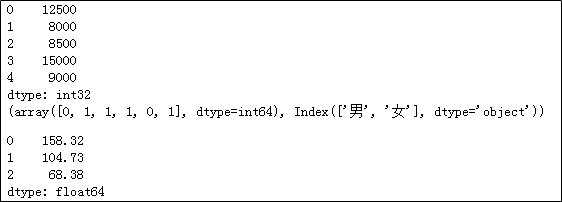
income = pd.Series(['12500元','8000元','8500元','15000元','9000元'])# 将收入转换为整型print(income.str[:-1].astype(int))gender = pd.Series(['男','女','女','女','男','女'])# 性别因子化处理print(gender.factorize())house = pd.Series(['大宁金茂府 | 3室2厅 | 158.32平米 | 南 | 精装','昌里花园 | 2室2厅 | 104.73平米 | 南 | 精装','纺大小区 | 3室1厅 | 68.38平米 | 南 | 简装'])# 取出二手房的面积,并转换为浮点型house.str.split('|').str[2].str.strip().str[:-2].astype(float)
❆
数据筛选
数据分析中如需对变量中的数值做子集筛选时,可以巧妙的使用下表中的几个函数,其中部分函数既可以使用在序列身上,也基本可以使用在数据框对象中。
np.random.seed(1234)x = pd.Series(np.random.randint(10,20,10))# 筛选出16以上的元素print(x.loc[x > 16])print(x.compress(x > 16))# 筛选出13~16之间的元素print(x[x.between(13,16)])# 取出最大的三个元素print(x.nlargest(3))y = pd.Series(['ID:1 name:张三 age:24 income:13500','ID:2 name:李四 age:27 income:25000','ID:3 name:王二 age:21 income:8000'])# 取出年龄,并转换为整数print(y.str.findall('age:(\d+)').str[0].astype(int))

❆
绘图与元素级函数
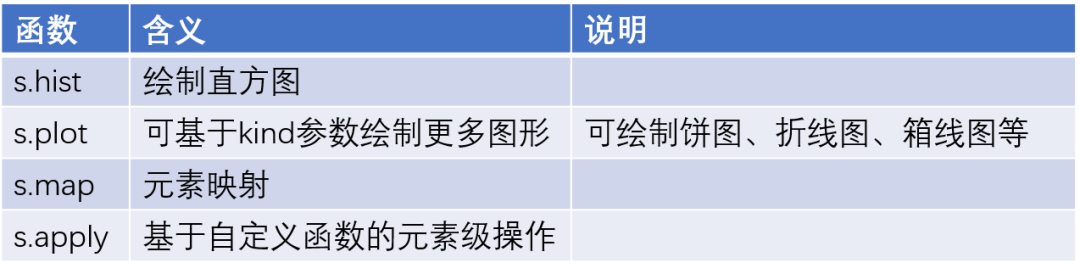
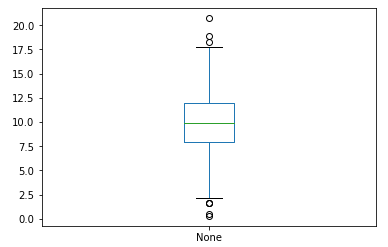
np.random.seed(123)import matplotlib.pyplot as pltx = pd.Series(np.random.normal(10,3,1000))# 绘制x直方图x.hist()# 显示图形plt.show()# 绘制x的箱线图x.plot(kind='box')plt.show()installs = pd.Series(['1280万','6.7亿','2488万','1892万','9877','9877万','1.2亿'])# 将安装量统一更改为“万”的单位def transform(x):if x.find('亿') != -1:res = float(x[:-1])*10000elif x.find('万') != -1:res = float(x[:-1])else:res = float(x)/10000return resinstalls.apply(transform)


❆
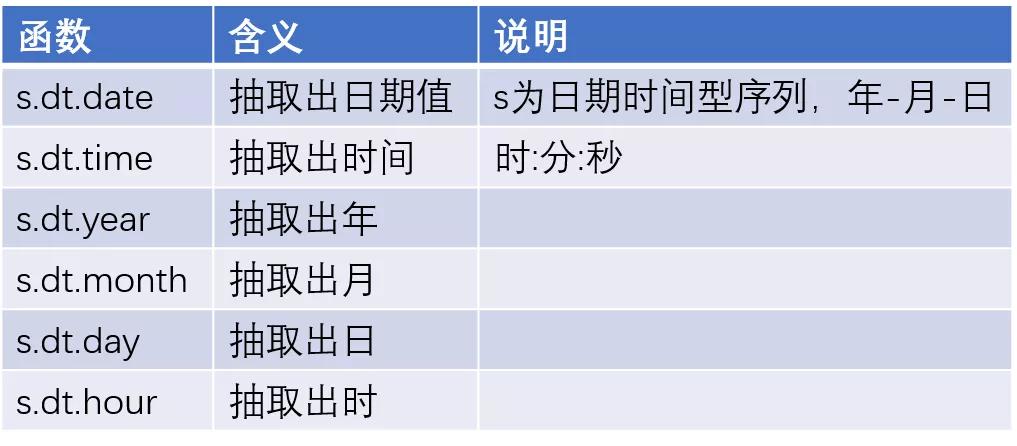
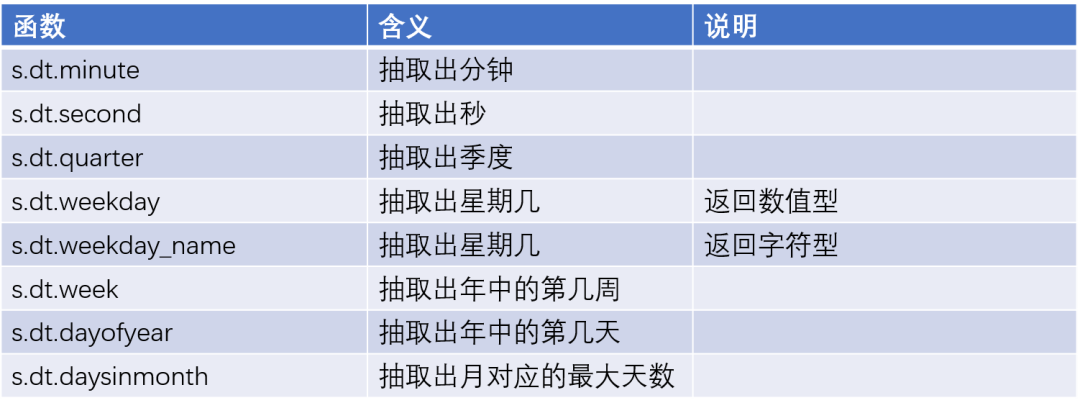
时间序列函数
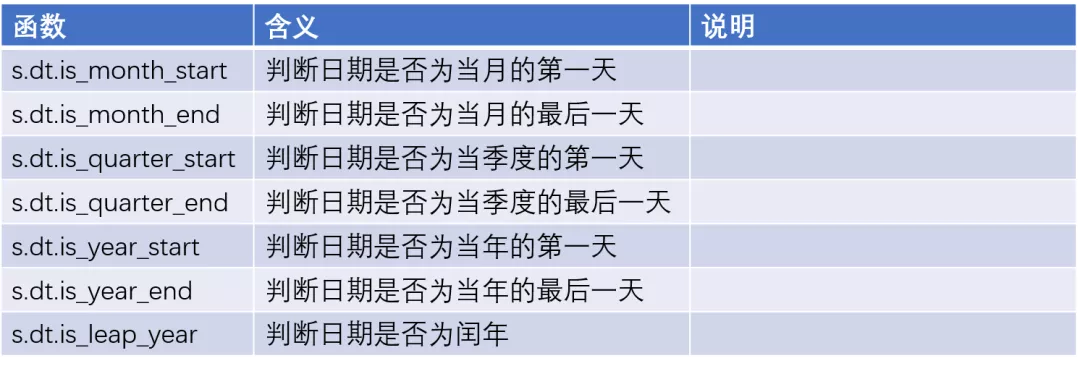
❆
其他函数

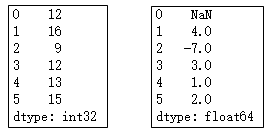
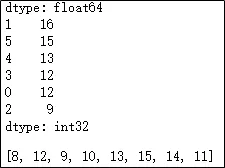
import numpy as npimport pandas as pdnp.random.seed(112)x = pd.Series(np.random.randint(8,18,6))print(x)# 对x中的元素做一阶差分print(x.diff())# 对x中的元素做降序处理print(x.sort_values(ascending = False))y = pd.Series(np.random.randint(8,16,100))# 将y中的元素做排重处理,并转换为列表对象y.unique().tolist()

若有收获,就点个赞吧
0 人点赞


