实例
创建一个fast_api_main.py文件,写入一下代码:
from fastapi import FastAPIapp = FastAPI()@app.get("/")def index():"""首页"""return {"index": "我是首页"}@app.get("/book/{book_id}")def book(book_id: int, book_name: str = None):"""书籍📚这里必须为book_id,与路径值保持一致,否则会被认为Query参数"""return {"id": book_id,"book_name": book_name}
运行
uvicorn fast_api_main:app --reloadINFO: Uvicorn running on http://127.0.0.1:8000 (Press CTRL+C to quit)INFO: Started reloader process [54581] using statreloadINFO: Started server process [54583]INFO: Waiting for application startup.INFO: Application startup complete.
- fast_api_main为文件名
- app为文件内通过
app = FastAPI()创建的对象 - —reload表示让服务器更新代码后重新启动
请求响应效果
import requestsprint(requests.get("http://localhost:8000/").json())# {'index': '我是首页'}print(requests.get("http://localhost:8000/book/1/", params={"book_name": "数学之美"}).json())# {'id': 1, 'book_name': '数学之美'}print(requests.get("http://localhost:8000/book/1/").json())# {'id': 1, 'book_name': None}
交互式API文档
启动服务后
在浏览器访问:http://127.0.0.1:8000/docs
会看到由Swagger生成的API文档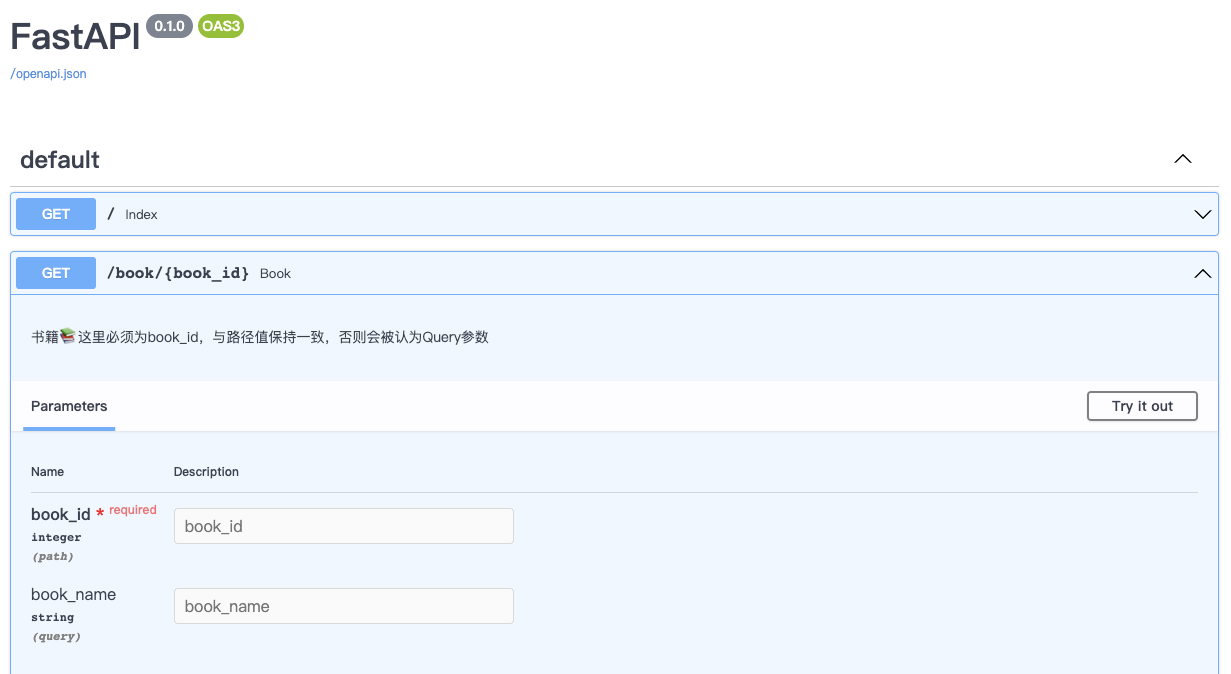
在浏览器访问:http://127.0.0.1:8000/redoc
会看到由Redoc 📘生成的API文档
在浏览器访问:http://127.0.0.1:8000/openapi.json
会看到生成的JSON Schema信息,可用于导入Postman、Apifox等三方接口测试工具
小结
Fast API提供了简便的参数获取方式和动态路由的生成
在响应过程中,返回正常的python类型即可,Fast API会自动转译,无需像Django那样,通过Response模块
Fast API支持自动生成接口文档,且更灵活、可扩展

若有收获,就点个赞吧
0 人点赞


