写在前面
欢迎关注公众号“燕小书”,回复:“技术交流”进微信技术交流群,公众号会陆续发布优质文章。
为什么要使用vite
在浏览器支持ES模块之前,诸如webpack、Rollup等打包工具的出现,确实是极大的改善了前端开发者的开发体验。但是当我们开始构建越来越大型的应用时,需要处理的js代码量也是呈指数级增长,模块和模块之间的依赖往往会使我们的开发工具需要更长的时间(甚至使几分钟)才能启动开发服务器,即使使用HMR,文件的修改后的效果也需要几秒钟才能在浏览器中反映出来。这也会我们要是用vite的原因,提示构建速率来改善开发体验。
vite VS 传统脚手架
下面主要是介绍一下vite和webpack的区别
| vite | webpack | |
|---|---|---|
| 启动开发服务器 | 利用浏览器的原生ESM加载源码模块,启动时处理一次依赖预构建即可,二次启动秒开,访问时浏览器原生解析依赖 | 递归依赖分析、转换代码、编译、打包输出主流浏览器可直接执行的js文件,浏览器访问直接渲染 |
| 构建打包器 | 基于ESBuild使用Go编写,构建速度比nodejs快10-100倍 | webpack由javascript编写运行在nodejs环境,运行效率较差 |
| 热更新 | 精准更新已修改的ESM模块 | 修改文件后需要重新构建文件,且随着应用体积增大而花费更长时间 |
| 生态 | vite生态只能说勉强够用,某些功能可能需要妥协或者自己实现 | Loader和Plugin生态丰富,方案齐全 |
| 生产环境 | Esbuild本身存在一些限制,所以生产环境采用的Rollup | 依托丰富的生态,稳定可靠 |
webpack启动之后会做一堆事情,经历一条很长的编译打包链条,从入口开始需要逐步经历语法解析、依赖收集、代码转译、打包合并、代码优化,最终将高版本的、离散的源码编译打包成低版本、高兼容性的产物代码,这可满满都是 CPU、IO 操作啊,在 Node 运行时下性能必然是有问题。而 Vite 运行 Dev 命令后只做了两件事情,一是启动了一个用于承载资源服务的 service;二是使用 Esbuild预构建 npm 依赖包。之后就一直躺着,直到浏览器以 http 方式发来 ESM 规范的模块请求时,Vite 才开始“「按需编译」”被请求的模块
正文
搭建vite项目
这里官网提供了npm、yarn、pnpm三种模式
npm create vite@latest // 使用npmyarn create vite // 使用yarnpnpm create vite // 使用pnpm
这里选择yarn,创建了一个基于vite构建的react项目
生成的目录结构如下:
│ .gitignore│ index.html│ package.json│ tsconfig.json│ tsconfig.node.json│ vite.config.ts│├─public│ vite.svg│└─src│ App.css│ App.tsx│ index.css│ main.tsx│ vite-env.d.ts│└─assetsreact.svg
其中index.html为页面的入口文件,main.tsx为系统主入口,vite.config.ts为vite的配置文件。
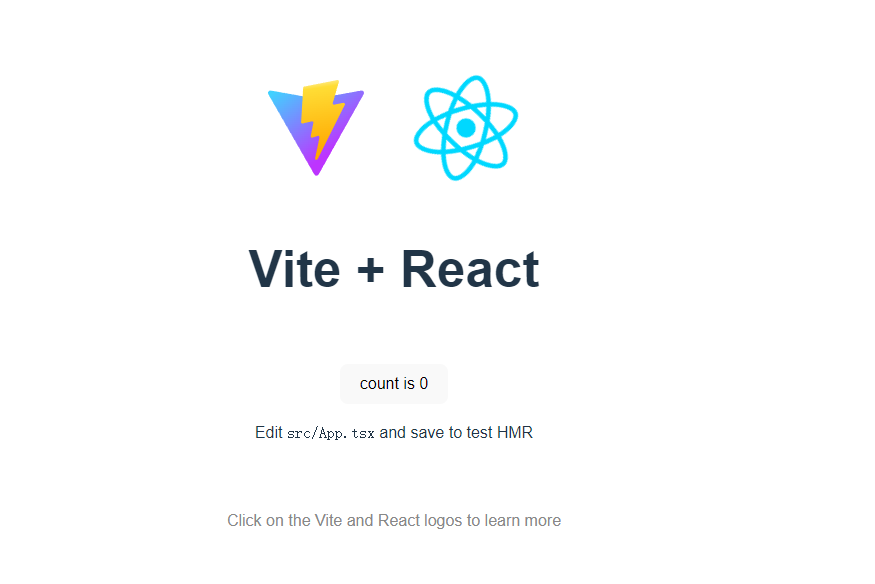
yarn install // 安装依赖yarn dev // 启动项目
初始化配置
在项目开始之前,引入项目的所需的react-router、ant design、axios、less or sass并使用git作为版本管理工具。
vite的按需加载
Vite需要借助插件vite-plugin-imp来实现按需加载
yarn add vite-plugin-imp -dev
import { defineConfig } from 'vite'import react from '@vitejs/plugin-react'import vitePluginImp from '@vitejs/plugin-react'// https://vitejs.dev/config/export default defineConfig({plugins: [react(),vitePluginImp({libName: "antd",style: (name: string) => `antd/lib/${name}/style/index.less`,})],})
配置antd主题颜色
import fs from 'fs'import path from 'path'import { getThemeVariables } from 'antd/dist/theme'import lessVarsToJs from 'less-vars-to-js'// 解析你的配置const antdThemeConfig = lessVarsToJs(fs.readFileSync(path.resolve(__dirname, 'src/assets/antdTheme.less')))export default defineConfig({css: {preprocessorOptions: {less: {// 支持内联 JavaScriptjavascriptEnabled: true,modifyVars: {...getThemeVariables(), ...antdThemeConfig}}}}})
简写路径配置
resolve: {alias: {"@": path.resolve(__dirname, 'src')}},
ts的路径解析能力
import tsConfigPaths from 'vite-tsconfig-paths'export default {plugins: [tsConfigPaths(),],}
版本控制
import tsConfigPaths from 'vite-plugin-package-version'export default {plugins: [pluginPackageVersion(),],}
端口配置
默认端口是5173,可以改成你喜欢的3000。
export default {server: {port: 3000,strictPort: true,},}
vite.config.ts最终配置
import fs from 'fs'import path from 'path'import { getThemeVariables } from 'antd/dist/theme'import { defineConfig } from 'vite'import react from '@vitejs/plugin-react'import vitePluginImp from '@vitejs/plugin-react'import tsConfigPaths from 'vite-tsconfig-paths'import pluginPackageVersion from 'vite-plugin-package-version'import lessVarsToJs from 'less-vars-to-js'const antdThemeConfig = lessVarsToJs(fs.readFileSync(path.resolve(__dirname, 'src/assets/antdTheme.less')))// https://vitejs.dev/config/export default defineConfig({plugins: [react(),tsConfigPaths(),pluginPackageVersion(),vitePluginImp({libName: "antd",style: (name: string) => `antd/lib/${name}/style/index.less`,})],css: {preprocessorOptions: {less: {// 支持内联 JavaScriptjavascriptEnabled: true,modifyVars: {...getThemeVariables(), ...antdThemeConfig}}}},server: {port: 3000,strictPort: true,},resolve: {alias: {"@": path.resolve(__dirname, 'src')}},})v
tsconfig.json
{"compilerOptions": {"composite": true,"module": "ESNext","moduleResolution": "Node","allowSyntheticDefaultImports": true,"baseUrl": ".","paths": {"@/*": ["./src/*"]}},"include": ["vite.config.ts"]}
添加prettier格式化代码格式
yarn add prettier --save
增加prettier.config.ts文件
module.exports = {printWidth: 80,tabWidth: 2,useTabs: false,semi: false,singleQuote: true,quoteProps: 'as-needed',jsxSingleQuote: false,trailingComma: 'es5',bracketSpacing: true,bracketSameLine: false,arrowParens: 'always',htmlWhitespaceSensitivity: 'ignore',vueIndentScriptAndStyle: true,endOfLine: 'lf',}
React Router配置
React Router配置// src/App.tsximport { Suspense } from 'react';import { BrowserRouter, Routes, Route } from 'react-router-dom';import { ConfigProvider, Layout, Result } from 'antd';import zhCN from 'antd/es/locale/zh_CN';import ROUTES, { IRoute } from './routes';import ErrorBoundary from './components/ErrorBoundary';import './App.css';function FullBack() {return <div>加载中...</div>;}function App() {return (<div className="App"><ConfigProvider locale={zhCN}><BrowserRouter><Layout><ErrorBoundary>{/* 使用懒加载会导致加载延迟,使用suspense优化体验 */}<Suspense fallback={<FullBack />}><Routes>{ROUTES?.map((route) => {return (<Routekey={route.url}path={route.url}element={route.Element}/>);})}<Routepath="*"element={<div style={{ marginTop: 80 }}><Resultstatus="404"title="404"subTitle="抱歉,您访问的资源不存在"/></div>}/></Routes></Suspense></ErrorBoundary></Layout></BrowserRouter></ConfigProvider></div>);}export default App;
// src/routesimport { lazy } from 'react';export interface IRoute {path: string;Element?: React.ReactElement;}const Home = lazy(() => import('./../pages/Home'));const Test = lazy(() => import('./../pages/Test'));const ROUTES: Array<IRoute | undefined> = [{path: 'home',Element: <Home />,},{path: 'test',Element: <Test />,},];export default ROUTES;
// src/components/ErrorBoundaryimport React, { Component } from 'react';import { Result } from 'antd';export default class ErrorBoundary extends Component<{children: React.ReactNode;hasError?: boolean;}> {static getDerivedStateFromError() {return {hasError: true,};}state = { hasError: false };render() {const { children } = this.props;const { hasError } = this.state;if (hasError) {return (<Resultstatus="500"title="500"subTitle="抱歉,服务器出错了,请刷新重试"/>);}return children;}}
请求库函数
yarn add ahooks --save
[ahooks](https://ahooks.gitee.io/zh-CN/guide)提供了大量的封装好的Hooks使用,其中useRequest更是一个强大异步数据管理的Hooks,一般情况下的请求场景都是足够用的。
遇到的问题
总结
vite实现了真正的按需加载,我们只需要提供页面加载所需的模块,剩下的就让浏览器去做。对于我们来说,打包不是目的,能够快速的运行才是我们的目的。配置简单,学习成本也比较低,不需要向webpack一样去加载各种loader。
参考文献

若有收获,就点个赞吧
0 人点赞


