2960X恢复
使用tftp服务恢复
- set IP_ADDRESS 192.0.2.123 (要和tftp在同一网段,或者保证能互相访问)
- set IP_SUBNET_MASK 255.255.255.0 (设置子网掩码)
- 有些设备 set IP_ADDR 192.0.2.123/255.255.255.0 (IP和子网掩码同时设置)
- set DEFAULT_ROUTER 192.0.2.1 (设置网关)
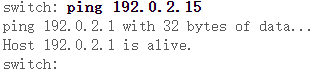
- 设置好后把网线接到MGMT口 ping TFTP服务器要通才行。
- copy tftp://192.0.2.15/镜像名字 flash:镜像名字 (把镜像拷贝到flash中)
- boot flash:镜像名字 (添加启动)
4500X恢复
使用tftp服务恢复
- 在终端上设置IP地址、掩码、网关
rommon 1>set interface fa1 192.168.1.1 255.255.255.0设置管理口的IPrommon 2>set ip route default 192.168.1.2设置网关set TftpServer 192.168.1.2设置tftp服务器地址
rommon 5>boot tftp://cat4500e-universalk9.SPA.03.03.02.SG.151-1.SG2.bin- 把tftp服务器上面的镜像设置为启动镜像,这个时候设备使用的tftp上面的镜像。镜像还没到本地,需要导入到本地存储空间。
- 在终端上设置IP地址、掩码、网关
Tftp Session details are …..
Filename :/cat4500e-universalk9.SPA.03.03.02.SG.151-1.SG2.bin<br /> IP Address :192.168.1.1<br /> TftpServer :192.168.1.2<br /> .....<br /> successfully<br /> .....<br />加载完毕后
- 直接把tftp的镜像文件拷贝到本地bootflash空间中。
Switch#copy tftp: bootflash:
Address or name of remote host []? 172.18.125.3 //手动输入tftp服务器IP
Source filename []? cat4000-is-mz.121-11b.EW //手动输入从服务器上面获取的文件名字
Destination filename [flash]? cat4000-is-mz.121-11b.EW Loading cat4000-is-mz.121-11b.EW from 172.18.125.3 (via Vlan1):
!!!!!!!!!!!!!!!!!!!!!!!!!!!!!!!!!!!!!!!!!!!!!!!!!!!!!!!!!!! !!!!!!!!!!!!!!!!!!!!!!!!!!!!!!!!!!!!!!!!!!!!!!!!!!!!!!!!!!!!!! !!!!!!!!!!!!!!!!!!!!!!!!!!!!!!!!!!!!!!!!!!!!!!!!!!!!!!!!!!!!! !!!!!!!!!!!!!!!!!!!!!!!!!!!!!!!!!!!!!!!!!!!!!!!!!!!!!!!!!!!!!! !!!!!!!!!!!!!!!!!!!!!!!!!!!!!!!!!!!!!!!!!!!!!!!!!!!!!!!!!!!!! !!!!!!!!!!!!!!!!!!!!!!!!!!!!!!!!!!!!!!!!!!!!!!!!!!!!!!!!!!!!!! !!!!!!!!!!!!!!!!!!!!!!!!!!!!!!!!!!!!!!!!!!!!!!!!!!!!!!!!!!!!! !!!!!!!!!!!!!!!!!!!!!!!!!!!!!!!!!!!!!!!!!!!!!!!!!!!!!!!!!!!!!! !!!!!!!!!!!!!!!!!!!!!!!!!!!!!!!!!!!!!!!!!!!!!!!!!!!!!!!!!!!!! !!!!!!!!!!!!!!!!!!!!!!!!!!!!!!!!!!!!!!!!!!!!!!!!!!!!!!!!!!!!!! !!!!!!!!!!!!!!!!!!!!!!!!!!!!!!!!!!!!!!!!!!!!!!!!!!!!!!!!!!!!! !!!!!!!!!!!!!!!!!!!!!!!!!!!!!!!!!!!!!!!!!!!!!!!!!!!!!!!!!!!!!! !!!!!!!!!!!!!!!!!!!!!!!!!!!!!!!!!!!!!!!!!!!!!!!!!!!!!!!!!!!!! !!!!!!!!!!!!!!!!!!!!!!!!!!!!!!!!!!!!!!!!!!!!!!!!!!!!!!!!!!!!!! !!!!!!!!!!!!!!!!!!!!!!!!!!!!!!!!!!!!!!!!!!!!!!!!!!!!!!!!!!!!! !!!!!!!!!!!!!!!!!!!!!!!!!!!!!!!!!!!!!!!!!!!!!!!!!!!!!!!!!!!!! !!!!!!!!!!!!!!!!!!!!!!!!!!!!!!!!!!!!!!!!!!!!!!!!!!!!!!!!!!!!!! !!!!!!!!!!!!!!!!!!!!!!!!!!!!!!!!!!!!!!!!!!!!!!!!!!!!!!!!!!!!! !!!!!!!!!!!!!!!!!!!!!!!!!!!!!!!!!!!!!!!!!!!!!!!!!!!!!!!!!!!!!! !!!!!!!!!!!!!!!!!!!!!!!!!!!!!!!!!!!!!!!!!!!!!!!!!!!!!!!!!!!!! !!!!!!!!!!!!!!!!!!!!!!!!!!!!!!!!!!!!!!!!!!!!!!
[OK - 6516904/13033472 bytes]
6516904 bytes copied in 110.124 secs (59244 bytes/sec)
- 拷贝成功之后先验证文件是否完整
Switch#verify bootflash:cat4500e-universalk9.SPA.03.03.02.SG.151-1.SG2.bin- 文件确定完整后添加引导
Switch(config)#boot system flash bootflash: /cat4500e-universalk9.SPA.03.03.02.SG.151-1.SG2.bin- 这样就恢复完成了

若有收获,就点个赞吧
0 人点赞


