不再考虑浏览器兼容问题,可以放弃任何ajax封装方法;
因为这是自带的,无论你使用与否,浏览器都会把它放到window对象当中
对于那些对网页性能要求极高的前段工作者们,是绝对不会允许自己的代码中引入不必要的代码
传统AJAX已死,Fetch永生,不推荐使用第三方库,例如 axios
mdn fetch文档
https://developer.mozilla.org/zh-CN/docs/Web/API/WindowOrWorkerGlobalScope/fetch
fetch特点
- 语法简洁,更加语义化
- 基于标准 Promise 实现,支持 async/await
- 同构方便,使用 isomorphic-fetch
fetch的兼容性
- 由于 IE8 是 ES3,需要引入 ES5 的 polyfill: es5-shim, es5-sham
- 引入 Promise 的 polyfill: es6-promise
- 引入 fetch 探测库:fetch-detector
- 引入 fetch 的 polyfill: fetch-ie8
- 可选:如果你还使用了 jsonp,引入 fetch-jsonp
- 可选:开启 Babel 的 runtime 模式,现在就使用 async/await
fetch的缺点
- 不能提供上传的进度
- 不能 控制超时时间
- 不能 abort中断请求
fetch的用法
fetch('https://api.github.com/users/chriscoyier/repos').then(response => response.json()).then(data => {// data就是我们请求返回的数据console.log(data)})
fetch的第二个参数为一个对象
fetch(url, params)// params{method: 'POST',headers: {'Content-Type': 'application/json'},credentials: 'include',body: JSON.stringify(content)}
fetch完成用法
fetch('url', {data: {}, method: '', body: '{}', headers}).then(response => {if (response.ok) {return response.json()} else {return Promise.reject('something went wrong!')}}).then(data => console.log('data is', data)).catch(error => console.log('error is', error))
new Request
const req = new Request('/api/list', {method: 'POST',headers: {'Content-Type': 'application/json'},credentials: 'include',body: JSON.stringify(content)})fetch(req).then(res => res.json()).then(res => console.log(res))
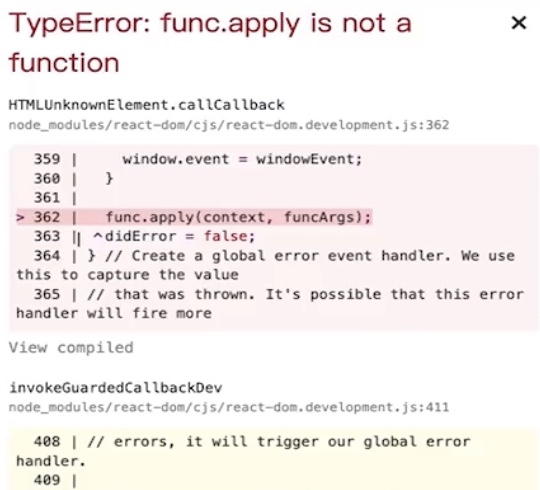
fetch报错

若有收获,就点个赞吧
0 人点赞


