作用主要有2个:
1.注入打包生成的bundle文件。This is a webpack plugin that simplifies creation of HTML files to serve your webpack bundles. This is especially useful for webpack bundles that include a hash in the filename which changes every compilation.
2.生成或配置.html文件。let the plugin generate an HTML file for you, supply your own template using lodash templates or use your own loader.
主要配置参数:
| 属性 | 描述(Description) | 默认值(Default) | |||
|---|---|---|---|---|---|
| title | 生成的HTML模板的title(The title to use for the generated HTML document) | Webpack App 若与模版的冲突,以模版的为准 |
|||
| filename | 生成的模板文件的名字 | ‘index.html’ 若与模版的冲突,以模版的为准 |
|||
| template | 根据自己的指定的模板文件来生成特定的 html 文件。这里的模板类型可以是任意你喜欢的模板,可以是 html, jade, ejs, hbs, 等等,但是要注意的是,使用自定义的模板文件时,需要提前安装对应的 loader, 否则webpack不能正确解析。 如果你设置的 title 和 filename于模板中发生了冲突,那么以你的title 和 filename 的配置值为准。 webpack relative or absolute path to the template. By default it will use src/index.ejs if it exists. |
`` | |||
| inject | 生成bundle在模版中等注入位置 Inject all assets into the given template or templateContent |
true/false/body/head true:默认值,script标签位于html文件的body底部 body:script标签位于html文件的body底部 head:script标签位于html文件的head中 false:不插入生成的js文件 |
|||
| favicon | 给生成的 html 文件生成一个 favicon。属性值为 favicon 文件所在的路径名 | ‘’ | |||
| minify | 对生成的html文件进行压缩。 html-webpack-plugin内部集成了html-minifier,因此,还可以对minify进行配置,详见: https://www.npmjs.com/package/html-webpack-plugin#minification 与 https://www.jianshu.com/p/08a60756ffda |
true if mode is 'production', otherwise false 。开发模式默认值为false, 不对生成的 html 文件进行压缩。 |
|||
| hash | If true then append a unique webpack compilation hash to all included scripts and CSS files. This is useful for cache busting bundle.js 文件后跟的一串 hash 值就是此次 webpack 编译对应的 hash 值  |
false | |||
| cache | 表示内容变化的时候生成一个新的文件 | true | |||
| showErrors | 是否将错误信息写在页面里。如果 webpack 编译出现错误,webpack会将错误信息包裹在一个 pre 标签内。方便定位错误 | true | |||
| chunks | chunks主要用于多入口文件,当你有多个入口文件,那就回编译后生成多个打包后的文件,那么chunks 就能选择你要使用那些js文件. Allows you to add only some chunks 。 |
||||
| excludeChunks | 排除掉一些js | 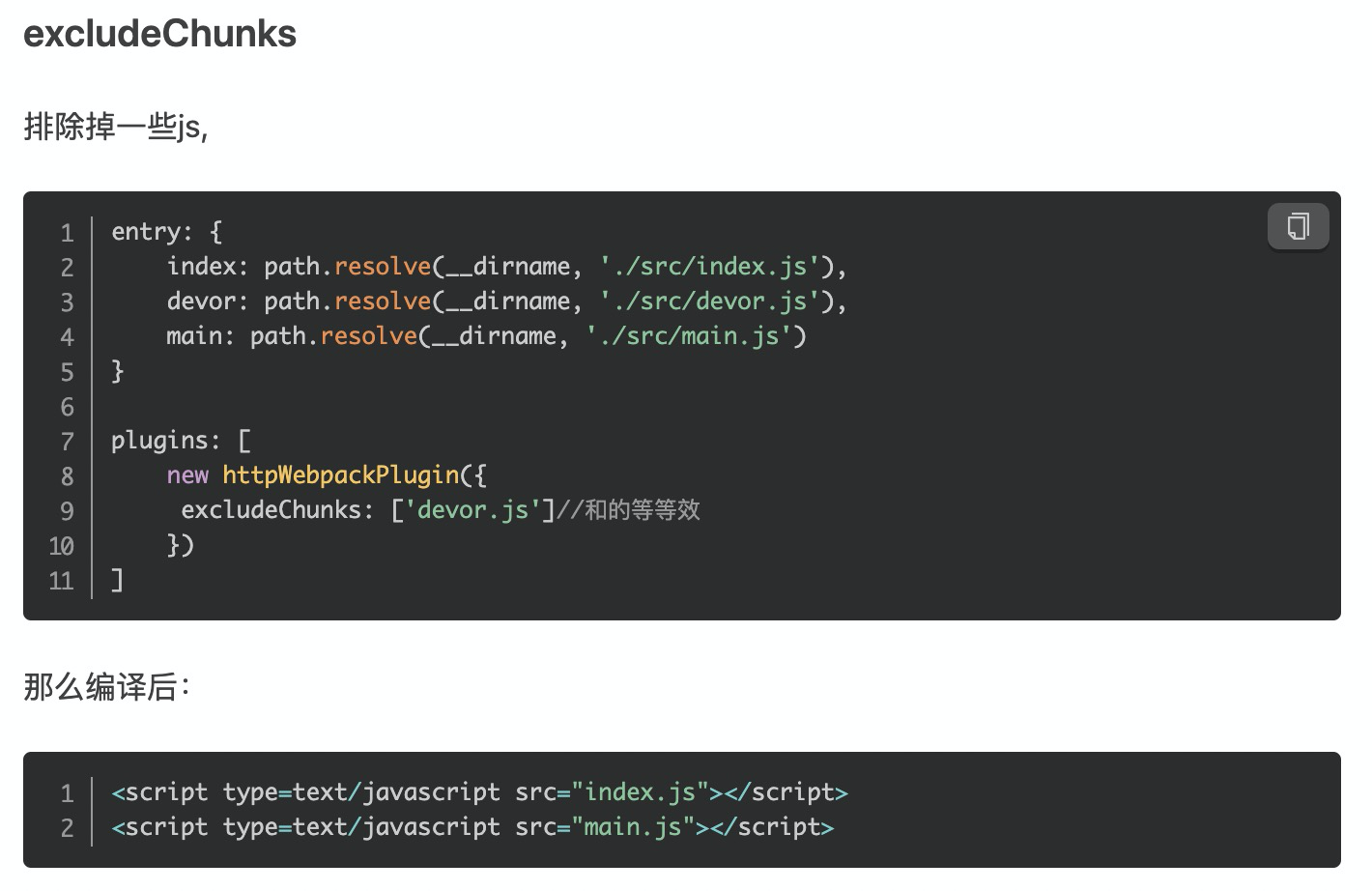 |
|||
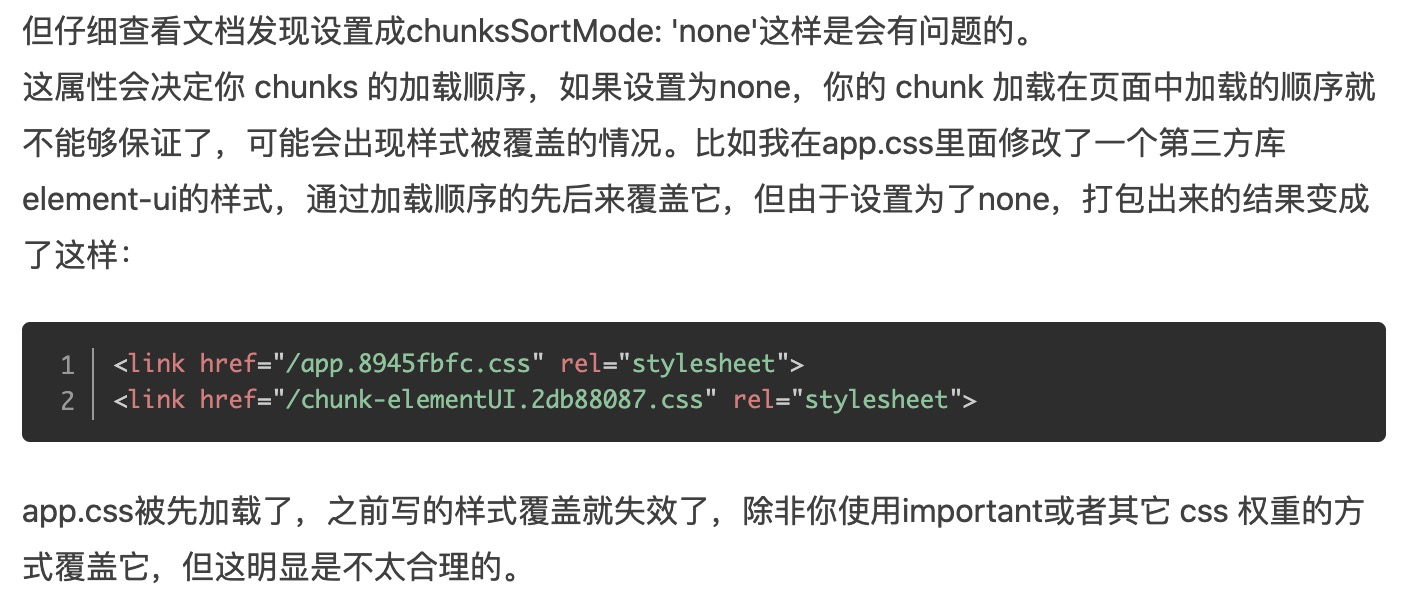
| chunksSortMode 需要注意样式覆盖问题 |
script的顺序,默认四个选项: none auto dependency {function}。Allows to control how chunks should be sorted before they are included to the HTML. Allowed values are `’none’ \ |
‘auto’ \ | ‘manual’ \ | {Function}` | 默认: auto ‘dependency’ 按照不同文件的依赖关系来排序。 |
 |
|
参考:
1.https://www.npmjs.com/package/html-webpack-plugin
2.https://www.jianshu.com/p/08a60756ffda
3.https://www.jianshu.com/p/07c8ff5ef37f
4.https://segmentfault.com/a/1190000013883242
5.https://juejin.im/post/6855129007785328653

若有收获,就点个赞吧
0 人点赞


