- https://mirrors.tuna.tsinghua.edu.cn/docker-ce/linux/centos/docker-ce.repo">下载镜像
wget -O /etc/yum.repos.d/docker-ce.repo https://mirrors.tuna.tsinghua.edu.cn/docker-ce/linux/centos/docker-ce.repo - https://download.docker.com/#https://mirrors.tuna.tsinghua.edu.cn/docker-ce/#g‘ /etc/yum.repos.d/docker-ce.repo">替换为清华源
sed -i ‘s#https://download.docker.com/#https://mirrors.tuna.tsinghua.edu.cn/docker-ce/#g‘ /etc/yum.repos.d/docker-ce.repo - 安装
yum install -y docker-ce - 配置加速器
- 启动服务
systemctl start docker.service - 镜像加速阿里云
# 配置docker加速器
# 新版的 Docker 推荐使用 json 配置文件的方式,默认为 /etc/docker/daemon.json,非默认路径需要修改 dockerd 的 –config-file,在该文件中加入如下内容: - ">登录阿里云搜索docker镜像加速器
#安装文档提示使用阿里云镜像加速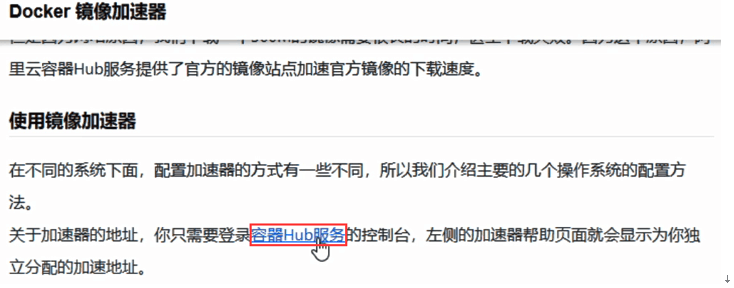
下载镜像
wget -O /etc/yum.repos.d/docker-ce.repo https://mirrors.tuna.tsinghua.edu.cn/docker-ce/linux/centos/docker-ce.repo
替换为清华源
sed -i ‘s#https://download.docker.com/#https://mirrors.tuna.tsinghua.edu.cn/docker-ce/#g‘ /etc/yum.repos.d/docker-ce.repo
安装
yum install -y docker-ce
配置加速器
mkdir -p /etc/dockercat >/etc/docker/daemon.json <<-EOF{"registry-mirrors": ["https://registry.docker-cn.com"]}EOF
启动服务
systemctl start docker.service
镜像加速阿里云
# 配置docker加速器
# 新版的 Docker 推荐使用 json 配置文件的方式,默认为 /etc/docker/daemon.json,非默认路径需要修改 dockerd 的 –config-file,在该文件中加入如下内容:
登录阿里云搜索docker镜像加速器
#安装文档提示使用阿里云镜像加速

若有收获,就点个赞吧
0 人点赞


