1. Sequence Diagram for cluster define
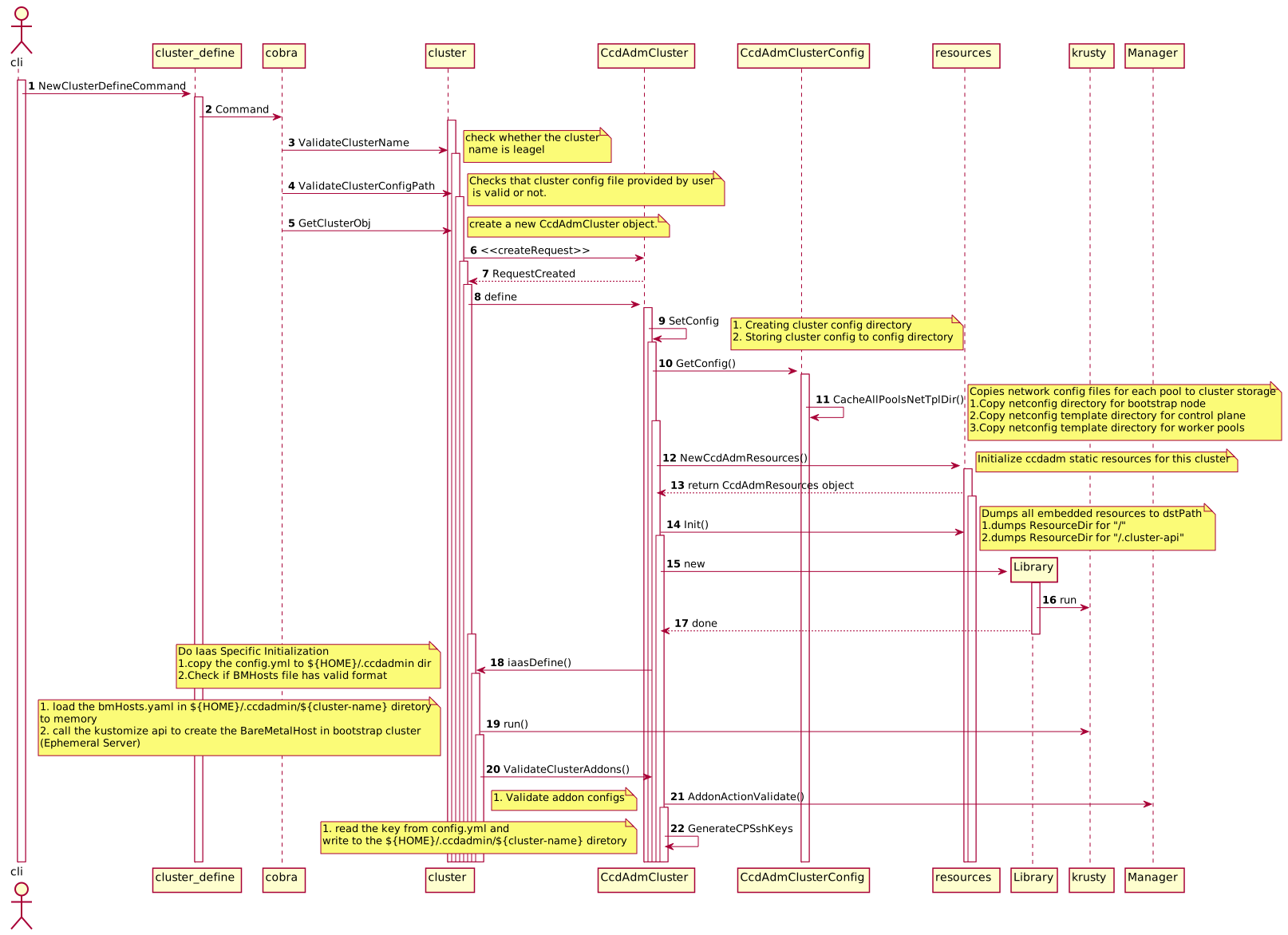 1.user define the new ccd cluster by type the command “./ccdadm cluster define -n
2. cluster_define module will use the cobra,which is a Golang command line lib, to achieve the cluster definition function , If you want to know more about this library, please refer to the official link of cobra
3. Check whether the cluster name parameter passing by the cli is legal. mainly check that length of cluster name is more than max allowed length 16. so the length of cluster name shouldn’t be more than 16 characters.
4.Checks that cluster config file provided by user is valid or not. (1) Check if config file exists and have enough read permissions. (2) Verify the path is a regular file
5-7 ,From step 5 to step7, it will create the object of ccdAdmCluster.
8.After ccdAdmCluster object be created, the cluster will send the define() message to ccdAdmCluster . From now on, it really begins to define the new ccd cluster.
9.In this step, there are two main tasks to be finished.(1) Creating cluster config directory (2) Storing cluster config to path
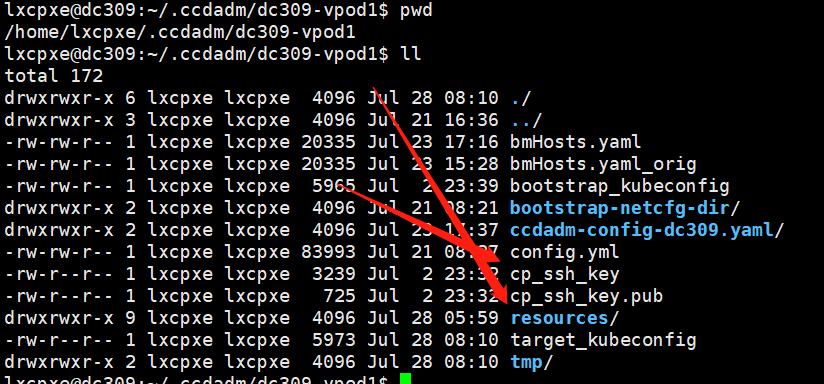
let’s take the DC309 as example. when you execute the cluster define cli, as shown in the follow pic,
what does happen in this step?
./ccdadm cluster define -n dc309-vpod1 -c ccdadm-config-dc309.yaml
Firstly, if you don’t specific the flag —configdir, ccdadmin will create the default directory.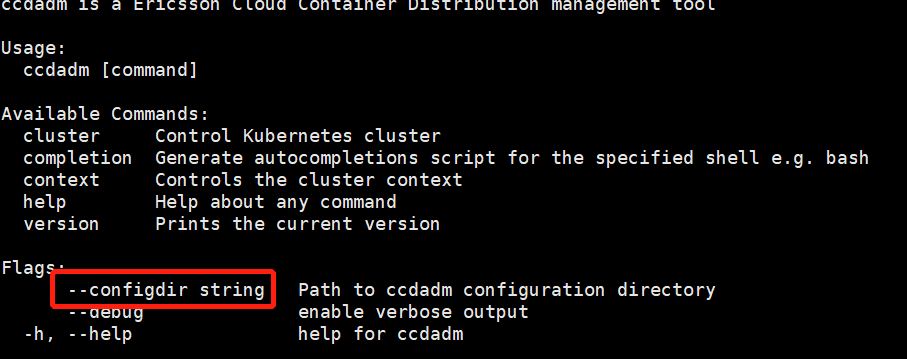
The default directory is ${HOME}/.ccdadm/${cluster_name}. In this example, the whole path for ccdadm configuration is :/home/lxcpxe/.ccdadm/dc309-vpod1.
${HOME} = /home/lxcpxe/
${cluster_name} = dc309-vpod1
Secondly, copy the ccdadm-config-dc309.yaml from /home/lxcpxe/users/eraanjm/CCDADM/ccdadm_dc309_vPOD1 to /home/lxcpxe/.ccdadm/dc309-vpod1 directory.
After copying, the ccdadm-config-dc309.yaml is renamed with config.yaml. but the content are same.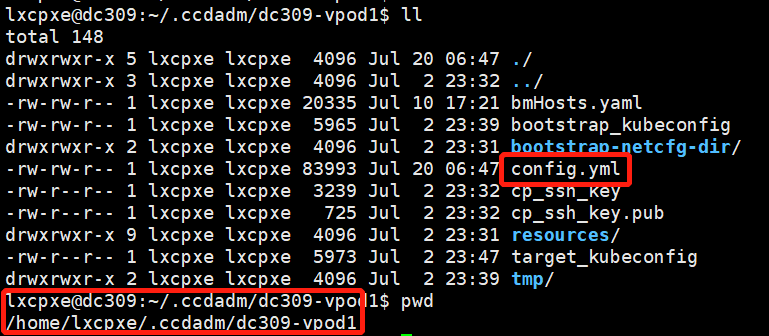
10.load the config.yaml content to memory and generate the ccdAdmClusterConfig object.
11.Copies network config templates files for each pool to cluster storage directory.
(1)Copy netconfig directory for bootstrap node
The source path information get from the config.yaml(infra.bootstrap.net_cfg_dir), as seen in the following picture.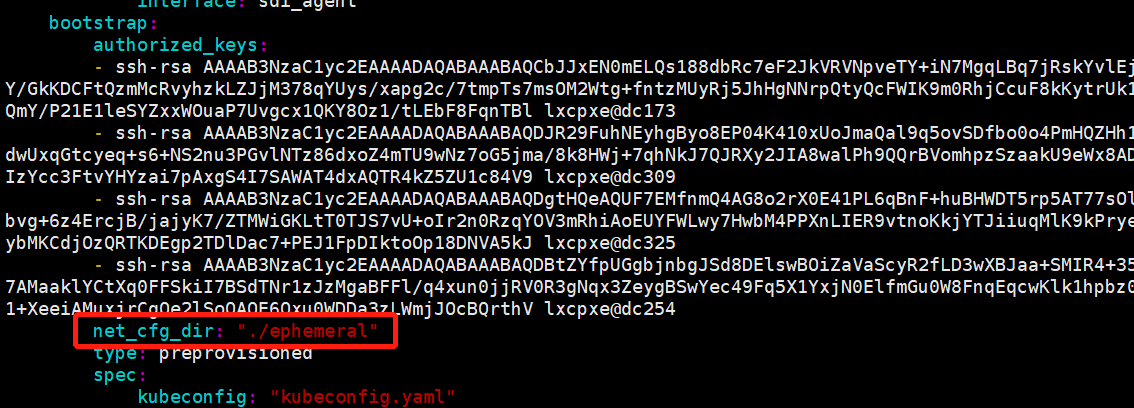
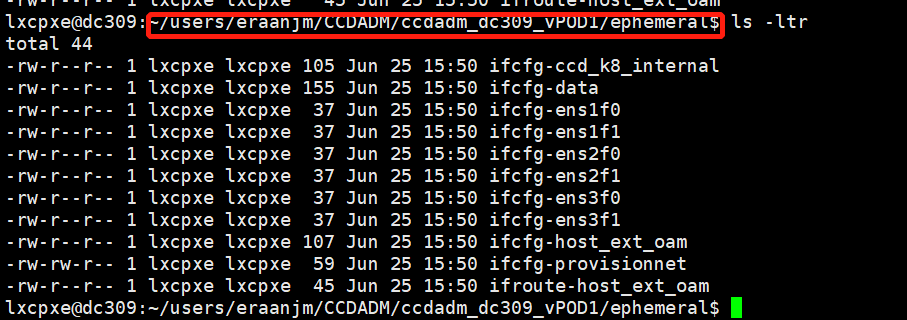
The network config file in the ephemeral will be copyed to current context (ccdadm configuration path:/home/lxcpxe/.ccdadm/dc309-vpod1/bootstrap-netcfg-dir)
(2)Copy netconfig template directory for control plane
It is similar to the bootstrap node
(3)Copy netconfig template directory for worker pools
It is similar to the bootstrap node
12 Initialize ccdadm static resources for this cluster, and a new instance of CcdAdmResources
13 the instance of ccdAdmCluster send init() message to CcdAdmResources
(1) set the CcdAdmResources.dstPath
In this exmple, CcdAdmResources.dstPath is: /home/lxcpxe/.ccdadm/dc309-vpod1/resources/
(1) set the CcdAdmResources.clusterCtlDir value
CcdAdmResources.clusterCtlDir = /home/lxcpxe(UserHomeDir) +/.cluster-api
14 In CcdAdmResources.init() method, following tasks are completed:
The resources folder in the ccdadmin source code which is shown in the following picture.
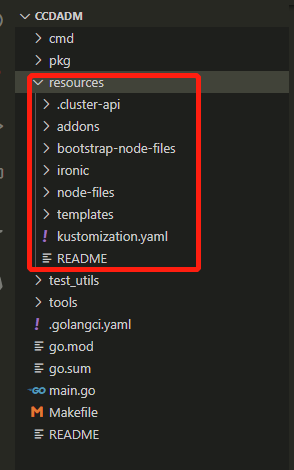
(1)when build the ccdadm binary file, the folder will be embedded in the binary file. So when you execute the “ccdadm cluster define” command , the resources folder will dump from the binary file to the ccdadm config-dir.
(2) dump the .cluster-api folder from the binary file to the ccdadm config-dir.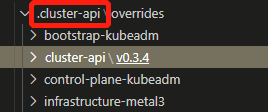
15-17 Check whether we can build a library from resources
(1) call the kustomize api generate the customized yaml file for k8s resource. it includes addon, ironic and CNI ,CSI and so on. more derails you can check the following yaml file.
18 Perform IAAS specific cluster initialization:
(1) Creates metal3 Iaas config object from iaas user spec
(2) validate metal3 Iaas config
- BM Hosts field cannot be empty
- BMHosts file do not exit or not readable
- Ironic CIDR field cannot be empty
- Ironic CIDR is illegal
- Provisioning interface field cannot be empty
19 In this step follow two task will be accomplished
(1) copy the config.yml to ${HOME}/.ccdadmin/${cluster name}
(2) Check if BMHosts file has valid format
load the bmHosts.yaml into memory and call the kustomize to check the BMHosts valid format
20-21 Check if addon name in config.yaml file is supported by ccdadm
As shown in the following two pic, ccdadm read addon item from config.yaml. And then check whether the addon name exist in the addonOrder array in the ccdadm code.

20 read the key from config.yml and write to the ${HOME}/.ccdadmin/${cluster-name} diretory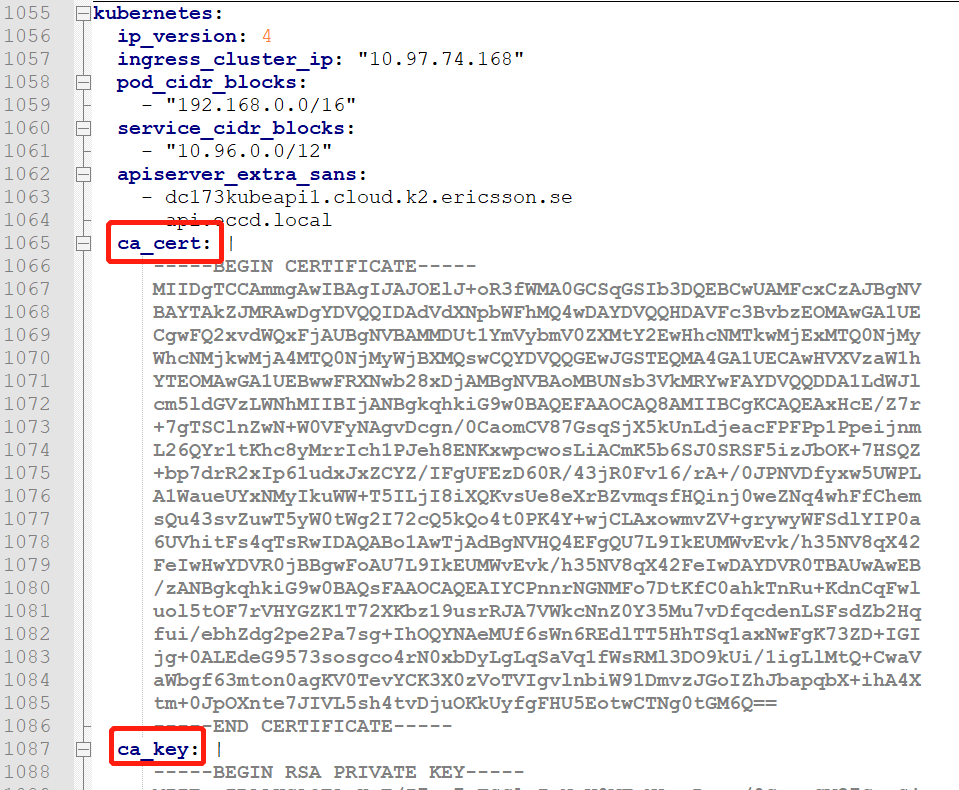

若有收获,就点个赞吧
0 人点赞


