除此之外,我们还可以通过另一种工具实现类似需求,这就是我们今天要介绍的 context 包,这个包为我们提供了以下方法和类型: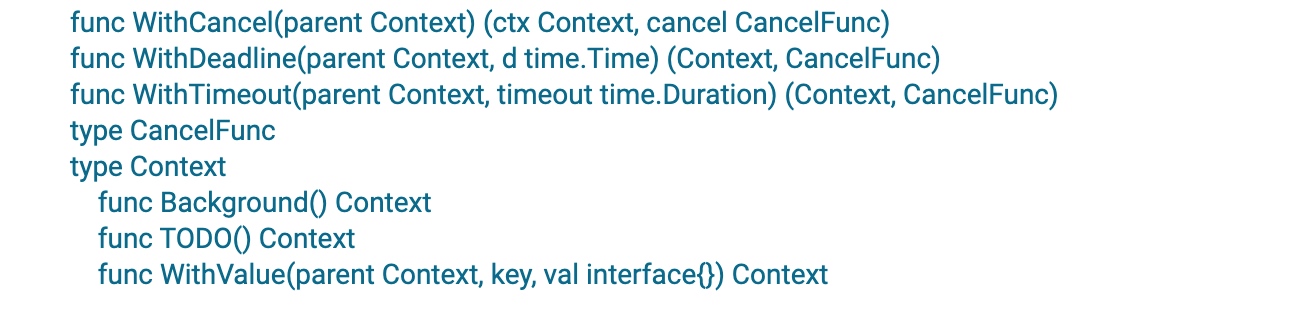
我们可以先通过 withXXX 方法返回一个从父 Context 拷贝的新的可撤销子 Context 对象和对应撤销函数 CancelFunc,CancelFunc 是一个函数类型,调用它时会撤销对应的子 Context 对象,当满足某种条件时,我们可以通过调用该函数结束所有子协程的运行,主协程在接收到信号后可以继续往后执行。
package mainimport ("context""fmt""time")func go2(ctx context.Context) {select {case <-ctx.Done():println("携程2已结束")return}}func go1(ctx context.Context) {go go2(ctx)select {case <-ctx.Done():println("携程1已结束")return}}func main() {ctx, cancelFunc := context.WithCancel(context.Background())go go1(ctx)for i := 1; i < 100; i++ {if i > 10 {cancelFunc()}}time.Sleep(1 * time.Second)fmt.Println("主携程结束")}
上述代码中,我们调用了`content.WithCancel()`,方法中返回了一个新的上下文以及一个可撤销函数`cancelFunc`。调用`cancelFunc`会在`ctx.Done()`管道中发送数据,其最终作用是发送一个信号。调用`cancelFunc`不代表子携程被中止。我们仍然需要结合`select`和`ctx.Done()`的方式来结束携程。<br />`context.WithTimeout`与`content.WithCancel()`的用处一致,但多封装了一层过期时间,传入时间后我们不需要手动执行`cancelFunc`,等到计时结束后会自动往`ctx.Done()`发送信号。
package mainimport ("context""fmt""time")func go1(ctx context.Context) {ch := make(chan bool)go func() {time.Sleep(20 * time.Microsecond)ch <- true}()select {case <-ch:fmt.Println("正常结束")returncase <-ctx.Done():fmt.Println("go1 手动结束或超时")return}}func main() {ctx, cancel := context.WithTimeout(context.Background(), 20*time.Microsecond)go go1(ctx)i := 0for {i++time.Sleep(10 * time.Microsecond)if i > 10000 {fmt.Println("手动结束")cancel()break}}time.Sleep(1 * time.Second)}

若有收获,就点个赞吧
0 人点赞


