简介及相关概念
Elastic APM 组成: APM Agent, APM Server, Elasticsearch, Kibana APM UI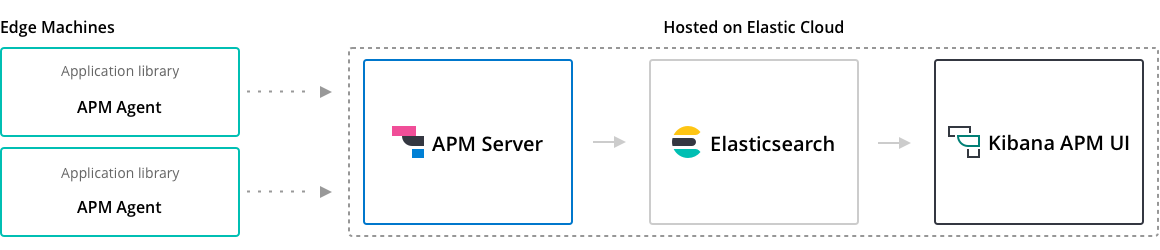
APM Agent种类
- Go Agent
- Java agent
- .NET agent
- Node.js agent
- Python agent
- Ruby agent
- JavaScript Real User Monitoring (RUM) agent
APM Server
- 接收来自APM Agent的数据。
- 将数据转换成Elasticsearch Document并存储在Elasticsearch indices中
安装APM Server 官方文档
使用
- 创建elasticsearch, kibana, APM server
以docker-compose为例启动一个单节点的elasticsearch + kibana + apm server集群docker-compose.yaml
version: '3'services:elasticsearch:image: elasticsearch:7.4.2ports:- 9200:9200- 9300:9300environment:- discovery.type=single-node- cluster.name=es-docker-clustervolumes:- es_data01:/usr/share/elasticsearch/datakibana:image: kibana:7.4.2environment:ELASTICSEARCH_HOSTS: http://elasticsearch:9200ports:- 5601:5601elasticapm:image: docker.elastic.co/apm/apm-server:7.4.2ports:- 8200:8200environment:- output.elasticsearch.hosts=["elasticsearch:9200"]user: apm-servervolumes:es_data01:driver: local
启动docker-compose up -d
- 在项目中引入apm agent依赖
<!-- maven 项目的 pom.xml -->
<dependency>
    <groupId>co.elastic.apm</groupId>
    <artifactId>apm-agent-attach</artifactId>
    <version>1.11.0</version>
</dependency>
- 配置apm agent的相关参数
以spring boot项目为例,在 src/main/resources/ 路径下创建 elasticapm.properties 文件application_packages 为需要监听的包路径,如果要监听多个包,可以用逗号隔开。官方文档
service_name=eureka-service   // 服务名称
application_packages=ca.com.elastic  //
server_url=http://10.100.172.59:8200 // APM server 的地址
- 启动应用
以spring boot项目为例,在boot的main函数中调用以下函数
package xyz.homesangsang;

import co.elastic.apm.attach.ElasticApmAttacher;
import org.springframework.boot.SpringApplication;
import org.springframework.boot.autoconfigure.SpringBootApplication;
import org.springframework.cloud.netflix.eureka.server.EnableEurekaServer;

@EnableEurekaServer
@SpringBootApplication
public class RegistryApplication {
    public static void main(String[] args) {
        // 重点,调用ElasticApmAttacher.attach();函数
        ElasticApmAttacher.attach();
        SpringApplication.run(RegistryApplication.class, args);
    }
}
配置好后即可启动项目
- 查看监控
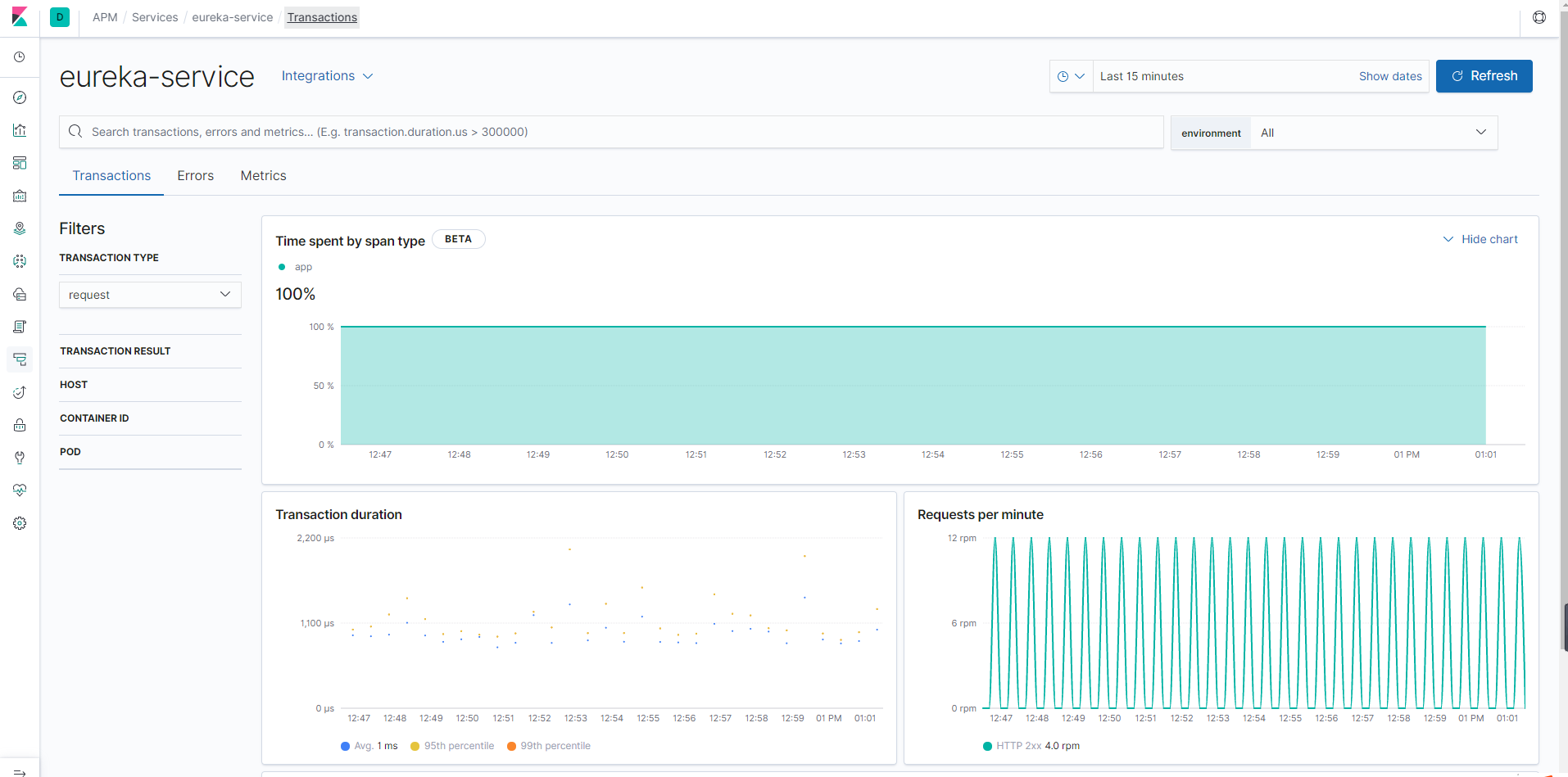
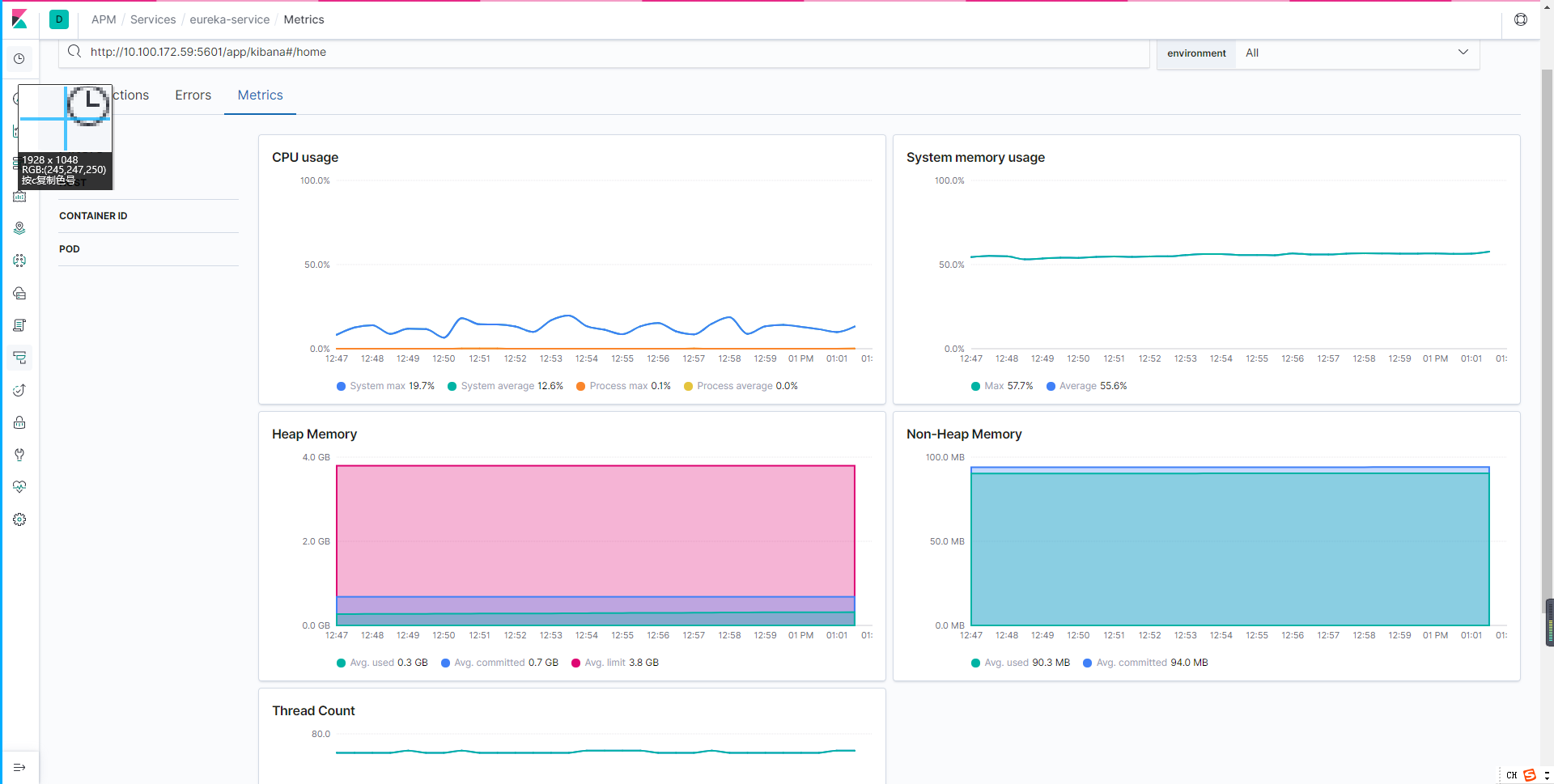

若有收获,就点个赞吧
0 人点赞


