1.下载图标
选择自己的图标入库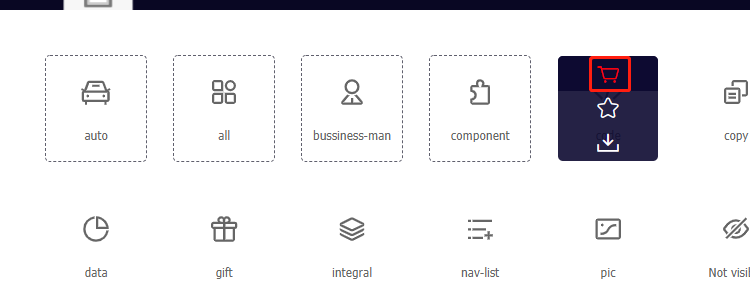
准备下载
下载代码
使用指导,解压之后访问这个index文件即可。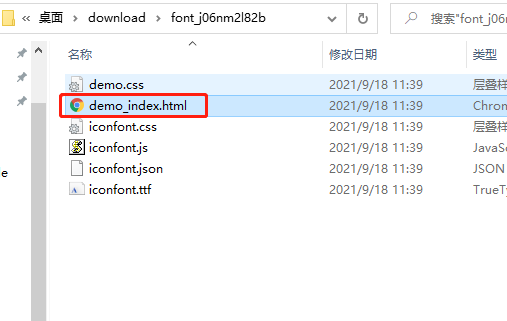
2.拷贝样式和字体文件
- src\iconfont.css
- src\iconfont.ttf
3.index.html
src\index.html
<!DOCTYPE html><html lang="en"><head><meta charset="UTF-8"><title>Title</title></head><body><span class="iconfont icon-auto"></span><span class="iconfont icon-all"></span><span class="iconfont icon-bussiness-man"></span><span class="iconfont icon-component"></span></body></html>
4.index.js
src\index.js
// 引入图标样式文件
import './iconfont.css'
5.webpack.config.js
webpack.config.js
其实只要普通的解析css就行了
const { resolve } = require('path')
const HtmlWebpackPlugin = require('html-webpack-plugin')

module.exports = {
    mode: 'development',
    entry: './src/index.js',
    output: {
        filename: 'built.js',
        path: resolve(__dirname, 'build')
    },
    module: {
        rules: [
            { test: /\.css$/, use: ['style-loader', 'css-loader'] },
        ]
    },
    plugins: [
        new HtmlWebpackPlugin({
            template: './src/index.html',
        })
    ],
}
6.资源输出名称修改
用exclude不好,最终还生成了一个不知道干什么的文件。
// ...

module.exports = {
    // ...
    module: {
        rules: [
            // ...
            {
                test: /\.(ttf)$/,
                type: 'asset/resource',
                generator: {
                    filename: 'media/[hash:10][ext][query]',
                }
            }
        ]
    },
    // ...
}

若有收获,就点个赞吧
0 人点赞


