Mail Merge Reporting
Word 文档中需要配置
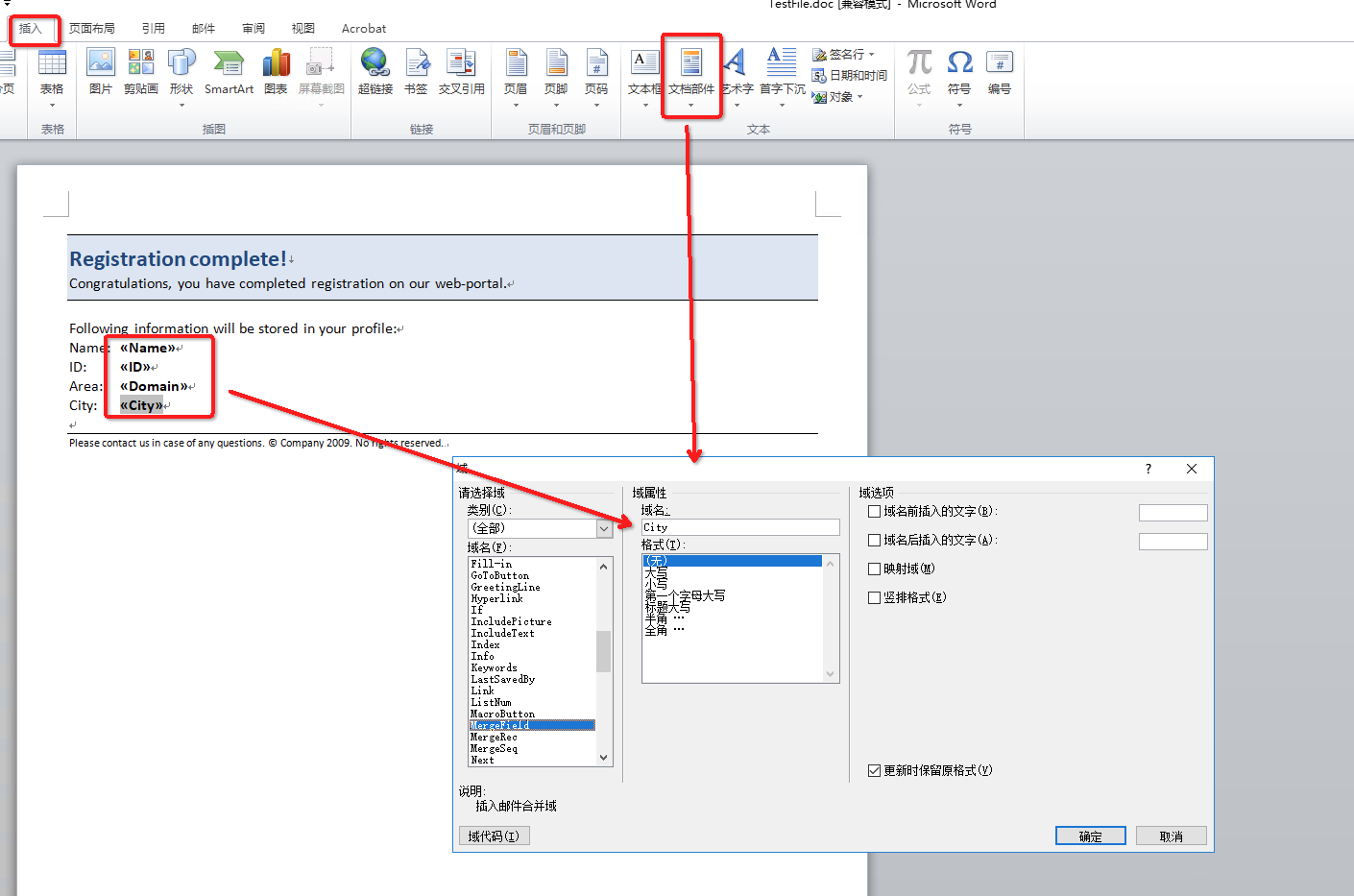
代码示例
public class ExecuteSimpleMailMerge {private static final String dataDir = Utils.getSharedDataDir(ExecuteSimpleMailMerge.class) + "MailMerge/";public static void main(String[] args) throws Exception {//ExStart:// Open an existing document.Document doc = new Document(dataDir + "MailMerge.ExecuteArray.doc");// Trim trailing and leading whitespaces mail merge valuesdoc.getMailMerge().setTrimWhitespaces(false);// Fill the fields in the document with user data.doc.getMailMerge().execute(new String[] { "FullName", "Company", "Address", "Address2", "City" },new Object[] { "James Bond", "MI5 Headquarters", "Milbank", "", "London" });doc.save(dataDir + "MailMerge.ExecuteArray_Out.doc");//ExEnd:}}
Linq Reporting Engine
Word Template 语法
<<[UserName]>><<foreach [m in Data]>><<[m.UserName]>><</foreach>>
不需要在Word文档中配置域
代码示例
public static void main(String[] args) throws Exception{//ExStart:HelloWorld// The path to the documents directory.String dataDir = Utils.getDataDir(HelloWorld.class);String fileName = "HelloWorld.doc";// Load the template document.Document doc = new Document(dataDir + fileName);// Create an instance of sender class to set it's properties.Sender sender = new Sender();sender.setName("LINQ Reporting Engine");sender.setMessage("Hello World");// Create a Reporting Engine.ReportingEngine engine = new ReportingEngine();// Execute the build report.engine.buildReport(doc, sender, "sender");dataDir = dataDir + Utils.GetOutputFilePath(fileName);// Save the finished document to disk.doc.save(dataDir);//ExEnd:HelloWorldSystem.out.println("\nTemplate document is populated with the data about the sender.\nFile saved at " + dataDir);}
参考资源
Aspose.Words doc - LINQ Reporting Engine

若有收获,就点个赞吧
0 人点赞


