1. 简介
shell的类型有很多种,linux下默认的是bash,虽然bash的功能已经很强大,但对于以懒惰为美德的程序员来说,bash的提示功能不够强大,界面也不够炫,并非理想工具。而zsh的功能极其强大,只是配置过于复杂,起初只有极客才在用。后来,有个穷极无聊的程序员可能是实在看不下去广大猿友一直只能使用单调的bash, 于是他创建了一个名为oh-my-zsh的开源项目…
自此,只需要简单的安装配置,小白程序员们都可以用上高档大气上档次,狂拽炫酷吊炸天的oh my zsh
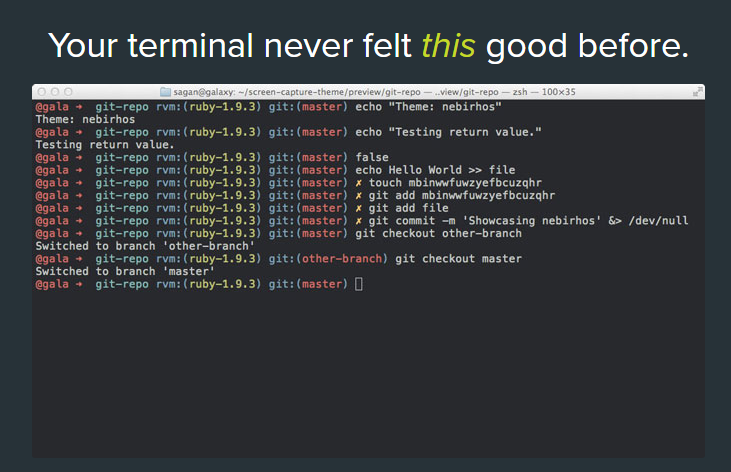
官方网站
2. 安装zsh
以centos7为例:
- 查看系统当前使用的shell
$ echo $SHELL/bin/bash
- 查看系统是否安装了zsh
$ cat /etc/shells/bin/sh/bin/bash/sbin/nologin/usr/bin/sh/usr/bin/bash/usr/sbin/nologin/bin/tcsh/bin/csh
centos7默认情况下没安装zsh
- 用yum安装zsh
$ yum -y install zsh
- 查看shell列表
$ cat /etc/shells/bin/sh/bin/bash/sbin/nologin/usr/bin/sh/usr/bin/bash/usr/sbin/nologin/bin/tcsh/bin/csh/bin/zsh
- 切换shell为zsh
$ chsh -s /bin/zshChanging shell for root.Shell changed.
重启服务器后,可使用reboot
- 重启后,查看当前shell
echo $SHELL/bin/zsh
3. 安装 oh my zsh
oh-my-zsh源码是放在github上,先确保你的机器上已安装了git
安装方式选择wget或者是curl
- wget
wget https://github.com/robbyrussell/oh-my-zsh/raw/master/tools/install.sh -O - | sh
- curl
sh -c "$(curl -fsSL https://raw.githubusercontent.com/robbyrussell/oh-my-zsh/master/tools/install.sh)"
成功界面:
/ /_ _ __ _/ /
/ \/ \ / ` \/ / / / / / / _/ \
/ // / / / / / / / / / / // / / /( ) / / /
__// // // // //_, / /__/// //
// ….is now installed!
Please look over the ~/.zshrc file to select plugins, themes, and options.
p.s. Follow us at https://twitter.com/ohmyzsh.
p.p.s. Get stickers and t-shirts at http://shop.planetargon.com.
接下来只需简单的配置,就可以享受oh-my-zsh的强大
4. 主题选择
oh-my-zsh有很多漂亮的主题:
我使用的主题是ys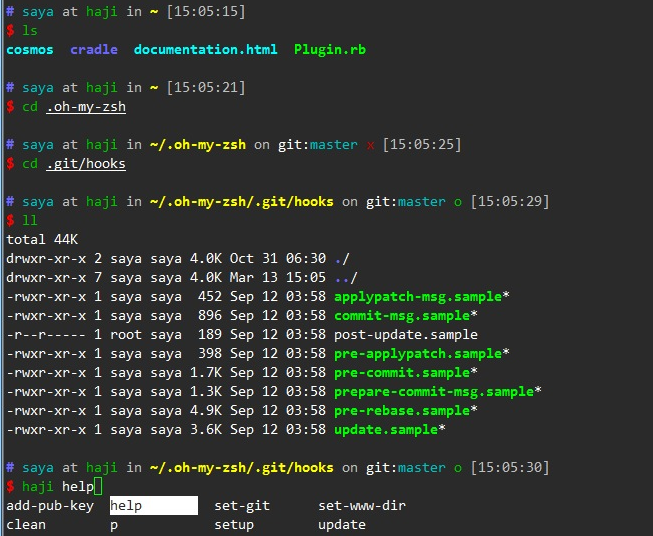
修改主题:
$ vim ~/.zshrc
将ZSH_THEME改成ys
ZSH_THEME=”ys”
更新配置:
$ source ~/.zshrc
5. 自动补齐插件
linux不少命令的参数很多,不可能一一记住,常规的查看手册又觉得慢。如果你也有这种苦恼,那么我相信你会爱上oh-my-zsh的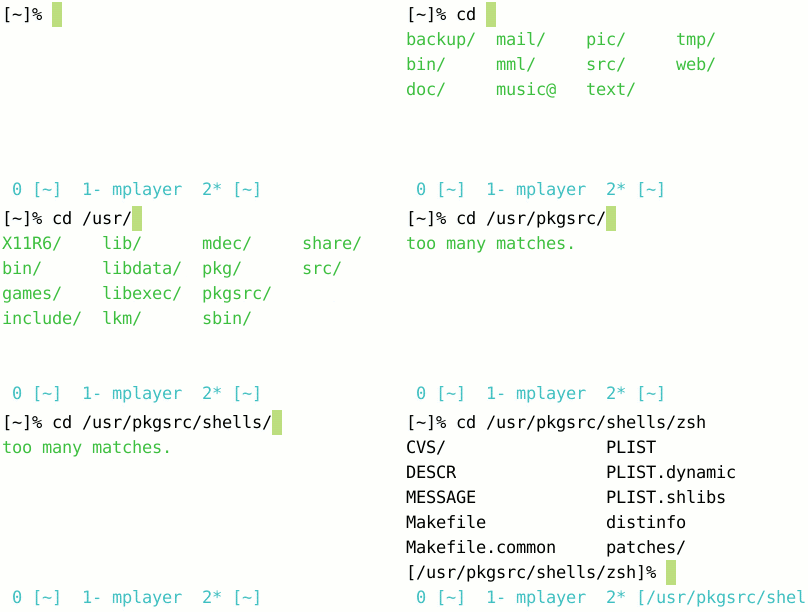
自动补全的插件
incr.zsh 补全插件
下载此插件:
$ wget http://mimosa-pudica.net/src/incr-0.2.zsh
将此插件放到oh-my-zsh目录的插件库下:
# root @ linux in ~/.oh-my-zsh/plugins/incr on git:master x [15:05:07]
$ ls root@linux
incr-0.2.zsh
在~/.zshrc文件末尾加上
source ~/.oh-my-zsh/plugins/incr/incr*.zsh
更新配置:
$ source ~/.zshrc
接下来你就可以体验到Your terminal never felt this good before…
5. 与vim的提示相冲突的解决方案
使用自动补全插件可能会与vim的提示功能相冲突,如会报以下错误:
$ vim t
_arguments:451: _vim_files: function definition file not found
解决方法:将~/.zcompdump*删除即可
$ rm -rf ~/.zcompdump*
$ exec zsh

若有收获,就点个赞吧
0 人点赞


