-u root 进入docker容器 apt-get update apt-get install vim 修改kibana.yml,将elasticsearch地址修改为主机IP访问地址
使用custom log集成时 如果创建过一次 需要修改目录或者重建agent才有效
window环境下收集logback默认类型日志
日志格式:
2022-06-08 18:12:59.468 INFO 30356 —- [restartedMain] com.ecp.MainApplication : The following profiles are active: dev-data,dev-business
创建pipeline:
[{"grok": {"field": "message","patterns": ["%{TIMESTAMP_ISO8601:timestamp} "]}},{"dissect": {"field": "message","pattern": "%{date} %{time->} %{log.level} %{port} --- [%{thread}] %{class->} : %{message}"}},{"date": {"field": "timestamp","formats": ["yyyy-MM-dd HH:mm:ss.SSS"],"timezone": "Asia/Shanghai"}}]
Custom Log插件配置:
pipeline: custom-logs-pipeline
multiline:
  type: pattern
  pattern: ^\d{4}
  match: after
  negate: true

window环境下收集log4j默认类型日志
日志格式:
2021-12-04 00:00:00 INFO ecp.bsp.business.file.job.SyncOrderPayInfoJob (SyncOrderPayInfoJob.java:41) - 开始订单支付信息作业
创建pipeline:
[
  {
    "grok": {
      "field": "message",
      "patterns": [
        "%{TIMESTAMP_ISO8601:timestamp}"
      ]
    }
  },
  {
    "dissect": {
      "field": "message",
      "pattern": "%{date} %{time->} %{log.level->} %{className} - %{message}"
    }
  },
  {
    "date": {
      "field": "timestamp",
      "formats": [
        "yyyy-MM-dd HH:mm:ss"
      ],
      "timezone": "Asia/Shanghai"
    }
  }
]
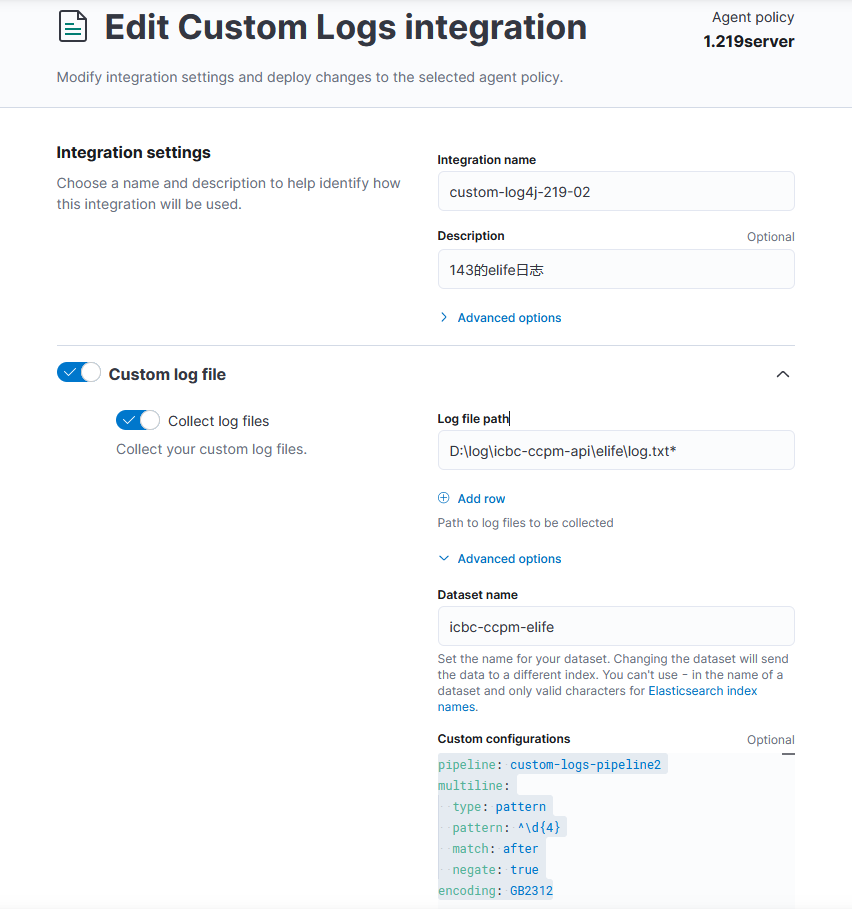
Custom Log插件配置:
pipeline: custom-logs-pipeline2
multiline:
  type: pattern
  pattern: ^\d{4}
  match: after
  negate: true
encoding: GB2312

若有收获,就点个赞吧
0 人点赞


