什么是tailwindcss
Tailwind CSS 是一个功能类优先的 CSS 框架,它集成了诸如 flex, pt-4, text-center 和 rotate-90 这样的的类,它们能直接在脚本标记语言中组合起来,构建出任何设计
css发展
1. 内联样式
在内联样式中只能写一些基本样式
- 优点
- 自由性高
缺点:
优点:
- 自由性高
缺点:
优点:
- 针对某一类组件(如按钮,菜单)可以快速进行使用,不需要动手写css
缺点:
css原子化依旧是组件,只是每个组件都是一个单一功能的css属性
- 优点:
- 不需要为了给类命名而浪费精力:不必再为了一个 flex 容器的完美抽象命名而倍受折磨
- CSS 停止增长:不需要编写新的CSS,减小了css体积
- 更改会更安全:CSS 是全局性的,您永远不知道当您进行更改时会破坏掉什么。您 HTML 中的类是本地的,因此您可以更改它们而不必担心其他问题
- 自由性极高
缺点:
在src目录下创建tailwind.css文件
@tailwind base;@tailwind components;@tailwind utilities;
4. 在src/global.less中引入tailwind.css
@import './tailwind.css';
5. 初始化tailwind.config.js
npx tailwindcss init
6. 修改tailwind.config.js配置
module.exports = {// 指定所有的 components 文件,使得 Tailwind 可以在生产构建中对未使用的样式进行摇树优化purge: ['./src/**/*.{js,jsx,ts,tsx}', './public/index.html'],theme: {extend: {},},variants: {extend: {},},plugins: [],// 因tailwindcss预设的基础样式,所以需要禁用掉corePlugins: {preflight: false,},};
tailwindcss使用
1. 功能类使用
基础使用
```tsx export default function IndexPage() { return (
); }<div className="bg-blue-600 text-white p-4 text-xl">tailwind.css</div><div className="p-6 max-w-sm mx-auto bg-blue-400 rounded-xl shadow-md flex items-center space-x-4 mt-8"><div className="flex-shrink-0"><imgclassName="h-12 w-12"src="https://img.alicdn.com/tfs/TB1zomHwxv1gK0jSZFFXXb0sXXa-200-200.png"alt="ChitChat Logo"></img></div><div><div className="text-xl font-medium text-white">ChitChat</div><p className="text-gray-500">You have a new message!</p></div></div>
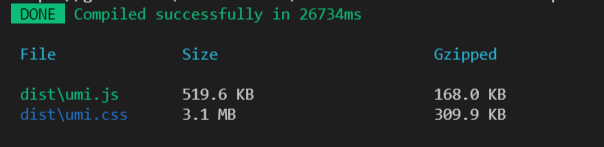
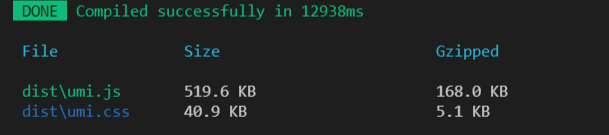
<a name="Z4Nk2"></a>### 创建抽象的 CSS 类使用 Tailwind 的 @apply 功能创建抽象的 CSS 类```less@layer components {.title {@apply text-5xl bg-yellow-600 text-white;}}
import styles from './index.less';export default function IndexPage() {return (<div><div className="bg-blue-600 text-white p-4 text-xl">tailwind.css</div><div className={styles.title}>123</div></div>);}

若有收获,就点个赞吧
0 人点赞


