在前端项目中新增docker相关文件进行前端项目的镜像构建。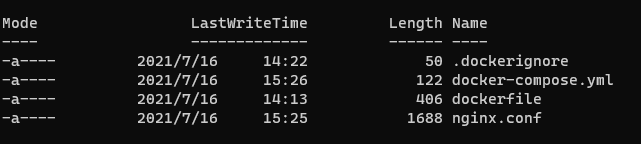
dockerfile文件:
FROM node:lts-alpineWORKDIR /buildRUN npm config set sass_binary_site https://repo.huaweicloud.com/node-sassRUN npm config set registry https://repo.huaweicloud.com/repository/npm/COPY package.json /build/package.jsonRUN npm installCOPY ./ /buildRUN npm run buildFROM nginxRUN mkdir /appCOPY --from=0 /build/dist /appCOPY --from=0 /build/nginx.conf /etc/nginx/nginx.confEXPOSE 80
docker-compose.yml文件:
version: "3"services:traffic:build: .image: traffic/webports:- 80:80
nginx.conf文件:
user nginx;worker_processes 1;error_log /var/log/nginx/error.log warn;pid /var/run/nginx.pid;events {worker_connections 1024;}http {include /etc/nginx/mime.types;default_type application/octet-stream;log_format main '$remote_addr - $remote_user [$time_local] "$request" ''$status $body_bytes_sent "$http_referer" ''"$http_user_agent" "$http_x_forwarded_for"';access_log /var/log/nginx/access.log main;sendfile on;keepalive_timeout 65;server {listen 80;server_name localhost;location / {root /app;index index.html;try_files $uri $uri/ /index.html;}location /traffic {proxy_pass http://10.100.102.58:30886/traffic;proxy_set_header Host $host;proxy_set_header X-Real-IP $remote_addr;proxy_set_header X-Forwarded-For $proxy_add_x_forwarded_for;proxy_set_header REMOTE-HOST $remote_addr;#缓存相关配置#proxy_cache cache_one;#proxy_cache_key $host$request_uri$is_args$args;#proxy_cache_valid 200 304 301 302 1h;#持久化连接相关配置proxy_connect_timeout 3000s;proxy_read_timeout 86400s;proxy_send_timeout 3000s;#proxy_http_version 1.1;#proxy_set_header Upgrade $http_upgrade;#proxy_set_header Connection "upgrade";add_header X-Cache $upstream_cache_status;#expires 12h;}error_page 500 502 503 504 /50x.html;location = /50x.html {root /usr/share/nginx/html;}}}
有时可以新增一个build.sh文件:
set -edocker-compose builddocker-compose push

若有收获,就点个赞吧
0 人点赞


