参考链接:https://www.cnblogs.com/chencarl/p/10463392.html 作者:chencarl
准备
安装vscode,可直接下载deb包进行安装,完成后安装C/C++ for Visual Studio Code插件,安装后重启(最新1.3版本以后不需要重启)。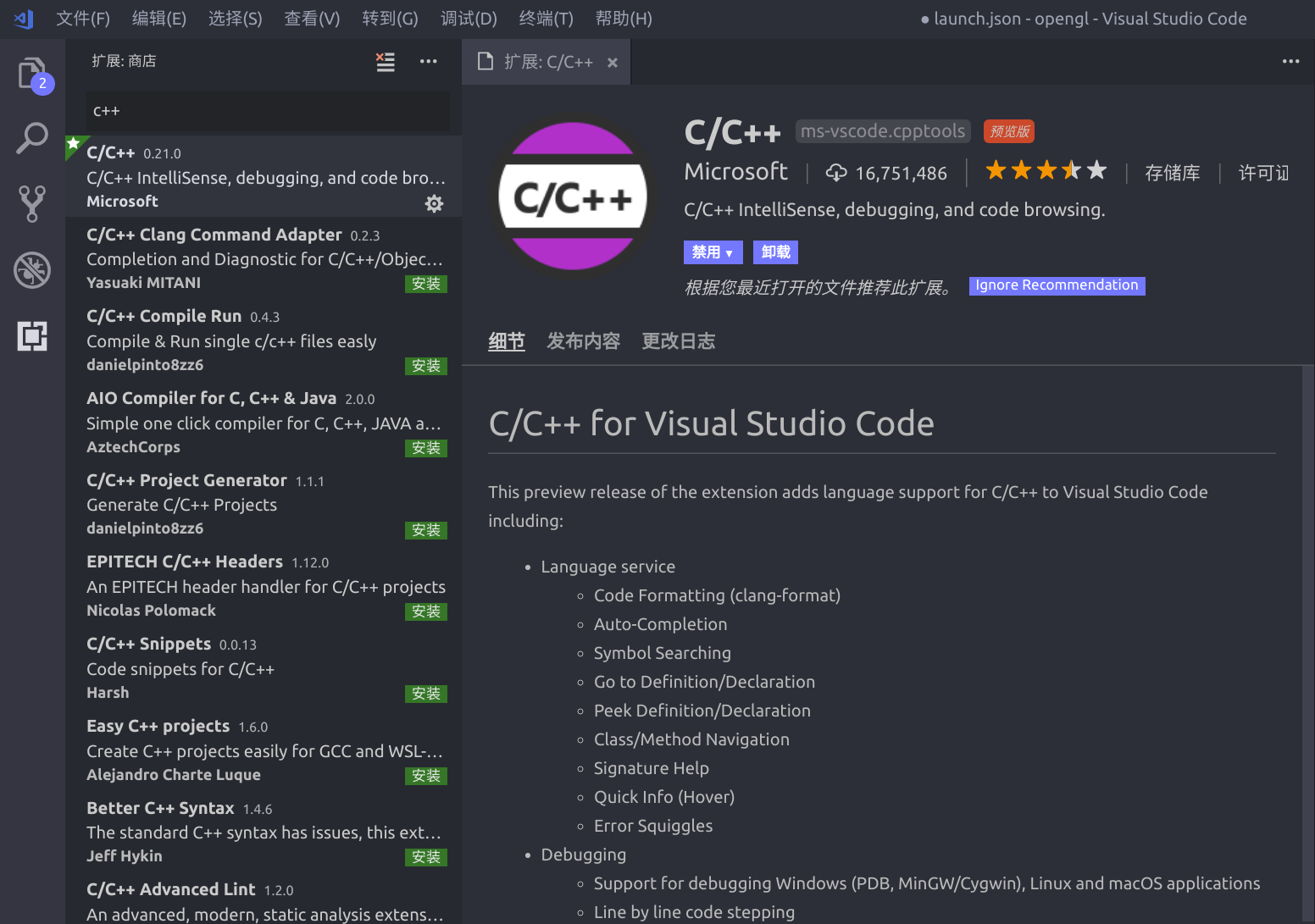
生成目录和文件
新建文件夹【test】,并新建文件helloworld.cpp文件,文件中内容如下,
#include <iostream>#include <string>using namespace std;int main(int argc, char const *argv[]){cout<< "hello world" << endl;return 0;}

配置c++ IntelliSense
使用F1,打开命令选项,输入C/C++,选择C/C++:Edit configuration,生成c_cpp_properties.json配置文件。
{"configurations": [{"name": "Linux","includePath": ["${workspaceFolder}/**"],"defines": [],"compilerPath": "/usr/bin/gcc","cStandard": "c11","cppStandard": "c++17","intelliSenseMode": "clang-x64"}],"version": 4}
其中最主要为”includePath”的引用和库的路径,根据引用内容进行配置。
launch
在debug界面中选择添加配置,然后选择才c++(gdb/lgdb)选项,生成launch.json 顾名思义此文件主要服务于调试时的加载控制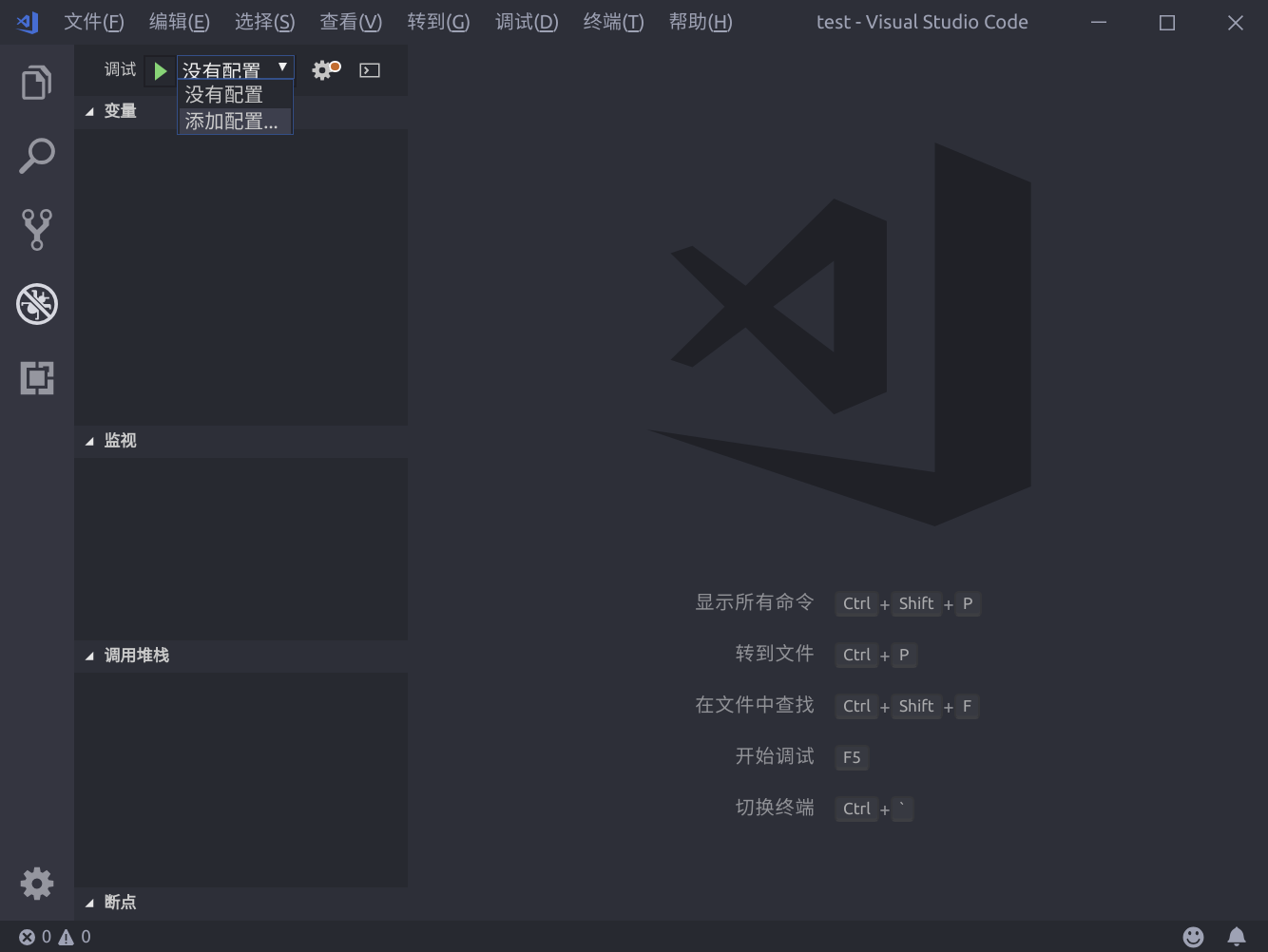
{"version": "0.2.0","configurations": [{"name": "(gdb) Launch","type": "cppdbg","request": "launch","program": "${workspaceFolder}/helloworld","args": [],"stopAtEntry": false,"cwd": "${workspaceFolder}","environment": [],"externalConsole": true,"MIMode": "gdb","preLaunchTask": "build","setupCommands": [{"description": "Enable pretty-printing for gdb","text": "-enable-pretty-printing","ignoreFailures": true}]}]}
需要注意的参数为”program”,此为需要调试的目标文件,应当设置为编译输出的文件位置;其次需要添加”preLaunchTask”,此项的名字应与下面所建的tasks.json中的任务名称一致。
tasks.json
在命令窗口中输入task,选择task: configure task选项生成tasks.json文件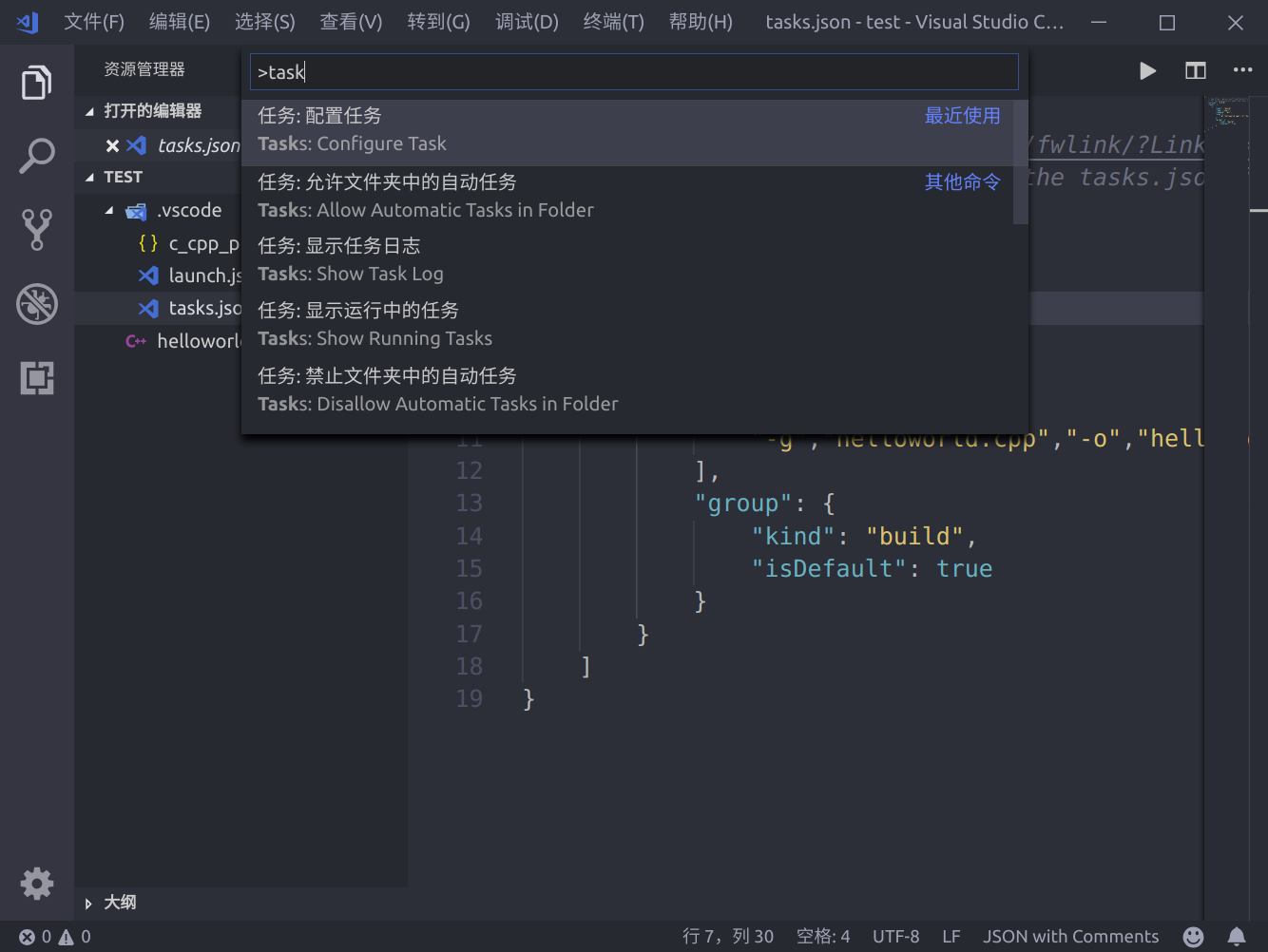
{"version": "2.0.0","tasks": [{"label": "build","type": "shell","command": "g++","args":["-g","helloworld.cpp","-o","helloworld"],"group": {"kind": "build","isDefault": true}}]}
注意launch.json中的”preLaunchTask”调用与“label”相同的task。
开始调试
按下F5开始调试吧,一切就是这么简单,开始美好的旅程。

若有收获,就点个赞吧
0 人点赞


