在ASMCodeGenerator.class中的getResult方法,会获得bytes数组,最终会根据这个字节数组生成class类,想要知道AS生成的字节码文件,就需要拦截下这个bytes数组
/** (non-Javadoc)** @see com.googlecode.aviator.code.CodeGenerator#getResult()*/@Overridepublic Expression getResult(final boolean unboxObject) {end(unboxObject);//打断点调试这个方法,查看到bytes数组byte[] bytes = this.classWriter.toByteArray();try {Class<?> defineClass =ClassDefiner.defineClass(this.className, Expression.class, bytes, this.classLoader);Constructor<?> constructor =defineClass.getConstructor(AviatorEvaluatorInstance.class, List.class, SymbolTable.class);ClassExpression exp = (ClassExpression) constructor.newInstance(this.instance,new ArrayList<String>(this.varTokens.keySet()), this.symbolTable);exp.setLambdaBootstraps(this.lambdaBootstraps);exp.setFuncsArgs(this.funcsArgs);return exp;} catch (ExpressionRuntimeException e) {throw e;} catch (Throwable e) {if (e.getCause() instanceof ExpressionRuntimeException) {throw (ExpressionRuntimeException) e.getCause();}throw new CompileExpressionErrorException("define class error", e);}}
找到调试中界面中的bytes数组,点击这个计算器模样的图标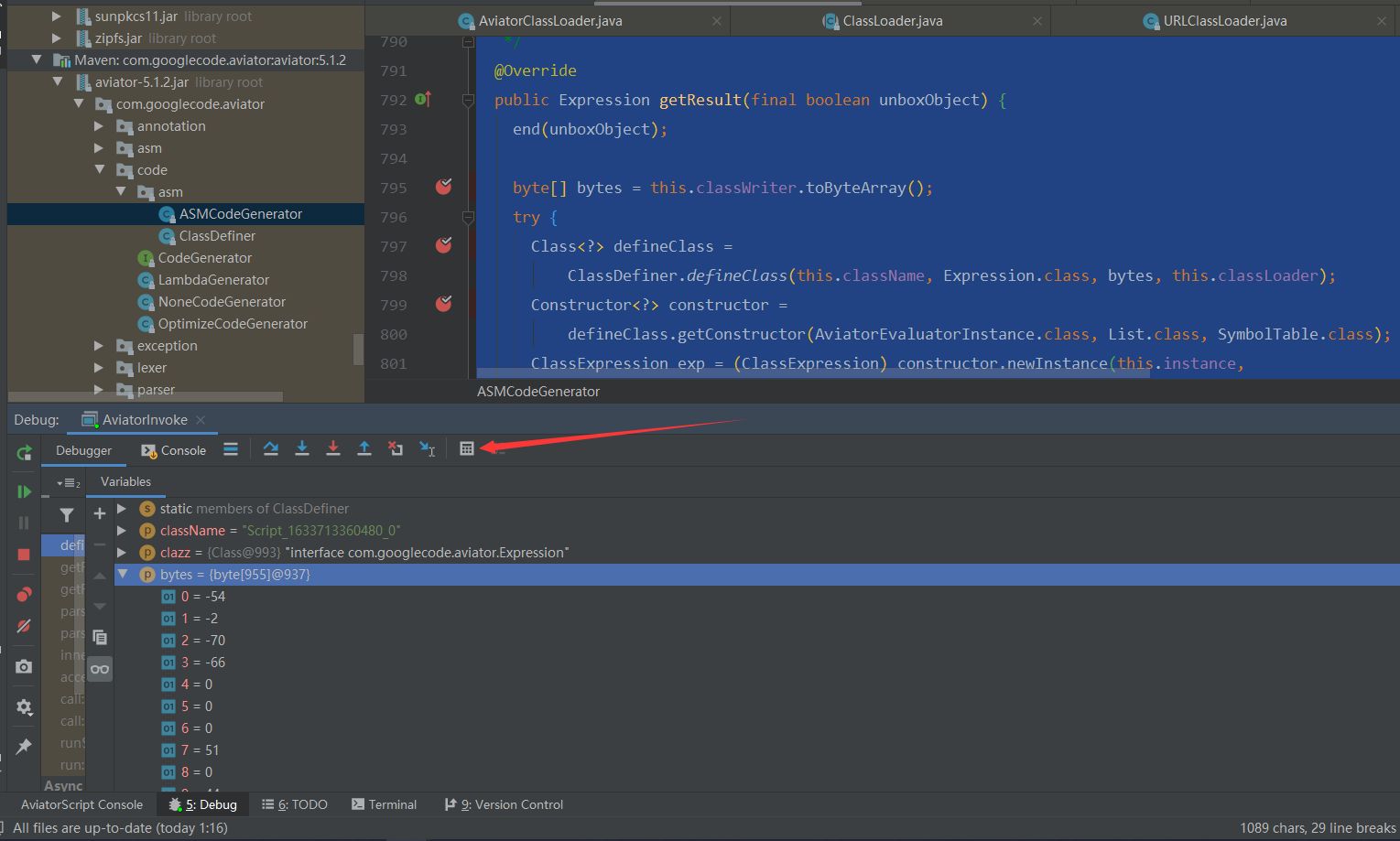
在该界面编写代码将字节数组打印出来,点击Evaluate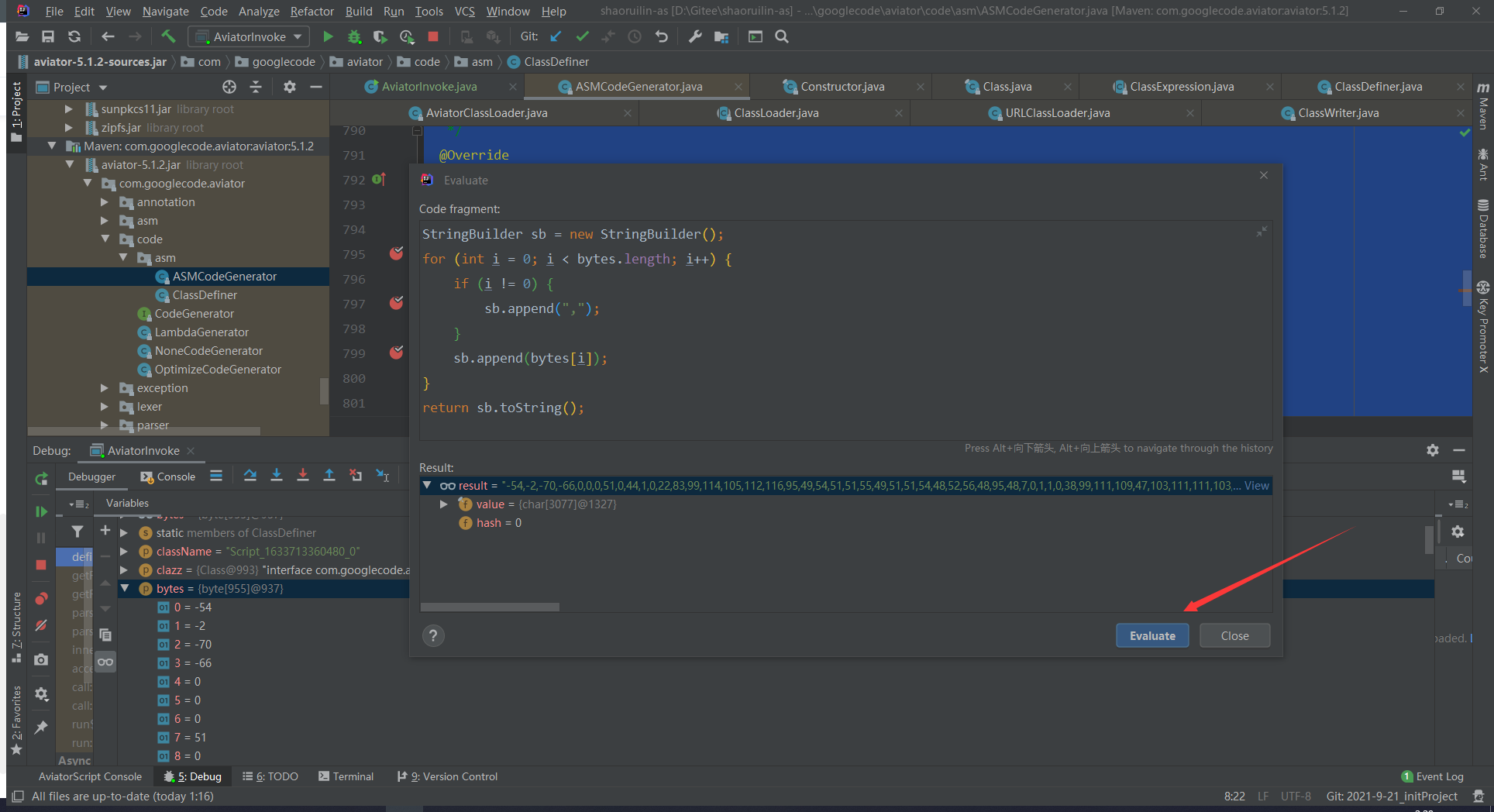
代码如下:
StringBuilder sb = new StringBuilder();for (int i = 0; i < bytes.length; i++) {if (i != 0) {sb.append(",");}sb.append(bytes[i]);}return sb.toString();
复制result中的结果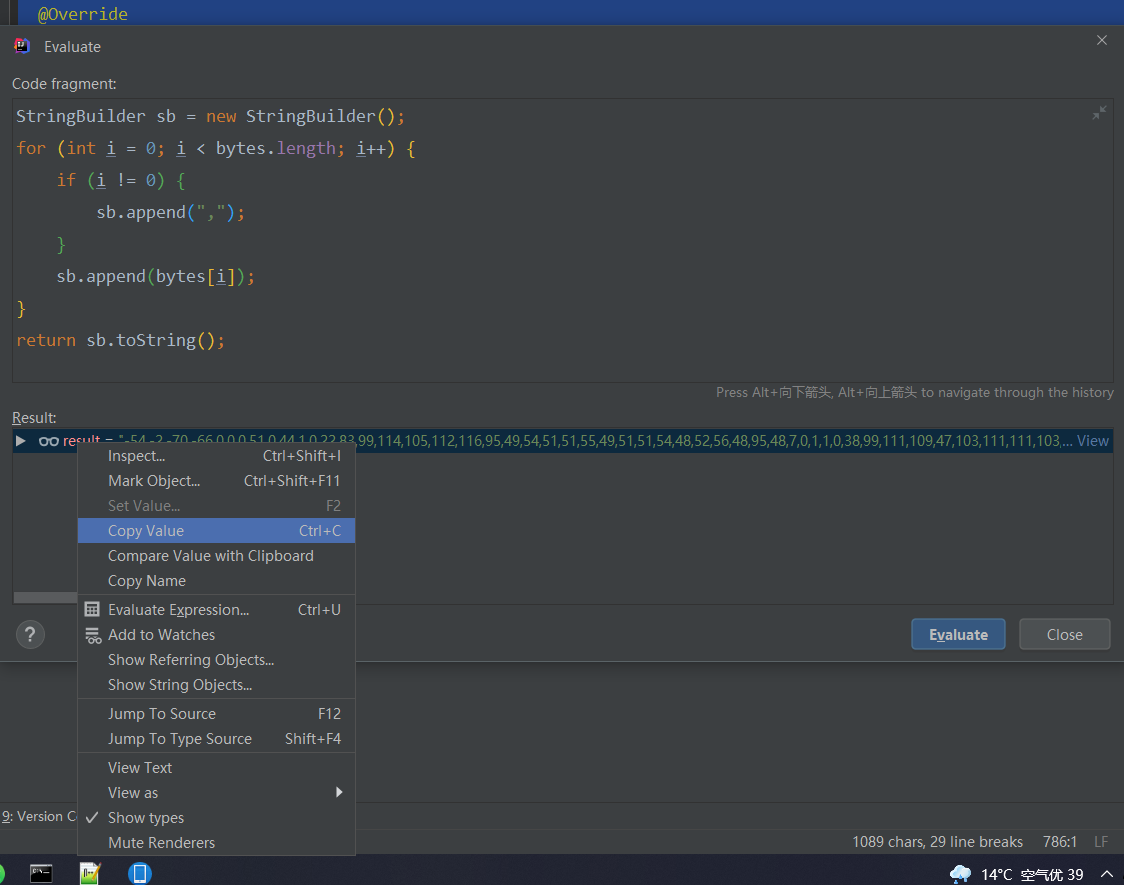
编写代码将字节数组输出为文件,文件的路径最好在该项目的resource目录下,然后将文件的后缀修改成.class文件,在idea中就可以查看该class文件的内容
/**** @param dirPath 文件夹路径名* @param fileName 文件名* @param data 字节数组*/private static void exportClazzToFile(String dirPath, String fileName, byte[] data) {try {File dir = new File(dirPath);if(!dir.isDirectory()) {dir.mkdirs();}File file = new File(dirPath + fileName);if (!file.exists()) {System.out.println(dirPath + fileName + " is not exist, creating...");file.createNewFile();}else {// String os = System.getProperty("os.name"); // 主要针对windows文件不区分大小写问题// if(os.toLowerCase().startsWith("win")){// // it's win// }try {int maxLoop = 9999;int renameSuffixId = 2;String[] cc = fileName.split("\\.");do {Long fileLen = file.length();byte[] fileContent = new byte[fileLen.intValue()];FileInputStream in = new FileInputStream(file);in.read(fileContent);in.close();if(!Arrays.equals(fileContent, data)) {fileName = cc[0] + "_" + renameSuffixId + "." + cc[1];file = new File(dirPath + fileName);if (!file.exists()) {System.out.println("new create file: " + dirPath + fileName);file.createNewFile();break;}}else {break;}renameSuffixId++;maxLoop--;} while (maxLoop > 0);}catch (Exception e) {System.err.println("exception in read class file..., path: " + dirPath + fileName);e.printStackTrace();}}FileOutputStream fos = new FileOutputStream(file);fos.write(data);fos.close();}catch (Exception e) {System.err.println("exception occur while export class.");e.printStackTrace();}}
之后可以通过反编译工具,将字节码生成Java文件
链接:https://blog.csdn.net/ezconn/article/details/115493551

若有收获,就点个赞吧
0 人点赞


