SpringBoot项目自定义注解实现拦截类及其内部方法
1.引入AOP依赖
<dependency><groupId>org.springframework.boot</groupId><artifactId>spring-boot-starter-aop</artifactId></dependency>
2.编写注解
import java.lang.annotation.*;/*** @ClassName: ApiAuth* @Description: 自定义注解* @Author: luzihao* @Email: 458243101@qq.com* @Date: 2020/9/22 16:33*/// 适用于类、方法@Target({ElementType.TYPE, ElementType.METHOD})// 注解不仅被保存到class文件中,jvm加载class文件之后,仍然存在@Retention(RetentionPolicy.RUNTIME)public @interface ApiAuth {}
@Target:说明注解所修饰的范围
- ElementType.TYPE:类
- ElementType.METHOD:方法
@Retention:说明注解的生命力
- RetentionPolicy.RUNTIME:运行时有效
3.编写拦截器
```java import org.aspectj.lang.JoinPoint; import org.aspectj.lang.annotation.Aspect; import org.aspectj.lang.annotation.Before; import org.aspectj.lang.annotation.Pointcut; import org.slf4j.Logger; import org.slf4j.LoggerFactory; import org.springframework.stereotype.Component;
/**
- @ClassName: ApiAuthAspect
- @Description: 自定义拦截器
- @Author: luzihao
- @Email: 458243101@qq.com
@Date: 2020/9/23 9:53 */ @Aspect @Component public class ApiAuthAspect {
//切点 @Pointcut(“@annotation(com.你的注解路径.annotation.ApiAuth) || @within(com.你的注解路径.annotation.ApiAuth)”) public void cut() {}
//前置 @Before(“cut()”) public void beforePointcut(JoinPoint joinPoint) {
System.out.println(joinPoint.getArgs()[0]); //所有参数,这里输出第一个System.out.println(joinPoint.getSignature()); //拦截到的方法信息System.out.println(joinPoint.getTarget()); //被代理对象System.out.println(joinPoint.getThis()); //代理对象
}
//后置 @After(“cut()”) public void afterPointcut(JoinPoint joinPoint) {}
//环绕 @Around(“cut()”) public void aroundPointcut(JoinPoint joinPoint) {}
//返回之后 @AfterReturning(“cut()”) public void afterReturningPointcut(JoinPoint joinPoint) {}
//报错时 @AfterThrowing(“cut()”) public void afterThrowingPointcut(JoinPoint joinPoint) {} } ``` @Aspect:标注当前类为切面容器
4.使用
- 编写测试Controller ```java import com.你的注解路径.annotation.ApiAuth; import org.springframework.stereotype.Controller; import org.springframework.web.bind.annotation.GetMapping; import org.springframework.web.bind.annotation.RequestBody; import org.springframework.web.bind.annotation.RequestMapping; import java.util.Map;
//用于测试注解 @ApiAuth //可直接在类上使用,亦可在方法上 @Controller @RequestMapping(“/test”) public class TestController {
@GetMappingpublic String test(String s) {return "hello";}
}
- 浏览器访问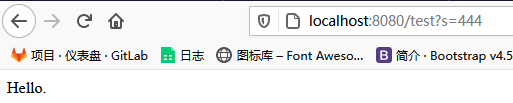- 控制台输出
444 String com.test.controller.TestController.test(String) com.test.controller.TestController@44b58a5e com.test.controller.TestController@44b58a5e ```

若有收获,就点个赞吧
0 人点赞


