
1.安装vscode
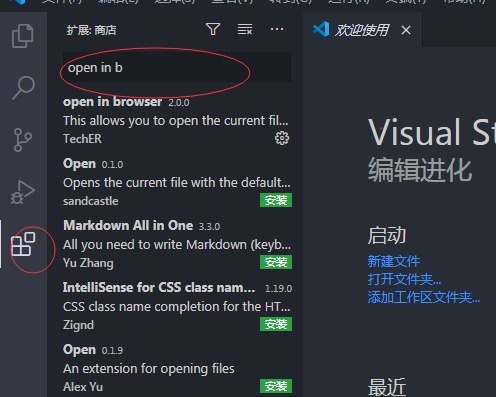
安装对应插件open in browserPath IntellisenseAuto Close TagLive Servercss peekHTML CSS SupportAuto Rename TagColor HighlightBeautify//文件图标主题vscode-icons//颜色主题Atom One Dark ThemeOne Dark Pro
2.安装极速pdf ,Typora,看图王
3.推荐安装的google插件
Momentum,Fireshot,pageRuler,colorZilla,草料,adblock,JSONView
4.npm的配置
4-1 cnpm 安装
npm install -g cnpm --registry=https://registry.npm.taobao.org
4-2 npm安装
npm config set registry https://registry.npm.taobao.org --globalnpm config set disturl https://npm.taobao.org/dist --global
4-3 yarn
npm i yarn -gyarn config set registry https://registry.npm.taobao.org

若有收获,就点个赞吧
0 人点赞


