- 开发环境:linux 18.04
- vs code;- 参考连接[https://blog.csdn.net/weixin_49199646/article/details/108949425](https://blog.csdn.net/weixin_49199646/article/details/108949425)- 官网下载软件,加压,在当前目录下执行在安装路径对应的终端,输入以下命令:
sudo dpkg -i code_1.49.3-1601661857_amd64.deb
- GCC;GDB;CMake
1、开发环境搭建
安装编辑器、调试器
- 安装gcc , GDB
sudo apt update 更新
sudo apt install build-essential gdb
- 安装确认
gcc —version
g++ —version
gdb —version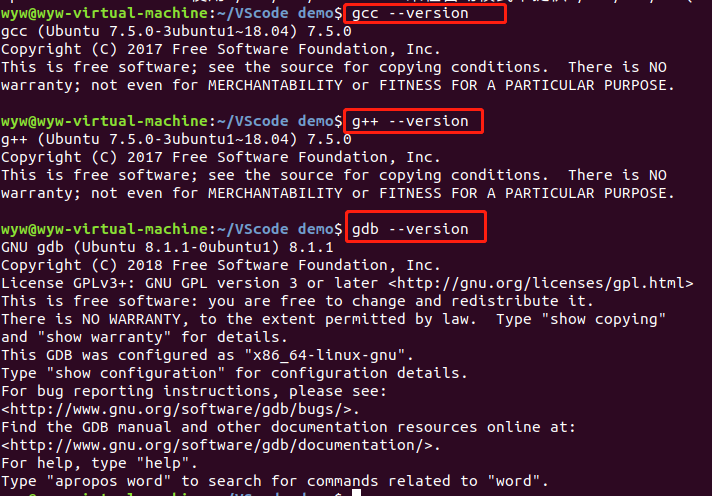
Cmake安装

2、GCC编译器
vscode通过调用gcc来实现c/c++的编译工作;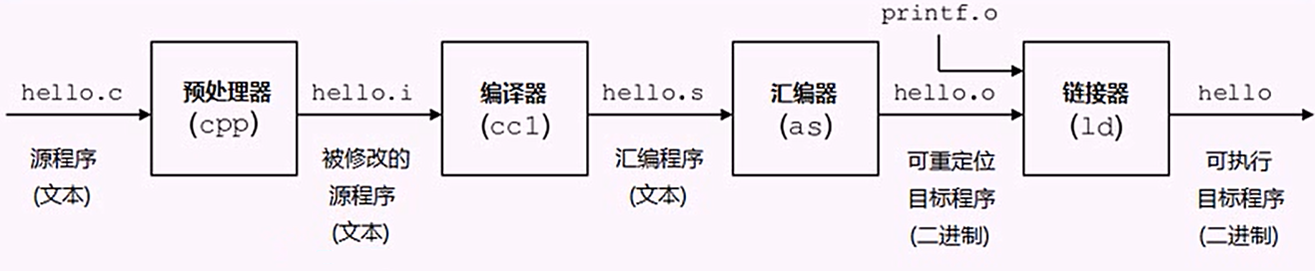
实际使用中:
g++ -E test.cpp -o test.i
- 编译 .s文件
g++ -S test.i -o test.s
- 汇编 .o文件
g++ -c test.s -o test.o
- 链接 bin文件 可执行文件

3、g++的编译参数
-g 编译带调试信息的可执行文件
g++ -g test.cpp -o test
2. -O[n] 优化源代码 n常为0-3
g++ -O2 test.cpp -o test
time ./test 查看运行时间
3. -l 指定链接的库文件;-L 指定库文件路径
如:g++ -lglop test.cpp 链接glop库
-I 指定头文件搜索目录
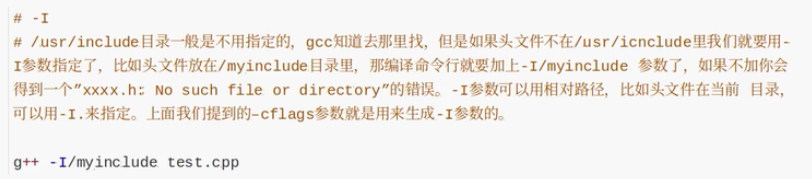
g++ -I/头文件夹名称
- -Wall 打印警告信息
g++ -Wall test.cpp
- -w 关闭警告信息
g++ -w test.cpp
- -std=c++11 设置编译标准
g++ -std=c++11 test.cpp
- -o 指定输出文件名
g++ test.cpp -o test
- -D 定义了DEBUG宏
编译
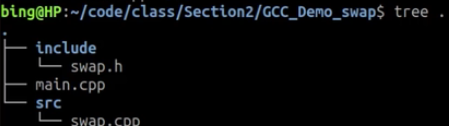
简单编译
g++ main.cpp src/swap.cpp -Iinclude -o test
带参数编译
g++ mian.cpp src/swap.cpp -Iinclude -Wall -std=c++11 -o test
生成库文件并编译
链接静态库生成可执行文件: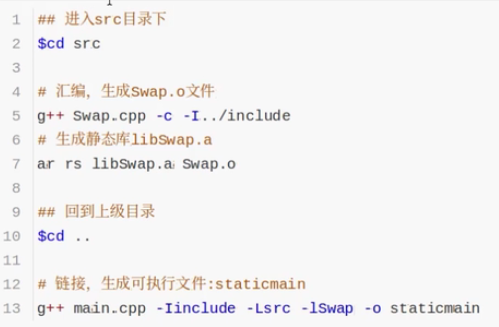
g++ test.cpp -c 汇编,生成test.o文件
ar rs libtest.a test.o 生成静态库libtest.a
g++ test.cpp -Ltest -o statictest
链接动态库生成可执行文件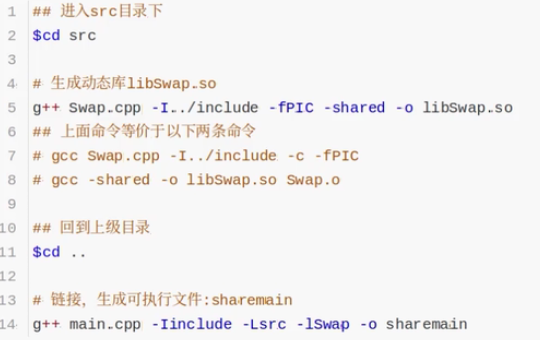
g++ test.cpp -c -fPIC
g++ -shared -o libtest.so test.o 生成动态库libtest.so
编译后的目录结构
运行静态库生成的可执行文件:
./staticmain
运行动态库生成的可执行文件:
LD_LIBRARY_PATH=src ./sharemain
4、GDB调试器
跟踪程序中的错误;
vscode通过调用GDB调试器来实现c/c++的调试工作;
gdb功能:断点、单步执行、变量值变化、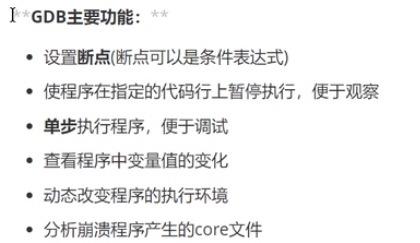
常用调试命令参数
生成可以调试的可执行文件:g++ -g test.cpp -o test
调试开始,执行gdb [可执行文件名] 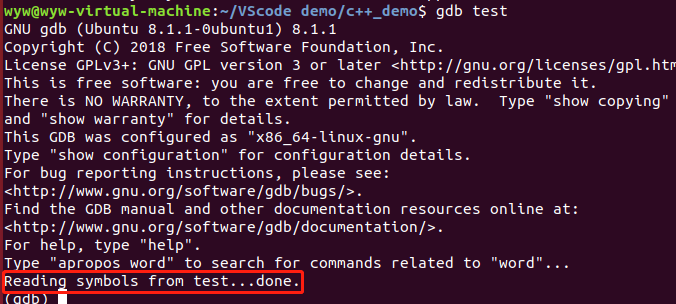
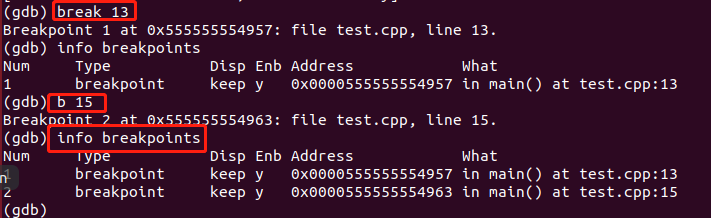
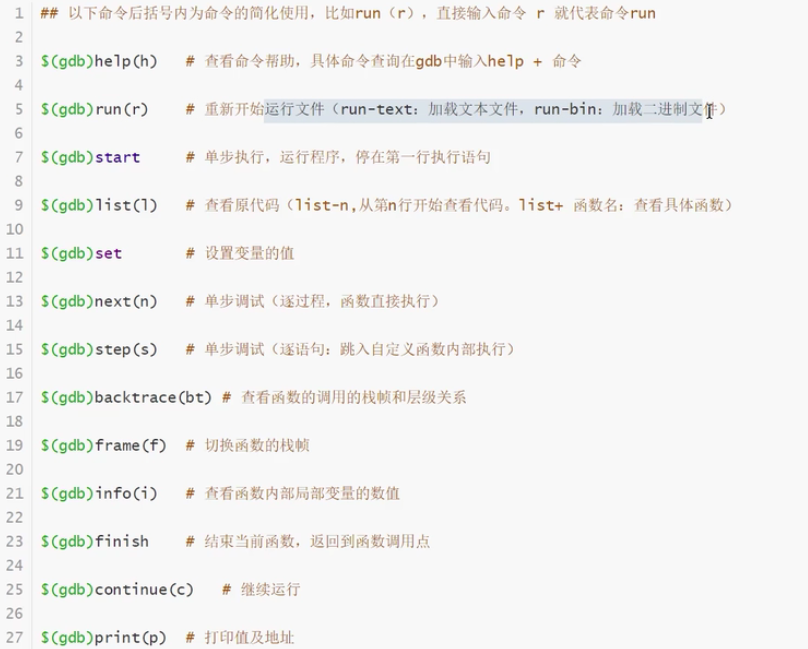
退出gdb调试,quit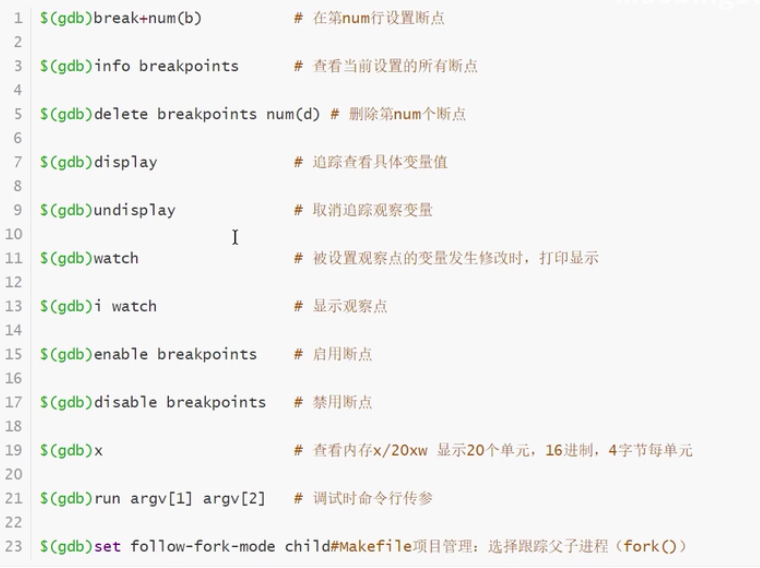
VSCode IDE

若有收获,就点个赞吧
0 人点赞


