1.使用跳板机连接远程机器
ssh lxc -p 22 -o ProxyCommand='ssh -p 22 ubuntu@hongkong.liuwenwen.net -W %h:%p'
2.保持SSH连接的稳定性客户端配置
Host *ServerAliveInterval 30ServerAliveCountMax 200TCPKeepAlive yes
3.ssh强制使用密码
ssh -o PreferredAuthentications=password -o PubkeyAuthentication=no example.com
4.sshfs挂载和卸载
(base) ubuntu@debian:~$ sshfs user@shenzhen.liuwenwen.net:/ /home/ubuntu/Pictures/shenzhen/ -p 2424user@shenzhen.liuwenwen.nets password:(base) ubuntu@debian:~$ fusermount -u /home/ubuntu/Pictures/shenzhen
5.ssh服务端缺失密钥
sshd: no hostkeys available — exiting
解决过程:
ssh-keygen -t dsa -f /etc/ssh/ssh_host_dsa_keyssh-keygen -t rsa -f /etc/ssh/ssh_host_rsa_key
6.ssh计算指纹
ssh-keygen -E sha256 -lf id_rsa
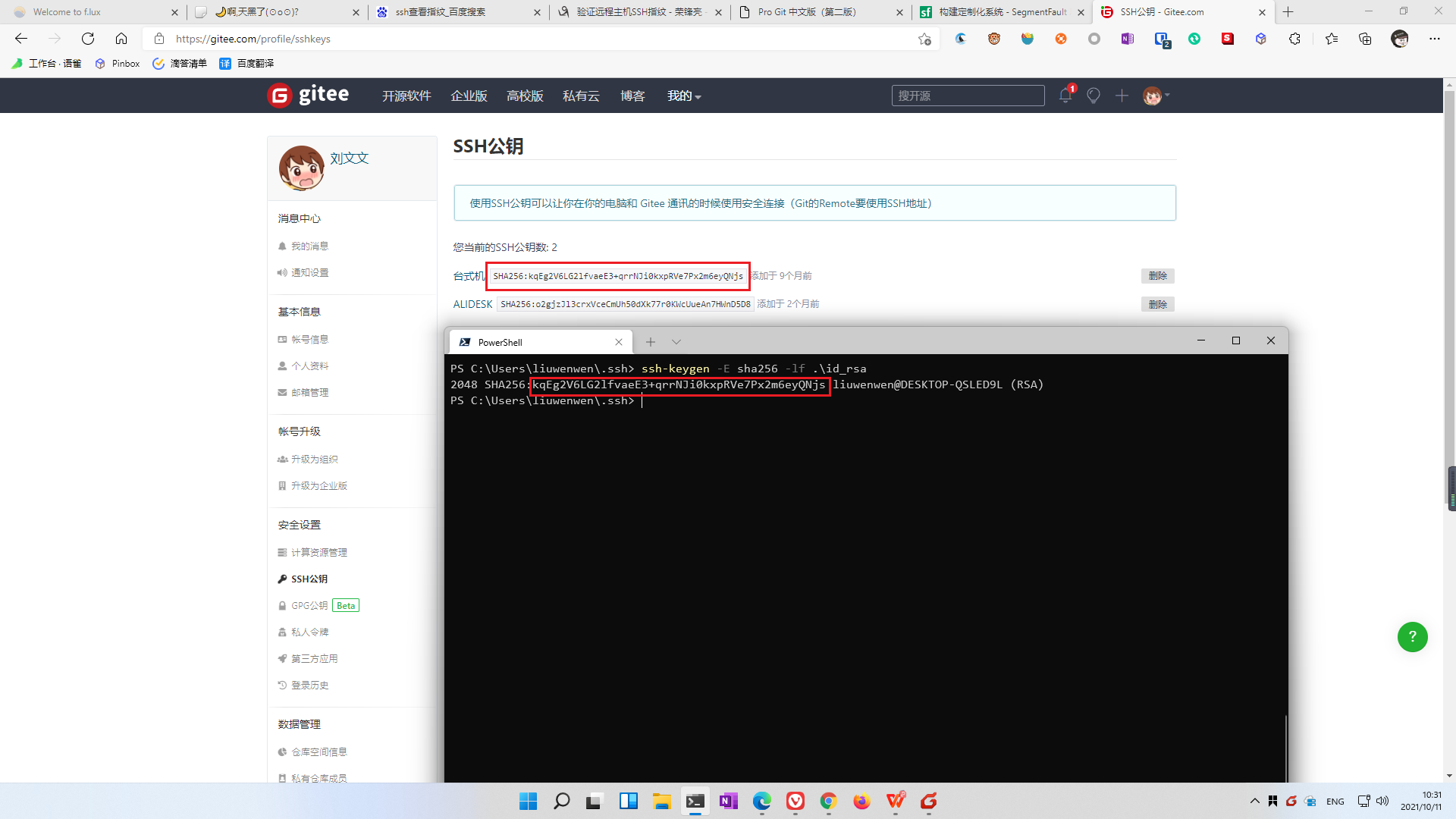
原理:
cat .ssh/id_rsa.pub |awk '{ print $2 }' | # Only the actual key data without prefix or commentsbase64 -d | # decode as base64sha256sum | # SHA256 hash (returns hex)awk '{ print $1 }' | # only the hex dataxxd -r -p | # hex to bytesbase64 # encode as base64

若有收获,就点个赞吧
0 人点赞


