CSP使用confluent schema registry管理schema,详细信息参考文档:https://docs.confluent.io/platform/current/schema-registry/index.html
本教程将演示如何使用CSP schema registry的相关功能
准备工作
前提
- 请确保您已经购买CSP集群并获取相关的访问权限
- 准备访问集群需要的证书truststore
- 确保安装Java 1.8 or 1.11环境
-
客户端环境设置
安装maven example示例代码,并使用examples/clients/avro作为演示的项目路径
git clone https://github.com/confluentinc/examples.git#使用该路径下的maven项目进行演示cd examples/clients/avrogit checkout 6.2.0-post
创建客户端配置文件
在$HOME/.confluent/java.config配置文件中,配置如下配置项
bootstrap.servers=<your broker access address>
security.protocol=SASL_SSL
#your user should have the authority to access the topic
sasl.jaas.config=org.apache.kafka.common.security.plain.PlainLoginModule required username='<user>' password='<secret>';
sasl.mechanism=PLAIN
ssl.truststore.location=<your truststore,e.g.:truststore.jks>
ssl.truststore.password=<your truststore password>
schema.registry.url=<your schema registry access address>
schema.registry.ssl.truststore.location=<your truststore,e.g.:truststore.jks>
schema.registry.ssl.truststore.password=<your truststore password>
basic.auth.credentials.source=USER_INFO
#your user should have the authority to access the schema registry
basic.auth.user.info=<user>:<user-secret>
使用Schema Registry
创建TOPIC
使用Control Center创建创建Topic transactions
- 登录Control Center,进入集群
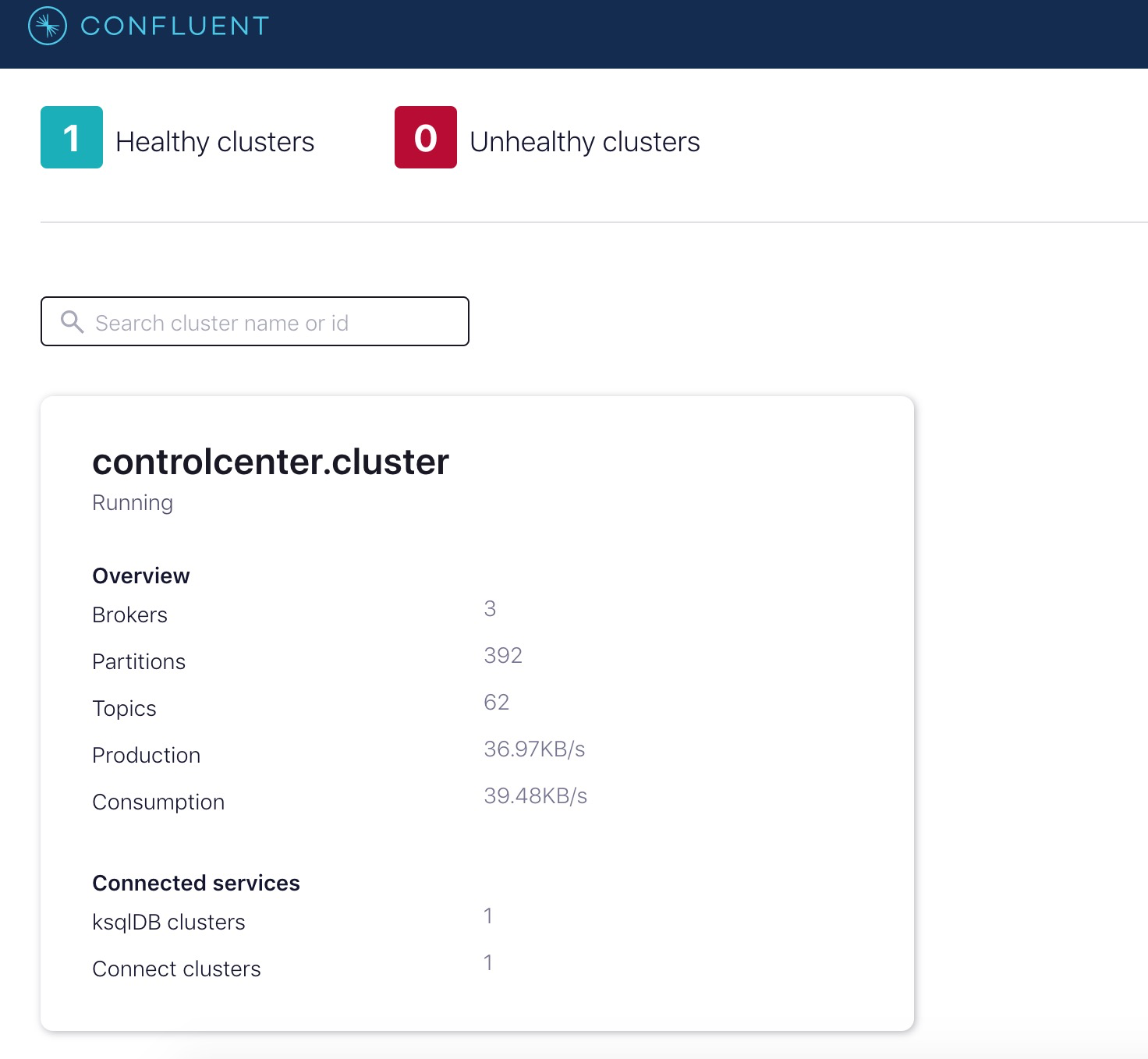
- 选择Topics,选择“Add a topic”

- 使用默认配置创建transactions演示用的topic

- 修改confluent.value.schema.validation=true,使得生产消费记录使用schema验证
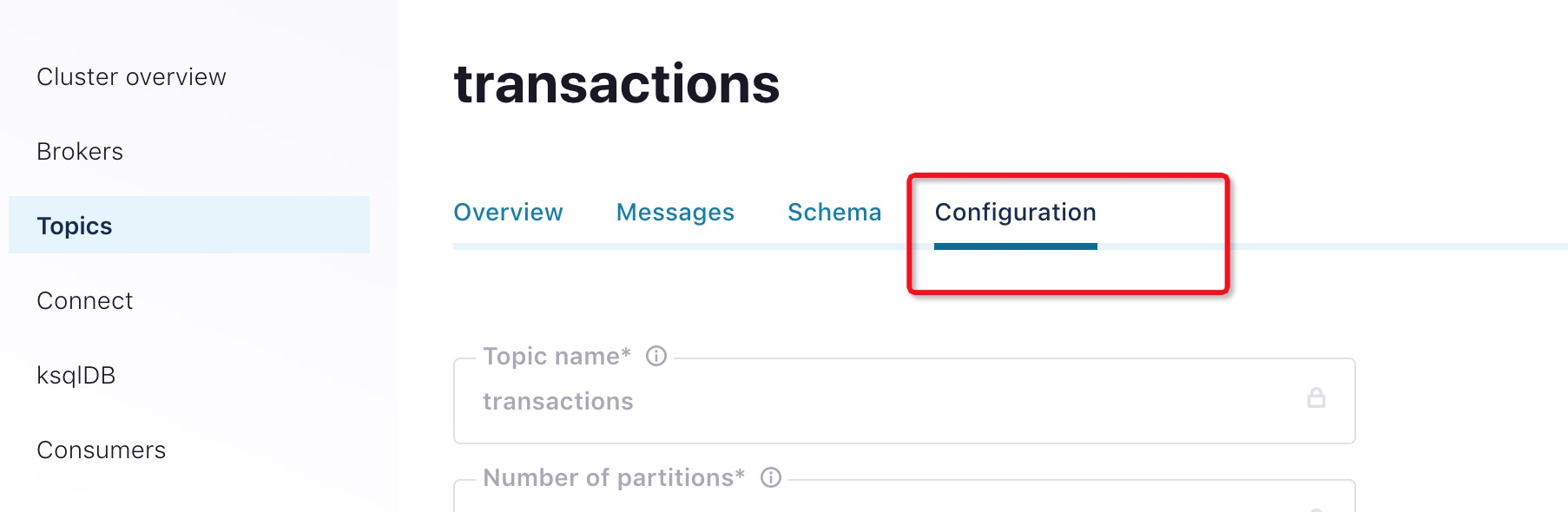
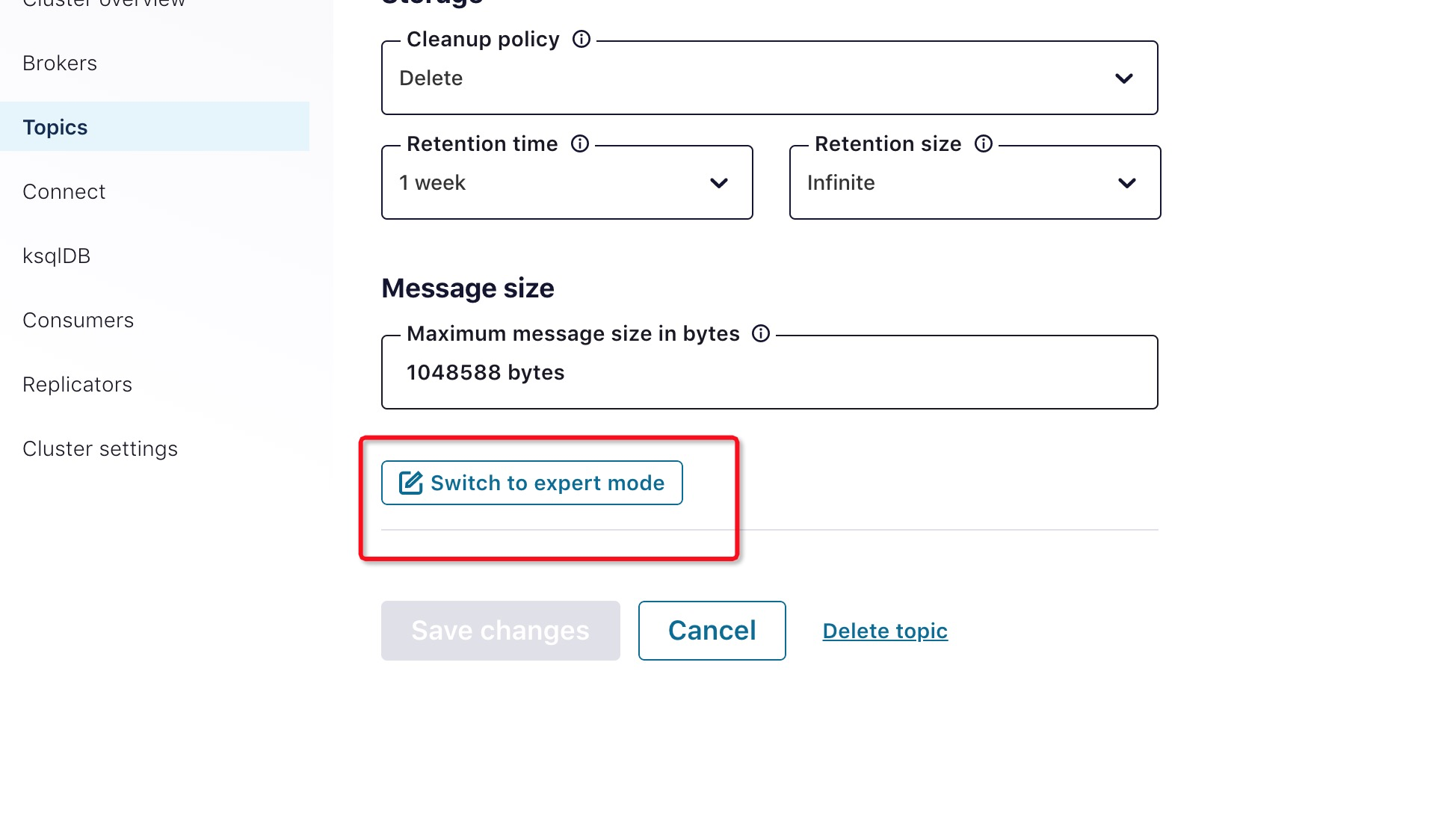
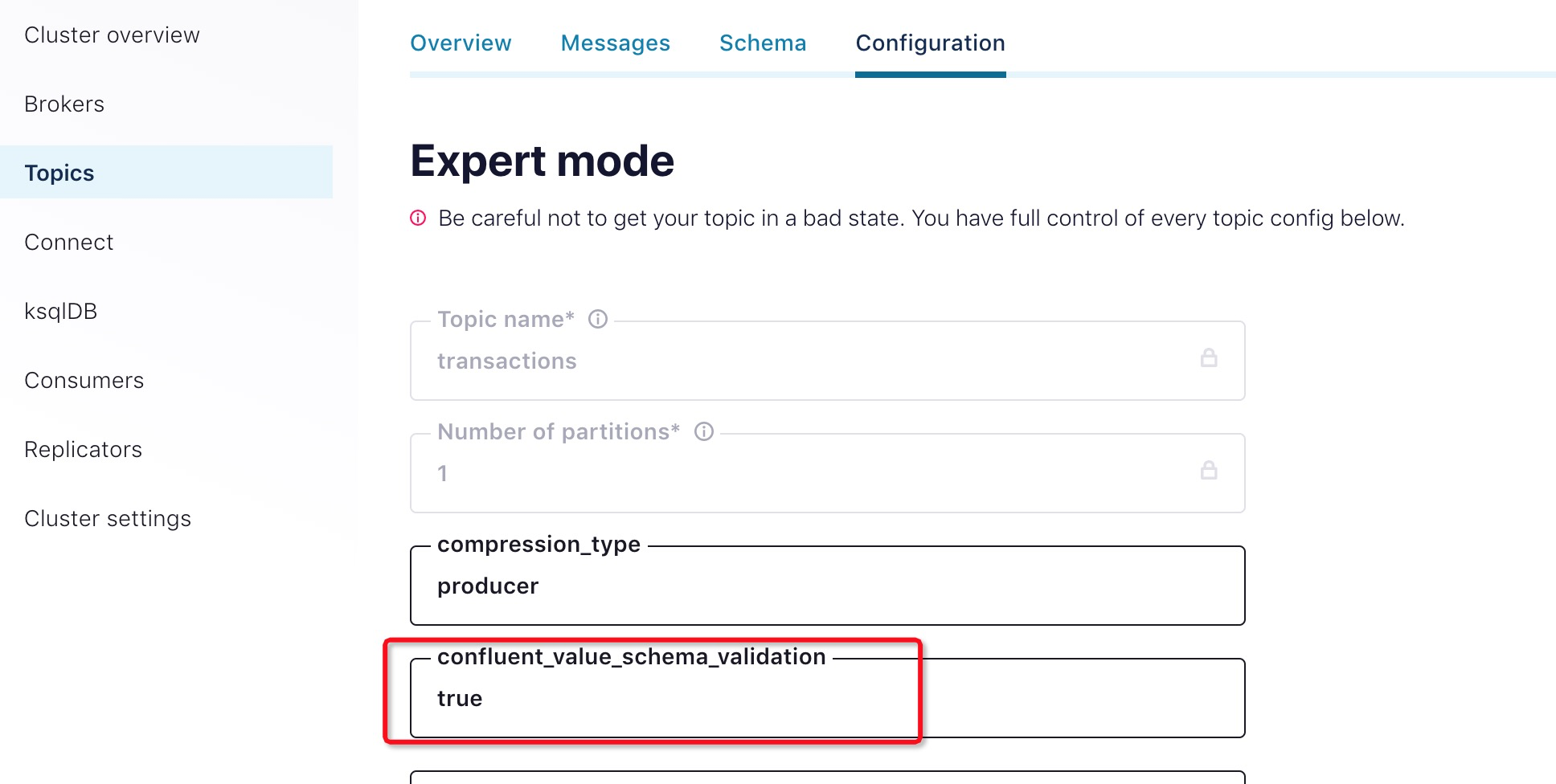
定义Schema
为transactions添加value schema。kafka producer和comsumer group根据定义好的schema写入数据以及读出数据。
使用cat命令查看maven example项目如下路径的文件内容,我们将使用此avro格式创建schema
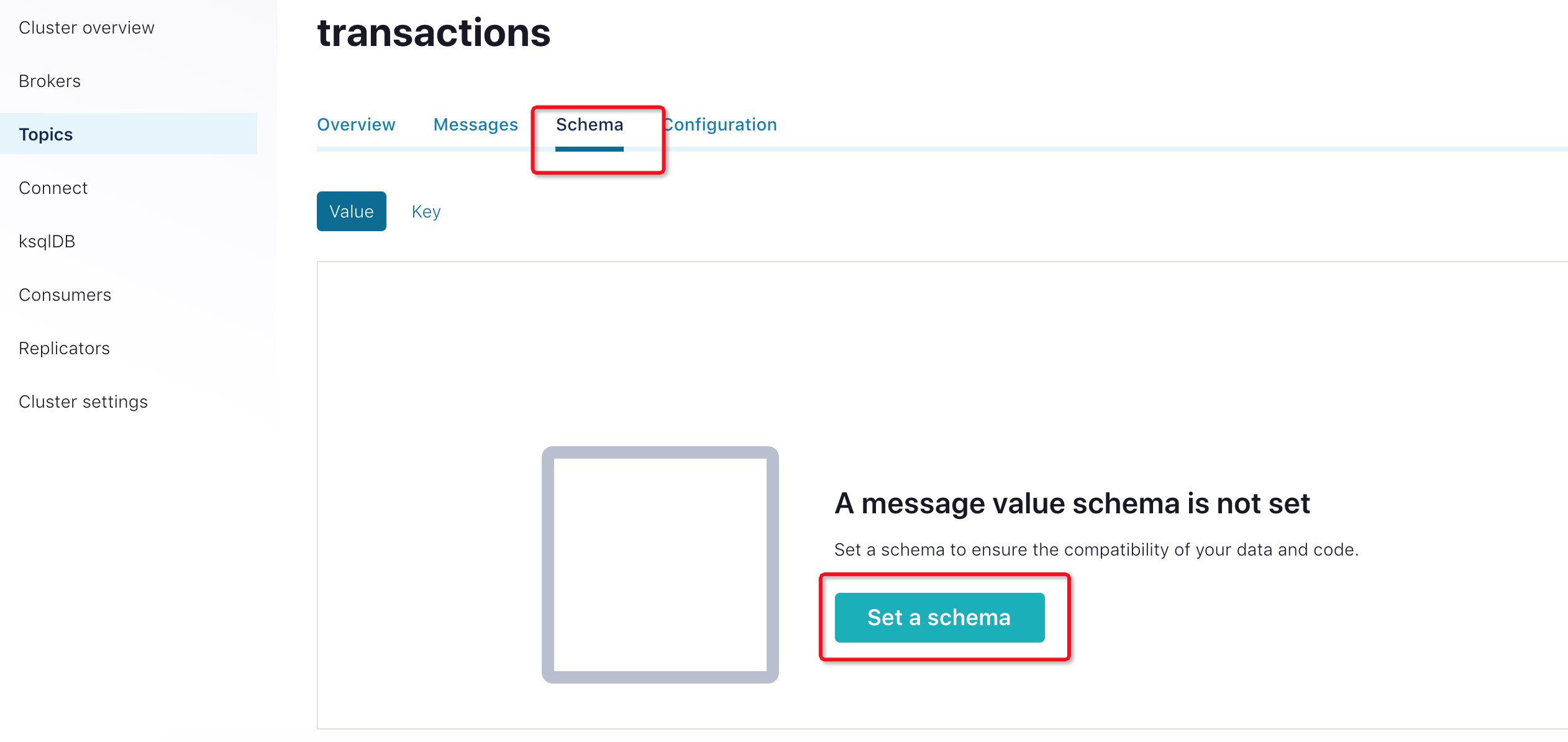
cat src/main/resources/avro/io/confluent/examples/clients/basicavro/Payment.avsc点击“Set a schema”按钮
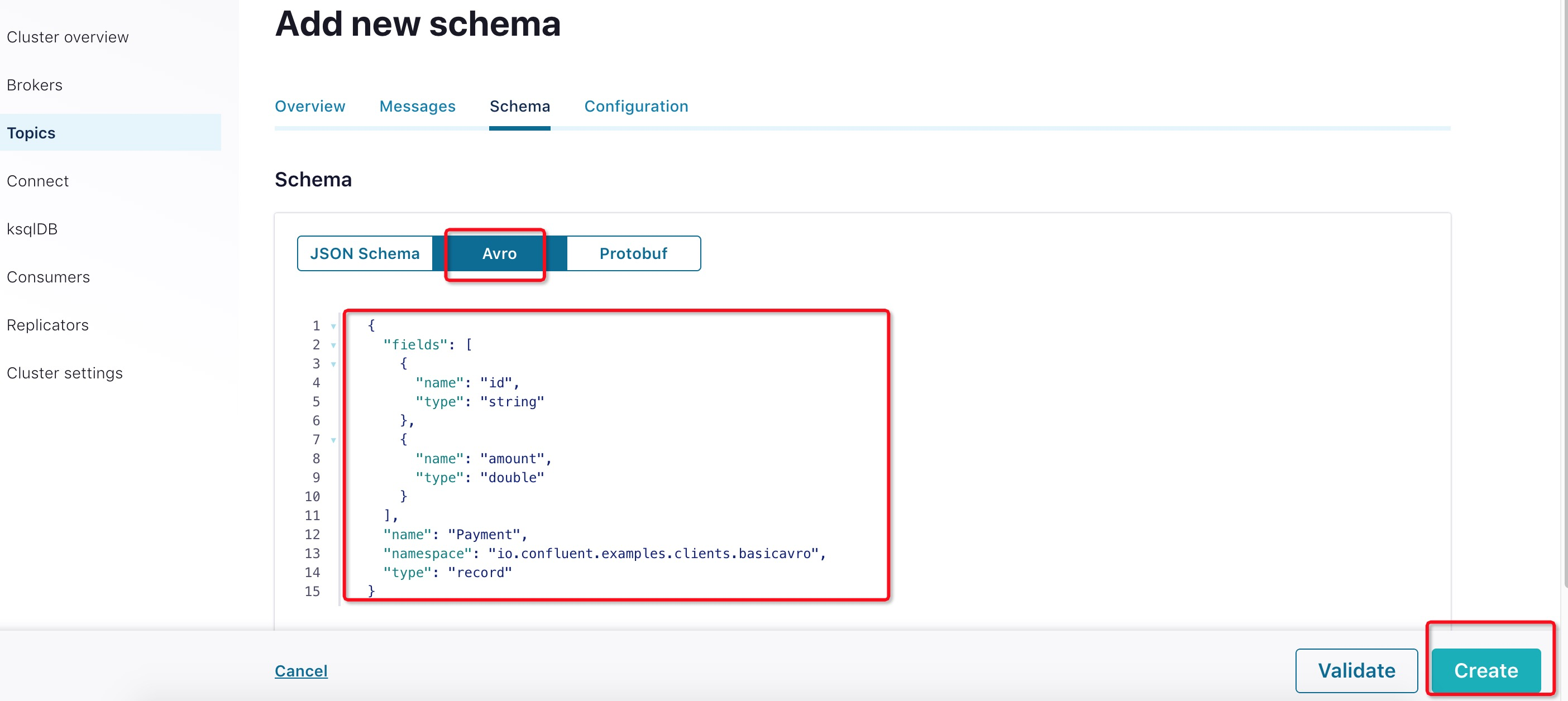
选择Avro格式,将文本填入文本框,点击“Create”按钮
{
"namespace": "io.confluent.examples.clients.basicavro",
"type": "record",
"name": "Payment",
"fields": [
   {"name": "id", "type": "string"},
   {"name": "amount", "type": "double"}
]
}
Client程序
Maven
本教程使用 Maven 来配置项目和依赖项。maven pom.xml文件配置如下:
Confluent Maven repository
- Confluent Maven plugin repository
- Dependencies org.apache.avro.avro and io.confluent.kafka-avro-serializer to serialize data as Avro
- Plugin avro-maven-plugin to generate Java class files from the source schema
- Plugin kafka-schema-registry-maven-plugin to check compatibility of evolving schemas
完整的pom.xml示例,请参考这里 pom.xml.
配置Avro
使用Avro数据和Schema Registry的Kafka应用程序至少需要指定两个配置参数:
- Avro serializer or deserializer
- Properties to connect to Schema Registry
本教程中的example演示了如何使用特定Payment类来生成Avro消息。
Java Producer
在客户端应用程序中,需要配置相关的配置项来使用CSP kafka服务。具体的配置参考“客户端环境设置”章节。
Producer代码示例
构造生产者时,将消息值类配置为使用应用程序的代码生成Payment类。例如:
...
import io.confluent.kafka.serializers.KafkaAvroSerializer;
...
props.put(ProducerConfig.KEY_SERIALIZER_CLASS_CONFIG, StringSerializer.class);
props.put(ProducerConfig.VALUE_SERIALIZER_CLASS_CONFIG, KafkaAvroSerializer.class);
...
KafkaProducer<String, Payment> producer = new KafkaProducer<String, Payment>(props));
final Payment payment = new Payment(orderId, 1000.00d);
final ProducerRecord<String, Payment> record = new ProducerRecord<String, Payment>(TOPIC, payment.getId().toString(), payment);
producer.send(record);
...
因为pom.xml包含avro-maven-plugin,Payment类是在编译期间自动生成的。
有关完整的 Java 生产者示例,请参考the producer example。
运行Producer
在example的examples/clients/avro目录下,执行以下步骤:
编译项目
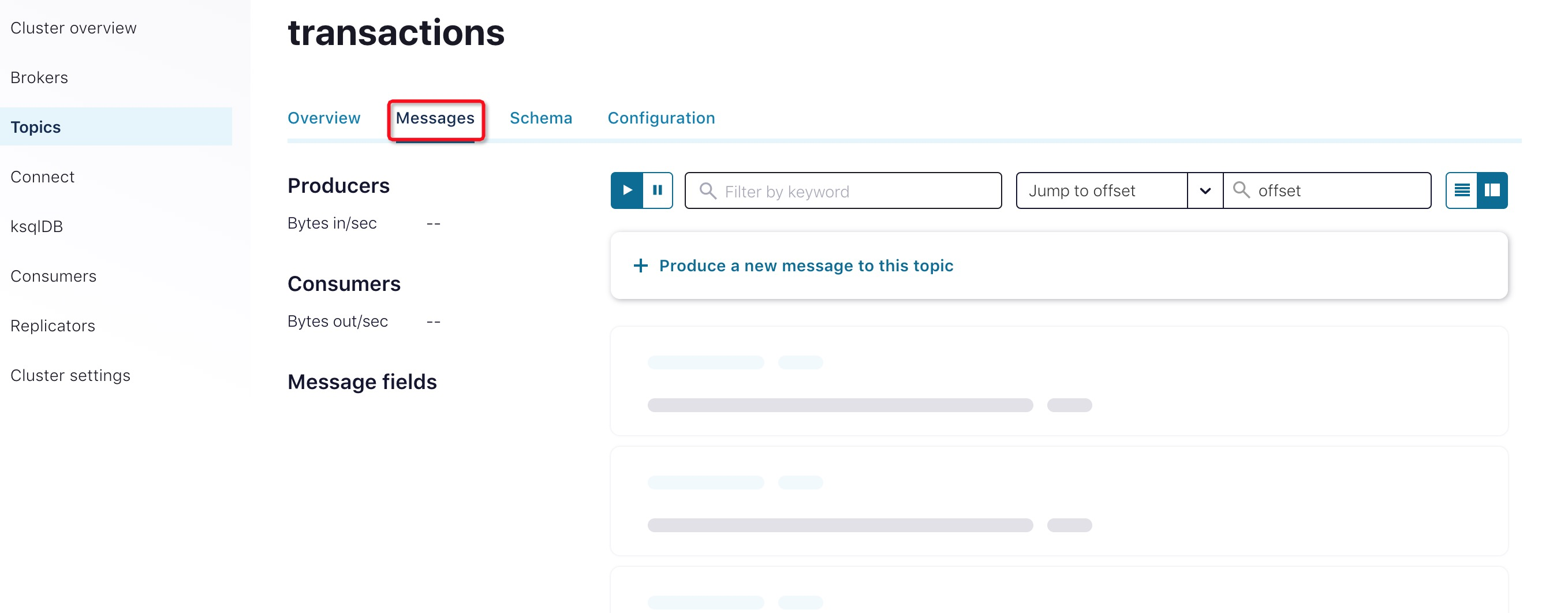
mvn clean compile package查看transactions topic的“Messages”页面。此时,应该没有消息记录
执行Producer代码
mvn exec:java -Dexec.mainClass=io.confluent.examples.clients.basicavro.ProducerExample \
-Dexec.args="$HOME/.confluent/java.config"
该命令使用了之前准备的客户端配置文件$HOME/.confluent/java.config。
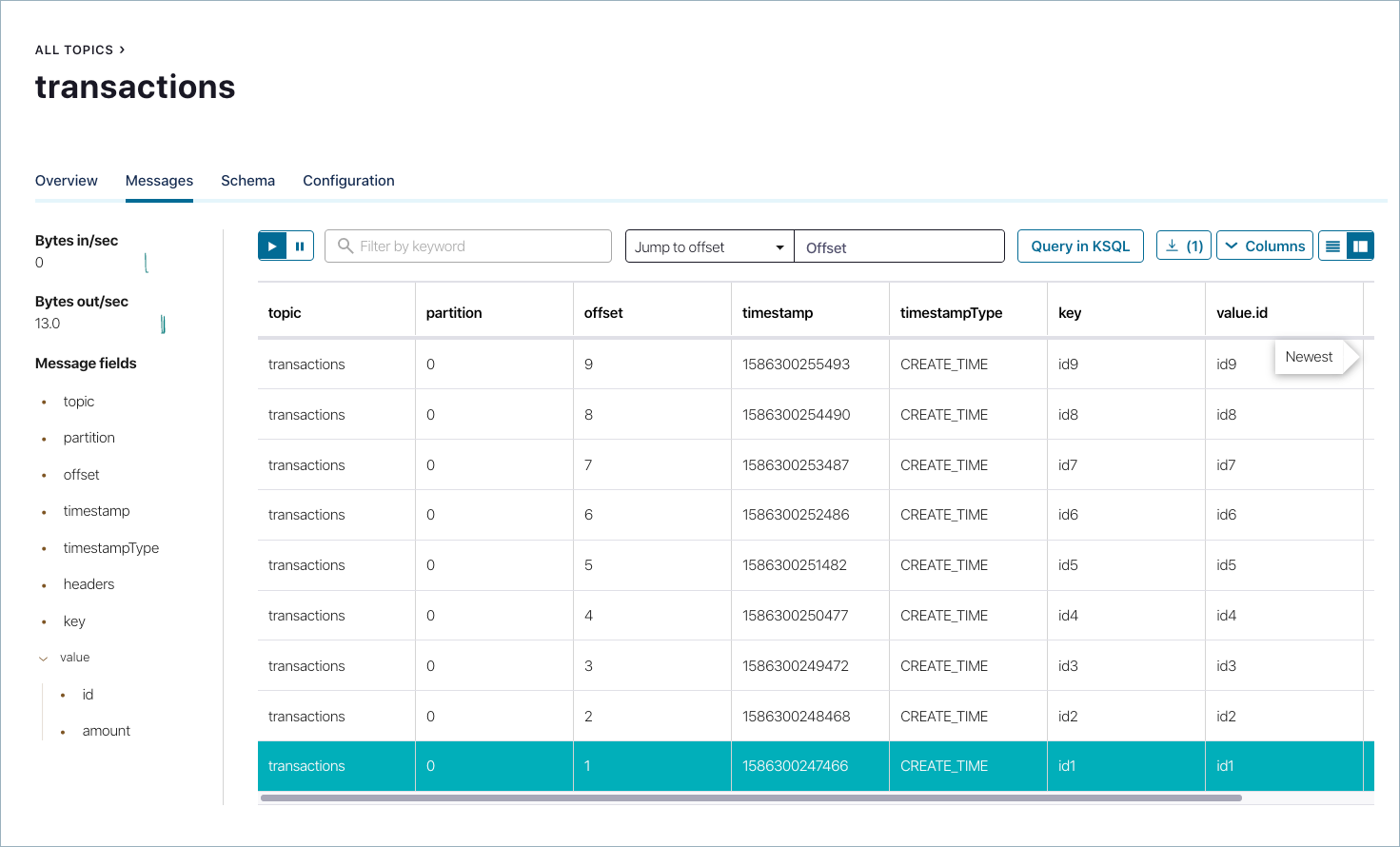
命令执行完后,输出如下结果:... Successfully produced 10 messages to a topic called transactions [INFO] ------------------------------------------------------------------------ [INFO] BUILD SUCCESS [INFO] ------------------------------------------------------------------------ ...查看结果。此时,您应该可以在Messages页面查看到上一步骤写入到消息
Java Consumer
Java Consumer根据客户端配置文件从Kafka服务端读取消息记录,并使用Avro deserializer反序列化消息记录。
Comsumer示例代码
...
import io.confluent.kafka.serializers.KafkaAvroDeserializer;
...
props.put(ConsumerConfig.KEY_DESERIALIZER_CLASS_CONFIG, StringDeserializer.class);
props.put(ConsumerConfig.VALUE_DESERIALIZER_CLASS_CONFIG, KafkaAvroDeserializer.class);
props.put(KafkaAvroDeserializerConfig.SPECIFIC_AVRO_READER_CONFIG, true);
...
KafkaConsumer<String, Payment> consumer = new KafkaConsumer<>(props));
consumer.subscribe(Collections.singletonList(TOPIC));
while (true) {
  ConsumerRecords<String, Payment> records = consumer.poll(100);
  for (ConsumerRecord<String, Payment> record : records) {
    String key = record.key();
    Payment value = record.value();
  }
}
...
完整的 Java Comsumer示例,请参考the consumer example.。
执行Consumer代码
编译示例项目
mvn clean compile package运行ConsumerExample(您应先执行ProducerExample代码)
mvn exec:java -Dexec.mainClass=io.confluent.examples.clients.basicavro.ConsumerExample \
-Dexec.args="$HOME/.confluent/java.config"
执行成功后,查看输出:
...
key = id0, value = {"id": "id0", "amount": 1000.0}
key = id1, value = {"id": "id1", "amount": 1000.0}
key = id2, value = {"id": "id2", "amount": 1000.0}
key = id3, value = {"id": "id3", "amount": 1000.0}
key = id4, value = {"id": "id4", "amount": 1000.0}
key = id5, value = {"id": "id5", "amount": 1000.0}
key = id6, value = {"id": "id6", "amount": 1000.0}
key = id7, value = {"id": "id7", "amount": 1000.0}
key = id8, value = {"id": "id8", "amount": 1000.0}
key = id9, value = {"id": "id9", "amount": 1000.0}
...
按Ctrl+C停止

若有收获,就点个赞吧
0 人点赞


