案例一:MES 下达工单
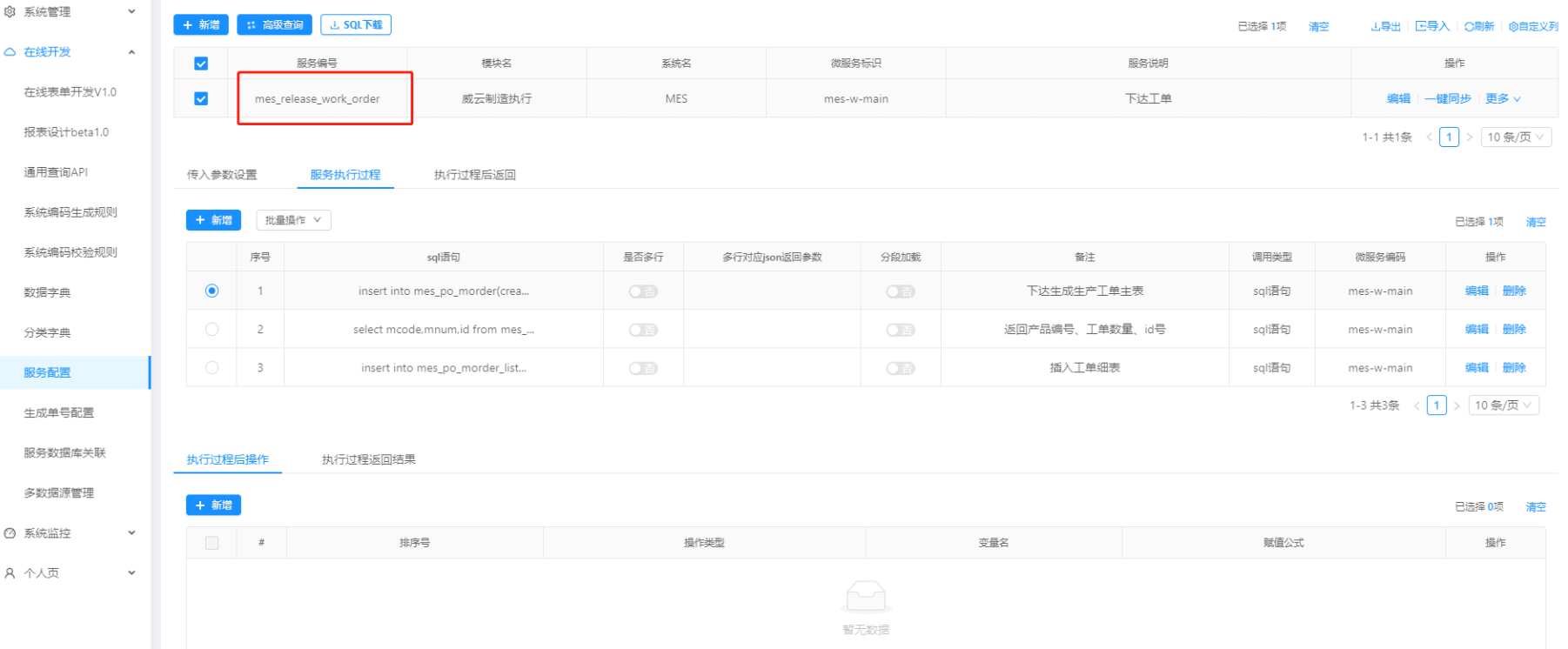
添加服务配置

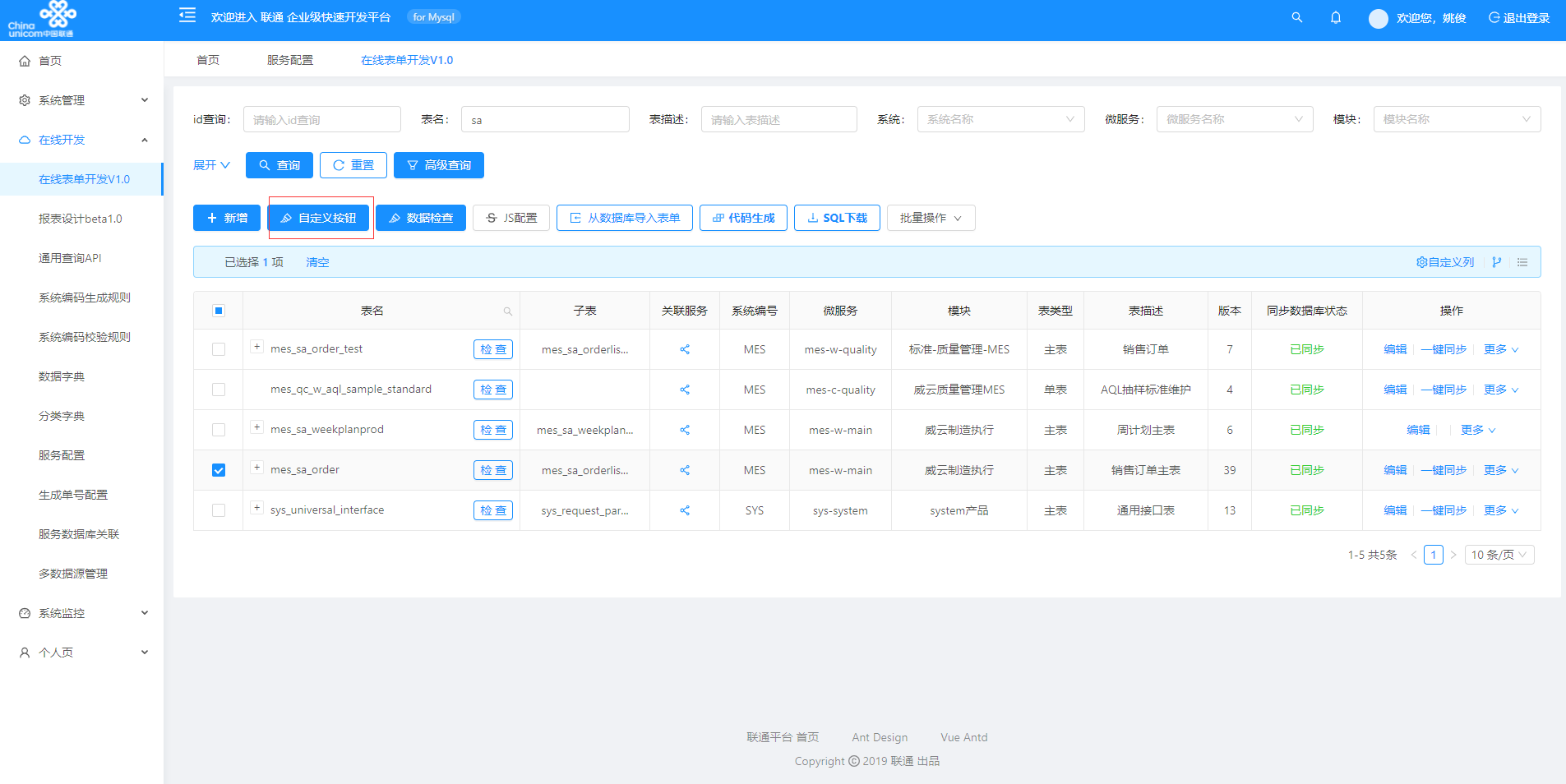
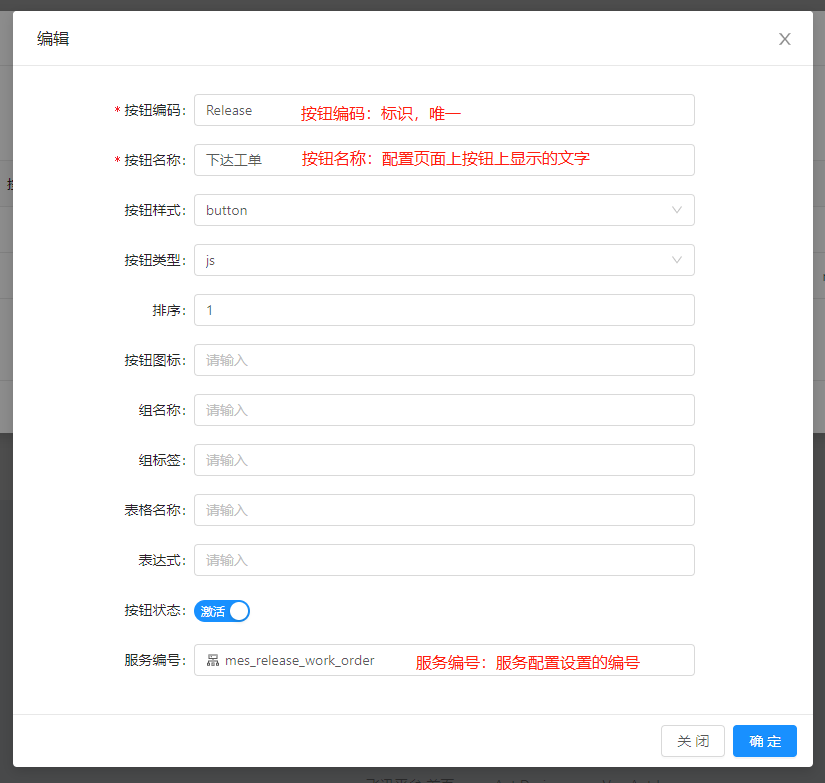
添加自定义按钮

添加 JS 增强配置

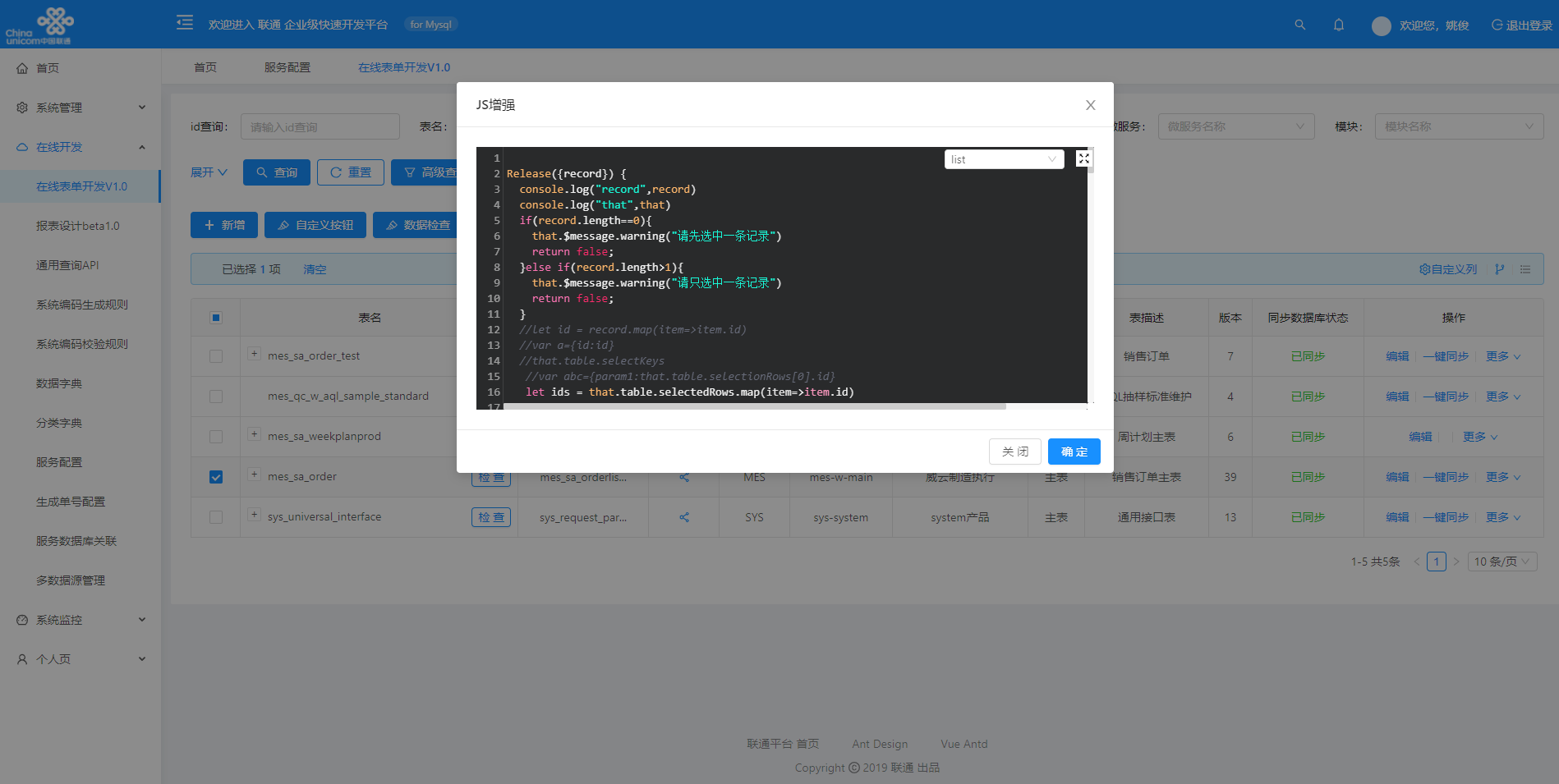
Release({record}) {console.log("record",record)console.log("that",that)let ids = that.table.selectedRows.map(item=>item.id)postAction("/mes-w-main/online/porosServer/mes_check_release",{id:ids.toString()}).then(res=>{console.log(res.data)that.batchno = res.data;if(!res.success){console.log("接口请求失败!",res.msg);that.$message.warning("请求接口失败")}else {console.log("接口请求成功!",res.msg);console.log(res.data.map[0].msg.length);if(res.data.map[0].msg.length>0){that.$message.success(res.data.map[0].msg)//that.showModal();}else{postAction("/mes-w-main/online/porosServer/mes_release_work_order",{id:ids.toString()}).then(res=>{console.log(res.data)that.batchno = res.data;if(!res.success){console.log("接口请求失败!",res.msg);that.$message.warning("请求接口失败")}else {console.log("接口请求成功!",res.msg);that.$message.success("下达成功")}})}}})}

一键同步数据

查看效果


若有收获,就点个赞吧
0 人点赞


