报错详细信息:
Could not determine the dependencies of task ':app:preDebugBuild'.> Could not resolve all task dependencies for configuration ':app:debugRuntimeClasspath'.> Could not resolve project :react-native-date-picker.Required by:project :app> Unable to find a matching configuration of project :react-native-date-picker:- None of the consumable configurations have attributes.
背景:
实际操作:
打算引入 react-native-date-picker 这个组件
结果:
引入之后,在 WebStorm 终端编译完成且成功,但是在 node “D:...(PS:项目路径)” start 窗口中并没有向安卓模拟器发送安装包文件,如下图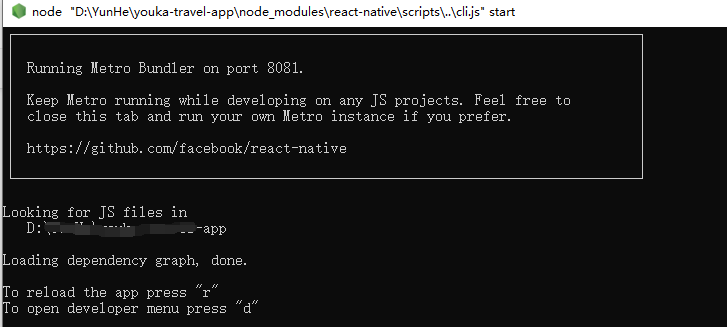
按下 “r” 键, 之后就一直显示 appReloading… 卡在这里不动了
然后就移除 react-native-date-picker 组件, 使用命令 yarn remove react-native-date-picker
移除之后,发现项目跑不起来了,编译就会报错: 如标题 ,详细信息在开头
解决办法:
在 android/app/bulid.gradle 文件中 ,如下图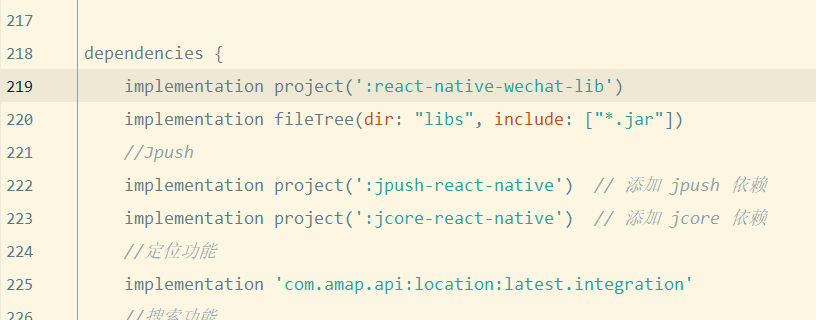
将 dependencies 中的 implementation project(':react-native-date-picker') 删除
另外在 android/settings.gradle 文件中 删除与 react-native-date-picker 有关的如下:
include ':react-native-date-picker'project(':react-native-date-picker').projectDir = new File(rootProject.projectDir, '../node_modules/react-native-date-picker/android')
然后就可以了

若有收获,就点个赞吧
0 人点赞


